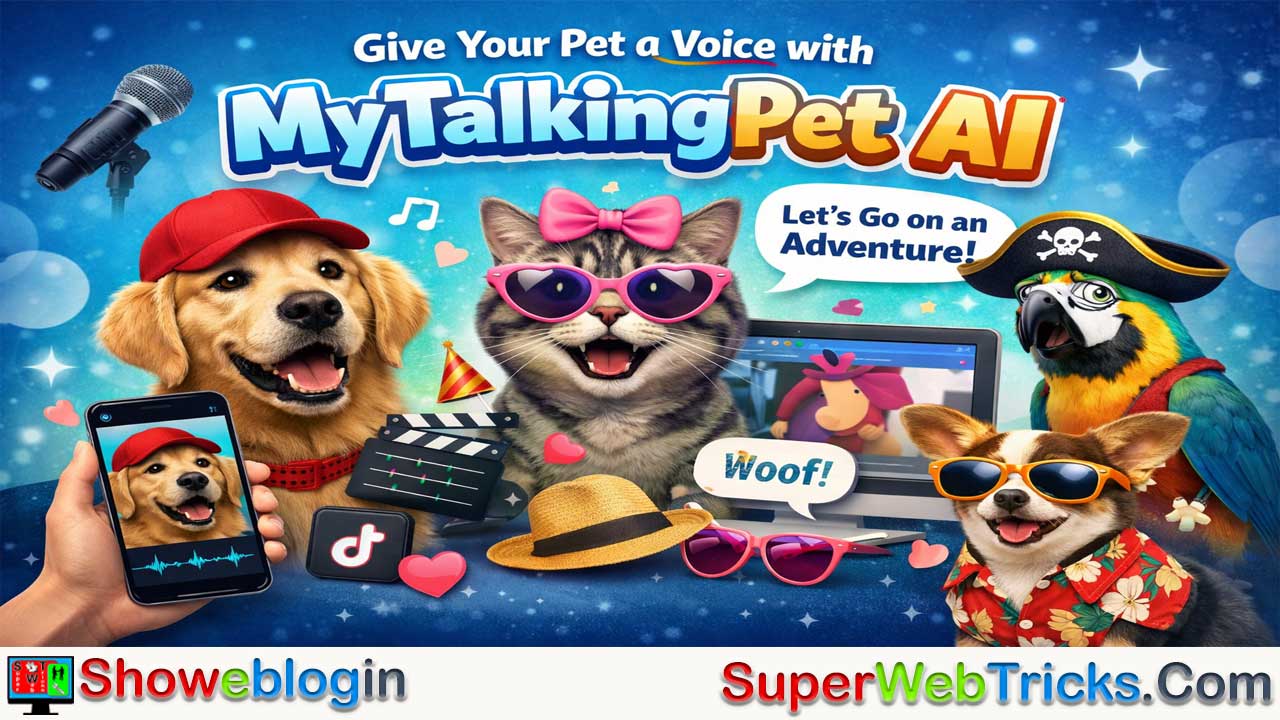


MyTalkingPet AI is a web-based AI tool that transforms static pet photos into realistic talking animations using deep learning, facial landmark mapping, and voice synthesis.
Designed for pet owners, influencers, and marketers, it enables users to upload a clear image of their pet, automatically map facial features for natural lip-sync and blinking, and add audio through voice recording, text-to-speech, or uploaded clips. The platform also offers customization options like digital accessories, themed costumes, and text overlays, with high-definition exports optimized for TikTok, Instagram Reels, and YouTube Shorts.
Operating on a freemium model with premium upgrades for HD downloads and expanded features, MyTalkingPet AI stands out as a specialized, user-friendly solution for creating engaging social media content, personalized greetings, brand marketing materials, or even sentimental memorial videos.
| Category | Details |
|---|---|
| What it is | AI platform that animates pet photos to make them “talk” |
| Core Technology | Deep learning, facial mapping, voice synthesis |
| Input | Pet photo (front-facing) |
| Voice Options | Record your voice, AI text-to-speech, upload audio |
| Customization | Digital accessories, hats, stickers, text overlays |
| Output | High-resolution animated video |
| Export Formats | Social-media ready (TikTok, Instagram, YouTube Shorts) |
| Pricing Model | Freemium with premium upgrades |
| Use Cases | Social content, greetings, branding, memorial videos |
| Best For | Pet owners, influencers, marketers |
Give Your Best Friend a Voice: A Comprehensive Guide to MyTalkingPet AI
In the rapidly evolving landscape of creative AI, few tools capture the heart quite like those that bridge the gap between humans and their animal companions. MyTalkingPet AI has emerged as a frontrunner in this niche, offering pet owners and content creators a seamless way to bring their pet photos to life through advanced animation and voice synthesis.
If you’ve ever wondered what your dog thinks about his kibble or what your cat’s “inner monologue” sounds like, this tool is your gateway. Here is a detailed look at everything you need to know about MyTalkingPet AI.
What is MyTalkingPet AI?
MyTalkingPet AI is a sophisticated web-based platform that uses deep learning and computer vision to animate static images of pets. Unlike basic filter apps, this tool specifically targets animal facial structures—mapping eyes, muzzles, and ears—to create a realistic “talking” effect.
By combining automated facial rigging with text-to-speech (TTS) or voice recording, the platform allows users to create high-quality video content featuring their pets speaking, singing, or even delivering personalized messages.
Key Features for the Modern AI Creator
Precision AI Facial Mapping
The core strength of the platform lies in its ability to recognize animal features. Whether it’s a Golden Retriever, a Persian cat, or even a parrot, the AI identifies key “landmarks” on the face to ensure that when the pet “speaks,” the jaw movement and eye blinks look natural rather than distorted.
Multi-Input Voice Options
Users aren’t limited to just one way of providing audio:
- Voice Recording: Record your own voice directly through the interface to give your pet your personality.
- AI Text-to-Speech: Type out a script and choose from various AI voices ranging from “grumpy” to “excited.”
- Audio Uploads: Upload pre-recorded clips or famous movie lines for comedic effect.
Digital Accessories and Customization
To add flair to your creations, the tool offers a library of digital assets. You can “dress up” your pet with:
- Hats and sunglasses.
- Themed costumes (birthdays, holidays).
- Text overlays and stickers.
High-Definition Export
The platform focuses on social-media-ready output. You can export videos in high resolution, optimized for platforms like TikTok, Instagram Reels, and YouTube Shorts.
Step-by-Step Guide: Creating Your First Video
Using MyTalkingPet AI is designed to be intuitive, even for those with zero video editing experience.
- Upload: Go to mytalkingpet.ai and upload a clear, front-facing photo of your pet. Ensure the mouth and eyes are visible for the best results.
- Calibrate: The AI will automatically place markers on the pet’s features. You can manually tweak these markers to ensure the lip-sync is perfect.
- Add Audio: Choose between recording your voice or using the AI text-to-speech engine.
- Accessorize: Add hats or props if you want to enhance the scene.
- Animate & Download: Hit the generate button. The AI processes the frames and delivers a video file ready for sharing.
Use Cases: Why Use MyTalkingPet AI?
Social Media Growth
Pet content is among the most viral niches on the internet. Using AI to make a pet “talk” provides a unique hook that can significantly increase engagement rates on TikTok and Instagram.
Personalized Greetings
Instead of a standard “Happy Birthday” text, imagine sending a video of your friend’s own dog wishing them a great day. It’s a powerful tool for personalized digital gifting.
Brand Marketing
Pet-related businesses (groomers, vets, pet food brands) can use this tool to create quirky advertisements where the animals themselves “review” the products.
Memorializing Pets
For those who have lost a companion, animating an old photo can be a touching way to keep their memory alive, allowing the pet to “speak” words of comfort.
Pricing and Accessibility
MyTalkingPet AI typically operates on a freemium model.
- Free Version: Often allows for limited exports or watermarked videos so users can test the technology.
- Premium/Pro Plans: Unlock high-definition downloads, remove watermarks, and provide access to a wider library of AI voices and accessories.
Note: Always check the official website for the most current subscription tiers.
The Verdict
In a sea of complex AI tools, MyTalkingPet AI stands out by being specialized. It doesn’t try to be a general video editor; it tries to be the best “pet animator” on the market.
For pet lovers, influencers, and marketers, it provides an accessible entry point into the world of AI-generated content that is both fun and emotionally resonant.
FAQs about MyTalkingPet AI
What is MyTalkingPet AI?
MyTalkingPet AI is a web-based platform that uses artificial intelligence to animate pet photos and make them appear to talk using realistic lip-sync and voice technology.
How does MyTalkingPet AI work?
It analyzes a pet’s facial features using AI landmark detection, maps the mouth and eyes, and syncs them with audio to create natural-looking speech animation.
What types of pets can be animated?
Most common pets such as dogs, cats, birds, and other animals with clearly visible facial features can be animated successfully.
Do I need video editing skills to use it?
No, the platform is designed for beginners and requires no prior editing experience.
What kind of photo works best?
A clear, front-facing photo with visible eyes and mouth in good lighting produces the best results.
Can I use my own voice?
Yes, you can record your voice directly within the platform.
Does it offer text-to-speech options?
Yes, you can type a script and choose from various AI-generated voices.
Can I upload external audio files?
Yes, pre-recorded clips and sound files can be uploaded for animation.
Are there different voice styles available?
Yes, voice options may include different tones such as excited, calm, or humorous depending on the plan.
Can I add accessories to my pet?
Yes, digital props like hats, glasses, costumes, and stickers can be added.
Is the animation realistic?
The AI is designed to create natural lip movements and subtle facial expressions for realism.
Can I edit the facial markers manually?
Yes, users can adjust the AI-placed markers to improve lip-sync accuracy.
What file format is the final video delivered in?
Videos are typically exported in standard MP4 format suitable for social media.
Is the video high definition?
HD export is usually available, especially on premium plans.
Does the free version include watermarks?
Free versions often include watermarks or limited exports.
Is there a premium plan?
Yes, premium plans typically unlock HD downloads, remove watermarks, and expand voice and accessory options.
Can I use the videos for commercial purposes?
Commercial use may depend on the subscription plan and platform terms of service.
Is MyTalkingPet AI web-based or downloadable?
It is web-based and works directly through a browser.
Does it work on mobile devices?
Yes, it can typically be accessed on mobile browsers, though performance may vary.
How long does it take to generate a video?
Processing usually takes a short time, depending on server load and video length.
Is there a limit on video length?
Limits may apply depending on the subscription tier.
Can I create singing videos?
Yes, pets can be animated to sing if you upload music or singing audio.
Is it suitable for social media content creators?
Yes, it is optimized for short-form content like TikTok, Instagram Reels, and YouTube Shorts.
Can businesses use it for marketing?
Yes, pet-related brands can use it for creative advertising and engagement.
Is it safe to upload my pet’s photo?
The platform typically follows standard data handling practices, but users should review its privacy policy.
Can I animate old photos of pets?
Yes, as long as the facial features are clear enough for detection.
Does it support multiple languages?
Text-to-speech may support multiple languages depending on available voice models.
Can I share videos directly to social platforms?
Videos can be downloaded and then uploaded to social media platforms.
Do I retain ownership of my content?
Ownership rights depend on the platform’s terms of service.
Is internet connection required?
Yes, since it is a web-based AI tool, an internet connection is necessary.
Can I use it for personalized greetings?
Yes, many users create birthday messages, holiday greetings, and custom announcements.
Is it beginner-friendly?
Yes, the interface is designed to be intuitive and easy to navigate.
Does it require software installation?
No installation is required since it runs in a browser.
Can multiple pets be animated in one video?
This may depend on the platform’s current feature set and plan level.
What makes it different from regular filter apps?
It uses advanced AI facial mapping specifically tailored for animal faces, offering more accurate lip-sync results.





Leave a Reply
You must be logged in to post a comment.