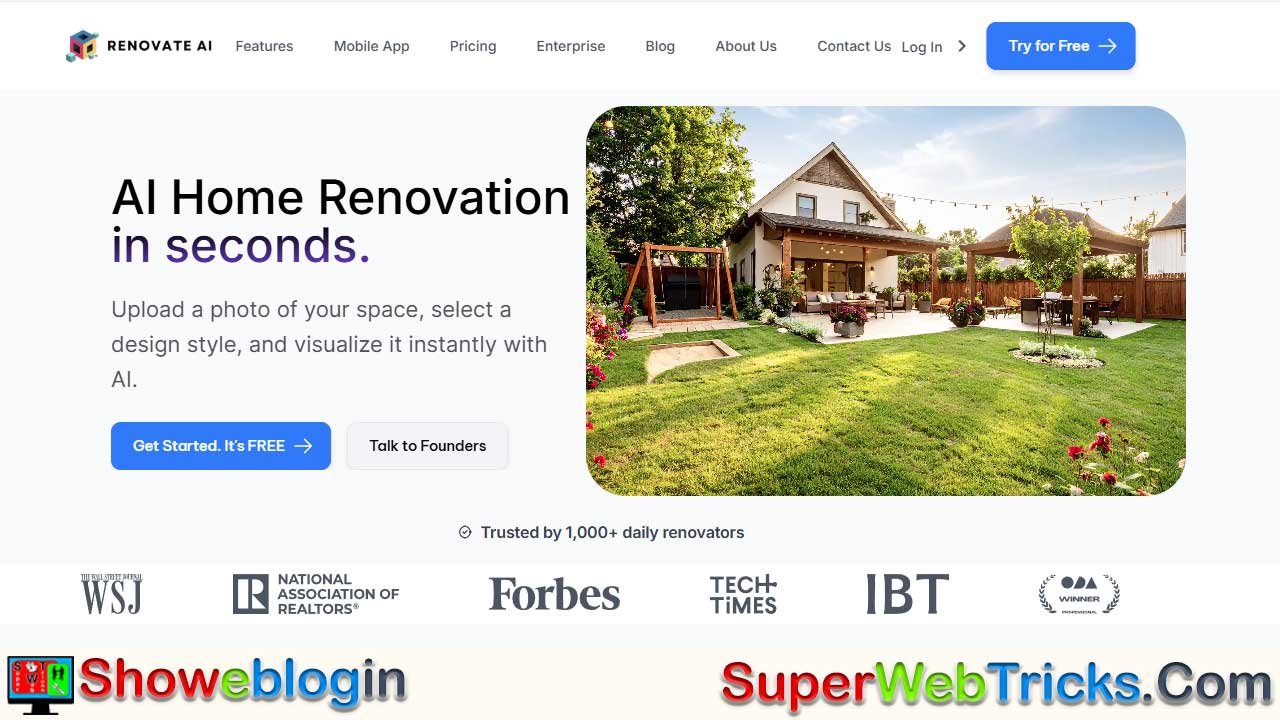






Renovate AI is a groundbreaking home design platform that transforms photos, sketches, and ideas into stunning photorealistic renders within seconds, making it easier than ever for homeowners, designers, real estate agents, and architects to visualize and perfect their projects.
With features like virtual staging, exterior and landscape design, object removal, and 4K image upscaling, it eliminates guesswork and costly mistakes while speeding up decision-making. Affordable credit-based plans, a simple interface, and AI-powered precision make Renovate AI a must-have tool for anyone looking to reimagine their space, impress clients, or boost property sales—truly redefining the future of home design.
| Feature | Information |
|---|---|
| Platform Name | Renovate AI |
| Website | https://renovateai.app/ |
| Core Function | AI-powered home design visualization with photorealistic renders |
| Key Features | Photorealistic renders, virtual staging, exterior/landscape design, sketch-to-render, object removal, 4K upscaling |
| Who It’s For | Homeowners, DIY renovators, interior designers, real estate agents, contractors, architects |
| Pricing Model | Credit-based system (Free, Starter, Professional, Business Pilot plans) |
| Free Plan | Daily allowance of renders with limited features |
| Premium Plans | Starter (homeowners), Professional (designers & agents), Business Pilot (agencies) |
| Top Benefit | Eliminates design guesswork, speeds up approvals, boosts sales & creativity |
| Unique Value | Combines multiple AI models for ultra-realistic, professional-grade results |
Renovate AI: The Future of Home Design is Here
Home design is undergoing a massive transformation, thanks to artificial intelligence. What once required expensive software, specialized knowledge, and countless hours of trial and error is now achievable in seconds. Renovate AI, available at renovateai.app, is leading this revolution. It empowers homeowners, real estate agents, interior designers, and architects to visualize dream spaces instantly—without heavy technical skills or big budgets.
Unlike outdated tools that only provide generic previews, Renovate AI generates hyper-realistic renders tailored to your space. Upload a photo of your room, exterior, or sketch, and watch as AI reimagines it into a professional-grade design. The future of home improvement is no longer about guessing—it’s about seeing your vision clearly before making real-world decisions.
👉 Whether you’re refreshing a single room or staging an entire property, Renovate AI is your visual co-pilot for smarter, faster, and more confident design choices.
A Suite of AI-Powered Features for Every Project
What makes Renovate AI unique is its all-in-one toolkit approach. Instead of being a single-use app, it offers a comprehensive ecosystem of design solutions, each powered by advanced AI models. This versatility means users can go from brainstorming to execution without switching platforms.
Beyond just beauty, Renovate AI is built for practical decision-making. By showing you accurate lighting, textures, furniture placement, and landscaping possibilities, it allows you to evaluate ideas before committing time or money. This combination of creativity and practicality positions Renovate AI as an indispensable partner in any renovation or design journey.
Photorealistic Renders: See It Before You Build It
Renovate AI’s render engine does more than “edit” photos—it understands architecture. When you upload an image, it evaluates depth, proportions, and lighting before applying your chosen style. The results are virtually indistinguishable from real photographs, giving you the confidence to move forward.
- Want to know how your kitchen would look in sleek Scandinavian design?
- Thinking of transforming your rustic living room into a modern industrial loft?
With photorealistic renders, you don’t have to imagine—you can see it right away.
Virtual Staging: Real Estate’s Secret Weapon
Staging can make or break a property listing. But traditional staging costs thousands of dollars and takes weeks to organize. Renovate AI makes it instant and affordable.
- Showcase an empty home with cozy furniture arrangements.
- Remove clutter digitally to highlight space.
- Test different layouts to appeal to specific buyer demographics.
For real estate professionals, this translates to faster sales, higher offers, and stronger buyer connections—all without moving a single couch.
Exterior & Landscape Design: First Impressions, Reinvented
They say curb appeal sells a home—and Renovate AI ensures you get it right. Upload a photo of your exterior and experiment with new siding colors, roofing, or landscaping. From Zen-inspired gardens to modern minimalist facades, the platform offers over 40 curated styles.
This feature is perfect not only for homeowners but also for architects and contractors who need to present design variations to clients quickly. A simple before-and-after comparison can dramatically accelerate approvals and minimize revisions.
Sketch-to-Render: From Doodles to Designs
Not everyone is skilled with CAD or 3D modeling software, but creativity often starts with a simple sketch. Renovate AI turns rough hand-drawn ideas into lifelike renders in seconds. This bridges the gap between imagination and professional design, making it possible for even non-designers to communicate their vision clearly.
For professionals, this means less time spent on manual modeling and more time focusing on creativity and client collaboration.
Object Removal & Cleanup: Start Fresh Virtually
Ever wished you could just erase that old sofa or bulky wardrobe from a photo to see how your space would look? Renovate AI makes that possible. Its object removal tool provides a clutter-free canvas so you can redesign with clarity.
Interior designers often use this feature to help clients focus on the potential of a space rather than its current limitations.
Image Upscaling: Clarity That Impresses
Blurry or low-quality photos can ruin a design presentation. With Renovate AI’s upscaling, you can turn pixelated images into sharp 4K visuals that shine in client pitches, property listings, and social media showcases. This ensures your designs not only inspire but also look professional and polished.
Who is Renovate AI For? A Solution for Every Goal
One of Renovate AI’s strengths is its versatility. It’s not designed for one narrow audience—it’s crafted for anyone who deals with spaces. Let’s break it down:
- Homeowners & DIY Enthusiasts: Experiment with styles before committing. No more costly regrets—know exactly how your room will look before painting a wall or buying furniture.
- Interior Designers: Impress clients with multiple concepts in record time. Faster iterations mean more satisfied clients and higher referrals.
- Real Estate Agents: Sell properties faster by helping buyers visualize the full potential of a home. Virtual staging increases emotional connection and boosts sales value.
- Contractors & Architects: Improve communication with crystal-clear renders. Reduce misunderstandings, speed up approvals, and avoid costly rework.
👉 No matter your role, Renovate AI adapts to your goals—making it a must-have design assistant.
A Clear and Flexible Pricing Model
Unlike complicated subscription services, Renovate AI operates on a credit-based pricing system. This gives you flexibility and ensures you only pay for what you use.
- Free Plan: Try the platform with a daily allowance of renders—perfect for casual users testing the waters.
- Starter Plan: Affordable and ideal for homeowners, with a generous credit supply and access to 100+ design styles.
- Professional Plan: Designed for interior designers and real estate pros—includes higher credits, commercial usage rights, and watermark-free exports.
- Business Pilot Plan: A powerhouse for agencies and firms, offering 4K renders, API integration, priority support, and massive credit allowances.
This transparent system ensures cost efficiency without compromising quality, making Renovate AI suitable for both personal projects and enterprise-level workflows.
Renovate AI: The Future is Visual, The Future is Now
The rise of AI in home design isn’t a passing trend—it’s a paradigm shift. Renovate AI isn’t just another app; it’s a game-changing platform that blends creativity with technology to make design smarter, faster, and more accessible.
By empowering homeowners to make confident decisions, helping real estate agents close deals faster, and enabling professionals to save time while impressing clients, Renovate AI proves that the future of design is AI-driven, visual, and collaborative.
👉 Ready to transform your design journey? Visit Renovate AI today and experience the power of AI in reimagining your dream spaces.
✨ Showeblogin Verdict: Renovate AI is the future of design—accessible, intuitive, and powerful. It’s not just a tool, it’s your creative partner in every project.
FAQs about Renovate AI
What is Renovate AI?
Renovate AI is an advanced AI-powered home design platform that instantly transforms photos, sketches, or ideas into stunning photorealistic renders. It helps homeowners, designers, real estate agents, and contractors visualize projects before committing to real-world renovations.
How does Renovate AI work?
Users upload a photo or sketch of a room, home, or exterior. Renovate AI then applies advanced AI models to generate lifelike visualizations in seconds, allowing you to test different styles and layouts without expensive tools.
Who can benefit from Renovate AI?
Renovate AI is ideal for homeowners planning DIY projects, interior designers needing quick client mockups, real estate agents staging properties, and contractors or architects presenting visual drafts to clients.
Is Renovate AI free to use?
Yes, Renovate AI has a Free Plan with a limited number of credits and watermarked renders. It’s a great starting point for beginners or casual users.
What are the current pricing plans for Renovate AI?
Renovate AI offers four tiers: Free, Starter at $13/month, Professional at $24/month, and Business Pilot at $99/month (all billed annually). Each plan includes different credits, features, and levels of access.
What does the Starter plan include?
The Starter Plan costs $13/month and comes with 300 credits, access to 100+ residential styles, 10-second render turnaround, and unlimited cloud storage. Renders include a watermark.
What does the Professional plan include?
The Professional Plan is $24/month and provides 700 credits, commercial usage rights, watermark-free exports, early access to new features, and access to commercial space styles. It’s best suited for interior designers and real estate professionals.
What does the Business Pilot plan include?
The Business Pilot Plan is $99/month and includes 3,000 credits, 4K ultra-quality renders, webinars, coaching, priority support, API integration, dedicated GPU server options, developer support, and a custom watermark. It’s designed for agencies and larger teams.
How much does each render cost per design credit?
On average, renders cost $0.21 per design in the Starter Plan, $0.18 per design in the Professional Plan, and $0.17 per design in the Business Pilot Plan, making higher tiers more cost-effective.
What features does Renovate AI include?
Key features include photorealistic renders, virtual staging, exterior and landscape design, sketch-to-render conversion, object removal and cleanup, and 4K image upscaling.
Can Renovate AI help real estate agents?
Yes, real estate professionals can virtually stage properties, remove clutter, and showcase homes in different styles, helping buyers connect emotionally with spaces and leading to faster sales.
Does Renovate AI support exterior and landscaping design?
Yes, Renovate AI allows you to redesign exteriors, change siding and roofing, and explore over 40 landscaping styles for improved curb appeal.
Can Renovate AI remove unwanted furniture or clutter?
Yes, its object removal tool helps users create clean, distraction-free photos to better reimagine spaces.
Does Renovate AI support 4K visuals?
Yes, the image upscaling and Business Pilot plan provide 4K ultra-quality renders, perfect for professional presentations and client portfolios.
Do I need design skills to use Renovate AI?
No, Renovate AI is beginner-friendly and requires no prior design or 3D modeling experience. Its intuitive interface makes it accessible for everyone.
Can Renovate AI convert sketches into realistic renders?
Yes, the sketch-to-render feature transforms hand-drawn ideas into polished, photorealistic designs instantly.
Does Renovate AI save time for professionals?
Yes, designers, architects, and contractors can generate multiple concepts quickly, reducing project timelines and boosting client satisfaction.
Is Renovate AI web-based or downloadable?
Renovate AI is entirely web-based, so there’s no need for heavy software downloads. It works directly from your browser.
What devices are compatible with Renovate AI?
Renovate AI works seamlessly on desktops, laptops, and mobile devices through any modern browser.
Can I share Renovate AI designs with others?
Yes, you can easily download and share renders with clients, friends, or colleagues for collaboration and presentations.
Does Renovate AI offer watermark-free renders?
Watermark-free exports are available on the Professional and Business Pilot plans. The free and starter plans include watermarked renders.
How fast are the renders generated?
Most renders are completed in around 10 seconds, making it significantly faster than traditional rendering tools.
Can Renovate AI increase property sales?
Yes, real estate agents often report faster sales and higher offers when using virtual staging and realistic visualizations from Renovate AI.
Is Renovate AI worth it for professionals?
Yes, professionals save time, improve client communication, and deliver higher-quality presentations, making Renovate AI a valuable investment.
Is Renovate AI available worldwide?
Yes, being web-based, Renovate AI is accessible globally as long as you have an internet connection.
Does Renovate AI provide customer support?
Yes, all paid plans include support, and Business Pilot users benefit from priority support, webinars, coaching, and developer integration assistance.











Leave a Reply
You must be logged in to post a comment.