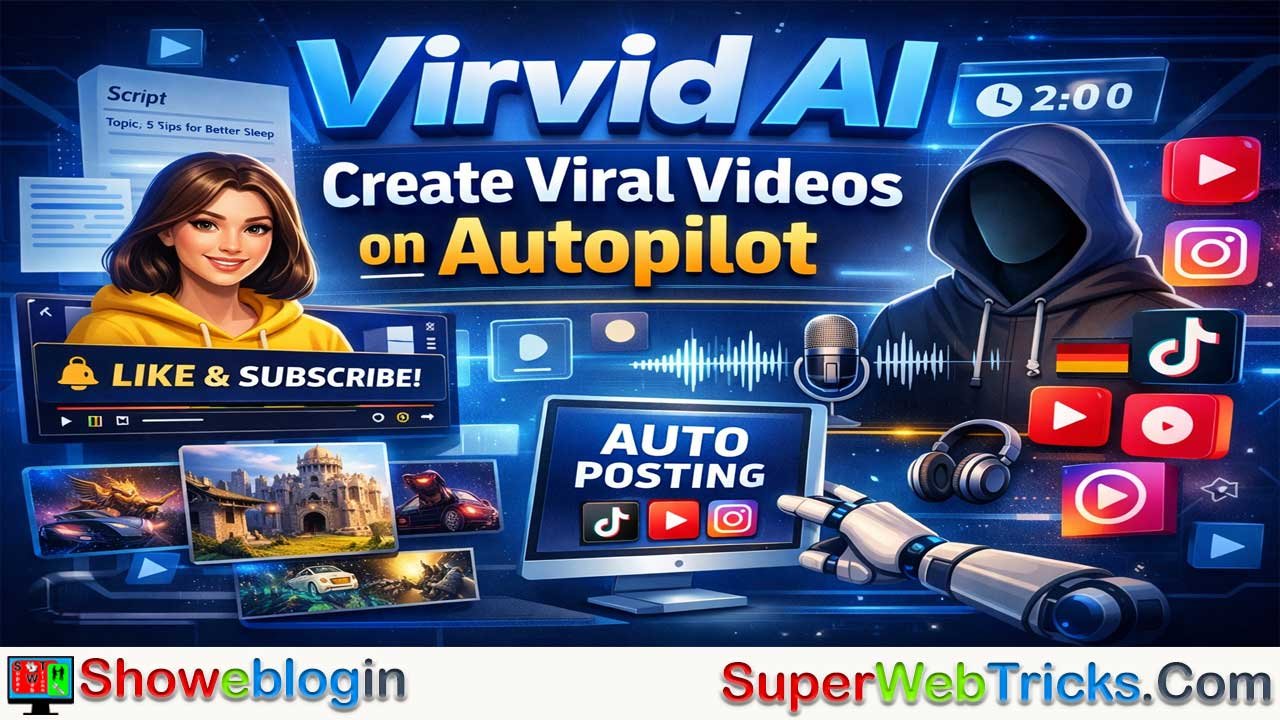




Virvid AI is a cloud-based platform designed to automate the creation of viral-ready short-form videos for platforms like TikTok, Instagram Reels, and YouTube Shorts.
It uses generative AI to transform a simple topic into a complete video—including scripts with engaging hooks, consistent AI-generated characters, realistic voiceovers in multiple languages, and trending visual styles—within minutes. The platform offers both manual creation for precise control and an “Autopilot” feature that can automatically generate and post content daily across connected social accounts, making it ideal for scaling faceless content channels.
With features aimed at speed, consistency, and global reach, Virvid AI positions itself as a powerful tool for creators, entrepreneurs, and agencies looking to produce high-volume social media content without filming or editing manually.
| Aspect | Details |
|---|---|
| Tool Name | Virvid AI |
| Type | AI short-form video generator |
| Main Purpose | Automatically create and publish viral-ready short videos |
| Input | Simple topic or idea |
| Output | Fully generated short video with script, visuals, voiceover, and captions |
| Core Feature | Autopilot mode for automatic daily posting |
| Video Elements | AI scriptwriting, consistent characters, realistic voice avatars, trending visual styles |
| Languages | 20+ supported |
| Voices | 30+ human-like voice avatars |
| Platforms Supported | TikTok, Instagram Reels, YouTube Shorts |
| Creation Modes | Manual creation or automated “Series/Autopilot” |
| Target Users | Content creators, faceless channel owners, marketers, agencies |
| Key Benefit | Produce high-volume short content quickly without filming or editing |
| Pricing Tiers | Lite, Standard, Pro |
The Ultimate Guide to Virvid AI: Dominating Short-Form Content on Autopilot
In the rapidly evolving landscape of digital marketing, attention is the new currency. With platforms like TikTok, Instagram Reels, and YouTube Shorts commanding billions of daily views, the barrier to entry has shifted from “quality” to “consistency.” However, for most creators and businesses, the bottleneck is real: producing high-quality, engaging short-form content daily is a full-time job that requires scriptwriting, filming, and hours of tedious editing.
Virvid AI is a platform that promises to eliminate these hurdles entirely. Designed as an “all-in-one” AI shorts generator, Virvid AI allows users to transform simple ideas into viral-ready videos in under two minutes. Whether you are looking to build a faceless brand or scale your existing business, this guide provides a deep dive into how to leverage Virvid AI to its fullest potential.
What is Virvid AI?
Virvid AI is a cloud-based video generation platform specifically optimized for the “short-form” era. Unlike traditional video editors that require manual input for every cut and transition, Virvid uses advanced generative AI models to handle the entire creative pipeline.
From writing a compelling script based on a single topic to generating consistent visual characters and adding ultra-realistic voiceovers, Virvid is built for speed and virality. Its most significant selling point is the Autopilot feature, which enables users to maintain a daily posting schedule across multiple platforms without ever opening a video editing software.
Key Features That Set Virvid AI Apart
For AI tool enthusiasts, the value of a tool lies in its specific capabilities. Here is a breakdown of the core features found at virvid.ai:
1. Topic-to-Video AI Engine
The manual “blank page” problem is solved here. You simply enter a topic (e.g., “The history of the Roman Empire” or “5 tips for better sleep”), and the AI instantly generates a trending video script. These scripts aren’t just blocks of text; they are structured with “hooks” and “retention-driven” language designed to keep viewers from scrolling past.
2. Consistent AI Characters
One of the biggest challenges in AI video generation has been “flicker” or character inconsistency. Virvid AI uses specialized models to ensure that if your video features a character, they look the same across every scene. This is a game-changer for storytelling niches and “faceless” brand building, where a recognizable protagonist helps build audience trust.
3. Ultra-Realistic Voice Avatars
Robot voices are the quickest way to kill engagement. Virvid offers over 30+ human-like voice avatars in more than 20 languages. These voices are optimized for popular social media formats (like UGC-style or deep-narrative storytelling), ensuring that your content sounds professional and relatable to a global audience.
4. Trending Visual Styles
Social media trends move at lightning speed. Virvid updates its visual styles weekly, incorporating the latest aesthetic trends—from Reddit-style gameplay backgrounds to cinematic AI-generated “Dark Fantasy” visuals. This ensures your content never looks “dated” or like a generic template.
5. Automated “Series” & Autopilot
This is the “killer feature” for many users. You can connect your TikTok, Instagram, and YouTube accounts directly to the platform. Once you configure your niche and preferences, Virvid can generate and post fresh content every single day on your behalf. This solves the #1 reason for failure on social media: lack of consistency.
How to Use Virvid AI: A Step-by-Step Guide for Creators
To get the most out of the platform, you need to understand the two primary workflows available.
Method 1: The Manual Creation (Precision Control)
If you want to have a hand in every video that goes live, the manual mode is your best friend.
- Enter Your Idea: Start by typing a niche or a specific story idea.
- Generate the Script: Review the AI-generated script. You can tweak sentences or ask the AI to make it “funnier” or “more professional.”
- Choose Your Style: Select from the library of trending visual styles.
- Pick a Voice: Listen to the voice previews and select the one that matches your niche’s “vibe.”
- Edit and Export: Use the built-in editor to add custom captions, change the background music from their 1000+ copyright-free tracks, or adjust animations.
- Download: Export in high-definition (HD) without watermarks.
Method 2: The Autopilot Series (Scale)
This is for the entrepreneur managing 10+ channels or the creator who wants to focus on strategy rather than production.
- Connect Socials: Link your TikTok, IG, and YouTube accounts.
- Set Your Niche: Define what your channel is about (e.g., “Daily Motivational Quotes” or “Unsolved Mysteries”).
- Configure Frequency: Choose how many times a day or week you want to post.
- Review (Optional): You can set it to “Auto-Post” or “Save to Drafts” for a final manual check before it goes live.
Why Every AI Tool User Needs a “Faceless” Strategy
The “Faceless YouTube” or “Faceless TikTok” trend is one of the most profitable ways to use AI today. Many creators are making five to six figures monthly by running channels they never appear in. Virvid AI is specifically tailored for this.
The strategy works because:
- Anonymity: You can experiment with multiple niches (finance, gaming, horror, tech) without your personal brand being tied to them.
- Infinite Scalability: You aren’t limited by your own time to film. You can run five different channels using Virvid AI in the time it takes to film one traditional vlog.
- Global Reach: With 20+ languages supported, you can translate your content ideas and launch “Spanish Tech” or “German History” channels with the click of a button.
Comparison: Virvid AI vs. Other Repurposing Tools
It is important to distinguish Virvid AI from tools like OpusClip or Munch.
- OpusClip/Munch: These tools are great if you already have long-form video content (like a podcast) that you want to chop into smaller pieces.
- Virvid AI: This is a generation tool. You don’t need existing footage. You start with an idea, and Virvid builds the video from scratch using AI assets.
If you are a creator who doesn’t like being on camera or doesn’t have 1-hour long videos to cut down, Virvid is the superior choice.
Pricing and Value Proposition
Virvid AI typically offers three tiers: Lite, Standard, and Pro.
- Lite: Best for beginners testing the waters with a few videos a month.
- Standard: The “sweet spot” for creators wanting to grow one or two channels consistently.
- Pro: Designed for power users and agencies who need maximum output and advanced features like higher rendering priority and priority support.
All paid plans usually include watermark-free exports, access to the full voice library, and unlimited HD exports, making it a highly cost-effective alternative to hiring a professional video editor (which could cost $30–$50 per short).
Tips for Viral Success with Virvid AI
- The 3-Second Rule: Use the AI’s “Hook” generation feature to ensure your first three seconds are visually and audibly arresting.
- Use Trending Styles: Don’t just stick to one style. A/B test different visual aesthetics to see which one your specific audience responds to.
- Leverage the Captions: Virvid’s “hooking captions” are dynamic and animated. These are essential for mobile users who often watch videos with the sound off.
- Consistency is King: If you use the Autopilot feature, set it to post at least once a day. Social media algorithms reward creators who provide a steady stream of content.
Final Thoughts: The Future of Content Creation
Virvid AI represents a shift toward “Democratic Content Creation.” You no longer need a $2,000 camera or a degree in Adobe Premiere to reach millions of people. By combining scriptwriting, visual generation, and automated posting into a single dashboard, Virvid allows anyone with a good idea to become a media mogul.
As AI models continue to improve, the gap between “human-made” and “AI-generated” content will disappear. Tools like Virvid AI are not just shortcuts; they are the new standard for anyone serious about staying relevant in the digital age.
Ready to start your viral journey? Visit Virvid.ai and launch your first video today.
FAQs about Virvid AI
What is Virvid AI used for?
Virvid AI is used to automatically create short-form videos for platforms like TikTok, Instagram Reels, and YouTube Shorts using AI-generated scripts, visuals, and voiceovers.
How does Virvid AI create videos?
Users enter a topic or idea, and the platform generates a script, visuals, voice narration, captions, and animations to produce a complete short video.
Does Virvid AI require video editing skills?
No, the platform is designed for beginners and automatically handles scripting, editing, and video generation.
What is the Autopilot feature in Virvid AI?
Autopilot allows users to automatically generate and post videos to connected social media accounts on a daily or scheduled basis.
Can Virvid AI create faceless content?
Yes, it is specifically designed for faceless content strategies where creators do not appear on camera.
Which platforms can Virvid AI publish videos to?
It can connect and publish content to TikTok, Instagram, and YouTube Shorts.
Does Virvid AI support multiple languages?
Yes, the platform supports more than 20 languages and offers multiple voice avatars.
Can users edit the AI-generated script?
Yes, users can modify the script, adjust tone, change visuals, select voiceovers, and customize captions before exporting the video.
What makes Virvid AI different from video clipping tools?
Unlike clipping tools that repurpose long videos, Virvid AI generates videos entirely from scratch using AI.
Who should use Virvid AI?
Content creators, digital marketers, agencies, and entrepreneurs who want to scale short-form content production efficiently.











Leave a Reply
You must be logged in to post a comment.