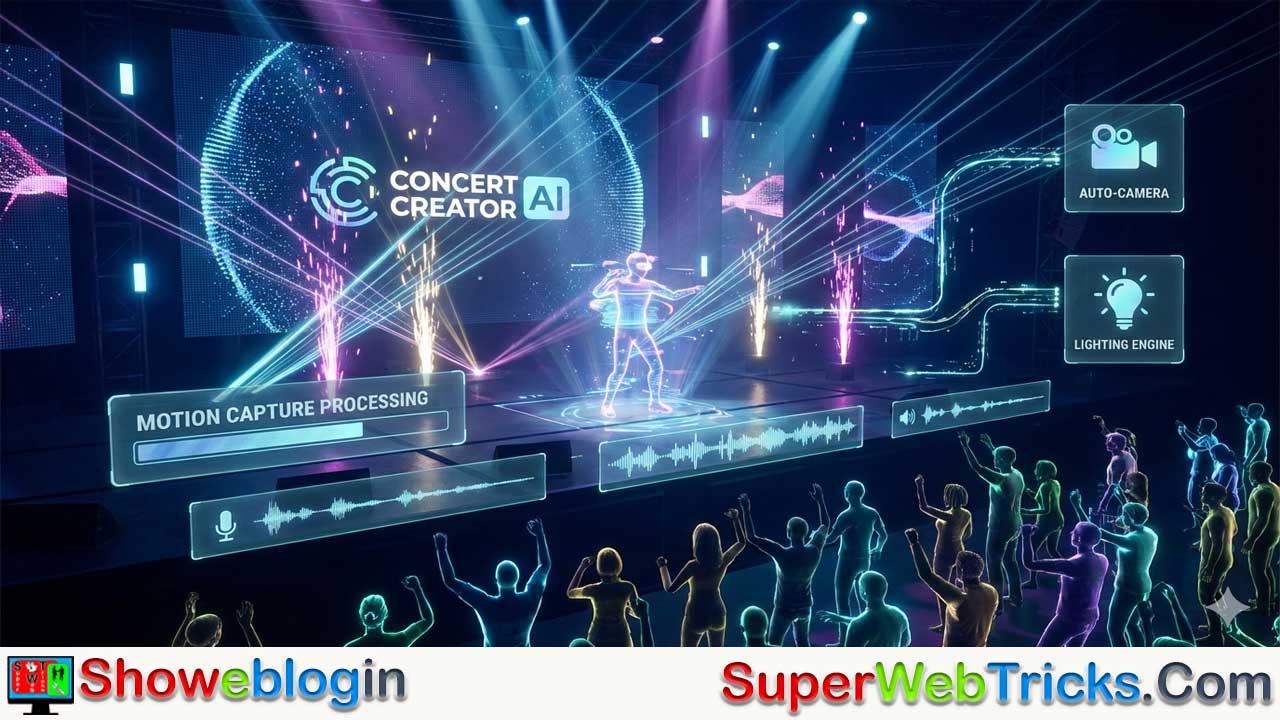






Concert Creator AI is a web-based platform that transforms simple video or audio inputs into fully animated 3D virtual concerts, making high-level production accessible to musicians, VTubers, and content creators without advanced technical skills.
By combining AI motion capture (which maps movements from regular 2D videos onto 3D avatars), audio-driven lip sync, and automated cinematography with dynamic camera angles and lighting effects, the tool streamlines the entire virtual production process. It supports custom VRM avatars, offers diverse stage environments, and generates professional lighting synced to music, allowing users to create polished music videos, dance performances, and visualizers in minutes.
Overall, Concert Creator AI removes the complexity of traditional 3D animation workflows, empowering creators to focus on performance and creativity rather than technical setup.
| Category | Information |
|---|---|
| Tool Name | Concert Creator AI |
| Type | Web-based AI virtual production platform |
| Core Function | Converts video or audio into animated 3D concert performances |
| Main Technologies | AI motion capture, audio-driven lip sync, automated cinematography |
| Motion Capture | Extracts body movement from standard 2D video (no mocap suit needed) |
| Lip Sync | Automatically syncs avatar mouth movements to vocals |
| Camera System | AI-generated dynamic angles, pans, and zooms |
| Avatar Support | Upload custom .VRM 3D avatars |
| Lighting | Auto-generated concert-style lighting synced to music |
| Stage Options | Multiple virtual environments (club, arena, futuristic stage, etc.) |
| Target Users | Musicians, VTubers, content creators, choreographers |
| Workflow | Upload → Customize avatar/stage → Generate & render |
The Future of Virtual Performance: A Deep Dive into Concert Creator AI
In the evolving landscape of generative AI, the barrier between a bedroom creator and a stadium-level production is crumbling. For musicians, VTubers, and 3D artists, the biggest hurdle has always been the immense technical skill required to animate 3D characters, program lighting, and direct camera movements.
This tool is making waves by automating the complex pipeline of 3D concert production. It allows users to transform simple video or audio inputs into high-fidelity, fully animated virtual performances. Here is everything you need to know about this groundbreaking platform.
What is Concert Creator AI?
Concert Creator AI is a web-based AI tool designed to democratize 3D animation. It serves as an all-in-one virtual production studio. Instead of spending weeks key-framing animation in software like Blender or buying expensive motion capture suits, users can utilize this tool to generate professional-looking music videos and dance performances in minutes.
The core promise of the platform is simple: Turn your video or audio into a 3D concert.
How It Works: The Magic Under the Hood
The platform utilizes advanced computer vision and generative algorithms to handle three distinct layers of production simultaneously:
- AI Motion Capture (Video-to-Animation):The most powerful feature of Concert Creator AI is its ability to extract motion from a standard 2D video. You can record yourself dancing or singing on your smartphone, upload the footage, and the AI maps your movements onto a 3D character. It captures body language, gestures, and dance moves without requiring a mocap suit.
- Audio-Driven Lip Sync:If you are a vocalist, the tool analyzes your audio track. It automatically generates accurate lip-sync animation for your character, ensuring the avatar looks like it is actually singing the lyrics rather than just moving its mouth randomly.
- Automated Cinematography:Perhaps the most “director-friendly” feature is the AI camera system. The tool doesn’t just place a static camera in front of the character; it generates dynamic camera angles, pans, and zooms that mimic professional concert broadcasting.
Key Features for Creators
If you are an AI tool user looking to integrate this into your workflow, here are the specific specifications and features that make Concert Creator AI stand out:
1. VRM Character Support
For the VTuber and anime community, this is a game-changer. The platform supports .VRM files. This is the standard file format for 3D avatars. This means you are not limited to generic stock characters; you can upload your own custom brand avatar and see yourself performing on stage.
2. Dynamic Lighting Engines
A concert isn’t a concert without a light show. The AI automatically generates lighting cues that sync with the mood and tempo of the performance, adding high-production value beams, spotlights, and ambient lighting to the scene.
3. Custom Stages
Users can select from a variety of virtual environments. Whether you want an intimate club setting or a massive cyber-futuristic arena, the tool provides the backdrop to match the energy of your song.
Who Is This Tool For?
- Indie Musicians & Rappers: Create high-quality visualizers or music videos for YouTube and Spotify without hiring a production crew.
- VTubers: Generate dance videos and shorts for TikTok/Reels without needing full-body tracking hardware (like Vive trackers).
- Content Creators: Turn viral dance trends into 3D animations instantly.
- Choreographers: Visualize how a dance routine would look on a specific stage setup.
The Workflow: From Idea to Render
Using Concert Creator AI generally follows a streamlined three-step process:
- Upload: You provide the source material. This can be a video of you performing the moves, or an audio track for a singing performance.
- Customize: Select your avatar (or upload your VRM) and choose the stage environment that fits your aesthetic.
- Generate: The AI processes the data, retargets the motion to the skeleton of the 3D model, applies the camera logic, and renders the final video.
Conclusion
Concert Creator AI represents a significant leap forward in generative 3D media. By removing the technical friction of rigging, animation, and camera work, it allows creators to focus purely on the performance and the music.
For creators looking to expand their visual presence without breaking the bank on animation studios, Concert Creator AI is an essential tool to add to your digital arsenal.
FAQs about Concert Creator AI
What is Concert Creator AI?
Concert Creator AI is a web-based platform that converts simple video or audio inputs into fully animated 3D concert performances using artificial intelligence.
How does Concert Creator AI work?
It analyzes uploaded video or audio, extracts motion or vocal data, maps it onto a 3D avatar, applies automated camera movements and lighting, and renders a finished performance video.
Do I need motion capture equipment?
No. The AI extracts body motion directly from a standard 2D video recorded on a smartphone or camera.
Can I upload my own 3D avatar?
Yes. The platform supports .VRM files, allowing you to use custom avatars instead of default characters.
What is VRM support?
VRM is a standard 3D avatar file format commonly used by VTubers, enabling easy import of personalized characters.
Does it support lip sync for singers?
Yes. The AI analyzes audio tracks and automatically generates accurate lip-sync animation for the avatar.
Can I create performances using only audio?
Yes. You can upload a vocal track, and the system will generate lip sync and stage animation around it.
Does the platform generate camera movements automatically?
Yes. It creates dynamic camera angles, pans, zooms, and cinematic shots similar to professional concert broadcasts.
Can I control the camera manually?
Depending on platform features, users may have limited customization, but the core system automates cinematography.
What types of stages are available?
Users can choose from multiple virtual environments such as club stages, arenas, and futuristic settings.
Does the lighting sync with music?
Yes. The lighting engine generates dynamic lighting effects based on tempo and mood.
Is this tool beginner-friendly?
Yes. It is designed to remove complex animation and production barriers for non-technical users.
Who is Concert Creator AI designed for?
It targets indie musicians, VTubers, content creators, choreographers, and digital performers.
Can VTubers use it without full-body tracking hardware?
Yes. It eliminates the need for expensive tracking devices by using video-based motion capture.
Is software like Blender required?
No. The platform automates processes that would normally require advanced 3D software.
How long does it take to generate a performance?
Typically minutes, depending on video length and processing time.
Can it be used for TikTok or YouTube content?
Yes. Creators can produce short-form dance clips or full music videos for social platforms.
Does it support dance choreography visualization?
Yes. Choreographers can preview routines on virtual stages before live performances.
What file types can I upload?
Video files for motion capture and audio files for singing performances are supported.
Is it cloud-based?
Yes. It operates as a web-based platform, so no heavy local installation is required.
Does it require high-end hardware?
No. Since processing is handled online, users only need a device capable of uploading media.
Can I use it for non-music performances?
Yes. It can potentially be used for speeches, virtual presentations, or character animations.
Does it generate full music videos?
Yes. It can render complete 3D performance videos with lighting and camera effects.
Can beginners create professional-looking content?
Yes. The AI automates technical aspects to achieve polished results without expert knowledge.
Is the animation realistic?
The quality depends on input and avatar rigging, but it aims for high-fidelity, natural movement.
Can I edit the final render?
Users can typically export the video and edit it further in standard video editing software.
Does it replace traditional animation workflows?
It simplifies and accelerates them but may not fully replace advanced manual animation for complex projects.
Is it suitable for indie artists on a budget?
Yes. It reduces the need for animation studios and production crews.
Can I create dance trend animations quickly?
Yes. Record a dance, upload it, and generate a 3D animated version rapidly.
Does it support brand identity for creators?
Yes. Custom avatars and stage choices allow creators to maintain a consistent visual brand.
Is technical knowledge required?
No advanced animation knowledge is required to use the core features.
What makes it different from traditional 3D animation tools?
It automates motion capture, lip sync, lighting, and camera direction in one streamlined workflow.
Can it handle group performances?
Capabilities may vary, but the primary focus is on single-avatar performances.
Is rendering automatic?
Yes. After customization, the AI processes and renders the final performance video.
Can it be used for promotional content?
Yes. Artists can create promotional clips, teasers, and visualizers efficiently.
Does it help with creative direction?
Yes. Automated camera and lighting systems simulate professional concert directing.
Can I match stage aesthetics to song mood?
Yes. You can choose environments and lighting styles that fit your music’s energy.
Is it suitable for educational demonstrations?
Yes. It can visualize performance techniques or choreography for learning purposes.
Does it save time compared to manual animation?
Yes. Tasks that normally take weeks can be completed in minutes.
Can content be monetized?
Yes. Generated videos can be used on monetized platforms, subject to platform policies.
Does it support real-time generation?
It is primarily designed for fast processing rather than live real-time streaming.
Is it accessible worldwide?
As a web-based platform, it can be accessed from most regions with internet connectivity.
Can it enhance creative experimentation?
Yes. Low production barriers allow creators to test ideas quickly and iterate faster.
What is the typical workflow?
Upload source material, select or upload an avatar, choose a stage, and generate the final render.












Leave a Reply
You must be logged in to post a comment.