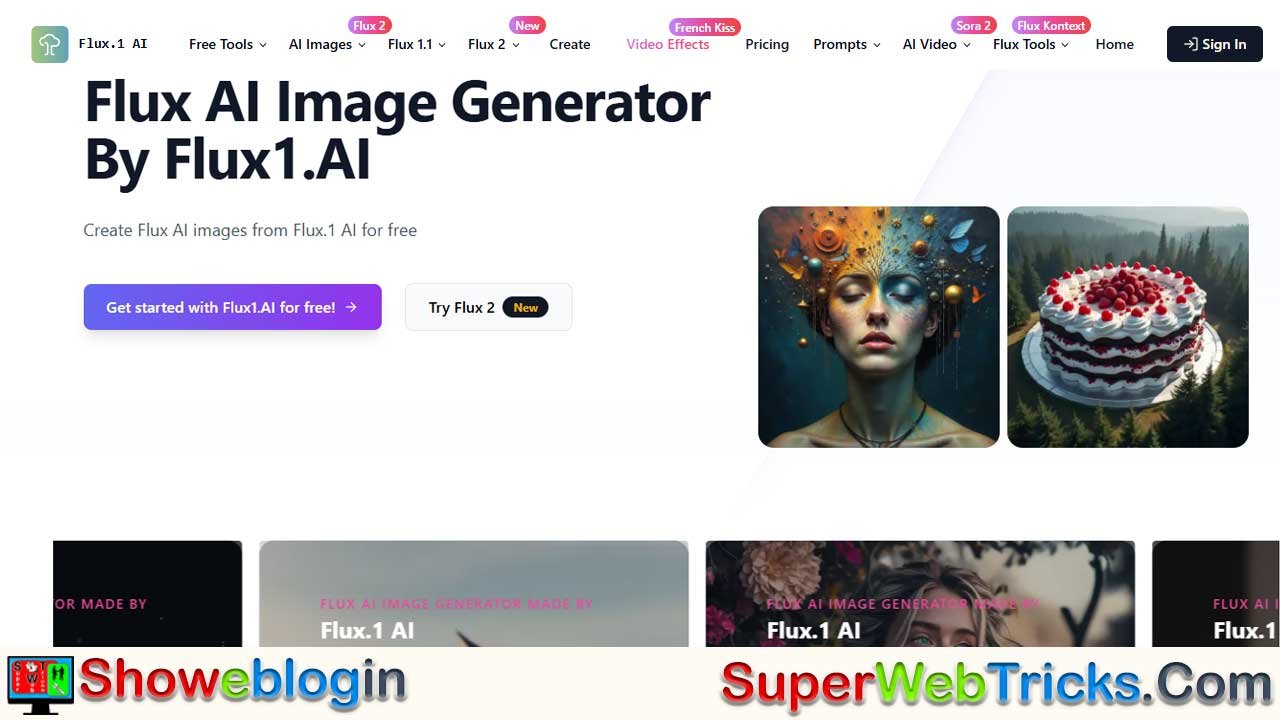






Flux AI, developed by Black Forest Labs, is a cutting-edge image generation platform that rivals tools like Midjourney and DALL-E 3 by combining advanced transformer-based flow models with exceptional prompt understanding.
Hosting three main models—Flux 1.1 (Pro/Ultra) for professional-grade realism, Flux 1.0 (Dev) for open-weight experimentation, and Flux 1.0 (Schnell) for ultra-fast free rendering—the platform allows users to create high-quality visuals directly in their browser via flux1.ai.
It excels in areas like accurate text rendering, complex instruction following, and realistic human anatomy, while offering tools such as inpainting, image-to-image conversion, and style presets. With free starter credits and commercial-use options, Flux AI empowers creators of all levels to produce professional visuals effortlessly through natural language prompting.
| Aspect | Details |
|---|---|
| Developer | Black Forest Labs |
| Platform URL | flux1.ai |
| Core Strength | Advanced text rendering, complex prompts, human anatomy |
| Models | Flux 1.1 Pro/Ultra (photorealism), Flux 1.0 Dev (open-weight), Flux 1.0 Schnell (fast generation) |
| Key Features | Inpainting/outpainting, image-to-image, style presets, free credits |
| Prompting Style | Natural language: Subject + Action + Style + Lighting + Specs |
| Usage Rights | Commercial with paid subscriptions |
The Ultimate Guide to Flux AI: Revolutionizing Image Generation at Flux1.ai
Artificial Intelligence has transformed digital creativity, but few leaps have been as significant as the arrival of Flux AI. Developed by Black Forest Labs, this suite of models has rapidly established itself as a formidable competitor to industry titans like Midjourney and DALL-E 3.
For creators seeking a powerful, accessible, and high-fidelity solution, https://flux1.ai/ serves as the premier gateway. This comprehensive guide dives deep into the technology, the specific models available, and how you can leverage this platform to create professional-grade visuals—often for free.
Why Flux AI is a Game-Changer
Flux AI isn’t just another image generator; it represents a fundamental shift in how AI interprets and renders text. Built on advanced transformer-based flow models, Flux scales up to 12 billion parameters. In simple terms, this massive architecture allows it to understand complex relationships between words and visual concepts better than previous generations of AI.
The “Flux Advantage”
- Unmatched Text Rendering: The Achilles’ heel of AI art has always been text. Flux solves this. Whether it’s a neon sign, a book cover title, or a logo, Flux renders legible, correctly spelled text with surprising consistency.
- Complex Instruction Following: You can give Flux long, complicated prompts describing multiple characters, specific lighting, and precise positioning, and it will adhere to them far more strictly than most competitors.
- Human Anatomy: Flux excels at realistic skin textures, hands, and facial expressions, significantly reducing the distortion often seen in AI portraits.
The Three Pillars: Understanding the Models
When you visit flux1.ai, you aren’t just using “one” AI. You have access to a tiered ecosystem, each designed for a specific purpose.
1. Flux 1.1 [Pro] & [Ultra] – The Powerhouse
- Best For: Commercial work, high-end digital art, and detailed photorealism.
- Why Use It: This is the “state-of-the-art” model. It offers the highest resolution, the best prompt adherence, and the most dynamic visual range. If you need an image that looks indistinguishable from a professional photograph, this is your engine.
- Speed: While powerful, it requires more computational resources, making it slightly slower than the basic models but significantly faster than older competitors.
2. Flux 1.0 [Dev] – The Creator’s Choice
- Best For: Developers, hobbyists, and non-commercial projects.
- Why Use It: This model is “open-weight,” meaning it’s derived from the Pro version but optimized to be more accessible. It retains much of the quality of Pro and is excellent for experimenting with different artistic styles without burning through premium credits.
3. Flux 1.0 [Schnell] – Speed & Efficiency
- Best For: Quick prototyping, brainstorming, and free users.
- Why Use It: “Schnell” means “fast” in German. This distilled model generates images up to 10x faster than traditional models. While it sacrifices a tiny bit of detail compared to Pro, it is incredibly efficient and is often the default engine for free trials on the platform.
The flux1.ai Platform Experience
While the models are the engine, the website flux1.ai is the dashboard. It removes the technical barriers of running AI (like coding or expensive GPUs) and offers a suite of tools directly in your browser.
Key Features Beyond Generation
- Magic Tools: The platform includes specialized filters and generators, such as:
- Inpainting/Outpainting: Fix mistakes inside an image or expand the canvas beyond its original borders.
- Image-to-Image: Upload a sketch or a reference photo and have Flux reimagine it in a new style.
- Style Presets: One-click access to styles like “Studio Ghibli,” “Cyberpunk,” “Realism,” and “Disney AI.”
- Free Credits System: New users are welcomed with free credits (often 10 upon sign-in), allowing you to test the Schnell model immediately without a credit card.
- Commercial Rights: Paid subscriptions on the platform generally grant commercial usage rights, making it a safe harbor for freelance designers and agencies.
Mastering Flux: A Guide to Prompting
Because Flux understands language so well, you can speak to it differently than other AIs. You don’t need “word salad” (e.g., masterpiece, best quality, 4k, 8k). Instead, focus on natural, descriptive language.
The Perfect Flux Prompt Structure:
[Subject] + [Action/Context] + [Artistic Style] + [Lighting/Mood] + [Technical Specs]
- Bad Prompt: “Dog, cute, 4k, realistic.”
- Good Flux Prompt: “A close-up photograph of a Golden Retriever sitting on a wooden porch during a rainy afternoon. The dog is looking at the camera with soulful eyes. Soft, diffused lighting, high texture detail on the fur, depth of field.”
Pro Tip for Text: If you want specific text, put it in quotes.
- Prompt: “A futuristic movie poster with the title ‘CYBER FLUX’ written in glowing neon blue letters at the top.”
Step-by-Step: Creating Your First Image
- Navigate: Go to flux1.ai.
- Sign Up: Click “Sign In” to create an account and claim your starter credits.
- Choose Your Weapon: Select Flux 1.1 Pro for quality or Flux Schnell for speed.
- Craft Your Prompt: Type your description into the text box. Be specific about what you want to see.
- Adjust Settings: (Optional) Select your aspect ratio (e.g., 16:9 for wallpapers, 1:1 for social media).
- Generate: Hit the button and wait a few seconds.
- Refine or Download: If it’s perfect, download it. If not, tweak your prompt and try again!
Conclusion
Flux AI has democratized high-end image generation, and flux1.ai is the most user-friendly vessel for this technology. Whether you are generating assets for a marketing campaign, visualizing scenes for a novel, or simply exploring the boundaries of your imagination, this platform offers the tools you need with an interface anyone can master.
Ready to create? Visit https://flux1.ai/ now to claim your free credits and start generating.
FAQs about Flux AI
What is Flux AI and who developed it?
Flux AI is an advanced image generation system built on transformer-based flow models and developed by Black Forest Labs. It is designed to generate highly realistic and instruction-accurate images from text prompts.
What makes Flux AI different from Midjourney and DALL-E 3?
Flux AI stands out for its superior text rendering, stronger adherence to complex prompts, and more accurate human anatomy, especially hands, skin texture, and facial expressions.
What is flux1.ai?
flux1.ai is the official web platform that provides browser-based access to Flux AI models without requiring coding skills or specialized hardware.
How many models are available on Flux AI?
Flux AI offers three main models: Flux 1.1 Pro/Ultra, Flux 1.0 Dev, and Flux 1.0 Schnell, each optimized for different use cases.
Which Flux model is best for professional and commercial use?
Flux 1.1 Pro and Ultra are best suited for professional and commercial projects due to their high resolution, photorealism, and strong prompt accuracy.
What is Flux 1.0 Dev used for?
Flux 1.0 Dev is ideal for developers, hobbyists, and non-commercial projects, offering near-pro quality with greater accessibility and flexibility.
What does Flux Schnell mean and when should it be used?
“Schnell” means “fast” in German. Flux Schnell is optimized for speed and efficiency, making it perfect for quick ideation, prototyping, and free users.
Is Flux AI free to use?
Flux AI offers free starter credits to new users, allowing them to generate images—typically using the Schnell model—without entering payment details.
How many free credits do new users get on flux1.ai?
New users usually receive around 10 free credits upon signing up, though this may vary based on promotions.
Do Flux AI images have commercial usage rights?
Commercial rights are generally included with paid subscriptions on flux1.ai, making it suitable for freelancers, marketers, and agencies.
Can Flux AI generate readable and accurate text in images?
Yes, Flux AI is particularly known for its ability to generate legible, correctly spelled text in images such as signs, posters, and logos.
How does Flux AI handle complex prompts?
Flux AI excels at understanding long, detailed prompts involving multiple characters, environments, lighting conditions, and spatial relationships.
Is Flux AI good at generating realistic human faces and hands?
Yes, Flux AI significantly reduces common AI issues like distorted hands and unnatural facial features, producing more lifelike results.
Does flux1.ai support image-to-image generation?
Yes, users can upload reference images or sketches and have Flux AI reinterpret them in different styles or compositions.
What are inpainting and outpainting features in Flux AI?
Inpainting allows users to fix or modify specific areas of an image, while outpainting expands the image beyond its original borders.
Are style presets available on flux1.ai?
Yes, flux1.ai includes one-click style presets such as Studio Ghibli, Cyberpunk, Realism, Disney AI, and more.
Do I need a powerful GPU to use Flux AI?
No, flux1.ai runs entirely in the browser, handling all computation on the server side.
How fast is Flux Schnell compared to other models?
Flux Schnell can generate images up to 10 times faster than traditional high-quality models, making it one of the fastest options available.
Is Flux AI suitable for beginners?
Yes, the platform is designed to be intuitive and beginner-friendly, with no technical setup required.
How should prompts be written for best results with Flux AI?
Natural, descriptive language works best. Clear explanations of subject, mood, style, and context outperform keyword-heavy prompts.
Do I need to use quality keywords like 4K or masterpiece?
No, Flux AI understands intent well and does not require filler keywords commonly used in other image generators.
How do I ensure correct text appears in my generated image?
Place the exact text you want in quotation marks within the prompt for best accuracy.
Can Flux AI be used for logos and branding visuals?
Yes, especially with its strong text rendering and clean design output, Flux AI is well-suited for branding concepts and mockups.
What aspect ratios are supported on flux1.ai?
Common aspect ratios like 1:1, 16:9, and others are available, making it suitable for social media, wallpapers, and print layouts.
Is Flux AI suitable for marketing and advertising content?
Yes, many marketers use Flux AI for ad creatives, social media visuals, and campaign assets due to its realism and commercial rights options.
Can Flux AI replace professional photography?
While not a full replacement, Flux AI can produce photorealistic images that are often indistinguishable from professional photos for many use cases.
How long does it take to generate an image on flux1.ai?
Depending on the model, generation typically takes from a few seconds (Schnell) to slightly longer for Pro-quality images.
Is Flux AI constantly being improved?
Yes, Black Forest Labs continues to refine the models, improving realism, speed, and prompt understanding over time.
Who should use Flux AI?
Flux AI is ideal for designers, marketers, developers, artists, content creators, and anyone interested in high-quality AI-generated imagery.
Where can I start using Flux AI today?
You can start immediately by visiting https://flux1.ai, signing up, and using your free credits to generate images.











Leave a Reply
You must be logged in to post a comment.