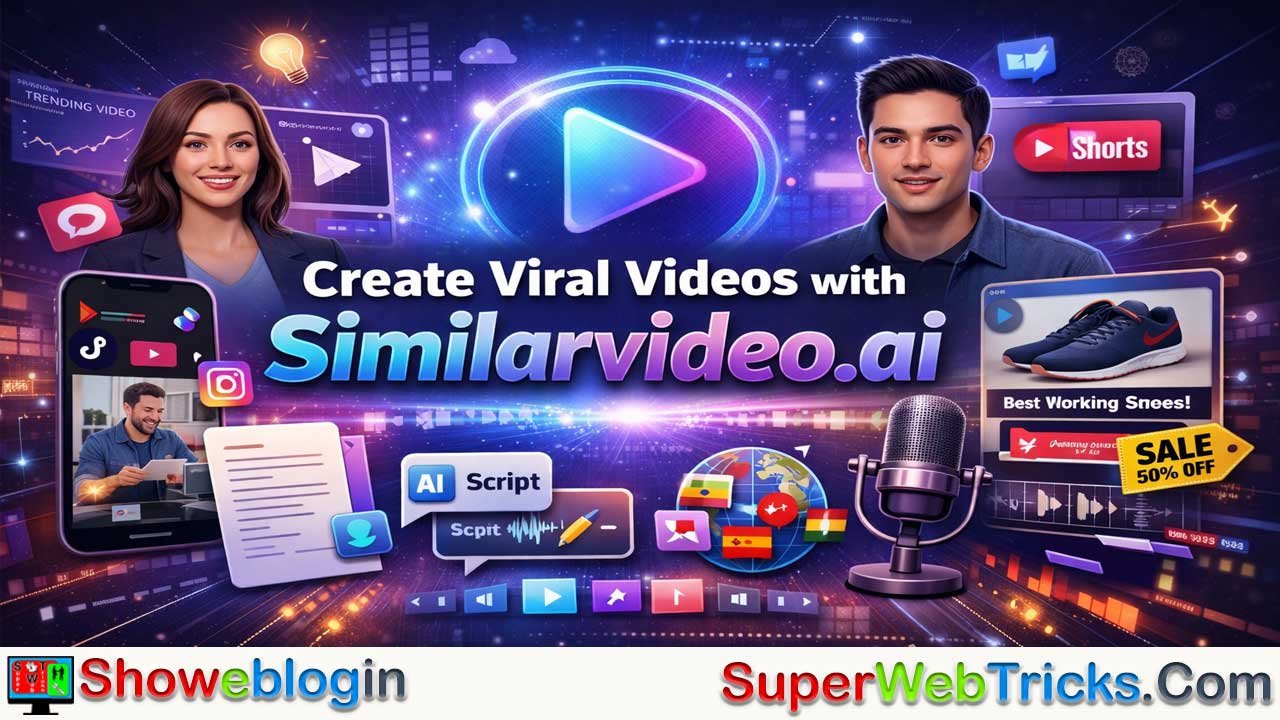


Similarvideo.ai is an AI-powered platform designed to simplify and scale the creation of short-form viral videos for platforms like TikTok, Instagram Reels, and YouTube Shorts. It analyzes successful videos, extracts their scripts and structure, and generates similar but original content using AI, helping creators replicate proven viral formats.
Key features include URL-based content extraction, AI talking avatars with accurate lip-sync, automated script generation, and support for over 75 languages. Users can create videos by pasting a link, writing a prompt, or uploading a script, then customize avatars, visuals, captions, and music before exporting. The tool is useful for e-commerce marketing, faceless content creators, and corporate training, offering fast and cost-effective production through subscription plans.
While outputs may sometimes feel generic without customization, Similarvideo.ai significantly speeds up video production and allows users to test multiple content variations quickly, making it a powerful tool for modern digital marketing and social media growth.
| Aspect | Information |
|---|---|
| Platform Name | Similarvideo.ai |
| Type | AI-powered short-form video generation tool |
| Main Purpose | Create viral-style videos for social media automatically |
| Target Platforms | TikTok, Instagram Reels, YouTube Shorts |
| Core Feature | Analyzes trending videos and recreates similar original content |
| Key Tools | Script extraction, AI script generator, talking avatars, lip-sync voices |
| Languages Supported | 75+ languages |
| Typical Workflow | Paste video link or prompt → choose avatar/voice → customize visuals → export video |
| Main Users | Marketers, e-commerce sellers, content creators, educators |
| Pricing (approx.) | Free plan; paid plans ~$15–$80/month |
| Main Benefit | Fast, low-cost production of multiple social media videos |
| Limitation | Outputs may look generic without manual customization |
The Ultimate Guide to Similarvideo.ai: Mastering the Art of Viral AI Video Creation
In the rapidly evolving landscape of digital marketing, the barrier to entry for high-quality video production has been completely dismantled. For years, creators and businesses were held back by the high cost of equipment, the steep learning curve of professional editing software, and the sheer time required to produce a single 60-second clip. Enter Similarvideo.ai, an all-in-one AI video powerhouse designed to turn the “viral formula” into a repeatable, automated process.
This article provides an in-depth exploration of Similarvideo, covering its core features, pricing, strategic use cases, and how you can leverage it to scale your content output by 10x.
What is Similarvideo.ai?
At its core, Similarvideo.ai is an AI-driven video generation platform specifically optimized for short-form content like TikToks, Instagram Reels, and YouTube Shorts. Unlike traditional “text-to-video” tools that often produce abstract or disconnected clips, Similarvideo is built on the philosophy of content replication and optimization.
The “Similar” in its name refers to its unique ability to analyze existing successful videos and help you create something “similar” but unique to your brand. By using advanced algorithms to extract scripts, identify hooks, and match visual styles, it eliminates the guesswork of what makes a video go viral.
Core Features: The Engine Under the Hood
AI Content Extraction (The Competitive Edge)
One of the standout features of Similarvideo is its ability to extract content from URLs. If you find a trending video on TikTok or YouTube, you can simply paste the link into the platform. Similarvideo’s AI will:
- Transcribe the audio: Converting the speech into a workable script.
- Analyze the structure: Identifying where the “hook,” “value proposition,” and “call to action” (CTA) are located.
- Rewrite for originality: Using GPT-4 powered logic to generate a new script that maintains the high-engagement structure of the original while being legally and creatively distinct.
AI Talking Avatars and Lip-Sync
To humanize your content without hiring actors, Similarvideo offers a library of ultra-realistic AI Talking Avatars.
- Diversity: Avatars range across various ethnicities, ages, and styles (professional, casual, animated).
- Precision Lip-Sync: The platform uses neural rendering to ensure that the avatar’s mouth movements perfectly match the generated or uploaded audio, avoiding the “uncanny valley” effect common in cheaper tools.
- Celebrity & Cartoon Voices: For those looking for a comedic or high-impact edge, the platform includes a voice generator that can mimic popular styles, adding a layer of relatability or humor to marketing clips.
AI Script Generator
If you aren’t starting with a link, you can start with a prompt. The AI Script Generator is tailored for marketers. It understands the nuances of different platforms—knowing, for instance, that a TikTok script needs a faster pace and more emojis than a LinkedIn video. You can generate up to 12 variations of a script in seconds, allowing for easy A/B testing of your marketing hooks.
Multi-Language Support
For brands looking to go global, Similarvideo supports over 75 languages. You can create a video in English and, with a few clicks, localize it for the Spanish, Mandarin, or Hindi markets. This isn’t just a simple translation; the AI adjusts the voiceover and subtitles to maintain the tone and cultural context of the target region.
Step-by-Step: Creating Your First “Viral” Video
Navigating Similarvideo is designed to be intuitive, even for those with zero editing background. Here is the standard workflow:
Step 1: Input Your Inspiration
Choose your starting point. You can either:
- Paste a Link: Use a successful competitor’s video as a blueprint.
- Upload a Script: Use your own copy.
- Generate with AI: Provide a product description or a topic (e.g., “The benefits of organic matcha”).
Step 2: Select Your Avatar and Voice
Browse the library to find a spokesperson that fits your brand identity. Select a voiceover style—whether you want a “Trustworthy Professional,” a “High-Energy Influencer,” or a “Friendly Neighbor.”
Step 3: Visual Customization
The AI will automatically pair your script with relevant stock footage, stickers, and transitions. However, you have full control:
- Media Library: Swap out clips from their vast stock library.
- Upload Your Own: Drag and drop your product photos or b-roll to make the video authentic.
- Sticker & Meme Mode: Add trending elements to boost engagement with younger audiences.
Step 4: Refine and Export
Use the built-in timeline editor to adjust the timing of captions, change font styles to match your brand colors, and add background music. Once satisfied, export in your desired aspect ratio (9:16 for mobile-first platforms is the standard).
Strategic Use Cases for AI Tool Users
E-commerce and Dropshipping
For e-commerce owners, speed is everything. When a new product trends, the window to capitalize on it is small. Similarvideo allows you to take a product URL from Amazon or Shopify and turn it into 5-10 different video ads in under 30 minutes. This “shotgun approach” lets you test different hooks and avatars to see which drives the lowest Cost Per Click (CPC).
Content Creators and Influencers
If you’re a “faceless” content creator, Similarvideo is your production team. You can maintain a consistent posting schedule on YouTube Shorts without ever showing your face or picking up a camera. The AI-generated avatars provide the “human” element that algorithms crave, while the script extraction keeps your content aligned with current trends.
Corporate Training and Education
Educators can transform dry, text-heavy manuals into engaging “Talking Head” videos. By using AI avatars to present training modules, companies can save thousands on production costs while improving information retention through visual and auditory learning.
Pricing and Value Analysis
As of early 2025/2026, Similarvideo typically follows a tiered subscription model:
- Free Plan: Perfect for testing the interface. It usually offers limited transcription and video extraction (around 3 minutes of content) to let you see the quality of the output.
- Starter/Standard Plan ($15 – $30/month): Ideal for freelancers. This tier unlocks more AI credits, removes watermarks, and allows for more “Video Content Understanding” minutes.
- Pro Plan ($40 – $80/month): Targeted at agencies and high-volume creators. This includes advanced features like voice cloning, more avatar options, and higher-priority rendering.
- Enterprise: For large teams requiring custom avatars, dedicated storage, and API access.
Tip: Look for promotional codes like BFSAVE50 or annual billing discounts which can significantly lower the monthly cost.
Similarvideo vs. The Competition
How does it stack up against tools like HeyGen, Topview.ai, or Pictory?
- Vs. HeyGen: HeyGen is the gold standard for avatar quality and video translation. However, Similarvideo is often more “marketing-centric,” with better tools for extracting and rewriting viral scripts from social media links.
- Vs. Topview.ai: Topview is a strong competitor in the “Link-to-Ad” space. Similarvideo tends to offer a bit more flexibility in terms of the “social media” feel (stickers, memes, and celebrity-style voices).
- Vs. Pictory: Pictory is excellent for turning long-form blogs into videos. Similarvideo is superior for short-form, high-impact social media content that requires a “human” spokesperson.
Pros and Cons: A Realistic Evaluation
The Pros:
- Speed: You can realistically go from an idea to a finished video in under 10 minutes.
- Cost-Effectiveness: One month of a Pro plan costs less than a single hour of a professional editor’s time.
- Viral Logic: The ability to “model” successful content is a cheat code for growth.
- Accessibility: It empowers users with speech impediments or camera shyness to produce top-tier content.
The Cons:
- Learning Curve: Mastering the timeline editor to make the video feel “custom” rather than “AI-generated” takes a few tries.
- Generic Outputs: If you rely 100% on the AI without adding your own brand assets, your videos may start to look like other AI-generated content.
- Quality Variance: Depending on the complexity of the prompt, the AI might occasionally choose a stock clip that feels slightly off-topic.
Best Practices for AI Video Success
To get the most out of Similarvideo, don’t just “set it and forget it.” Use these tips:
- The 3-Second Rule: Use the editor to ensure your “hook” (the first 3 seconds) is visually arresting. Swap the AI’s first stock clip for something high-action or surprising.
- Hybrid Content: Whenever possible, upload at least one or two “real” photos or clips of your actual product. Blending real footage with AI avatars creates a much higher level of trust.
- A/B Test Hooks: Use the script generator to create three different versions of the first 5 seconds of your video. Run them as ads and see which one the audience watches the longest.
- Optimize Captions: Don’t just use the default subtitle style. Match the font and color to the platform (e.g., using the “TikTok Bold” style for TikTok videos).
Conclusion: Is Similarvideo.ai Right for You?
Similarvideo.ai is more than just a video maker; it is a productivity multiplier. For the modern AI tool user, it represents a shift from “creating content” to “directing content.” By automating the tedious parts of production—scripting, filming, and basic editing—it allows you to focus on high-level strategy and creative direction.
Whether you are a solo entrepreneur trying to break into dropshipping or a social media manager for a major brand, Similarvideo provides the tools necessary to compete in the high-velocity world of short-form video. The future of content is automated, and Similarvideo.ai is currently leading the charge for creators who value speed, efficiency, and results.
FAQs about Similarvideo.ai
What is Similarvideo.ai used for?
Similarvideo.ai is used to create short-form videos for platforms like TikTok, Instagram Reels, and YouTube Shorts by analyzing trending content and generating similar original videos using AI.
How does Similarvideo.ai create videos from existing content?
Users can paste a link to a trending video, and the platform extracts the script, analyzes the structure, and generates a new version with similar engagement elements while keeping it original.
Does Similarvideo.ai support AI avatars?
Yes, the platform includes AI talking avatars that can present the script with realistic lip-sync and different voice styles.
Can Similarvideo.ai generate scripts automatically?
Yes, it has an AI script generator that can create multiple script variations based on a prompt or topic.
Is Similarvideo.ai suitable for beginners?
Yes, the platform is designed to be user-friendly, allowing people with no video editing experience to create videos quickly.
What languages does Similarvideo.ai support?
Similarvideo.ai supports over 75 languages and allows users to localize videos for different global audiences.
Can Similarvideo.ai be used for marketing and ads?
Yes, many marketers and e-commerce businesses use it to create multiple video ads quickly for product promotion and social media campaigns.
Is there a free version of Similarvideo.ai?
Yes, there is usually a free plan with limited features that allows users to test the platform before upgrading to paid plans.
How long does it take to create a video with Similarvideo.ai?
Most videos can be created in about 10 minutes or less depending on the level of customization.
What are the main limitations of Similarvideo.ai?
If users rely completely on AI without adding custom media or branding, the videos may look similar to other AI-generated content.







Leave a Reply
You must be logged in to post a comment.