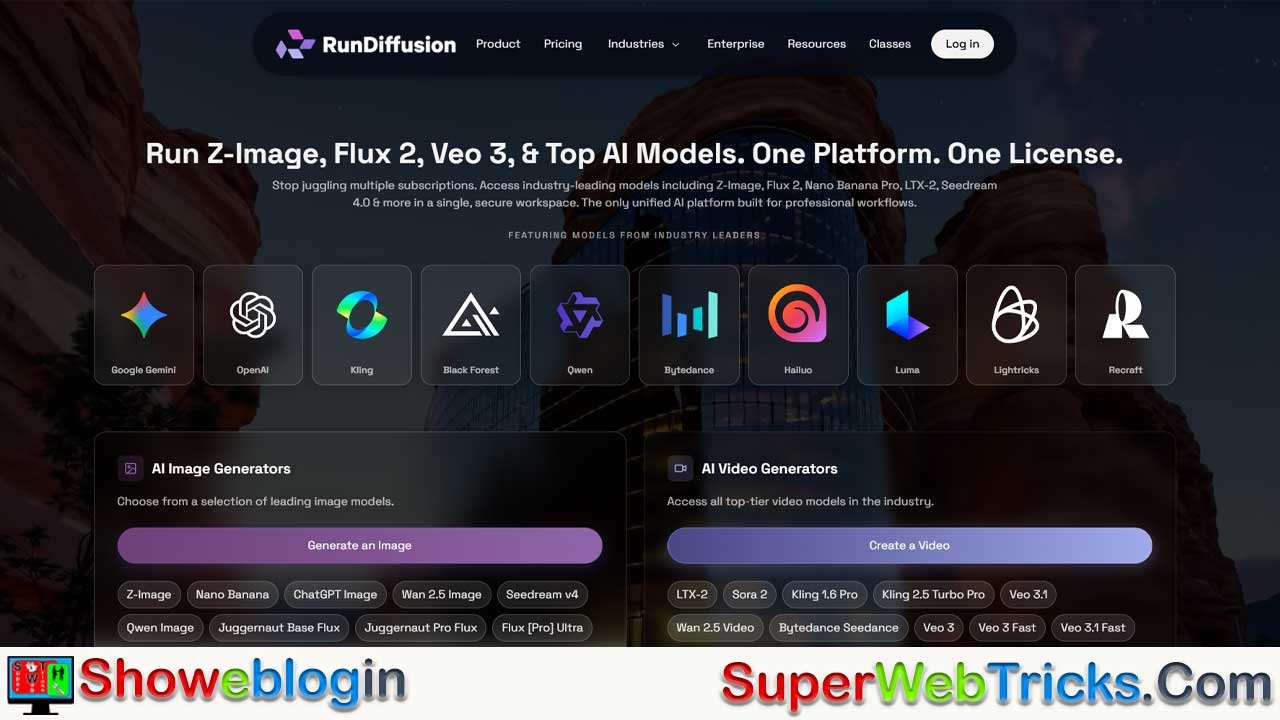






RunDiffusion is a fully managed, cloud-based AI platform designed to simplify professional-grade image and video generation without requiring local GPU setups. With sessions launching in under 90 seconds, over 50 pre-loaded models (including SDXL, Flux, and ChatGPT Image 1.5), and flexible pricing starting at $0.50/hour, it caters to creators, developers, and businesses alike.
The platform offers two main interfaces—RunDiffusion for advanced users (supporting Automatic1111, ComfyUI, and custom LoRA/Dreambooth training) and Runnit for non-technical creators using intuitive visual boards. Its pay-as-you-go or subscription plans (ranging from $8.79 to $41.79/month) provide scalable access to enterprise-grade cloud GPUs, making it ideal for freelancers, marketing teams, and e-commerce businesses seeking cost-effective visual production.
Compared to competitors like RunPod, ThinkDiffusion, and Colab, RunDiffusion stands out for its speed, flexibility, NSFW allowance, and value. In short, it bridges accessibility and power—offering creative freedom, predictable costs, and significant time savings in the rapidly growing $88.7B AI visual generation market.
| Parameter | Details |
|---|---|
| Platform Name | RunDiffusion |
| Type | Cloud-Based AI Image & Video Generation Platform |
| Launch Time per Session | ~90 seconds |
| Core Offerings | AI Image & Video Generation, Custom Model Training, Batch Processing |
| Interfaces | RunDiffusion (Developer-Focused), Runnit (Creator-Focused) |
| Pre-Loaded Models | 50+ (SDXL, Flux, ChatGPT Image 1.5, Qwen, Kling, etc.) |
| Pricing | Starts at $0.50/hour (Pay-as-you-go) or from $8.79/month (Subscription) |
| Subscription Plans | Free Trial, Runnit Hobby, Runnit Pro, Creators Club + Pro |
| Free Trial | 30 minutes + 200 credits |
| GPU Options | RTX 3060 to RTX 6000 (Standard to Professional tiers) |
| Storage (Persistent) | Up to 100GB (Creators Club) |
| NSFW Content | Permitted |
| Model Upload Support | Yes (.safetensors / .ckpt) |
| Top Tools Supported | Automatic1111, ComfyUI, Fooocus, Invoke, Kohya SS, Deforum, FaceFusion |
| Target Users | Freelancers, Designers, Agencies, E-commerce Teams, Developers |
| Competitive Edge | Fast setup, pre-configured models, flexible pricing, NSFW allowed |
| Starting Cost | $0.50/hour or $8.79/month |
| Website | www.rundiffusion.com |
RunDiffusion Review 2026: The Complete Guide to Cloud-Based AI Image & Video Generation
RunDiffusion is a fully managed cloud platform that brings professional-grade AI image and video generation to creators, designers, and enterprises without requiring expensive local hardware. With session launches in 90 seconds, access to 50+ pre-loaded AI models, and flexible pay-as-you-go pricing starting at $0.50/hour, RunDiffusion eliminates the technical barriers of running Stable Diffusion, Flux, and other cutting-edge generative models locally.
Whether you’re generating marketing visuals, e-commerce product images, concept art, or training custom AI models, RunDiffusion combines ease of use with professional-grade customization capabilities. For context: the global AI image generation market is projected to reach $88.71 billion by 2032, growing at a 33.6% compound annual growth rate, with 62% of marketers already using generative AI for visual content creation.
What Is RunDiffusion?
RunDiffusion is a cloud-based SaaS platform that provides managed access to AI image and video generation tools, eliminating the complexity of self-hosting Stable Diffusion on personal or enterprise hardware. Instead of downloading models, managing CUDA configurations, or maintaining GPUs, users log in through a web browser and launch a fully configured environment in approximately 90 seconds.
The platform offers two distinct interfaces:
RunDiffusion (Developer-Focused): Direct access to powerful open-source tools including Automatic1111, ComfyUI, Fooocus, Forge, and Invoke. Advanced users can install custom nodes, train models using Dreambooth and LoRA, and configure workflows with full granularity.
Runnit (Creator-Focused): A visual board-based workspace with pre-made, task-specific tools organized vertically for accessibility. Designed for users who want professional results without manual configuration, Runnit enables quick generation, editing, and workflow management through an intuitive interface.
Both platforms run on enterprise-grade cloud GPUs with multiple server configurations, ensuring consistent performance regardless of your local machine’s specifications. This is particularly valuable for freelancers, small agencies, and enterprises that need reliability without capital expenditure on hardware.
Platform Architecture: Two Ecosystems, One Subscription
RunDiffusion: For Advanced Creators & Developers
RunDiffusion provides direct access to industry-standard tools with minimal abstraction. When you launch a session, you’re working with:
- Automatic1111 UI: The most popular Stable Diffusion interface with granular control over sampling, guidance, and post-processing
- ComfyUI: Node-based workflow system for complex, reproducible pipelines
- Fooocus: Streamlined interface emphasizing quality with fewer options
- Kohya SS: Custom model training via LoRA and Dreambooth
- Invoke: Canvas-based inpainting and editing with professional tools
- FaceFusion: Face-swapping and manipulation capabilities
- Deforum: Motion and video generation for temporal consistency
Each tool maintains a persistent file browser, allowing you to upload custom models from Civitai, HuggingFace, or local storage. Unlike restrictive cloud services, RunDiffusion permits NSFW generation, local extensions, and unrestricted model experimentation.
Runnit: For Non-Technical Creators & Teams
Runnit abstracts away configuration complexity by providing Runnit Boards—visual workspaces where tools are organized vertically for straightforward activation. Users can:
- Create a new board with a title and description
- Add pre-configured tools (e.g., Juggernaut XII text-to-image, ChatGPT Image 1.5, Kling video generation)
- Enter prompts and generate outputs immediately
- Build parallel workflows for different creative tasks
The Magic Wand feature auto-enhances prompts for better results. Multiple boards support collaborative workflows where teams organize projects by campaign, client, or creative direction.
Available AI Models: From Budget-Friendly SDXL to Cutting-Edge Flux
RunDiffusion’s model library spans multiple generations of AI technology, enabling users to balance quality against cost and speed.
| Model Category | Examples | Best For | Cost Profile |
|---|---|---|---|
| SDXL (Cost-Effective) | Juggernaut XI/XII, DreamShaper, RealVisXL | Portraits, concept art, marketing visuals | 60-70% cheaper than newer architectures |
| SDXL Advanced | Juggernaut Ragnarok, Protovision | Photorealistic images, high detail | Balanced quality/cost |
| Flux Models | Flux 2 Klein (4B/9B), Flux Pro Ultra, Flux [Pro] | Lightning-fast generation, high coherence | Premium speed |
| Cutting-Edge | ChatGPT Image 1.5, Qwen Image 2512, Seedream 4.5 | Text rendering, complex prompts, specialized applications | Highest cost |
| Stable Diffusion 1.5 | Realistic Vision, AbsoluteReality | Legacy workflows, lighter VRAM | Cheapest option |
| Specialized | Kling 2.6 (video), Waifu models, ControlNet | Video generation, anime/illustration, precise control | Variable |
Pro Tip for Cost Optimization: SDXL models like Juggernaut XI and XII deliver professional results at a fraction of the cost of newer multi-billion-parameter models. Since they’re significantly cheaper to run, generating 2-3 image variations per prompt is often practical for comparison without major budget impact.
Pricing Structure: Flexibility for Every Budget
RunDiffusion’s pricing accommodates solo creators through enterprise teams with three primary approaches:
Subscription Plans
| Plan | Monthly Cost | Tokens/Month | Boards | Tools/Board | Best For |
|---|---|---|---|---|---|
| Free Trial | $0 | 200 credits/day | 1 | 3 | Testing the platform |
| Runnit Hobby | $8.79 (20% off) | 10,000 | 3 | 5 | Individuals & startups |
| Runnit Pro | $23.99 (20% off) | 30,000 | 10 | 10 | Serious creators |
| Creators Club + Pro | $41.79 (16% off) | 30,000+ | Unlimited | Unlimited | Professionals with storage needs |
The Creators Club tier includes 100GB personal storage, $10 monthly reward balance, exclusive model access, and premium Discord support.
Pay-As-You-Go
For users with unpredictable workloads, RunDiffusion charges $0.50/hour for basic servers, with pricing scaling based on server configuration (CPU, VRAM, GPU model). Sessions bill by the minute, with unused time automatically refunded—eliminating waste from session overruns.
Real-World Budget Planning
- Hobbyist Creator (8-10 images/week): Runnit Hobby ($8.79/month) + occasional top-ups
- Professional Freelancer (40-50 images/week): Runnit Pro ($23.99/month)
- Small Agency (200+ images/month + storage): Creators Club + Pro ($41.79/month)
- Batch Processing (sporadic, large jobs): Pay-as-you-go model
The free trial (30 minutes + 200 credits) lets you test RunDiffusion with real models before committing financially.
Key Features That Differentiate RunDiffusion
Rapid Deployment
Sessions launch in ~90 seconds, with all tools pre-installed and models pre-loaded from Civitai.com. No installation, dependency conflicts, or driver updates—just log in and create.
Smart Resource Management
- Smart Timer: Set session duration to prevent unexpected charges
- Refund Unused Time: Only pay for what you use; unused minutes are credited back
- Variable Server Speeds: Choose RTX 3060 (budget) to RTX 6000 (professional) configurations based on project needs
Private, Persistent Workspace
Each session maintains a private workspace with integrated file browser. Creator’s Club members enjoy 100GB persistent storage across sessions, eliminating the need to re-upload models each time.
Advanced Capabilities
- ControlNet & Conditioning: Precise control over composition, pose, and structural elements
- Inpainting & Outpainting: Seamless image editing and extension
- Upscaling: Built-in super-resolution for print-ready outputs
- Custom Model Training: Dreambooth, LoRA, and Textual Inversion support for brand-specific or style-specific models
- Batch Processing: Generate 10-100+ variations simultaneously with different seeds
- Video Generation: Deforum and Kling integration for motion and temporal coherence
Pre-Loaded Model Library
50+ community models from Civitai are pre-installed, eliminating download delays. Additional models are easily uploaded from HuggingFace or local storage.
RunDiffusion vs. Competitors: How It Stacks Up
The cloud Stable Diffusion market includes several key players. Here’s how RunDiffusion compares:
RunDiffusion vs. RunPod
| Factor | RunDiffusion | RunPod |
|---|---|---|
| Setup Time | ~90 seconds (pre-configured) | 5-15 minutes (manual setup) |
| UI/UX | Managed interface | Raw Linux VM |
| Pre-loaded Models | 50+ ready to use | None; DIY setup |
| Cost (base) | $0.50/hour or $8.79/month | $0.69/hour for RTX 4090 |
| Customization | Guided but flexible | Unlimited (if technical) |
| Best For | Creators seeking ease | Developers comfortable with CLI |
RunPod is cheaper and more customizable but requires technical expertise; RunDiffusion prioritizes accessibility and speed.
RunDiffusion vs. ThinkDiffusion
| Factor | RunDiffusion | ThinkDiffusion |
|---|---|---|
| Min. Pricing | $8.79/month | $30/month |
| Free Trial | 30 minutes | 4 hours |
| Setup | ~90 seconds | Similar speed |
| Model Flexibility | Custom uploads supported | More restricted |
| Persistence | Creator’s Club for 100GB | Standard across plans |
| Community Support | 12K+ Discord members | Smaller community |
ThinkDiffusion is more expensive and less flexible; RunDiffusion provides better value and customization.
RunDiffusion vs. Google Colab
| Factor | RunDiffusion | Google Colab |
|---|---|---|
| Cost | $0.50/hour minimum | $0.20/hour (free tier limited) |
| NSFW Allowed | Yes | No (against ToS) |
| Reliability | Consistent allocation | GPU allocation unpredictable |
| Setup | Pre-configured | Notebook-based (medium difficulty) |
| Best For | Creators wanting reliability | Students on extreme budgets |
Colab is cheaper but unreliable for production work and prohibits NSFW content. RunDiffusion offers consistent performance.
Use Cases: Where RunDiffusion Excels
E-Commerce Product Visualization
E-commerce teams average 6.4 hours/week saved through AI image generation. RunDiffusion enables:
- Automated product photo variations (different angles, backgrounds, styles)
- Background replacement and removal for consistent storefronts
- Lifestyle imagery showing products in context
- Marketing collateral generation for seasonal campaigns
With batch processing and ControlNet, generating 50+ product variations in one session costs $1-3 on pay-as-you-go pricing.
Marketing & Advertising
- Ad Creative: Generate A/B test variations instantly (headlines, visuals, color schemes)
- Social Media: Weekly banner, thumbnail, and graphic generation
- Email Campaigns: Personalized visuals at scale
- Concept Exploration: Rapid ideation before outsourcing to designers
The global advertising sector is growing 6% annually, with 62% of marketers already using generative AI for visual content.
Digital Art & Character Design
- Concept Art: Rapid iteration for game, film, or book projects
- Character Design: Juggernaut and Anime models for character consistency
- Style Exploration: Test artistic directions before committing to extensive manual work
- Background & Environment: Contextual scene generation for visual novels and games
Educational & Academic Research
- Medical imaging visualization
- Architecture & design mockups
- Scientific illustration and diagramming
- Data visualization and infographics
Custom Model Development
Businesses can train proprietary models for:
- Brand-consistent imagery (product photography, lifestyle visuals)
- Specialized visual styles (architectural renderings, medical imaging)
- Character consistency across projects
- Domain-specific content generation
Step-by-Step: Getting Started with RunDiffusion
Setting Up an Account
- Navigate to rundiffusion.com and click “Get Started”
- Create an account with email or Google authentication
- Accept the free trial offer (30 minutes + 200 credits)
- Verify your email address
Launching Your First RunDiffusion Session
- Log in to your account at app.rundiffusion.com/login
- Click “New Session”
- Select your desired UI:
- Automatic1111: Full control, popular
- ComfyUI: Node-based workflows
- Fooocus: Simplified interface
- Invoke: Canvas-based editing
- Choose server configuration (standard vs. faster tiers)
- Click “Launch”—session ready in ~90 seconds
Generating Your First Image
In Automatic1111:
- Select a model from the dropdown (e.g., “Juggernaut XII”)
- Enter a text prompt (e.g., “beautiful woman in a coffee shop, professional photography, soft lighting”)
- Adjust CFG (guidance strength) and steps if desired
- Click “Generate”
- View results in the gallery; save or regenerate with variations
In Runnit:
- Click “Go to Runnit” from the dashboard
- Select “Add Runnit” to create a new board
- Search for a tool (e.g., “Juggernaut XII”)
- Click your tool and enter a prompt
- Click “Runnit!” to generate
Uploading Custom Models
- In your RunDiffusion session, click “File Browser” (right sidebar)
- Navigate to the models folder
- Upload a
.safetensorsor.ckptfile from your computer or URL - Refresh and select it from the model dropdown
Advanced Workflows: Maximizing RunDiffusion’s Potential
Batch Generation for E-Commerce
Create 50+ product images with minimal manual effort:
- Launch Automatic1111
- Prepare 10-15 diverse prompts covering:
- Different angles (“front view”, “side view”, “top view”)
- Different lighting (“studio lighting”, “warm natural light”, “cool daylight”)
- Different backgrounds (“white background”, “lifestyle setting”, “gradient background”)
- Activate “Batch Count” and set to 5
- Run generation—10 prompts × 5 variations = 50 images
- Download all results; curate the best for your catalog
Time Saved: 50 images in 20-30 minutes vs. 6-8 hours of manual setup
ControlNet for Consistent Composition
Maintain visual consistency across campaigns:
- Upload a reference image (pose, framing, composition)
- Load ControlNet model (e.g., Canny, OpenPose, Depth)
- Adjust ControlNet weight (0.5-1.0) to control adherence
- Generate variations maintaining the reference structure
- Fine-tune lighting, colors, and styling with different prompts
Use Case: Generate multiple product photos with identical framing, varying only backgrounds and styling.
Custom Model Training for Brand Consistency
Train a LoRA model to embed your brand’s visual style:
- Collect 20-30 representative images of your desired style
- Upload images to RunDiffusion
- Use Kohya SS to initiate LoRA training (~15 minutes)
- Download the
.safetensorsLoRA file - Load the LoRA with a base model in future generations
Generate branded content consistently across campaigns without manual adjustments.
Multi-Tool Workflows in Runnit
Combine tools sequentially for complex projects:
- Tool 1: Juggernaut XII text-to-image (generate concept)
- Tool 2: Upscaler (enhance resolution for print)
- Tool 3: Image Editor (refine details)
- Tool 4: Export tool (prepare for marketing platforms)
Save entire workflow as a reusable template for your team.
Maximizing ROI: Financial & Efficiency Gains
For Freelancers & Small Agencies
| Metric | Without AI | With RunDiffusion | Savings |
|---|---|---|---|
| Time per 10 images | 8-10 hours (manual design) | 0.5-1 hour (generation + curation) | 87% faster |
| Cost per image | $50-150 (stock photo license) | $0.20-0.50 (cloud compute) | 99% cheaper |
| Monthly budget | $1,500-3,000 | $10-50 | 98% reduction |
Real Example: Freelance designer generating 20 product images weekly
- Manual workflow: $3,000-4,000/month (time + stock photos)
- RunDiffusion workflow: $15-30/month (subscription) + 5 hours effort
- Annual ROI: $35,000-48,000 in time/cost savings
For E-Commerce Businesses
Retailers average 6.4 hours saved per week through AI image generation. RunDiffusion enables:
- Catalog Expansion: Generate 1,000+ product variations in days, not months
- A/B Testing: Rapid visual iteration for conversion optimization
- Seasonal Content: Refresh product imagery for holidays/campaigns without reshoot costs
- International Localization: Adapt product visuals for regional markets
Scale Example: Mid-size retailer with 500 SKUs
- Manual refresh: $15,000-25,000 + 4-6 weeks
- RunDiffusion-powered refresh: $100-200 + 2-3 days
For Marketing Teams
- Faster Campaign Iteration: Move from creative concept to deployment in hours instead of days
- Reduced Outsourcing: 60-70% fewer external designer requests
- Budget Reallocation: Freed budget shifts to media spend and conversion optimization
Pricing Deep Dive: When Each Plan Makes Sense
Free Trial (30 Minutes, 200 Credits)
- Best For: Evaluating platform fit, testing specific models, one-off projects
- Realistic Usage: 5-10 high-quality images
- Decision Point: Move to paid if you generate >10 images/month regularly
Runnit Hobby ($8.79/month)
- Monthly Token Budget: 10,000 tokens (~50-100 images with Juggernaut)
- Best For: Individual creators, bloggers, occasional freelance projects
- Realistic Workload: 8-15 images/week
- ROI: Breaks even vs. stock photo subscriptions ($10-15/month) after 5 images
Runnit Pro ($23.99/month)
- Monthly Token Budget: 30,000 tokens (~150-300 images)
- Best For: Active freelancers, small agencies, regular commercial work
- Realistic Workload: 30-50 images/week
- ROI: Rapid payback through freelance client fees or internal efficiency gains
Creators Club + Pro ($41.79/month)
- Token Budget: 30,000+ tokens + $10 monthly reward
- Storage: 100GB persistent across sessions
- Best For: Professional teams, agencies, custom model training, collaborative workflows
- Realistic Workload: 100+ images/week with custom pipelines
Pay-As-You-Go ($0.50/hour)
- Best For: One-off large jobs, batch processing, sporadic use
- Token-to-Cost Mapping: ~1,000 tokens per hour of GPU time (varies by model)
- Budget Control: Start/stop sessions to control costs
- Example: $50 budget = 100 hours of GPU time = 100,000+ tokens (with SDXL models)
Performance Metrics & Speed Benchmarks
RunDiffusion’s multi-tier server options enable speed-to-quality trade-offs:
| Server Tier | VRAM | Generation Speed | Best For |
|---|---|---|---|
| Standard | 16GB | 45-60 sec (SDXL), 30-45 sec (Flux) | Budget-conscious workflows |
| Enhanced | 24GB | 30-40 sec (SDXL), 15-25 sec (Flux) | Balancing cost and speed |
| Professional | 48GB+ | 15-25 sec (SDXL), 5-10 sec (Flux) | Time-critical projects |
Practical Impact:
- Standard tier generating 100 images: ~80 minutes, ~$1.33 (pay-as-you-go)
- Professional tier generating 100 images: ~20 minutes, ~$3-5
- Speed premium: 4x faster for 3-4x cost—justifiable for client deadlines
Security, Privacy & Compliance
Data Privacy
- Sessions are isolated in private workspaces; other users cannot access your generations
- Uploaded models and images remain confidential unless explicitly shared
- No content is used for model training or public display without permission
- GDPR-compliant data handling for European users
Content Moderation
- NSFW content is permitted (unlike Colab, Midjourney, DALL-E)
- User-responsible for copyright, licensing, and ethical use of generated content
- Commercial rights: Generated images are yours to use commercially with appropriate licensing
Intellectual Property Considerations
- RunDiffusion uses open-source Stable Diffusion models (non-proprietary)
- Generated images don’t violate OpenAI/Midjourney IP concerns
- Custom models remain your intellectual property
- Check your jurisdiction’s stance on AI-generated IP before commercial use
Troubleshooting & Common Issues
Session Crashes or Disconnects
- Cause: Browser timeout after extended inactivity
- Fix: Click “Resume Session” or launch a new session; files are persistent
- Prevention: Use Smart Timer to stop idle sessions
Out-of-Memory (OOM) Errors
- Cause: Model/prompt combination exceeds GPU VRAM
- Fix: Reduce image resolution, lower batch size, or switch to Standard server tier
- Alternative: Use smaller models (SD 1.5, Flux Klein 4B) instead of larger checkpoints
Models Not Appearing
- Cause: Model may still be uploading or not properly placed
- Fix: Refresh the UI; restart session if necessary
- Check: Verify
.safetensorsor.ckptextension; 4GB+ files may require 5-10 minutes
Billing Surprises
- Prevention: Enable Smart Timer before launching; unused pay-as-you-go time is automatically refunded
- Review: Check account dashboard for session history and token usage
Future Outlook: What’s Next for RunDiffusion?
Market Expansion
The AI image generation market is projected to grow from $15.18 billion (2026) to $88.71 billion by 2032—a 33.6% CAGR. RunDiffusion is positioned to capture enterprise and mid-market demand through:
- API for Programmatic Access: Enabling integration with e-commerce platforms, marketing stacks, and internal tools
- Expanded Video Capabilities: Richer Kling, Sora, and proprietary video model integrations
- Team Collaboration Features: Real-time shared workspaces and version control
- Industry-Specific Templates: Pre-configured workflows for fashion, real estate, food, automotive
Model Evolution
New model releases will continuously be integrated:
- Qwen Series: Higher realism, multilingual text rendering
- Flux Variants: Faster 4B distilled models competing with OpenAI’s speed
- Video-to-Video: Motion transfer and frame interpolation
- Proprietary Models: RunDiffusion’s own tuned checkpoints optimizing for specific use cases
Final Verdict: Is RunDiffusion Right for You?
Choose RunDiffusion if you:
- Need fast, reliable cloud GPU access without technical setup
- Prioritize ease of use over absolute customization
- Require NSFW generation capability
- Work with diverse models and want quick iteration
- Value team collaboration and workflow persistence
- Prefer transparent, fair pricing without hidden constraints
Consider Alternatives if you:
- Require maximum customization (RunPod offers more flexibility)
- Have extreme cost sensitivity (<$0.30/hour)
- Need dedicated local installation (RunPod or local setup)
- Require enterprise SLAs and dedicated support
Bottom Line: RunDiffusion successfully bridges the gap between user-friendly AI platforms and powerful creative tools. At $8.79-41.79/month (or $0.50/hour pay-as-you-go), it delivers professional-grade results with minimal friction.
For freelancers, agencies, and e-commerce businesses, the ROI is compelling—often breaking even after 5-10 commercial projects or saving 6+ hours weekly on content creation.
FAQs about RunDiffusion
What is RunDiffusion?
RunDiffusion is a cloud-based AI platform that allows users to generate professional-quality images and videos using advanced models like Stable Diffusion, Flux, and ChatGPT Image 1.5 without needing local GPUs or technical setup.
Who can use RunDiffusion?
It’s ideal for creators, designers, marketers, developers, and businesses who want to create visual content quickly and affordably using AI.
How fast can I start using RunDiffusion?
Sessions launch in about 90 seconds, making it one of the fastest cloud AI generation platforms to start using.
What are the main interfaces on RunDiffusion?
RunDiffusion offers two interfaces—RunDiffusion for advanced developers and Runnit for non-technical creators seeking simplicity.
What makes RunDiffusion different from other AI platforms?
It combines pre-configured AI tools, flexible cloud pricing, NSFW support, and persistent storage, offering a balance of accessibility and power.
Does RunDiffusion require technical setup?
No, all tools and models are pre-installed and configured. Users can start creating through their browser immediately.
Which AI models are available on RunDiffusion?
Over 50 models including SDXL (Juggernaut, DreamShaper), Flux, ChatGPT Image 1.5, Qwen, Kling 2.6, and more.
Can I upload my own AI models?
Yes, you can upload custom models in .safetensors or .ckpt format from your computer or external sources like Civitai or HuggingFace.
What is the starting cost of using RunDiffusion?
Pricing starts at $0.50 per hour for pay-as-you-go users or $8.79 per month for subscription plans.
Does RunDiffusion offer a free trial?
Yes, the platform offers a 30-minute free trial with 200 credits so you can test models before purchasing a plan.
What are the subscription options?
Plans include Free Trial, Runnit Hobby ($8.79/month), Runnit Pro ($23.99/month), and Creators Club + Pro ($41.79/month).
What kind of hardware does RunDiffusion use?
It runs on enterprise-grade GPUs ranging from RTX 3060 to RTX 6000, ensuring stable and scalable performance.
Is NSFW content generation allowed?
Yes, RunDiffusion permits NSFW content generation, unlike many competitors such as Google Colab or Midjourney.
Can I use RunDiffusion for commercial projects?
Yes, all generated images are commercially usable as long as you comply with applicable copyright laws.
How is RunDiffusion priced compared to competitors?
It’s cheaper than ThinkDiffusion ($30/month) and offers more flexibility and automation than RunPod or Google Colab.
What’s included in the Creators Club plan?
It includes 100GB storage, $10 monthly rewards, premium support, and access to exclusive models and tools.
Can I get a refund for unused session time?
Yes, RunDiffusion automatically refunds unused minutes in pay-as-you-go sessions through its Smart Timer system.
What tools are preloaded on RunDiffusion?
Automatic1111, ComfyUI, Fooocus, Invoke, Kohya SS, FaceFusion, Deforum, and many more are available pre-installed.
Can I train my own AI models on RunDiffusion?
Yes, it supports Dreambooth, LoRA, and Textual Inversion for training brand-specific or style-specific models.
What are Runnit Boards?
Runnit Boards are visual workspaces that allow creators to organize tools vertically and generate or edit content easily.
Does RunDiffusion support video generation?
Yes, through integrations with Deforum and Kling, users can create motion and video content.
How can I optimize costs on RunDiffusion?
Use SDXL models like Juggernaut XI/XII for high-quality results at lower GPU costs and set session timers to avoid overruns.
Is RunDiffusion suitable for agencies?
Yes, it’s ideal for agencies and small businesses that need scalable AI generation for e-commerce, advertising, or design work.
Can I collaborate with team members on RunDiffusion?
Yes, multiple boards and shared projects allow team collaboration under one account.
What file types does RunDiffusion support?
It supports standard AI model formats like .safetensors and .ckpt along with common image and video output formats.
How reliable is RunDiffusion performance?
The platform offers consistent, dedicated cloud GPU allocation ensuring stable speed and quality across sessions.
Does RunDiffusion work in a web browser?
Yes, all features are accessible directly through a browser without any installation.
Can I use ControlNet and other extensions?
Yes, RunDiffusion supports ControlNet for composition control and allows installing custom extensions.
How secure is my data on RunDiffusion?
Each session runs in a private workspace with isolated data handling, ensuring user confidentiality.
Is RunDiffusion GDPR compliant?
Yes, it follows GDPR standards for European users, ensuring secure and private data processing.
What happens if a session crashes?
You can simply click “Resume Session” or relaunch; files remain safe in your workspace or persistent storage.
Does RunDiffusion support custom workflows?
Yes, users can chain multiple tools in sequence and save workflows as templates for future projects.
Can I generate multiple images at once?
Yes, batch generation allows creating 10–100+ image variations simultaneously.
What is the average generation speed?
Standard servers take 30–60 seconds per image; professional tiers can generate images in 5–15 seconds.
Can I upscale images in RunDiffusion?
Yes, it includes built-in super-resolution upscaling for print-ready or HD-quality visuals.
What industries can benefit most from RunDiffusion?
E-commerce, marketing, game design, digital art, and education sectors can gain significant productivity advantages.
Can I use RunDiffusion for educational or research purposes?
Yes, it supports academic use cases such as medical visualization, design mockups, and scientific illustration.
How does RunDiffusion compare to Google Colab?
RunDiffusion is more reliable, faster, and supports NSFW generation, while Colab offers cheaper but unstable access.
What payment methods does RunDiffusion accept?
It supports standard credit/debit cards and online payment options for global users.
Can I automate RunDiffusion tasks?
Yes, an API is under development for programmatic access and integration with other tools or workflows.
What are the future updates planned for RunDiffusion?
Upcoming features include expanded video capabilities, API access, real-time collaboration, and new model integrations.
Can I integrate RunDiffusion with my business systems?
Yes, API and future enterprise integrations will allow seamless connectivity with e-commerce and marketing tools.
What customer support does RunDiffusion offer?
Premium users get access to priority Discord support and exclusive assistance channels.
Where can I sign up for RunDiffusion?
You can register directly at www.rundiffusion.com and start with the free trial immediately.












Leave a Reply
You must be logged in to post a comment.