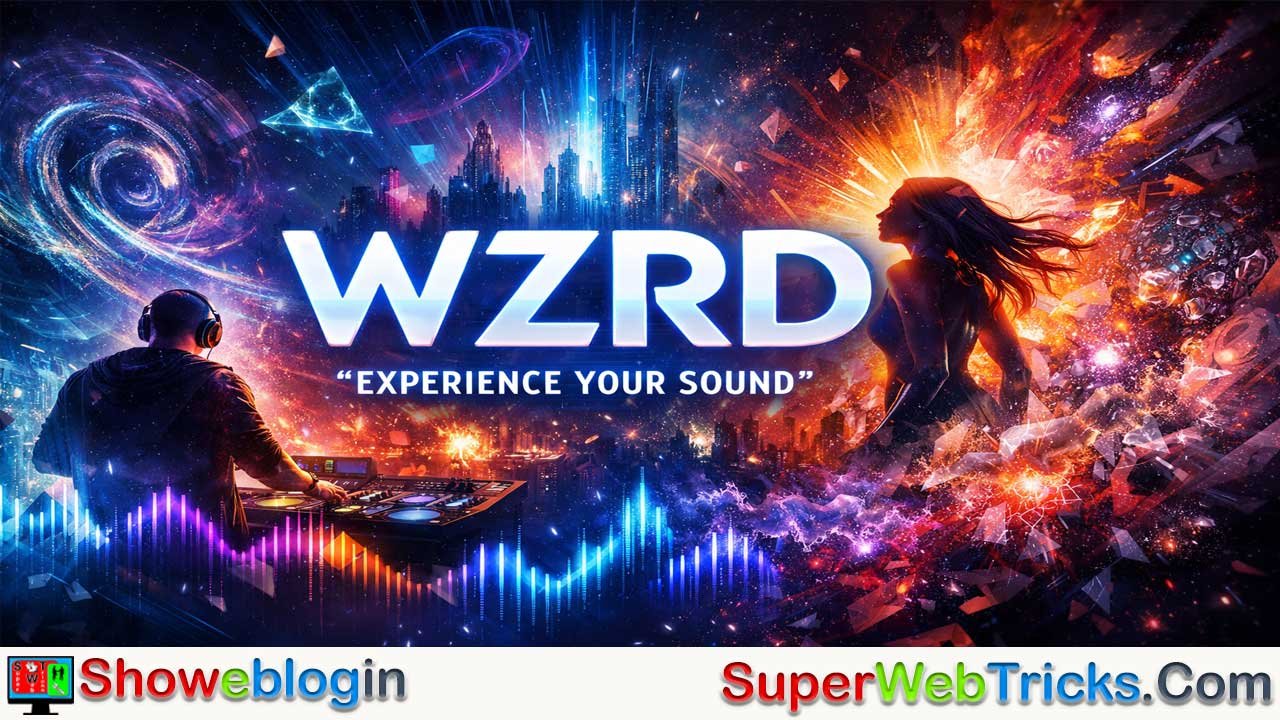






WZRD is an AI-powered music visualizer that transforms any audio track into a dynamic, visually synchronized video. By analyzing rhythm, melody, and frequency patterns, it generates immersive visuals that pulse, shift, and evolve in perfect sync with your music.
With multiple visual themes like Modern Art, Dark Sci-Fi, and Machine Hallucinations, WZRD allows musicians, producers, and creators to turn sound into motion effortlessly—no editing skills required. It’s the ultimate creative companion for anyone looking to make their music visually unforgettable.
| Information | Details |
|---|---|
| Tool Name | WZRD (pronounced “Wizard”) |
| Website | https://wzrd.ai |
| Category | AI Music Visualizer / Generative Video Tool |
| Core Function | Converts audio tracks into AI-generated, beat-synced visuals |
| Primary Users | Musicians, Producers, DJs, Event Organizers, Content Creators |
| Technology Used | Neural Networks, Audio Analysis, Generative AI |
| Visual Themes | Modern Art, Machine Hallucinations, Dark Sci-Fi, Landscapes, Divine Motifs, Sketch Art |
| Pricing Model | Freemium with Credit/Project-based upgrades |
| Output Formats | HD / 4K Video Renders (Watermarked for Free Tier) |
| Best For | Creating music videos, Spotify/YouTube visualizers, live event visuals |
| Strengths | Real-time audio reactivity, unique AI aesthetics, no editing skills needed |
| Limitations | Limited manual control, long render times, abstract visuals |
| Tagline | “Experience Your Sound.” |
WZRD: The Ultimate AI Tool to “Experience Your Sound”
In the rapidly evolving landscape of content creation, music and video have become inseparable. For musicians, beatmakers, and content creators, the challenge has always been finding compelling visuals that match the intensity and emotion of their audio.
Enter WZRD (wzrd.ai) — a groundbreaking AI platform that lets you see your sound. Its promise is simple yet profound: “Augment your audio with immersive video.”
This Showeblogin article explores what WZRD is, how its magic works, its key features, and how you can use it to elevate your audio projects.
What is WZRD?
WZRD (pronounced “Wizard”) is a specialized AI tool designed to generate video content that reacts to audio. Unlike traditional video editors where you manually sync clips to a beat, WZRD uses machine learning—specifically neural networks—to “listen” to your music and generate visuals from scratch that dance, morph, and evolve in perfect synchronization with your track.
It’s like watching your music come alive.
It is widely used by:
- Musical Artists: To create music videos, visualizers for Spotify/YouTube, and social media clips.
- Live Event Organizers: To generate background visuals for DJ sets and concerts.
- Advertisers & Creators: For rhythmic, AI-driven video ads that instantly grab attention.
How WZRD Works: The “Magic” Pipeline
WZRD simplifies the complex process of generative art into a streamlined three-step pipeline:
1. Audio Analysis
The process begins when you upload your audio track. WZRD’s internal engine analyzes the sound file to detect key musical elements. It specifically looks for:
- Percussive Elements: Drums, snares, and kicks (often used to drive fast visual changes).
- Harmonic Elements: Melodies, chords, and sustained notes (used to drive smoother visual transitions).
2. The Visual Engine
Here’s where the “wizardry” happens. WZRD’s neural networks don’t just use stock footage — they hallucinate new visuals based on the data extracted from your audio.
The AI treats every frequency, rhythm, and dynamic change as a command. A rising synth line might spark blooming fractals, while a snare hit could trigger a visual ripple across the screen. The visuals are entirely data-driven, evolving with the sound instead of playing alongside it.
3. Video Render
Finally, the system compiles the generated frames into a cohesive video file, synced perfectly with your uploaded audio, ready for export.
Key Features & Visual Themes
WZRD is not a “text-to-video” generator in the sense of writing a prompt like “a dog eating pizza.” Instead, it relies on Themes. These are pre-trained visual styles that dictate the aesthetic of your video.
Diverse Themes
Users can choose from a variety of distinct visual styles, including but not limited to:
- Modern Art: Geometric, vivid, and dynamic — perfect for electronic or pop tracks.
- Machine Hallucinations: Surreal, fluid, and dreamlike visuals ideal for ambient or experimental music.
- Dark Sci-Fi: Gritty, futuristic, and intense visuals suitable for darker electronic music or metal.
- Landscapes: AI-generated nature scenes that morph and breathe.
- Divine Motifs & Infinity: Fractal and cosmic patterns that evoke transcendence.
- Sketch Art & Paintings: Stylized renders that look like hand-drawn art coming to life.
Audio Reactivity
The standout feature of WZRD is its responsiveness. The visuals don’t just sit in the background; they pulse, zoom, and transform with every beat. A bass drop might trigger a sudden color shift or a rapid acceleration in the animation, while a quiet breakdown might slow the visuals to a gentle drift.
Pricing Model
Note: Pricing structures for AI tools can change frequently. The following is based on the standard WZRD model.
WZRD generally operates on a Freemium and Credit/Project-based model.
- Free / Trial: Users can typically try the tool and generate previews or shorter clips. These free renders usually come with a WZRD watermark.
- Paid Projects: To remove the watermark and unlock higher resolutions or longer render times, users can pay per project or purchase credits. A “Pro” upgrade typically ensures you own the video rights completely and receive a clean, high-definition video file suitable for professional release.
Step-by-Step Guide: Creating Your First WZRD Video
If you are ready to visualize your sound, here is a simple walkthrough of the user experience:
- Visit the Website: Go to https://wzrd.ai/.
- Upload Audio: Click “Get Started” and upload your MP3 or WAV file.
- Select a Theme: Browse through the visual themes (e.g., Modern Art, Patterns, Dark Sci-Fi) and select the one that matches the “vibe” of your track.
- Configure Settings: Depending on the current version of the interface, you may be able to adjust the intensity of the reaction or select specific audio stems (if supported).
- Render Preview: Generate a short preview to see if the visuals align with your vision.
- Final Render: Once satisfied, proceed to the final render. This process can take time as the AI generates every frame individually.
- Download: Download your finished music video and share it on YouTube, Instagram, or TikTok.
Pros and Cons for Users
Pros
- True Audio Sync: Unlike template-based video makers, WZRD’s visuals are genuinely driven by the audio data, creating a unique result every time.
- No Video Editing Skills Needed: You don’t need to know how to use Premiere Pro or After Effects.
- Unique Aesthetic: The “neural network” look is distinct and immediately recognizable as cutting-edge tech.
Cons
- Lack of Granular Control: You cannot easily tell the AI to “show a car” at 0:15. You surrender control to the algorithm’s interpretation of the theme.
- Rendering Time: High-quality AI rendering is computationally expensive and can take longer than standard video exporting.
- Abstract Nature: The visuals are often abstract or surreal, which may not fit every song (e.g., a storytelling country ballad might not fit a “Machine Hallucination” visual).
Why It Matters
WZRD represents a shift in creative workflow — from manually editing visuals to collaborating with AI as a co-artist. It democratizes motion design, empowering anyone with a song and an idea to produce captivating, professional-grade visuals.
For creators competing for attention in the crowded world of Reels, Shorts, and TikToks, WZRD offers an edge: videos that move with the soul of your music.
Showeblogin Conclusion
WZRD is a powerful tool for creators who want to add a visual dimension to their music without hiring a videographer or learning complex animation software. It bridges the gap between audio and visual art, allowing your sound to drive the machine’s imagination.
For musicians looking to stand out on social media feeds cluttered with static album art, WZRD offers a dynamic, mesmerizing alternative that forces the viewer to stop and look.
FAQs about WZRD
What is WZRD?
WZRD is an AI-powered music visualizer that generates dynamic, reactive videos that move in perfect sync with your audio track.
How does WZRD work?
WZRD analyzes the rhythm, melody, and frequency of your music using neural networks, then generates visuals that evolve based on the sound’s characteristics.
Who can use WZRD?
Musicians, DJs, producers, and content creators can use WZRD to create music videos, visualizers, and live event visuals without needing editing skills.
Is WZRD a text-to-video generator?
No, WZRD is not text-based. Instead of prompts, it uses Themes — pre-trained AI styles that visually interpret your sound.
What are WZRD Themes?
Themes define the aesthetic of your visuals. Examples include Modern Art, Machine Hallucinations, Dark Sci-Fi, Landscapes, Divine Motifs, and Sketch Art.
How reactive are the visuals?
The visuals are highly responsive, pulsing, morphing, and transforming in real time with every beat, drop, and transition in your music.
Can I control what appears in the visuals?
You cannot specify exact objects or scenes. WZRD’s AI interprets your audio through the chosen theme to create unique abstract visuals.
What audio formats does WZRD support?
WZRD supports common formats like MP3 and WAV for best compatibility and quality.
How long does it take to render a video?
Rendering time depends on the song length and chosen quality settings; higher resolutions like 4K may take longer to process.
Can I preview my visuals before final render?
Yes, WZRD lets you generate short previews to see how your chosen theme aligns with your music before committing to a full render.
Is there a free version of WZRD?
Yes, WZRD offers a free tier that allows users to create short previews or watermarked clips to test the platform.
How does the paid version differ?
The paid version removes watermarks, allows longer videos, supports higher resolutions, and grants full video ownership rights.
Can I use WZRD visuals commercially?
Yes, with a paid or Pro plan, you can use the generated visuals commercially for music videos, performances, and promotions.
Does WZRD require any video editing experience?
No, WZRD is fully automated — you simply upload your track, select a theme, and let the AI handle the visuals.
Can WZRD be used for live performances?
Yes, DJs and event organizers use WZRD visuals as dynamic backdrops that react to live audio.
Is WZRD suitable for all music genres?
WZRD works best with rhythmic, electronic, or ambient music but can visualize any genre depending on the chosen theme.
Can I customize the intensity of the visuals?
Some versions of WZRD allow users to adjust intensity or reactivity levels for more or less visual movement.
Does WZRD require powerful hardware?
No, rendering happens in the cloud, so users only need an internet connection and a browser.
Can I use WZRD for short-form content?
Yes, creators often use it to produce visuals for Instagram Reels, TikTok, and YouTube Shorts.
What makes WZRD different from other video tools?
Unlike template-based editors, WZRD’s visuals are AI-generated and directly influenced by your audio, producing a one-of-a-kind video every time.
Are WZRD visuals always abstract?
Yes, most visuals are abstract or surreal, designed to evoke emotion rather than depict literal scenes.
Can I export in HD or 4K?
Yes, paid plans allow HD and 4K export options suitable for professional publishing.
Does WZRD support collaboration?
While it doesn’t have built-in collaboration tools, creators can share rendered videos or project files externally.
What platforms can I share WZRD videos on?
You can share them on YouTube, Instagram, TikTok, Vimeo, or display them during live shows.
What are the main limitations of WZRD?
You can’t dictate specific imagery, and rendering times can be longer for high-quality outputs.
Why should musicians use WZRD?
WZRD helps musicians turn their songs into captivating visual experiences that enhance engagement and storytelling.
Is my uploaded audio data safe?
Yes, WZRD processes audio securely and typically deletes temporary files after rendering.
What makes WZRD’s visuals unique?
Each video is uniquely generated from your specific audio data, ensuring no two results are ever the same.
Does WZRD work on mobile devices?
WZRD is web-based and can be accessed via desktop or mobile browsers with a stable connection.
What is WZRD’s tagline?
WZRD’s tagline is “Experience Your Sound,” reflecting its mission to let users see their music come alive visually.












Leave a Reply
You must be logged in to post a comment.