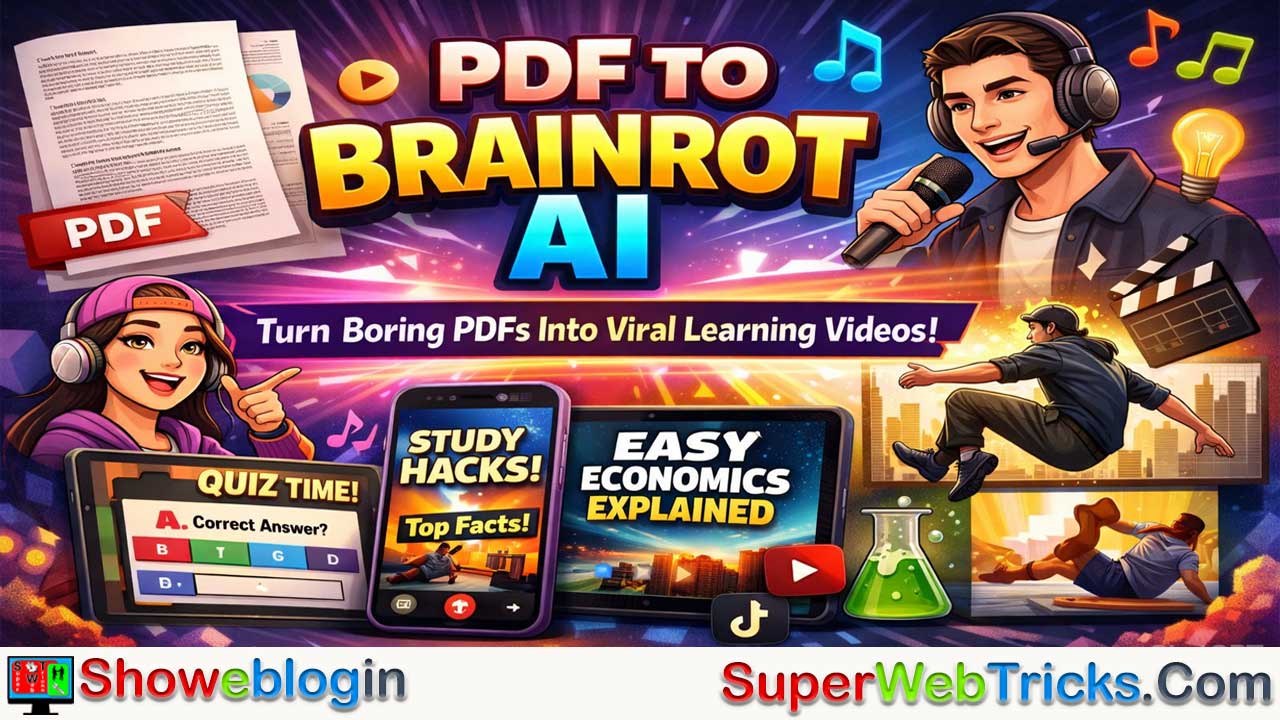






PDF To Brainrot AI is a free, web-based AI tool that transforms dense PDFs and plain text into fast-paced, TikTok-style educational videos designed to boost engagement and retention.
Inspired by the 2024 Oxford Word of the Year “brain rot,” it flips the concept by using highly stimulating short-form content—complete with AI voiceovers, dynamic backgrounds, and music—to make textbooks, research papers, and training manuals more digestible. Users can choose between Brainrot Mode (quirky, Gen Z-style delivery), Quiz Mode (interactive Q&A for active recall), and Raw Mode (straightforward presentation), with full customization of voice, visuals, and audio.
Powered by NLP and video generation algorithms, the platform analyzes documents, extracts key points, rewrites them into engaging scripts, and instantly produces shareable videos for TikTok, YouTube Shorts, or personal study. Designed for students, educators, corporate trainers, and faceless content creators, it addresses modern attention scarcity by turning passive scrolling into an effective learning experience.
| Category | Details |
|---|---|
| Tool Name | PDF To Brainrot AI |
| Primary Function | Converts PDFs or text into short, engaging TikTok-style educational videos |
| Core Purpose | Improve learning retention using high-stimulation, short-form content |
| Video Modes | Brainrot Mode (fast-paced/Gen Z style), Quiz Mode (Q&A format), Raw Mode (professional/simple) |
| Input Options | PDF upload or plain text paste |
| Customization | AI voiceovers (accent, tone, gender), background visuals, music selection |
| Technology Used | NLP-based text analysis + AI video generation |
| Output Format | Short-form video (ready for TikTok, YouTube Shorts, Instagram Reels) |
| Target Users | Students, educators, corporate trainers, faceless content creators |
| Pricing | Free to use (no sign-up required) |
| Platform Access | Web-based (desktop & mobile compatible) |
| Key Benefit | Turns dense, boring material into engaging, scroll-style learning content |
The Ultimate Guide to PDF To Brainrot AI: Turning Boring Documents into Viral, TikTok-Style Learning
In the rapidly evolving world of AI tools, we’ve seen text-to-image, text-to-video, and text-to-audio generators take center stage. But what happens when you combine generative AI with Gen Z’s highly stimulating, fast-paced digital culture? Enter PDF To Brainrot AI —a brilliant, slightly unconventional, and highly effective AI tool designed to transform dense, boring PDFs into engaging, fast-paced “brainrot” videos.
If you are an AI enthusiast, a content creator, an educator, or a student looking to leverage AI for better retention, here is an in-depth breakdown of everything you need to know about PDF To Brainrot AI.
What is “PDF To Brainrot AI”?
The term “brain rot” was crowned Oxford’s 2024 Word of the Year, initially describing the mental deterioration caused by consuming too much trivial, fast-paced online content. PDF To Brainrot AI flips this concept on its head. Instead of mindless scrolling, this AI platform uses the highly addictive format of TikTok-style short-form content (often featuring fast cuts, AI voiceovers, and stimulating background footage) to teach actual educational or professional concepts. It essentially tricks the brain into learning by packaging heavy, dry information (like textbooks, research papers, or corporate manuals) into hyper-engaging, bite-sized videos that resonate with the modern internet generation.
Key Features for AI Tool Users
1. Multiple Video Output Modes
The AI doesn’t just slap text over a video; it understands the context and allows you to choose exactly how you want your content delivered. You can choose from three distinct modes:
- Brainrot Mode: The classic, quirky, TikTok-style format. Expect fast-paced delivery, Gen Z slang, and high-stimulation backgrounds designed for maximum viewer retention.
- Quiz Mode: An interactive question-and-answer format, perfect for active recall and studying for exams.
- Raw Mode: A simple, straightforward, and professional video presentation for when you just need the facts without the extra flair.
2. Full Customization (Voice, Music, and Backgrounds)
AI tool users love control, and this platform offers plenty of it. You can fully customize the audiovisual experience:
- AI Voiceovers: Choose from a wide variety of voice options, dialing in specific accents, tones, and genders to match your target audience.
- Background Visuals: Upload your own background videos or use the classic “brainrot” split-screen visuals (like satisfying clips, parkour gameplay, etc.) to keep the viewer’s attention glued to the screen.
- Audio Tracks: Upload custom background music or choose from a built-in library of royalty-free tracks to set the perfect mood.
3. Text-to-Brainrot Capabilities
You aren’t strictly limited to PDF files. The tool features a Text to Brainrot function. If you have a quick web article, a snippet of lecture notes, or a long email, you can simply copy and paste the plain text into the generator to instantly create a scroll-worthy clip.
4. Instant AI Processing
Powered by advanced natural language processing (NLP) and video generation algorithms, the tool digests complex information—ranging from advanced physics formulas to historical events—and rewrites it into a digestible script before instantly rendering the video.
How It Works (The User Workflow)
The UI/UX is designed to be frictionless, requiring zero video editing skills.
- Upload & Input: Drag and drop your target PDF, or paste plain text directly into the web interface.
- Set Preferences: Select your desired Video Type (Brainrot, Quiz, or Raw), choose your preferred AI voice, and assign background music and video styles.
- Generate: Let the AI analyze the document, extract the key points, write an engaging script, and compile the video.
- Export & Learn (or Share): Download the final video. You can save it to your phone for personal study sessions or instantly upload it to platforms like TikTok, YouTube Shorts, or Instagram Reels.
Who is This Tool Built For?
- Students & Lifelong Learners: Staring at a 50-page economics PDF at 2 AM is a recipe for disaster. Students use this tool to convert their study materials into fun, memorable clips that improve knowledge retention and make studying feel like scrolling through social media.
- Educators & Teachers: Teachers are constantly battling smartphones for their students’ attention. This tool allows educators to meet students where they are, translating lesson plans into the native language of the internet generation.
- Corporate Trainers: Professional onboarding and corporate training manuals are notoriously dry. Professionals can use the “Raw” or “Quiz” modes to make team-building and training materials actually engaging.
- Faceless Content Creators: For AI creators looking to build a following on YouTube Shorts or TikTok, this tool serves as an automated content engine. You can feed it Wikipedia articles, news PDFs, or essays and instantly generate viral-ready educational videos.
Pricing and Accessibility
One of the most attractive aspects of PDF To Brainrot AI is its barrier to entry. Currently, the platform emphasizes being Free to use, with no sign-up or credit card required to get started and convert your first documents. It is entirely web-based, meaning it is accessible across all devices—from desktop workstations to smartphones—making on-the-go learning incredibly easy.
(Note: The platform also integrates with larger AI study ecosystems, offering free AI notes, flashcards, quizzes, and podcasts, making it a comprehensive hub for AI-assisted learning).
The Verdict: Why AI Enthusiasts Should Try It
While the name “Brainrot” might sound unserious, the technology and psychology behind pdftobrainrot.org are incredibly sharp. It solves a massive modern problem: attention scarcity.
By utilizing generative AI not just to summarize text, but to fundamentally alter the medium of the text into a highly optimized, high-retention video format, PDF To Brainrot AI represents a fascinating evolution in EdTech. It is a prime example of how AI can be used to hack human psychology for positive outcomes—turning the mindless scroll into a powerful engine for learning.
FAQs about PDF To Brainrot AI
What is PDF To Brainrot AI?
PDF To Brainrot AI is a web-based tool that converts PDFs or plain text into fast-paced, short-form educational videos designed in a TikTok-style format to improve engagement and retention.
How does PDF To Brainrot AI work?
It uses natural language processing to analyze your document, extract key points, rewrite them into an engaging script, and automatically generate a short video with voiceover, visuals, and music.
What does “brainrot” mean in this context?
While “brain rot” originally described excessive consumption of trivial online content, this tool repurposes the concept by using highly stimulating formats to deliver real educational value.
Can I upload any PDF file?
Yes, you can upload most text-based PDFs such as textbooks, lecture notes, research papers, manuals, or reports.
Does it support scanned PDFs?
If the platform includes OCR capabilities, scanned PDFs may work, but text-based PDFs typically produce better results.
Can I paste text instead of uploading a PDF?
Yes, the Text-to-Brainrot feature allows you to paste plain text directly into the generator.
What video modes are available?
There are typically three modes: Brainrot Mode (fast-paced and trendy), Quiz Mode (interactive Q&A style), and Raw Mode (clean, professional format).
What is Brainrot Mode?
Brainrot Mode delivers content in a high-energy, fast-cut style using engaging visuals and slang to maximize viewer retention.
What is Quiz Mode?
Quiz Mode turns your material into question-and-answer segments to support active recall and exam preparation.
What is Raw Mode?
Raw Mode presents information in a straightforward, professional style without flashy edits or slang.
Can I customize the AI voice?
Yes, you can usually choose different accents, tones, and genders for the voiceover.
Can I add my own background music?
Yes, users can typically upload their own audio tracks or select from a built-in royalty-free library.
Can I use my own background videos?
Yes, you can often upload custom background footage or select preset split-screen visuals.
How long does it take to generate a video?
Processing is generally fast, with videos generated in minutes depending on document length.
Do I need video editing skills?
No, the platform is designed for users with zero editing experience.
Is PDF To Brainrot AI free?
The platform emphasizes free access, often with no sign-up or credit card required for basic use.
Do I need to create an account?
In many cases, you can start without registration, though advanced features may require an account.
Can I use it on my phone?
Yes, it is web-based and accessible on smartphones, tablets, and desktops.
Who is this tool best for?
It’s ideal for students, educators, corporate trainers, and faceless content creators.
Can students use it for exam preparation?
Yes, especially with Quiz Mode, which supports active recall and faster revision.
Can teachers use it in classrooms?
Yes, educators can convert lesson materials into engaging short videos to capture student attention.
Is it suitable for corporate training?
Yes, it can transform dry onboarding documents and training manuals into engaging learning clips.
Can content creators monetize videos made with it?
This depends on the platform’s terms of service and the copyright status of the source material.
Does it summarize the PDF automatically?
Yes, it extracts key concepts and condenses them into a concise, engaging script.
Can it handle technical subjects?
It can process complex topics like science, economics, or history, though clarity depends on the source text.
Is the generated content accurate?
It aims for accuracy based on the input, but users should review videos for errors or oversimplifications.
Can I edit the script before generating the video?
Some versions may allow script adjustments prior to final rendering.
What platforms can I upload the videos to?
Generated videos are suitable for TikTok, YouTube Shorts, Instagram Reels, or personal study use.
Is there a limit on PDF length?
Limits may exist depending on processing capacity or free-tier restrictions.
Does it store my uploaded documents?
Storage policies depend on the platform’s privacy terms, so reviewing their policy is recommended.
Is my data secure?
Security depends on the platform’s encryption and privacy practices outlined in its policy.
Can it generate subtitles automatically?
Many AI video tools include auto-captioning for accessibility and engagement.
Does it support multiple languages?
Language support depends on available NLP and voiceover options.
Can I use it for non-educational content?
Yes, you can convert articles, essays, or informational text into engaging short-form videos.
Is it part of a larger AI learning ecosystem?
Some versions integrate with AI tools for notes, flashcards, quizzes, and podcasts.
Why is it effective for learning?
It leverages short-form, high-stimulation formats that align with modern attention patterns to improve retention.
Does it replace traditional studying?
No, it works best as a supplement to reinforce and review material.
Can it help with attention span issues?
It may improve engagement by presenting information in shorter, dynamic segments.
Is it suitable for lifelong learners?
Yes, it makes dense professional or academic material easier to consume quickly.
What makes it different from a normal PDF summarizer?
Instead of just summarizing text, it converts content into a fully produced short-form video experience.
Can I download the videos?
Yes, you can typically export and save the final video file.
Are there watermarks on free videos?
This depends on the platform’s free-tier limitations.
Does it require powerful hardware?
No, since it’s web-based, processing happens in the cloud.
Can I use it daily?
Usage limits depend on the platform’s free access policies.
Is it beginner-friendly?
Yes, the interface is designed to be simple and intuitive.
Can it turn lecture slides into videos?
Yes, if converted to PDF or pasted as text.
Does it support collaborative use?
Collaboration features depend on account and platform capabilities.
Will it oversimplify complex topics?
It may condense material significantly, so reviewing the output for nuance is recommended.
Can it be used for social media growth?
Yes, it can function as an automated engine for creating educational short-form content.
What problem does it solve?
It addresses attention scarcity by transforming dense documents into engaging, scroll-style learning experiences.












Leave a Reply
You must be logged in to post a comment.