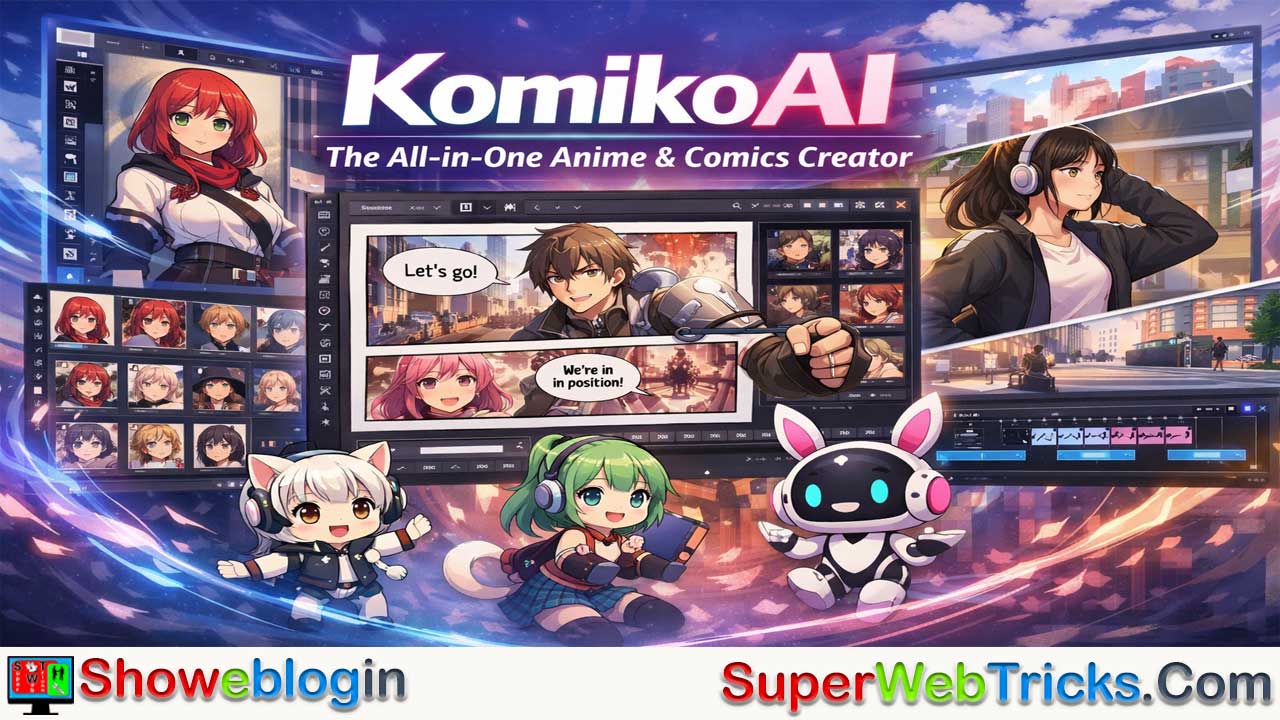






KomikoAI is an all-in-one AI-powered creative suite designed specifically for anime and comic storytelling, positioning itself as the “Canva for Anime” by solving the biggest limitations of general AI art tools like Midjourney and Stable Diffusion—namely character consistency and fragmented workflows.
It features a Character Identity System with seed locking and identity anchoring to maintain over 90% visual consistency across panels, a robust Character Database, and precise pose/expression controls. Its AI Comic Studio offers an Infinite Canvas with dynamic paneling, smart speech bubbles, integrated manga fonts, and professional tools like a Layer Splitter for asset reuse.
Beyond static images, Komiko AI includes advanced animation capabilities such as video-to-video style transfer, AI in-betweening for smooth motion from keyframes, and lip-sync tools for talking characters. Additional polish tools—like line art colorization, AI relighting, and a specialized anime upscaler—streamline production.
Powered by a credit system called “Zaps” and tiered pricing plans for hobbyists to studios, KomikoAI provides a fully integrated pipeline from character creation to export-ready comics or animated clips, making it one of the most comprehensive specialized platforms for digital storytellers.
| Category | Details |
|---|---|
| Platform | KomikoAI – AI creative suite for anime & comics |
| Focus | Character design, consistent visuals, comic layout, animation |
| Character System | Seed locking & identity anchoring for consistent OC visuals |
| Max Characters | Up to 10,000 (Premium) |
| Core Tools | Infinite Canvas, paneling, integrated lettering |
| Animation Features | Video style transfer, keyframing, AI in-betweening, lip-sync |
| Polish Tools | Line art colorization, relighting, anime upscaler |
| Credit System | Zaps (used for tasks like image gen, animation, upscaling) |
| Starter Plan | ~5,000 Zaps (basic usage) |
| Plus Plan | ~15,000 Zaps, more features |
| Premium Plan | ~50,000 Zaps, large workload support |
| Best For | Comic creators, indie animators, anime storytellers |
| Unique Value | All-in-one workflow vs standalone AI art tools |
| Output | High-res panels, PDFs, animated clips |
The Ultimate Guide to KomikoAI: The All-in-One Creative Suite for Anime & Comics
For the modern digital storyteller, the transition from a script to a finished comic page or animation has traditionally been a marathon of technical hurdles. General AI tools like Midjourney or Stable Diffusion provide stunning visuals but often fail at the two things creators need most: continuity and workflow integration.
KomikoAI has strategically positioned itself as the “Canva for Anime,” offering a specialized ecosystem that handles everything from character design to high-fidelity video style transfer. This Showeblogin guide provides a deep dive into why Komiko AI is being called the “Canva for Anime” and how you can leverage its tools to go from a simple idea to a published comic page or animated clip.
What is KomikoAI?
KomikoAI is an all-in-one AI-powered platform tailored for visual storytelling. Unlike general-purpose AI generators, it focuses on the workflow of a comic creator. It integrates character design, layout tools, and animation features into a single interface, solving the biggest pain point in AI art: maintaining the same character appearance across multiple different scenes and poses.
Core Features Every User Should Know
Breakthrough Character Consistency
The biggest “villain” in AI art is the shifting face—the inability to keep a character looking identical across 50 panels. Komiko AI solves this through its Character Identity System.
- Seed Locking & Identity Anchoring: When you design an Original Character (OC), Komiko generates a unique “Identity Profile.” Instead of relying purely on text prompts (e.g., “girl with red hair”), the system “anchors” the facial geometry and key features.
- The Character Database: You can save up to 10,000 unique characters (on Premium plans). This allows you to summon “Kael the Warrior” into any scene—whether he’s fighting in a forest or sitting in a tavern—and maintain 90%+ visual consistency.
- Pose & Expression Control: Using their integrated “Pose Your Character” feature, you can upload a reference skeleton or a simple sketch to dictate exactly how your consistent character should stand or move.
AI Comic Studio (Infinite Canvas)
Most AI tools stop at the “Download Image” button. KomikoAI’s Infinite Canvas is where the actual storytelling happens.
- Dynamic Paneling: Drag-and-drop tools allow you to create traditional manga layouts, vertical webtoon strips, or Western-style comic grids. The “Smart Frame” tool automatically clips your AI-generated art to fit the panel perfectly.
- Integrated Lettering Suite: Forget opening Photoshop just for text. Komiko includes specialized manga fonts and “Smart Bubbles.” If you change the dialogue, the bubble auto-resizes to fit the text, maintaining the professional aesthetic.
- Layer Splitter: A professional-tier tool that allows you to separate characters from their backgrounds. This is essential for creators who want to reuse assets or create “parallax” depth effects in digital versions.
Animation: From Static Panels to Living Scenes
KomikoAI stands out from competitors like Dashtoon by offering a robust Video-to-Video (V2V) and Keyframe engine.
- Video Style Transfer: You can upload a 1080p video of yourself walking or dancing and apply one of 95+ style presets (Studio Ghibli-esque, Cyberpunk, Naruto-style, or K-Pop aesthetics). The AI preserves the motion while completely redrawing the world in anime.
- AI In-Betweening: This is a revolutionary tool for indie animators. You upload 2 to 5 “Keyframes” (the start and end of a movement), and Komiko’s engine (powered by models like Kling and Veo) generates the intermediate frames to create smooth, fluid motion.
- Talking Head & Lip-Sync: Perfect for VTubers or social media creators, this tool synchronizes a character’s mouth movements to an uploaded audio file, making your OCs literally speak to your audience.
Professional Art Polish: The Utility Belt
Komiko provides “finishing” tools that save hours of manual labor:
- Line Art Colorization: Upload a hand-drawn sketch, and the AI will apply professional shading and color palettes in seconds.
- AI Relighting: Did you generate a character in daylight but need them in a night scene? The Relighting tool adjusts the shadows and highlights of an existing image to match a new environment.
- Anime Upscaler: Standard AI images often lose detail at large sizes. Komiko’s upscaler is specifically trained on anime line-weights to ensure your art stays “crisp” even at 4K resolution for print.
Understanding the “Zap” Economy
Komiko uses a credit system called Zaps. Here is a breakdown of how to budget your creative projects:
| Feature | Estimated Zap Cost |
|---|---|
| Image Generation | ~10 Zaps |
| Animation (In-Betweening) | ~100-300 Zaps |
| Video-to-Video | ~300+ Zaps |
| Upscaling/Relighting | ~20-50 Zaps |
Step-by-Step Guide: How to Create Your First Comic
To get the most out of komiko.app, follow this professional workflow:
Step 1: Define Your Cast
Start in the Character Creator. Define your character’s traits (hair, eyes, clothing). Once you have a result you love, save it. This “Seed” ensures your character remains recognizable in every future panel.
Step 2: Script to Panel
Open the Comic Studio. You can input a text prompt for a specific scene. If you use the “Multiple Image Generation” feature, the AI will provide several angles and interpretations of that scene simultaneously, letting you pick the best one for your story’s pacing.
Step 3: Layout and Lettering
Drag your generated images onto the canvas. Use the layout tools to create panels. Add speech bubbles—Komiko’s editor allows you to type directly into the balloons, ensuring the text is legible and styled to match the manga aesthetic.
Step 4: Enhance and Export
If a panel looks a bit blurry, use the AI Upscaler. If the character needs to stand out, use the Background Removal or Relighting tools. Once finished, export your work in high-resolution (PNG/JPG) or as a PDF for easy sharing.
Pricing and “Zaps”
KomikoAI operates on a credit system called “Zaps.” Different tasks (image generation vs. video interpolation) cost different amounts of Zaps.
- Starter (~$8.33/mo): Ideal for hobbyists. Includes roughly 500 image generations and 16 video generations. 5,000 Zaps. Good for a 20-page monthly comic or several short social media clips.
- Plus (~$16.66/mo): For active creators. Offers 15,000 Zaps, early access to new features, and more character slots.
- Premium (~$41.66/mo): 50,000 Zaps. Designed for small studios or power users aiming for high-volume video production. For professional studios or “power users” needing up to 5,000 image generations and 10,000 character slots.
Note: Most plans allow for commercial use rights, meaning you own the comics you create.
Why Choose KomikoAI Over Others?
| Feature | KomikoAI | Midjourney/DALL-E |
|---|---|---|
| Focus | Comics & Anime | General Art |
| Consistency | Native character saving | Requires complex prompting/seeds |
| Layout | Built-in panels & speech bubbles | Requires Photoshop/External apps |
| Animation | Integrated V2V and Keyframing | Static images only |
| Workflow | All-in-one “Studio” feel | Prompt-response loop |
Conclusion
For AI tool users who want to be storytellers rather than just prompt engineers, KomikoAI provides the necessary structure. It bridges the gap between a random image generator and a professional comic production house. Whether you are an indie author wanting to visualize your web novel or an anime fan looking to create “Original Characters” (OCs), komiko.app is currently the most comprehensive specialized tool on the market.
Pro-Tip: Join their Discord community. It is a hub for sharing “Character Seeds” and learning advanced pose control techniques from other creators.
FAQs about KomikoAI
What is KomikoAI?
KomikoAI is an all-in-one AI platform designed for creating anime-style art, comics, and animations with built-in workflow tools for storytellers.
How is KomikoAI different from general AI art tools?
Unlike general generators, it focuses on character consistency, comic layout, and integrated animation within one ecosystem.
What is the Character Identity System?
It is a feature that locks a character’s visual traits using seed locking and identity anchoring to maintain consistent appearance across scenes.
Can I reuse the same character in multiple panels?
Yes, saved characters can be inserted into different scenes while maintaining high visual consistency.
How many characters can I save?
Premium plans allow up to 10,000 saved characters, while lower tiers support fewer slots.
What is the Infinite Canvas?
It is a built-in comic editor that lets you arrange panels, add dialogue, and design full comic pages.
Does KomikoAI support speech bubbles and manga fonts?
Yes, it includes integrated lettering tools with auto-resizing speech bubbles and stylized fonts.
Can I control character poses?
Yes, you can guide poses using reference skeletons or sketches.
Does KomikoAI support animation?
Yes, it offers video-to-video style transfer, AI in-betweening, and lip-sync tools.
What is AI in-betweening?
It generates smooth motion frames between keyframes to create fluid animation.
Can I upload my own video for anime style conversion?
Yes, you can upload a video and apply anime-style presets while preserving motion.
Is there a lip-sync feature?
Yes, characters can synchronize mouth movements to uploaded audio.
What is the Zap system?
Zaps are credits used to power tasks like image generation, animation, and upscaling.
How many Zaps does image generation cost?
Image generation typically costs around 10 Zaps per output.
Is KomikoAI suitable for beginners?
Yes, its interface is designed to simplify the comic creation process.
Can I export my comics?
Yes, projects can be exported as high-resolution images or PDFs.
Does KomikoAI allow commercial use?
Most paid plans include commercial usage rights for created content.
What file formats are supported for export?
Common formats include PNG, JPG, and PDF.
Is there an upscaling feature?
Yes, the anime upscaler enhances resolution while preserving line quality.
Can I recolor my hand-drawn sketches?
Yes, the line art colorization tool can automatically shade and color sketches.
Does KomikoAI support background removal?
Yes, backgrounds can be separated for asset reuse or editing.
Is KomikoAI web-based?
Yes, it operates through an online platform without requiring heavy local installations.
What types of creators benefit most from KomikoAI?
Comic artists, indie animators, webtoon creators, VTubers, and digital storytellers benefit most.
Does it support different comic formats?
Yes, you can create manga layouts, Western-style grids, and vertical webtoon strips.
Is it suitable for short social media animations?
Yes, its animation and lip-sync tools are ideal for short-form content.
Are there different pricing plans?
Yes, plans range from Starter to Premium with increasing Zap limits and features.
Can I edit panels after generating them?
Yes, panels can be resized, relit, upscaled, and rearranged within the editor.
Does KomikoAI replace software like Photoshop?
It reduces reliance on external tools by combining art generation and layout features in one place.
Is community support available?
Yes, users can join the Discord community to share character seeds and techniques.












Leave a Reply
You must be logged in to post a comment.