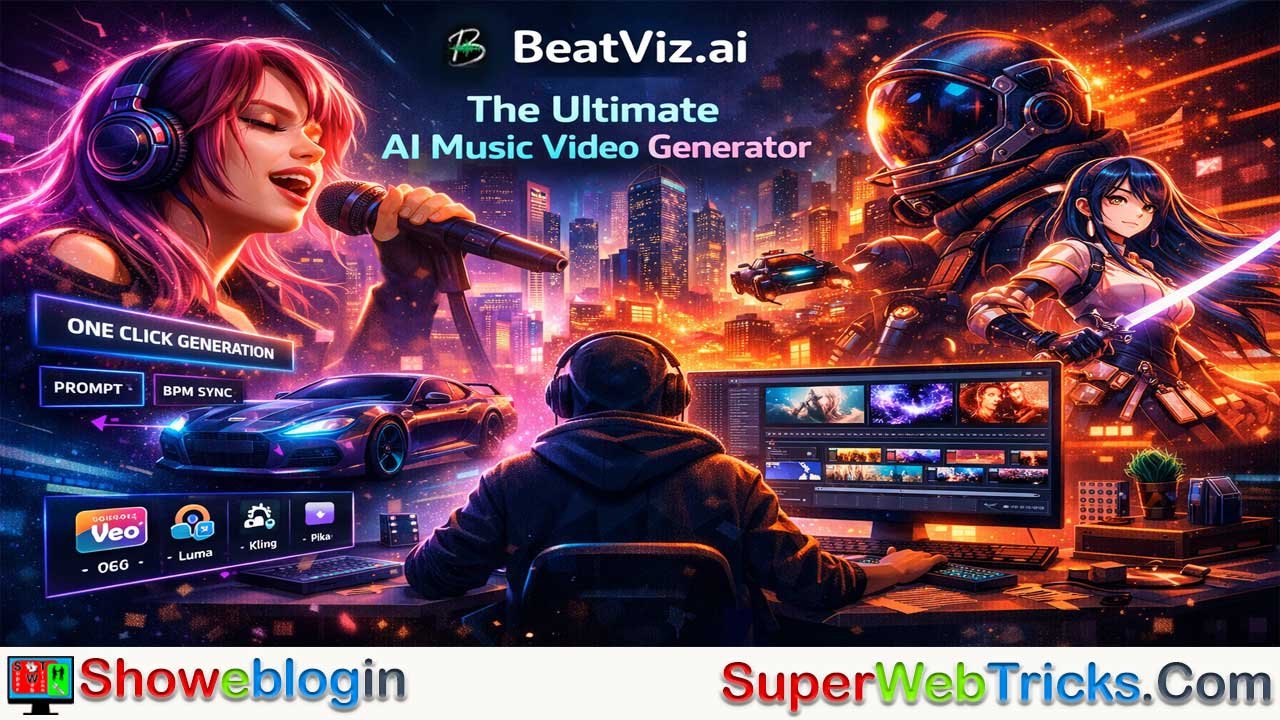






BeatViz.ai is an advanced AI music video generator that transforms audio tracks into professionally synchronized, cinematic visuals in minutes.
Powered by a proprietary Audio-Sync Engine, it analyzes BPM, rhythm, and energy to create beat-matched videos using top AI models like Google Veo, Luma, Kling, and Pika. With features such as one-click generation, lip sync mode, text-to-music creation, a dual-panel editing studio, multiple aspect ratios, and commercial usage rights, BeatViz offers an all-in-one solution for musicians, marketers, and content creators seeking fast, high-impact visual content.
BeatViz.ai: The Ultimate AI Music Video Generator for Modern Creators
In the fast-paced world of digital content, speed and visual impact are everything. For musicians, producers, and content creators, the bottleneck has always been the visual side—producing a high-quality music video typically requires expensive software, technical skills, or a significant budget for freelancers.
Enter BeatViz.ai, a cutting-edge platform designed to democratize music video production. By leveraging advanced generative AI, BeatViz transforms audio tracks into professionally synchronized, cinematic videos in minutes. Whether you are an independent artist looking to visualize your latest single or a marketer needing rhythmic video content, BeatViz promises to bridge the gap between sound and sight seamlessly.
What is BeatViz.ai?
BeatViz.ai is an AI-powered creative suite that serves as both a music video generator and an audio-visual editor. Unlike standard video generators that simply overlay music onto random clips, BeatViz is built on a proprietary “Audio-Sync Engine.” This engine deeply analyzes the rhythm, beats per minute (BPM), and emotional arcs of your audio to ensure every visual transition, cut, and effect is perfectly timed to the music.
Even more impressive, BeatViz aggregates multiple top-tier AI video models—such as Google Veo, Luma Dream Machine, Kling, and Pika—into one unified platform. Instead of juggling subscriptions, creators gain access to the best AI visual technologies in a single workflow.
Key Features
1. 1-Click Music Video Generation
The flagship feature of BeatViz is its effortless music video creation process.
Simply:
- Upload your audio file.
- Let the AI analyze rhythm and mood.
- Generate a fully synchronized video.
The platform automatically aligns visuals with beats and transitions—no manual editing required.
Lip Syncing Mode (New – Feb 2026)
A standout addition, the Lip Syncing Mode enables realistic character singing. The AI matches mouth movements to your lyrics, creating lifelike performances for animated or AI-generated characters.
This feature is especially powerful for:
- Virtual artists
- Animated music videos
- Story-driven lyric videos
2. Auto-Music & Audio Generation
Don’t have a finished track yet? BeatViz can generate one.
Text-to-Music
Describe a genre, mood, or theme—such as:
“Cyberpunk synthwave with dark bass and futuristic vibes.”
The AI composes original background music tailored to your description.
Dialogue & Sound Effects
BeatViz also synthesizes:
- AI voiceovers
- Dialogue
- Cinematic sound effects
This makes it an excellent storyboarding tool for filmmakers and marketers who need quick concept visuals.
3. Dual-Panel “Studio” Interface
BeatViz offers a unique workflow for power users:
- Left Panel (Generation): Create custom AI visuals using text prompts.
- Right Panel (Editor): A timeline editor where you can arrange clips, swap audio, and fine-tune synchronization. This allows for precise control rather than just accepting a random generation.
4. Model Aggregator
One of BeatViz’s biggest competitive advantages is its model flexibility.
Instead of being locked into a single visual style, you can toggle between multiple AI engines, including:
- Google Veo 3.1
- Luma
- Kling
- Pika
This allows you to experiment with:
- Photorealistic cinematic visuals
- Anime-style animation
- Stylized 3D worlds
- Abstract or experimental art
For creators seeking a distinct aesthetic identity, this flexibility is invaluable.
5. Commercial Rights & Customization
BeatViz is built with monetization in mind.
Supported Aspect Ratios:
- 16:9 – YouTube
- 9:16 – TikTok, Instagram Reels, YouTube Shorts
- 1:1 – Instagram Feed
Paid plans include commercial usage rights, allowing you to:
- Monetize videos on YouTube
- Run paid ads
- Use content in promotional campaigns
How BeatViz.ai Works: A Step-by-Step Guide
Using BeatViz is designed to be intuitive, following a simple 3-step process:
- Upload & Sync:
- Drag and drop your audio file (MP3/WAV).
- The AI instantly analyzes the BPM and energy levels to create a “rhythm map.”
- Describe Your Vision:
- Enter a text prompt describing the visual style you want (e.g., “Neon city streets at night, fast-paced, anime style”).
- Select your preferred AI Model and Aspect Ratio.
- Generate & Refine:
- Click “Generate.” The AI will render the video, automatically cutting scenes to match the beat of your song.
- Use the editor to swap out specific scenes or adjust the flow if needed.
- Export: Download your watermark-free video in up to 1080p resolution (for paid plans).
Use Cases for BeatViz.ai
- Independent Musicians: Create visualizers or full music videos for Spotify Canvas and YouTube without hiring a video production team.
- Social Media Managers: Turn static podcast audio or voiceovers into engaging short-form videos (Reels/TikToks) that retain viewer attention.
- Electronic/EDM Producers: The “Millisecond Beat Sync” is particularly effective for high-energy genres where visual impact relies on drop and transition timing.
- Storyboarding: Filmmakers can use the “Auto-Music” feature to quickly visualize scenes and moods for pitch decks.
BeatViz.ai Pricing Structure
BeatViz operates on a credit-based subscription model.
| Plan | Cost (Annual Billing) | Credits / Month | Best For |
|---|---|---|---|
| Free | $0 | 20 Credits | Testing the tool. (Limited to 15s audio, 720p export, watermarked). |
| Basic | ~$18.13/mo | ~2,059 Credits | Hobbyists. Approx. 9 mins of video generation per month. 1080p, No watermark. |
| Pro | ~$34.90/mo | ~6,600 Credits | Best Value. Active creators. Approx. 29 mins of video/month. |
| Creator | ~$90.90/mo | ~18,216 Credits | Agencies/Heavy users. Approx. 82 mins of video/month. |
Note: Prices and credit allocations are subject to change. Always check the official Pricing Page for the latest info.
Pros and Cons
Pros:
- Deep Audio Sync: Unlike generic video AIs, it actually “listens” to the music for cuts.
- All-in-One: Combines music generation, video generation, and editing.
- Model Variety: Access to multiple top-tier AI models in one subscription.
- Speed: Reduces weeks of editing work into minutes of processing.
Cons:
- Credit Consumption: High-quality video generation is compute-intensive; heavy users may burn through credits quickly.
- Free Plan Limitations: The free tier is strictly for trial purposes (watermarked, low resolution) and not suitable for final content.
Why BeatViz.ai Stands Out in the AI Music Video Space
While many AI video tools exist, few are built specifically around music synchronization. BeatViz differentiates itself by focusing on audio-first AI generation, ensuring visuals follow rhythm—not the other way around.
For creators who need:
- Fast production
- Professional results
- Beat-perfect transitions
- Platform-ready formatting
BeatViz offers one of the most streamlined workflows available today.
Final Showeblogin Verdict: Is BeatViz.ai Worth It?
BeatViz.ai represents a significant leap forward for AI in the music industry. It solves the “blank canvas” problem for musicians who have great audio but no visuals. While it may not replace a high-end human production team for narrative cinema, for the 99% of creators who need high-quality, rhythmic visuals now, it is an indispensable tool.
If you are looking to elevate your tracks on social media or YouTube, BeatViz offers one of the most streamlined, audio-reactive workflows available today.
FAQs about BeatViz.ai
What is BeatViz.ai?
BeatViz.ai is an AI-powered music video generator that transforms audio tracks into synchronized, cinematic videos using advanced beat detection and generative video models.
How does BeatViz.ai sync visuals to music?
It uses a proprietary Audio-Sync Engine that analyzes BPM, rhythm patterns, and energy shifts to match scene transitions and effects precisely to the beat.
Do I need video editing experience to use BeatViz.ai?
No, the platform is designed for beginners and professionals alike, offering one-click generation along with an optional advanced editor.
What audio formats are supported?
BeatViz.ai supports common formats like MP3 and WAV for seamless uploads and processing.
Can BeatViz.ai create music if I don’t have a track?
Yes, it includes a text-to-music feature that generates original compositions based on your genre or mood description.
Does BeatViz.ai support lip syncing?
Yes, it offers a Lip Syncing Mode that matches AI-generated character mouth movements to your lyrics.
Which AI video models are available on BeatViz.ai?
The platform aggregates leading AI models such as Google Veo, Luma Dream Machine, Kling, and Pika within a single interface.
Can I choose different visual styles?
Yes, users can select from photorealistic, anime, 3D animation, abstract, and other visual styles depending on the chosen AI model.
What aspect ratios does BeatViz.ai support?
It supports 16:9 for YouTube, 9:16 for TikTok and Reels, and 1:1 for Instagram posts.
Can I monetize videos created with BeatViz.ai?
Yes, paid plans include commercial usage rights, allowing monetization on platforms like YouTube and in advertisements.
Is there a free version of BeatViz.ai?
Yes, there is a free plan with limited credits, 720p exports, 15-second audio limits, and watermarked videos.
What resolution can I export videos in?
Paid plans allow watermark-free exports in up to 1080p resolution.
How long does it take to generate a video?
Most videos are generated within minutes, depending on length, complexity, and selected AI model.
What is the credit-based system?
BeatViz operates on a monthly credit allocation system where video generation consumes credits based on duration and model choice.
Is BeatViz.ai suitable for independent musicians?
Yes, it is ideal for independent artists who want professional visuals without hiring a production team.
Can I edit the AI-generated video?
Yes, the built-in timeline editor allows you to rearrange clips, adjust timing, and refine synchronization.
Does BeatViz.ai work for social media content?
Yes, it is optimized for short-form platforms like TikTok, Instagram Reels, and YouTube Shorts.
Can marketers use BeatViz.ai for ads?
Yes, marketers can create rhythmic promotional videos and use them commercially with paid plans.
Is BeatViz.ai good for EDM and electronic music?
Yes, its millisecond-level beat synchronization makes it especially effective for high-energy genres and drop-heavy tracks.
Can filmmakers use BeatViz.ai for storyboarding?
Yes, filmmakers can quickly generate mood visuals and background music for pitch decks and concept previews.
Does BeatViz.ai generate voiceovers?
Yes, it can synthesize AI voiceovers and sound effects based on text scripts.
Is BeatViz.ai cloud-based?
Yes, it operates online, so there is no need to download heavy software.
Do I need a powerful computer to use it?
No, since processing happens in the cloud, most modern devices with internet access can run it smoothly.
Can I switch AI models for the same project?
Yes, users can experiment with different AI engines to achieve varied aesthetics.
Does BeatViz.ai add watermarks?
Watermarks appear only on the free plan; paid plans allow watermark-free exports.
Is BeatViz.ai beginner-friendly?
Yes, the one-click generation process makes it accessible to users with no technical background.
Can I generate lyric videos with BeatViz.ai?
Yes, combined with lip sync and text overlays, it can help create engaging lyric-based content.
How secure is my uploaded audio?
BeatViz.ai processes audio through secure cloud infrastructure designed to protect user data.
Can agencies use BeatViz.ai for client projects?
Yes, higher-tier plans provide enough credits and commercial rights for agency-level usage.
Does BeatViz.ai support high-energy beat drops?
Yes, its rhythm mapping ensures dramatic visual transitions align precisely with musical drops.
Is BeatViz.ai suitable for podcast visuals?
Yes, podcasters can transform static audio into dynamic short-form videos for social platforms.
Can I cancel my subscription anytime?
Subscription management typically allows cancellation according to the platform’s billing policies.
What makes BeatViz.ai different from other AI video generators?
Unlike generic tools, it prioritizes deep audio analysis and beat-perfect synchronization, making it purpose-built for music-driven visuals.












Leave a Reply
You must be logged in to post a comment.