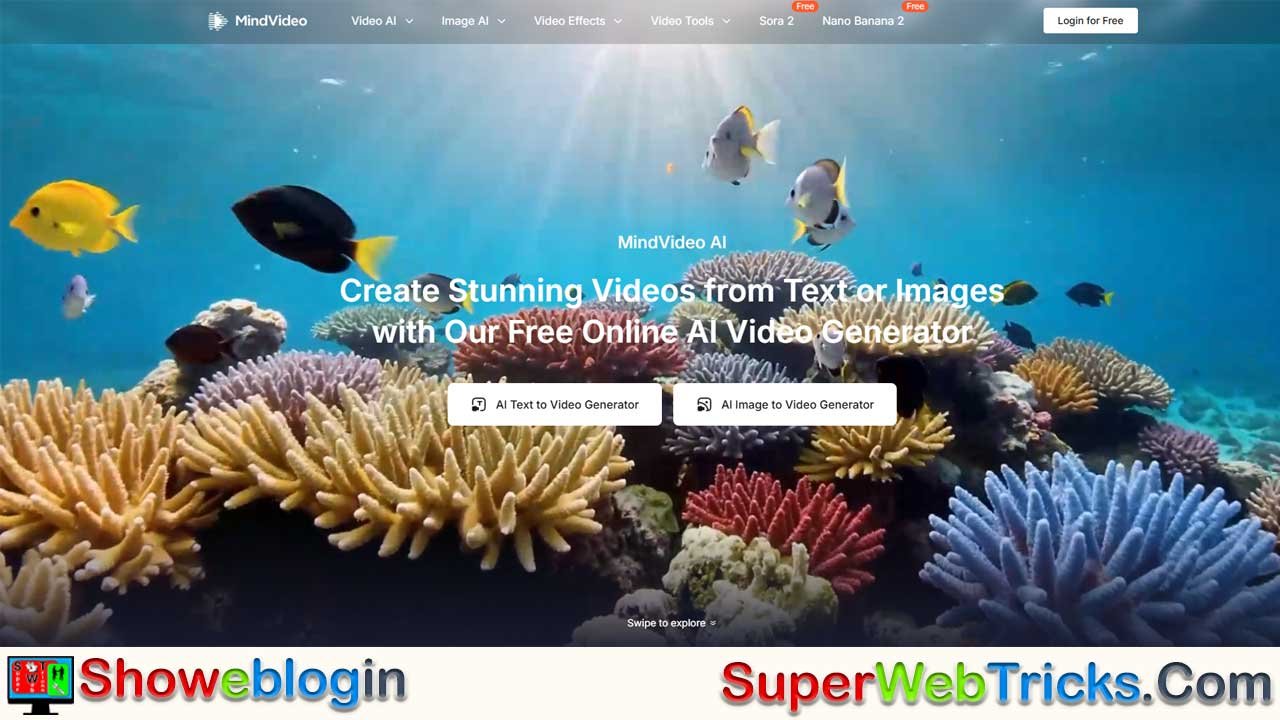






MindVideo AI is a free, web-based platform that democratizes video creation by turning text or images into professional-quality clips using multiple advanced AI models like Kling, Runway, and Luma.
Designed for creators, marketers, educators, and small businesses, it eliminates the need for cameras, actors, or editing skills, offering tools such as text-to-video, image-to-video animation, viral “AI Hug/Kiss” effects, and product-focused video generation.Its intuitive interface, versatile styles, and generous free tier make it accessible to beginners, while paid plans remove watermarks and offer higher resolution and faster processing.
Though limited by short clip lengths and occasional AI artifacts, MindVideo AI stands out as a powerful, easy gateway into AI-driven video production.
| Category | Details |
|---|---|
| Platform | MindVideo AI |
| Type | Free AI video generator (web-based) |
| Core Features | Text-to-video, image-to-video, viral AI effects (Hug/Kiss), multi-model support, product video maker |
| Models Used | Kling AI, Runway, Hailuo, Luma |
| Best For | Creators, marketers, educators, small businesses |
| Output Quality | HD (Free), up to 4K (Paid) |
| Pricing | Freemium model |
| Free Plan | Watermarked videos, HD output, limited daily generations |
| Paid Plan | No watermark, higher resolution, priority speed, enhanced privacy |
| Strengths | Easy to use, no installation, multiple AI engines, versatile styles |
| Limitations | Short clip length, occasional AI artifacts, free usage limits |
| Website | https://www.mindvideo.ai/ |
Unlocking Creativity: The Ultimate Guide to MindVideo AI
The Free AI Video Generator That Brings Your Imagination to Life
In the rapidly evolving landscape of digital content, video is king. However, traditional video production—requires expensive cameras, actors, and hours of editing—has long been a barrier for many creators. Enter MindVideo AI, a revolutionary web-based platform that leverages cutting-edge artificial intelligence to democratize video creation.
Whether you are a marketer needing a quick ad, a storyteller visualizing a script, or a social media enthusiast jumping on the latest trend, MindVideo AI offers a suite of tools that turns text and images into professional-grade videos in seconds.
What is MindVideo AI?
MindVideo AI is an all-in-one AI video generation platform. Unlike standard editors that require you to film footage, MindVideo generates it for you. It functions as an aggregator and interface for some of the world’s most powerful AI models—including Kling AI, Runway, Hailuo, and Luma—bringing enterprise-level video synthesis to a user-friendly, browser-based dashboard.
It is designed to be accessible to everyone. With no software to install and a generous free tier, it removes the technical hurdles of video production, allowing users to focus entirely on creativity.
Key Features: A Deep Dive
1. Text-to-Video Generation
This is the platform’s core engine. You simply type a prompt, and the AI interprets your words to generate a video clip.
- How it works: You describe a scene (e.g., “A cinematic drone shot of a futuristic cyberpunk city with neon rain”). The AI analyzes the semantics—lighting, camera angle, subject, and mood—and renders a unique video from scratch.
- Best for: Storyboarding movies, creating stock footage that doesn’t exist, and visualizing abstract concepts.
2. Image-to-Video Animation
Take any static image and force it into motion. MindVideo AI analyzes the elements of a photo to predict how they should move.
- Capabilities: Make water flow, clouds drift, or a character blink and smile.
- Creative Freedom: You can upload a product photo and have the camera “pan” around it, or take a drawing and turn it into an animated clip.
3. Viral AI Effects (AI Hug & AI Kiss)
MindVideo AI has gained massive popularity on social media (TikTok and Instagram) for its specific interaction features.
- The Trend: Upload two separate photos of people (or a person and a pet), and the AI will stitch them together into a video where they appear to be hugging or kissing.
- Emotional Impact: This feature is widely used to create touching tributes, such as “reuniting” with lost loved ones or creating funny interactions between celebrities.
4. Multi-Model Support
Most AI tools limit you to their proprietary technology. MindVideo AI stands out by offering access to multiple engines:
- Variety of Styles: Switch between models to get different aesthetics—from hyper-realistic cinematic footage to 3D animation or anime styles.
- Optimization: If one model struggles with a specific prompt, you can seamlessly switch to another to get the perfect shot.
5. Commercial Product Video Maker
For business users, there is a dedicated workflow for e-commerce.
- Instant Ads: Upload a simple photo of your product (like a sneaker or perfume bottle), and the AI can generate a high-quality commercial video, adding background motion, lighting effects, and dynamic camera movements to increase conversion rates.
Who is MindVideo AI For?
- Content Creators & Influencers: rapidly produce content for YouTube Shorts, TikTok, and Instagram Reels without needing a camera crew. The “AI Hug” and “AI Kiss” features are instant engagement boosters.
- Digital Marketers: Create eye-catching video ads and product demos at a fraction of the cost of a traditional production studio.
- Educators & Storytellers: Visualize historical events, scientific concepts, or fictional narratives to make learning more immersive.
- Small Business Owners: enhance your online store with dynamic product videos that look professional but cost nothing to generate.
How to Get the Best Results (Pro Tips)
To get the highest quality video from MindVideo AI, the secret lies in your prompt engineering.
- Be Specific: Instead of “a dog,” try “A golden retriever puppy running through a field of sunflowers during “golden hour”, 4k, cinematic lighting.”
- Define the Camera: Use film terminology. phrases like “drone shot,” “close-up,” “wide angle,” or “slow motion” give the AI clear instructions on how to frame the scene.
- Use Reference Images: Whenever possible, use the Image-to-Video feature. Providing a reference image ensures the colors and character composition match your vision perfectly, rather than leaving it up to the AI’s random interpretation.
Pricing: Free vs. Paid
MindVideo AI operates on a Freemium model, ensuring accessibility for all while offering premium features for power users.
| Feature | Free Plan | Paid Subscription (Pro/Max) |
|---|---|---|
| Cost | $0 / Free | Affordable monthly rates |
| Watermark | Yes (Branded watermark) | No Watermark |
| Resolution | Standard HD | Upscaled 4K Quality |
| Speed | Standard Queue | Fast / Priority Generation |
| Privacy | Standard | Enhanced Privacy Options |
Is the Free Plan enough? Absolutely. For beginners testing the waters or making memes for social media, the free plan provides ample credits and functionality. The Paid plan is recommended for businesses requiring pristine, watermark-free commercial assets.
Pros and Cons
Pros:
- ✅ Zero Learning Curve: Intuitive interface requires no editing skills.
- ✅ No Installation: Runs entirely in your browser (Cloud-based).
- ✅ Versatile Models: Access to Kling, Runway, and more in one place.
- ✅ Character Consistency: Advanced algorithms help keep faces looking the same across frames.
- ✅ Privacy Focused: User data and uploads can be deleted instantly.
Cons:
- ❌ Generation Limits: Free users have a cap on how many videos they can make per day.
- ❌ Video Length: Like most current AI video tools, clips are typically short (3–5 seconds) and may need to be looped or edited together for longer content.
- ❌ AI Artifacts: Occasional visual glitches (like weird hands or shifting backgrounds) are inherent to current AI technology, though they are improving rapidly.
Final Verdict
MindVideo AI is arguably one of the most accessible entry points into the world of generative video. It successfully bridges the gap between complex, developer-focused AI models and everyday users who just want to create.
Whether you want to hug a long-lost relative through AI magic, sell a product, or build a cinematic universe from your bedroom, MindVideo AI provides the toolkit to make it happen.
Start Creating for Free Today: 👉 https://www.mindvideo.ai/
FAQs about MindVideo AI
What is MindVideo AI?
MindVideo AI is a web-based platform that uses advanced AI models to generate videos from text or images without any filming or editing skills.
How does MindVideo AI work?
You enter a text prompt or upload an image, and the AI synthesizes a video clip by interpreting scene elements, lighting, motion, and style.
Is MindVideo AI free to use?
Yes, it offers a free plan with HD output and watermarks, plus optional paid plans for higher quality and additional features.
Does the free plan have limits?
Yes, free users have daily generation limits and videos include a branded watermark.
What models does MindVideo AI support?
It integrates engines like Kling AI, Runway, Hailuo, and Luma to offer diverse visual styles and improved output flexibility.
Can I make videos without filming anything?
Yes, the AI generates all visuals from scratch, so no camera, actors, or equipment are needed.
What is the Text-to-Video feature?
It creates a video purely from a written prompt by interpreting descriptions of scenes, movements, and style.
What is the Image-to-Video feature?
It animates static images by predicting natural motion such as camera movement, character actions, or environmental effects.
What are the AI Hug and AI Kiss features?
These viral tools merge two photos into a short video where the subjects appear to interact realistically through hugging or kissing.
Can I create product videos for my business?
Yes, MindVideo AI includes workflows for e-commerce, allowing you to generate dynamic product ads from simple photos.
Is MindVideo AI suitable for social media creators?
Absolutely, it’s ideal for producing TikTok, Instagram Reels, and YouTube Shorts quickly and without editing experience.
Can marketers use MindVideo AI for ads?
Yes, it’s widely used to create promotional clips, product showcases, and short ads at a fraction of traditional production costs.
Does MindVideo AI support 4K video?
Higher resolutions like 4K are available in paid plans, while free users receive standard HD.
Does the platform run in the browser?
Yes, it is fully cloud-based, so no downloads or installation are required.
Can I delete my uploaded data?
Yes, the platform allows instant deletion of uploaded images, prompts, and generated videos for privacy.
Does MindVideo AI maintain character consistency?
The system includes algorithms that help keep faces and character details consistent across frames.
Are the clips long?
Most AI-generated videos are short, typically 3–5 seconds, due to current AI video model limitations.
Are there any visual glitches?
Occasionally, yes—AI artifacts like odd hands or shifting backgrounds may appear, though these continue to improve.
Can I switch between different AI models?
Yes, you can choose from multiple engines to achieve various aesthetics or better performance for specific prompts.
How do I get the best results?
Use detailed prompts, specify camera angles, include lighting descriptions, and provide reference images where possible.
Is MindVideo AI good for educators?
Yes, educators use it to visualize concepts, historical scenes, and explanations through quick AI-generated videos.
Can beginners use MindVideo AI?
Yes, its intuitive interface requires no prior experience with editing or video production.
Can I use MindVideo AI for commercial purposes?
Paid plans are designed for commercial use, offering watermark-free, high-quality output suitable for business content.
Can I animate drawings or artwork?
Yes, uploaded illustrations can be converted into moving video clips through the Image-to-Video tool.
Does MindVideo AI require a powerful computer?
No, all processing happens in the cloud, so any device with a browser can use it.
Can it generate realistic human motion?
Yes, depending on the model chosen, the platform can produce highly realistic cinematic movements.
Does MindVideo AI support different styles?
Yes, it can generate cinematic, anime, 3D, stylized, or hyper-realistic videos based on the selected model and prompt.
Can I create stock footage with MindVideo AI?
Yes, you can produce unique scenes for storyboarding, concept visualization, or filler footage.
Is video generation fast?
Free users experience standard queue times, while paid users get priority and faster rendering.
Can MindVideo AI replace traditional video shooting?
For many short-form and conceptual needs, yes, although it’s not yet a one-to-one replacement for long, complex productions.
Does it require any design skills?
No artistic or technical skills are required—AI handles the visual creation process.
Can I use MindVideo AI for tributes or memorial videos?
Yes, many users create emotional reunion-style clips using the AI Hug or AI Kiss features.
Can I upload multiple photos?
Yes, depending on the feature, you can upload single or paired images for animation or interaction videos.
Does MindVideo AI support custom camera movements?
Yes, prompts can include instructions like drone shot, slow motion, zoom-in, or wide-angle.
Is MindVideo AI safe for personal photos?
The platform includes privacy options and allows immediate deletion of photos and results.
Can I loop the generated clips?
Yes, users often loop short clips to create longer content for social media or ads.











Leave a Reply
You must be logged in to post a comment.