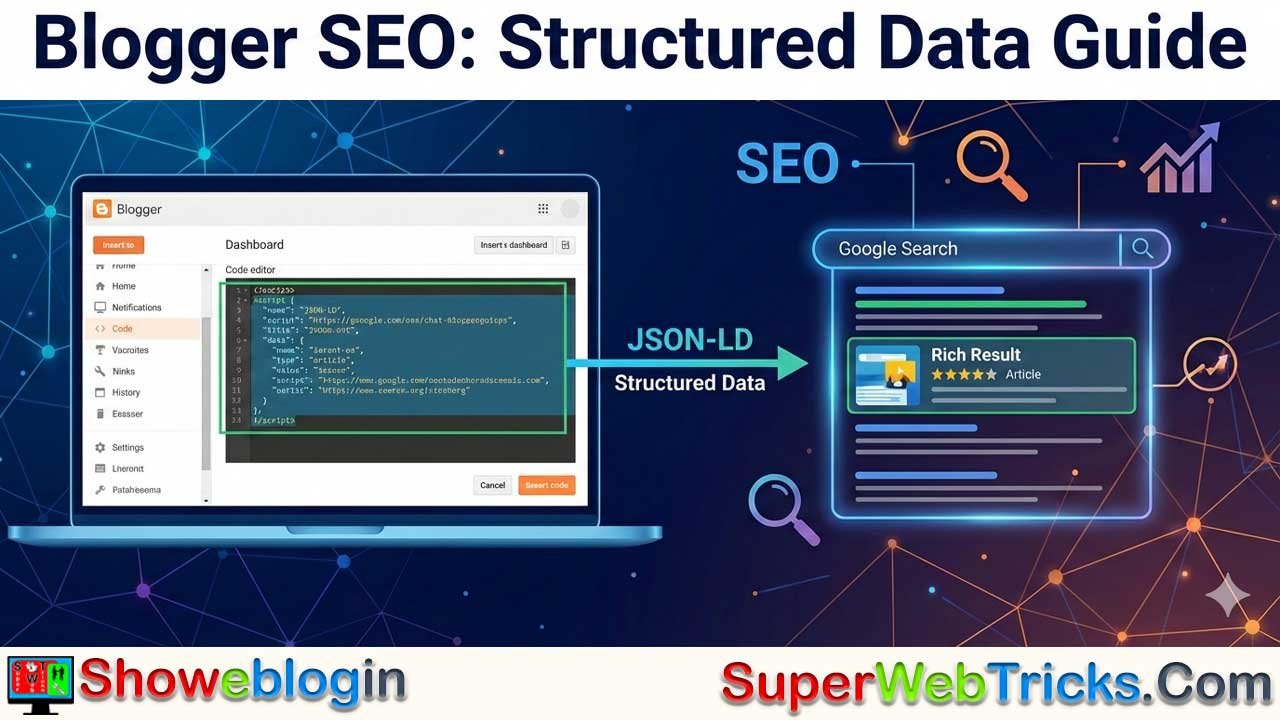





Structured data is essential for your blog to compete in Search Engine Results Pages (SERPs). The key to the success of any website is organic traffic driven by search engines. If search engines cannot “understand” the context of your content, you miss out on valuable readers.
Did you know? Search engines do not inherently “read” and understand text like humans do. You must present your content in a specific language (schema) that helps them categorize your posts accurately.
Today, we will learn how to add Structured Data to Blogger for rich search results. While there are older methods like Microdata, the industry standard in 2026 is JSON-LD (JavaScript Object Notation for Linked Data). This format is cleaner, easier to maintain, and is Google’s preferred method for structured data.
Why JSON-LD?
Older tutorials might suggest “Microdata” (adding codes inside <div> tags). We do not recommend this anymore because:
- It is messy and can break your theme’s design.
- It is harder to update.
- JSON-LD is an invisible script that sits cleanly in your code, making it the “Gold Standard” for modern SEO.
How to Add Structured Data to Blogger
There are two ways to do this: the Manual Method (harder) or the Automatic Theme Method (recommended).
Method 1: The Automatic Theme Method (Recommended)
This method involves adding a small piece of code to your Blogger theme once. It will then automatically generate the correct Schema Markup for every single blog post you publish in the future.
Step 1: Backup Your Theme
Always backup your theme before editing HTML. Go to Theme > click the Dropdown arrow next to Customize > Backup.
Step 2: Edit HTML
Go to Theme > Edit HTML.
Step 3: Find the Post Section
Click inside the code box and press Ctrl + F (or Cmd + F) to search. Search for the following line:
<b:includable id='post' var='post'>Step 4: Add the JSON-LD Script
Immediately after that line, paste the following code. This code dynamically pulls your post title, image, and date automatically.
HTML
<b:if cond='data:view.isPost'>
  <script type='application/ld+json'>
  {
    "@context": "https://schema.org",
    "@type": "BlogPosting",
    "mainEntityOfPage": {
      "@type": "WebPage",
      "@id": "<data:post.url.canonical/>"
    },
    "headline": "<data:post.title.jsonEscaped/>",
    "description": "<data:post.snippets.short.jsonEscaped/>",
    "image": {
      "@type": "ImageObject",
      "url": "<data:post.featuredImage/>"
    },
    "author": {
      "@type": "Person",
      "name": "<data:post.author.name.jsonEscaped/>",
      "url": "<data:post.author.profileUrl/>"
    },
    "publisher": {
      "@type": "Organization",
      "name": "<data:blog.title.jsonEscaped/>",
      "logo": {
        "@type": "ImageObject",
        "url": "YOUR_LOGO_URL_HERE"
      }
    },
    "datePublished": "<data:post.datePublished.iso8601/>",
    "dateModified": "<data:post.lastUpdated.iso8601/>"
  }
  </script>
</b:if>
Note: Replace YOUR_LOGO_URL_HERE with the direct link to your blog’s logo image.
Step 5: Save
Click the Save (floppy disk) icon at the top right.
Method 2: Using a Schema Generator (For specific needs)
If you don’t want to edit your theme, or if you have a specific review or recipe post, you can generate code manually for just that post.
- Use a Generator: Go to a tool like the Merkle Schema Markup Generator or Classy Schema.
- Select Type: Choose “Article” or “BlogPosting”.
- Fill Data: Paste your article URL, headline, and image URL.
- Copy Code: Copy the generated JSON-LD code.
- Paste in Blogger: Open your post editor, switch to HTML View, and paste the code at the very bottom of your article.
How to Validate Your Code
Never assume your code works without testing it. Google has deprecated the old “Structured Data Testing Tool.” You should now use these two modern tools:
- Rich Results Test (Google): Use this to see if your blog is eligible for rich snippets (like star ratings or image carousels) in Google Search.
- Schema Markup Validator (Schema.org): Use this to check for syntax errors in your code.
- Tool URL: https://validator.schema.org/
Summary Checklist
- [ ] Switch to JSON-LD: Stop using
hentryor microdata classes in<div>tags. - [ ] Automate: Add the script to your theme so you don’t have to do it manually for every post.
- [ ] Test: Always validate new changes using the Rich Results Test.
By following these updated steps, you ensure your Blogger site speaks the same language as modern search engines, giving you the best chance at higher rankings and better organic traffic.