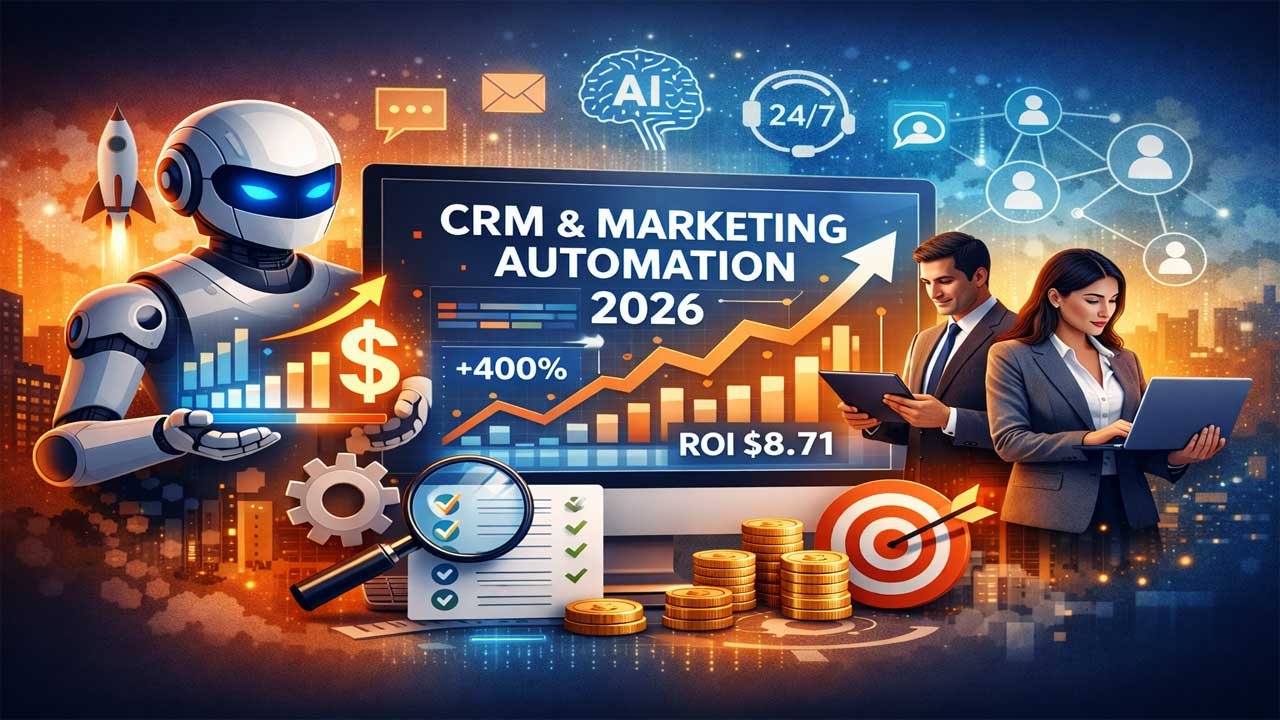






CRM and marketing automation are essential competitive tools in 2026, enabling businesses to manage customer relationships at scale, automate sales and marketing workflows, and drive significant ROI—averaging $8.71 for every dollar spent and up to 300–400% with AI-powered systems.
The CRM market has grown to $53 billion, dominated by large enterprises, with leading platforms like Salesforce (enterprise depth), HubSpot (ease of use and SMB growth), Zoho (best value), Microsoft Dynamics 365 (Microsoft ecosystem integration), and Freshsales (service-focused teams).
Modern CRMs integrate AI for predictive lead scoring, hyper-personalization, autonomous task handling, and real-time analytics, while no-code customization and mobile-first design improve adoption and speed to value. Choosing the right CRM requires aligning team size, budget, features, integrations, and total cost of ownership, avoiding common implementation pitfalls, and tracking clear KPIs—making CRM and marketing automation not optional tools, but core drivers of revenue growth and customer satisfaction.
Why CRM and Marketing Automation Matter Now
Customer relationship management (CRM) software is essential for businesses today. Every successful company uses CRM tools to manage customer data. Marketing automation helps teams save time and boost revenue.
The CRM market reached $53 billion in 2026. Companies with 1,000+ employees control 73.8% of this spending. The right CRM solution can generate $8.71 in revenue for every dollar spent.
This guide reviews the best enterprise CRM and marketing automation software for 2026. We compare features, pricing, and ROI. This article helps you choose the right platform for your business.
What is Enterprise CRM Software?
Enterprise CRM software manages customer relationships at scale. It handles thousands of contacts, complex workflows, and multi-team operations.
CRM systems do more than store data. They automate sales processes. They track customer interactions across email, phone, and chat. They provide real-time dashboards and predictive analytics.
Marketing automation integrates with CRM. It sends personalized emails based on customer behavior. It scores leads automatically. It nurtures prospects through the sales funnel without manual effort.
Together, CRM and marketing automation create a complete customer engagement system.
Top 5 Enterprise CRM Solutions for 2026
1. Salesforce: The Enterprise Leader
Salesforce remains the global market leader for enterprise CRM. It powers sales, service, and marketing teams at Fortune 500 companies.
Key Features:
- AI-powered lead scoring and forecasting
- 7,000+ third-party integrations
- Einstein AI for predictive analytics
- Advanced workflow automation
- Field service and project operations
- Complete ecosystem integration
Pricing:
- Sales Cloud Enterprise: $175/user/month
- Sales Cloud Unlimited: $350/user/month
- Agentforce 1: $550/user/month
- Marketing Cloud: $1,500-$3,250/month
Best For: Large enterprises with complex processes. Fortune 500 companies. Multi-team operations across global regions.
Why Choose Salesforce: Deep customization. Unmatched ecosystem. Einstein AI drives 15% sales growth on average. 84% of support queries handled by Agentforce.
2. HubSpot: Best for SMBs and Scaling Teams
HubSpot is the inbound marketing leader. It combines CRM, email marketing, and sales automation in one platform.
Key Features:
- Free CRM with unlimited users
- 1,700+ native integrations
- Predictive lead scoring
- Advanced email automation
- Landing page builder and forms
- AI content assistant
- Live chat and chatbot
- Strong mobile app
Pricing:
- Free: Full CRM access, basic features
- Starter: $15/month per seat
- Professional: $75/month per seat
- Enterprise: $119/month per seat
Best For: Small businesses, startups, and mid-market teams. Inbound marketing teams. Companies seeking ease of use.
Why Choose HubSpot: Fastest onboarding in the industry. User-friendly interface. Free plan rivals paid competitors. No learning curve. Mobile app is clean and intuitive.
3. Zoho CRM: Budget-Friendly with Enterprise Features
Zoho CRM delivers enterprise-grade features at SMB pricing. It’s the most affordable option for businesses seeking power without high cost.
Key Features:
- AI assistant “Zia” for insights and automation
- Workflow automation and lead scoring
- Multi-channel communication
- Territory management
- Revenue forecasting
- Email marketing integration
- 1,000+ integrations
- Advanced customization
Pricing:
- Free: 3 users, 5,000 records
- Standard: $14/user/month
- Professional: $23/user/month
- Enterprise: $40/user/month
Best For: Growing businesses on tight budgets. Teams requiring deep customization. Companies using Google Workspace or Microsoft 365.
Why Choose Zoho: Zia AI automates routine tasks. Exceptional value for price. One seat, unlimited leads model. Seamless Microsoft ecosystem integration.
4. Microsoft Dynamics 365: Enterprise Integration Power
Microsoft Dynamics 365 targets enterprises needing deep Microsoft 365 ecosystem integration. It connects Sales, Service, Field Operations, and Customer Insights.
Key Features:
- Deep Microsoft 365 integration
- Copilot AI assistant embedded
- Real-time customer data orchestration
- Power BI analytics integration
- Field service management
- Project operations module
- Azure cloud security
Pricing: Custom enterprise pricing (contact sales)
Best For: Organizations running on Microsoft 365, Teams, and Azure. Enterprises with complex field operations. Global operations needing advanced security.
Why Choose Dynamics 365: Seamless Teams integration. AI-powered with Copilot. Unified Dataverse platform. Enterprise-grade compliance and security.
5. Freshsales (Freshworks): AI-Powered Customer Engagement
Freshsales focuses on AI-driven insights and customer engagement. It’s perfect for support-heavy, service-oriented teams.
Key Features:
- AI-powered insights and engagement
- Visual sales pipeline
- Email and call tracking
- Meeting scheduler
- Custom reporting
- Territory management
- Contact management
- Lead scoring
Pricing: Competitive mid-market pricing (varies by tier)
Best For: Support-focused teams. Service companies. Businesses prioritizing customer engagement over customization.
Why Choose Freshsales: AI insights drive engagement. Intuitive interface. Strong customer support. Good mid-market positioning.
Top Marketing Automation Platforms for 2026
| Platform | Best For | Key Features | Starting Price |
|---|---|---|---|
| HubSpot Marketing Hub | All-in-one solution | Email, landing pages, automation, 1,500+ integrations | $15/month per seat |
| Klaviyo | E-commerce brands | Email, SMS, segmentation, Shopify integration | Free (up to 250 contacts) |
| ActiveCampaign | Advanced automation | Email marketing, CRM, sales automation | Custom pricing |
| Marketo | Enterprise B2B | Account-based marketing, lead nurturing, attribution | Custom pricing |
| Pardot (Salesforce) | Salesforce users | B2B automation, lead scoring, Salesforce sync | Included with Salesforce |
| GetResponse | Affordable automation | Email, webinars, landing pages, ecommerce | Starts at $15/month |
Klaviyo: Best for E-Commerce Automation
Klaviyo specializes in e-commerce email and SMS marketing. It tracks actual revenue from campaigns.
Why It Wins:
- Deep Shopify integration
- Revenue-tracking from email campaigns
- Abandoned cart automation
- Post-purchase follow-up flows
- SMS marketing in one platform
- Advanced segmentation by purchase behavior
Pricing: Free for up to 250 contacts, then starts at $45/month
HubSpot Marketing Hub: All-in-One Platform
HubSpot Marketing Hub consolidates email marketing, landing pages, and CRM. No need for multiple tools.
Why It Wins:
- 1,500+ integrations
- Seamless CRM integration
- Visual workflow builder
- A/B testing built-in
- Lead management and scoring
- Social media scheduling
- Unified reporting dashboard
Pricing: Starting at $15/month per seat
CRM Pricing Comparison for 2026
| Business Size | Typical Cost Per User/Month | Key Examples |
|---|---|---|
| Small/Startup | $7-$29 | HubSpot Free, Zoho $14, Pipedrive $14 |
| Mid-Size | $30-$80 | Salesforce $75, HubSpot $75, Zoho $40 |
| Enterprise | $100-$300+ | Salesforce $175-$550, Custom solutions |
Key Pricing Factors:
- Number of users (per-seat pricing model)
- Storage and data limits
- Custom integrations and APIs
- Advanced features and modules
- Support level (standard vs. 24/7 dedicated)
- Implementation and training costs
ROI Calculation:
ROI = [(Total Revenue from CRM – Total CRM Cost) / Total CRM Cost] × 100
Average CRM ROI is $8.71 per dollar spent. AI-powered CRM systems show 300-400% ROI, compared to 100-200% for traditional systems.
2026 CRM Trends: What’s Changing
1. AI-Powered Automation Becomes Standard
AI moves from optional to essential in 2026. Every major CRM now includes AI features.
What This Means:
- Predictive lead scoring: AI identifies high-value leads automatically
- Conversational AI: Chatbots and voice agents handle routine queries
- Behavioral insights: Machine learning suggests optimal engagement strategies
- Revenue forecasting: AI predicts sales trends and churn risks
Expected Impact: Sales teams make faster decisions. Lead conversion improves. Manual work decreases dramatically.
2. Hyper-Personalization Across All Channels
Customers expect personalized experiences at every touchpoint. CRMs now automatically personalize content.
What This Means:
- Dynamic audience segmentation based on behavior
- Personalized email, offers, and product recommendations
- Multi-channel data integration (email, social, app, offline)
- Real-time message personalization
3. Autonomous Agents Handle Routine Tasks
AI agents work independently within CRM systems. They handle follow-ups, scheduling, and reporting.
What This Means:
- Follow-ups and reminders happen automatically
- Workflow suggestions based on AI analysis
- Reduced manual data entry and human error
- Teams focus on strategic work, not repetitive tasks
4. No-Code Customization Empowers Teams
Non-technical users now customize CRM workflows without coding skills.
Impact: Teams move faster. No developer dependency. Rapid iteration.
5. Voice and Conversational Interfaces
Sales teams update CRM records using voice commands. AI assistants interact with leads via chat.
Impact: Faster CRM adoption. Reduced training time. Hands-free operation.
How to Choose the Right CRM for Your Business
Step 1: Define Your Team Size and Budget
Small Teams (1-10 people):
- Use HubSpot Free or Zoho CRM
- No upfront cost or low-cost entry
- Easy onboarding and setup
Mid-Size Teams (10-100 people):
- Consider HubSpot Professional or Salesforce
- Budget $30-$80 per user/month
- Need more integrations and customization
Large Enterprises (100+ people):
- Invest in Salesforce or Microsoft Dynamics 365
- Budget $100-$300+ per user/month
- Require deep customization and security
Step 2: Identify Must-Have Features
Ask these questions:
- Do you need marketing automation built-in?
- How many integrations do you need?
- Is mobile access critical?
- Do you need AI-powered lead scoring?
- How important is ease of use vs. customization?
- What’s your data security requirement?
Step 3: Consider Integration Needs
Check integration availability:
- Salesforce: 7,000+ integrations
- HubSpot: 1,700+ integrations
- Zoho: 1,000+ integrations
- Pipedrive: 500+ integrations
Missing integrations mean manual data entry. This costs time and introduces errors.
Step 4: Evaluate Ease of Use
User Experience Comparison:
- HubSpot: Easiest to learn, clean interface
- Zoho: Moderate learning curve, highly customizable
- Salesforce: Steepest learning curve, requires admin
Easier adoption means faster ROI. Your team starts selling sooner.
Step 5: Calculate Total Cost of Ownership
Include these costs:
- Monthly software fees
- Implementation and setup
- User training
- Integration costs
- Custom development (if needed)
- Annual contracts
Enterprise CRM costs range from $75,000 to $300,000+ annually for mid-sized businesses.
Key CRM Features You Need in 2026
Lead Management and Scoring
Why It Matters: Not all leads have equal value. AI-powered lead scoring identifies high-potential prospects automatically.
What to Look For:
- Automatic lead scoring based on behavior
- Lead source tracking
- Lead assignment automation
- Pipeline visibility
- Duplicate lead detection
Email Marketing and Automation
Why It Matters: Email remains the highest ROI marketing channel. Automation saves time and improves consistency.
What to Look For:
- Drag-and-drop email builder
- Automated email sequences
- A/B testing capabilities
- Email scheduling and timing optimization
- Personalization and dynamic content
- Compliance tools (spam checks, GDPR)
Multi-Channel Integration
Why It Matters: Customers interact across email, phone, chat, social, and in-person. Your CRM should track all touchpoints.
What to Look For:
- Email integration
- Phone/call tracking
- Chat and messaging
- Social media monitoring
- SMS marketing
- Calendar sync (Google, Outlook)
Real-Time Analytics and Reporting
Why It Matters: Data drives decisions. Real-time dashboards show pipeline health instantly.
What to Look For:
- Customizable dashboards
- Real-time performance metrics
- Multi-channel attribution
- Sales forecasting
- Predictive analytics
- Goal tracking and KPI monitoring
Mobile App Quality
Why It Matters: Sales teams work in the field. Mobile access updates pipeline status on-the-go.
Quality Indicators:
- Offline access capability
- Clean, intuitive interface
- Fast load times
- Core CRM functions available
- Syncs across devices
AI and Predictive Capabilities
Why It Matters: AI automates routine work and surfaces high-value opportunities.
What to Look For:
- Predictive lead scoring
- Sales forecasting
- Churn prediction
- Next-best-action recommendations
- Conversational AI for leads
- Automated content suggestions
CRM ROI: What You Can Expect
Average ROI Performance
Traditional CRM Systems: 100-200% ROI
- Cost savings from automation
- Improved sales efficiency
- Better customer retention
- Faster deal closure
AI-Powered CRM Systems: 300-400% ROI
- Predictive insights drive 15% sales increase
- Reduced customer churn by 20%
- 25% reduction in operational expenses
Real Cost Savings Examples
Enterprise Sales Team ROI:
- Average enterprise uses 10 different sales tools
- Average tool cost: $100,000/year
- By consolidating tools, companies save $900,000/year
- Companies using unified platforms see 30% cost reduction in first year
Measurable Metrics to Track
Track these KPIs after implementing CRM:
- Sales velocity: Time from lead to close
- Conversion rate: Prospects converting to customers
- Customer lifetime value (CLV): Total value per customer
- Customer acquisition cost (CAC): Cost to acquire each customer
- Pipeline value: Total value of active deals
- Forecast accuracy: Predicted vs. actual revenue
- Team productivity: Calls, emails, meetings per rep
- Customer retention rate: Percentage of customers retained
Common CRM Implementation Mistakes to Avoid
Mistake 1: Choosing the Wrong Platform
Wrong: Buying the most popular CRM without assessing your needs
Right: Match the CRM to your business size, budget, and workflows
Mistake 2: Poor Data Quality
Wrong: Importing messy, duplicate-filled data
Right: Clean and validate data before implementation. Set data entry standards.
Mistake 3: Inadequate User Training
Wrong: Rolling out CRM without training
Right: Invest in training. Show teams how CRM saves them time.
Mistake 4: Failing to Integrate Other Tools
Wrong: Leaving CRM isolated from email, accounting, or marketing tools
Right: Map integrations before launch. Test all data flows.
Mistake 5: No Clear Success Metrics
Wrong: Implementing CRM without measuring results
Right: Define KPIs upfront. Review metrics monthly.
Mistake 6: Ignoring User Adoption
Wrong: Deploying CRM without change management
Right: Get early buy-in. Celebrate wins. Address concerns.
Conclusion: Choose Your CRM Strategy Now
CRM and marketing automation are no longer optional. They’re competitive requirements in 2026.
Key Takeaways:
- AI-powered CRM delivers 300-400% ROI
- HubSpot leads for SMBs and ease of use
- Salesforce dominates enterprise space
- Zoho CRM offers best value for budget-conscious teams
- Microsoft Dynamics 365 excels for Microsoft ecosystem users
- Average CRM ROI is $8.71 per dollar spent
Next Steps:
- Assess your team size and budget
- List must-have features
- Request free trials (HubSpot, Zoho, Salesforce all offer them)
- Test integrations with your current tools
- Compare total cost of ownership
- Choose platform and plan implementation
- Train your team thoroughly
- Monitor ROI monthly
The right CRM accelerates sales, improves customer satisfaction, and drives revenue growth. Starting in 2026, CRM isn’t a luxury—it’s your competitive advantage.
Frequently Asked Questions About CRM
Q: Is HubSpot CRM really free?
A: Yes. HubSpot offers a full-featured free CRM with unlimited users and contacts. Paid plans add advanced features like email marketing and automation.
Q: Which CRM is best for small businesses?
A: HubSpot Free or Zoho CRM $14/user offer the best value for small teams starting out.
Q: Can I switch CRMs later?
A: Yes, but it’s disruptive. Choose carefully upfront to minimize data migration costs.
Q: How long does CRM implementation take?
A: Small businesses: 2-4 weeks. Mid-size: 1-3 months. Enterprises: 3-6 months or longer.
Q: Is CRM difficult to learn?
A: Modern CRMs are user-friendly. HubSpot is easier than Salesforce. Average adoption time is 2-4 weeks with proper training.
Q: What happens to my data if I switch CRMs?
A: You own your data. Most CRMs allow export. Plan data migration carefully to prevent loss.
Q: Does AI in CRM really work?
A: Yes. AI-powered lead scoring improves accuracy. Predictive analytics identify upsell opportunities. AI reduces manual work significantly.












Leave a Reply
You must be logged in to post a comment.