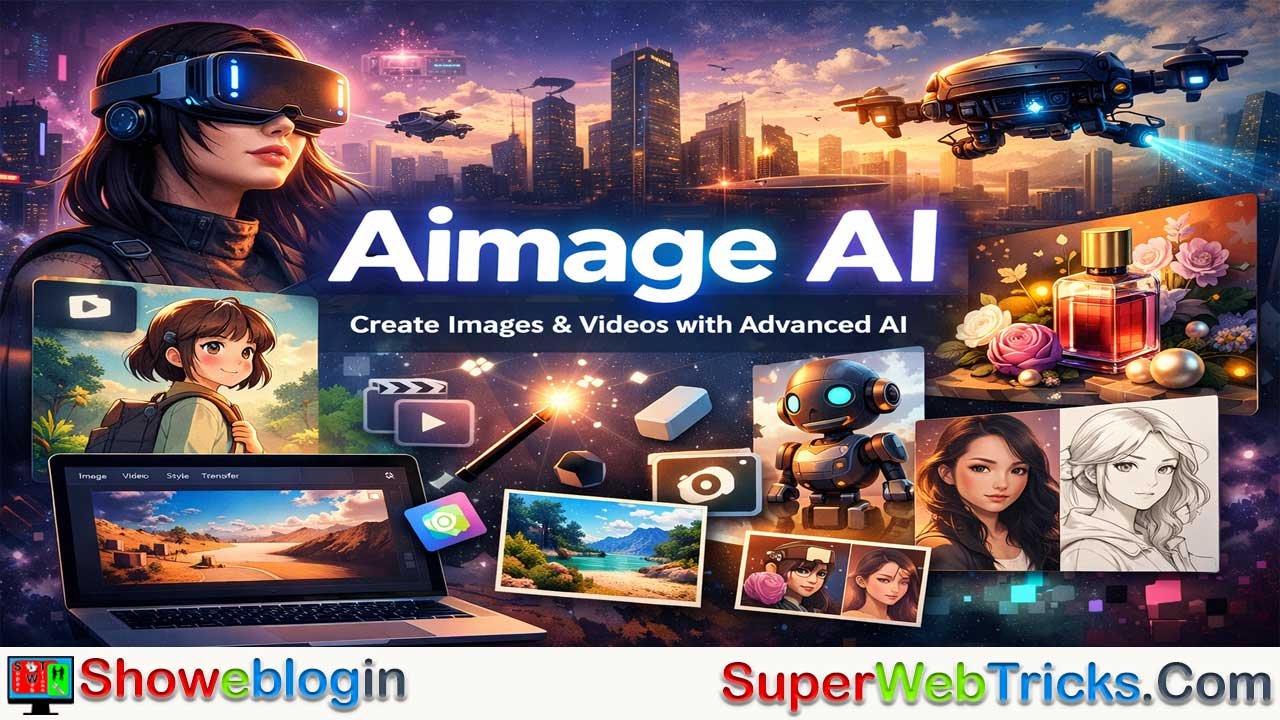






Aimage AI is a web-based, all-in-one generative art platform that aggregates leading AI models like Flux, Sora, Kling, and Veo to provide a unified toolkit for image creation, video generation, and style transformation.
Designed for artists, creators, and professionals, it supports advanced text-to-image and text-to-video workflows, image-to-video animation, precision editing with Flux Kontext, and specialized style transfers such as Studio Ghibli-inspired effects, alongside practical utilities like background removal and image-to-prompt conversion.
Its credit-based pricing ranges from a limited free tier to professional plans with commercial rights, making it accessible for experimentation and scalable for commercial use. By combining multimodal capabilities, an inspiration library, and a browser-based interface that requires no installation, Aimage AI positions itself as a versatile creative hub for social media content, digital art, game development, e-commerce visuals, and educational media.
| Category | Information |
|---|---|
| Platform | Aimage AI is a web-based, all-in-one generative AI creative suite |
| Core Functions | Text-to-image, text-to-video, image-to-video, style transfer, photo transformation |
| Integrated Models | Flux, Sora, Kling, Veo (aggregated in one interface) |
| Unique Tools | Image-to-Prompt, Background Remover, Studio Ghibli style transfer, Flux Kontext precision editing |
| Pricing Model | Credit-based subscription with Free, Basic ($9.90/mo), and Creator ($19.90/mo) tiers |
| Free Plan | 5 credits/month, standard resolution, no commercial rights |
| Creator Plan Perks | Commercial rights, high-res output, advanced models, priority support |
| Target Users | Digital artists, social media managers, developers, e-commerce owners, educators |
| Access | Browser-based; no installation or high-end hardware required |
| Main Value | Unified access to advanced AI models for versatile creative workflows |
Unleash Your Creative Vision with Aimage AI: The All-in-One Generative Art Suite
In the rapidly evolving landscape of artificial intelligence, finding a tool that balances power, versatility, and ease of use can be a challenge. Enter Aimage AI (aimage.ai), a comprehensive platform that goes beyond simple text-to-image generation. Whether you are a digital artist, a content creator, or a hobbyist looking to experiment with the latest AI models, Aimage AI offers a robust suite of tools designed to bring your imagination to life.
This Showeblogin guide dives deep into the features, practical applications, and value proposition of Aimage AI, helping you unlock its full potential.
What is Aimage AI?
Aimage AI is a web-based creative platform that integrates multiple generative AI technologies into a single, user-friendly interface. Unlike standalone tools that focus on just one medium, Aimage AI serves as a multimodal hub, offering solutions for image generation, video creation, and style transformation.
The platform leverages some of the most advanced models in the industry—including Flux, Sora, Kling, and Veo—democratizing access to high-end AI capabilities that are often gated behind complex waitlists or expensive subscriptions.
The Aimage Advantage: Why It Stands Out
Most AI tools are built around a single proprietary model. Aimage AI takes a different approach: aggregation. It acts as a gateway to some of the most powerful and exclusive AI models currently available.
- Access to “Closed” Models: Instead of waiting for access to models like OpenAI’s Sora (video) or Google’s Veo, Aimage AI integrates these technologies directly, allowing users to experiment with cutting-edge video generation immediately.
- Multimodal Flexibility: Whether you need a static image, a dynamic video, or a style transfer for an existing photo, the platform handles it all without requiring you to switch tabs.
Key Features: Beyond Basic Images
1. Advanced Text-to-Image Generation
At its core, Aimage AI excels at converting text prompts into high-fidelity images. Users can input natural language prompts to create stunning visuals in seconds. The platform supports a wide array of artistic styles, from realistic renders and cyberpunk aesthetics to abstract art and surrealism.
The engine is versatile, capable of handling complex instructions to produce:
- Photorealistic Portraits: Ideal for stock photography needs or character design.
- Artistic Styles: From “Cyberpunk Asian girl with VR” to “Abstract geometric art,” the model understands diverse aesthetic descriptors.
- Commercial Assets: Create product mockups, like the “Perfume still life photography” or “Gucci Luxury Capsule Design” mentioned in their gallery.
The Image to Prompt generator is a standout tool for learners. You can upload an existing image, and the AI will reverse-engineer a text prompt, helping you understand how to craft better descriptions for future creations.
2. Next-Gen AI Video Creation
Aimage AI distinguishes itself by integrating top-tier video generation models. Video is the new frontier, and Aimage AI is ahead of the curve.
- Text-to-Video: Simply type a scene description (e.g., “A cinematic drone shot of a futuristic city at sunset”) and watch the AI generate a short, high-quality clip.
- Image-to-Video: Upload a static image and have the AI animate it, adding motion to water, clouds, or characters.
- Model Variety: Users can leverage Sora for its legendary realism, or Kling and Veo for different artistic interpretations and motion dynamics.
3. Specialized Style & Photo Transformation
For fans of specific aesthetics, Aimage AI offers specialized “Style Transfer” tools:
- Studio Ghibli AI: Instantly transforms your photos into the whimsical, magical style of Studio Ghibli anime.
- AI Photo Style Transformation: Convert images into pixel art, sketches, or 3D renders while preserving the original subject’s essence.
4. Flux Kontext AI Generator
For users demanding precision, the Flux Kontext model offers “multimodal capabilities and precise editing controls.” This is designed for more complex workflows where fine-tuning the output is necessary, moving beyond the “slot machine” feel of basic generators.
For users who need more than just a “lucky dip” generation, the Flux Kontext model is a game-changer.
- Multimodal Input: It accepts both text and image inputs to guide the generation process.
- Precise Editing: Unlike standard generators that might hallucinate details, Flux is designed for users who need specific compositional control, making it ideal for professional design work where “almost right” isn’t good enough.
5. Creative Style Transfers & Nanobanana
- Studio Ghibli AI: A fan-favorite feature that instantly transforms selfies or landscape photos into the lush, hand-painted aesthetic of Studio Ghibli films.
- Nanobanana AI: Part of their unique suite, this tool (alongside others) hints at the platform’s commitment to playful, experimental AI tools that push creative boundaries.
- Photo Restyling: Convert a photo into pixel art, a pencil sketch, or a 3D render while keeping the original subject recognizable.
6. Essential Utility Tools
Aimage AI includes “boring but necessary” tools that save hours of work:
- Background Remover: Isolate subjects instantly for e-commerce or composite art.
- Image to Prompt: Stuck on how to describe a style? Upload a reference image, and the AI will generate the text prompt for it. This is an incredible learning tool for mastering prompt engineering.
- Image to Text: Extract context or captions from visuals automatically.
Pricing: From Free Experimentation to Pro Creation
Video generation typically consumes more computing power (and credits) than simple images.
Aimage AI operates on a “Credit” system. This is a transparent way to manage usage, and making it accessible to everyone while offering scalability for power users.
- The “Try Before You Buy” (Free Plan):
- Cost: $0
- Benefit: You get 5 credits/month. It’s enough to generate a few images and see if the quality matches your expectations.
- Limit: Standard resolution only; no commercial rights.
- The “Hobbyist” (Basic Plan):
- Cost: $9.90/month
- Benefit: 200 credits. This is a massive jump, allowing for regular experimentation. You gain access to advanced styles and batch generation (creating multiple variations at once).
- The “Professional” (Creator Plan):
- Cost: $19.90/month
- Benefit: 500 credits.
- Key Feature: Commercial Usage Rights. If you plan to sell your art, use it in ads, or put it on merchandise, this is the mandatory tier.
- Perks: Priority support, high-resolution upscaling, and access to the most computationally expensive models.
Who Is Aimage AI For? Real-World Use Cases
| User Profile | How Aimage AI Helps |
|---|---|
| Social Media Managers | Generate infinite content streams. Turn a blog post headline into a video intro using Sora, or create unique daily visuals for Instagram. |
| Game Developers | Use Flux to rapidly prototype character concepts, environments, and UI elements (like the “VS Code JSON Business Card” example). |
| E-commerce Owners | Save on photoshoots. Use the Background Remover and Image Generator to place your product in exotic, AI-generated settings. |
| Digital Artists | Overcome creative block. Use the Inspiration Library to find a starting point, then use Image-to-Prompt to remix the style into something unique. |
| Educators & Students | visualize complex concepts (e.g., historical events, scientific phenomena) instantly for presentations. |
Why Choose Aimage AI?
Access to Multiple Models: Instead of jumping between different websites to use Flux for images and Sora for video, Aimage AI aggregates these top-tier models under one roof.
User-Friendly Inspiration: The built-in Inspiration Library is a goldmine. You can browse thousands of AI-generated images to see what’s possible and “remix” ideas for your own projects.
No Installation Required: As a browser-based tool, it requires no powerful GPU or complex software installation. You can create from any device with an internet connection.
Getting Started: A Quick Tutorial
- Sign Up: Visit aimage.ai and create an account.
- Choose Your Tool: Select “AI Image Generator” for stills or “AI Video” for motion.
- Draft Your Prompt: Be specific. Instead of “a cat,” try “A fluffy Siamese cat sitting on a neon-lit windowsill in Tokyo, cyberpunk style, cinematic lighting.”
- Select Parameters: Choose your aspect ratio (square, portrait, landscape) and style model.
- Generate: Hit the button and wait a few seconds.
- Refine: Not quite right? Use the “Image to Prompt” feature on a result you like to tweak the description and try again.
Final Verdict
Aimage AI creates a compelling ecosystem for modern creators. By combining the “best of breed” models like Sora and Flux with practical utility tools, it positions itself as a versatile assistant for any creative workflow. Whether you want to turn a selfie into an anime character, generate a video for TikTok, or create assets for a game, Aimage AI provides the toolbox to make it happen.
FAQs about Aimage AI
What is Aimage AI?
Aimage AI is a web-based platform that combines multiple generative AI tools for creating images, videos, and style transformations in one interface.
What can I create with Aimage AI?
You can generate AI images, create videos from text or images, apply artistic style transfers, and transform photos into different visual styles.
Which AI models does Aimage AI use?
It integrates advanced models such as Flux, Sora, Kling, and Veo to support high-quality image and video generation.
Do I need to install any software to use Aimage AI?
No, Aimage AI runs entirely in a web browser and does not require installation or specialized hardware.
Is Aimage AI suitable for beginners?
Yes, it offers a user-friendly interface and tools like Image-to-Prompt that help beginners learn how to craft effective prompts.
Can I use Aimage AI for commercial projects?
Commercial use is available on paid plans that include commercial rights, especially the Creator tier.
How does the credit system work?
Aimage AI uses a credit-based system where each generation consumes credits depending on the complexity of the task.
Is there a free plan available?
Yes, there is a free plan that provides a small number of monthly credits for testing the platform.
What is the Flux Kontext generator used for?
Flux Kontext is designed for precise, multimodal editing and allows users to combine text and image inputs for controlled results.
Can Aimage AI generate videos from text prompts?
Yes, it supports text-to-video generation using integrated advanced video models.
Does Aimage AI support style transfer like anime or Studio Ghibli effects?
Yes, it includes specialized style transfer tools that can transform photos into anime-inspired or other artistic styles.
Who benefits most from using Aimage AI?
Digital artists, social media creators, developers, e-commerce businesses, and educators can all use it to produce creative visual content.
Are there tools beyond image and video generation?
Yes, it includes utility tools like background removal and image-to-prompt conversion.
Can I animate a static image with Aimage AI?
Yes, the platform supports image-to-video features that add motion to still images.
Does Aimage AI provide inspiration or examples?
Yes, it includes an inspiration library that showcases generated content to help users explore creative ideas.












Leave a Reply
You must be logged in to post a comment.