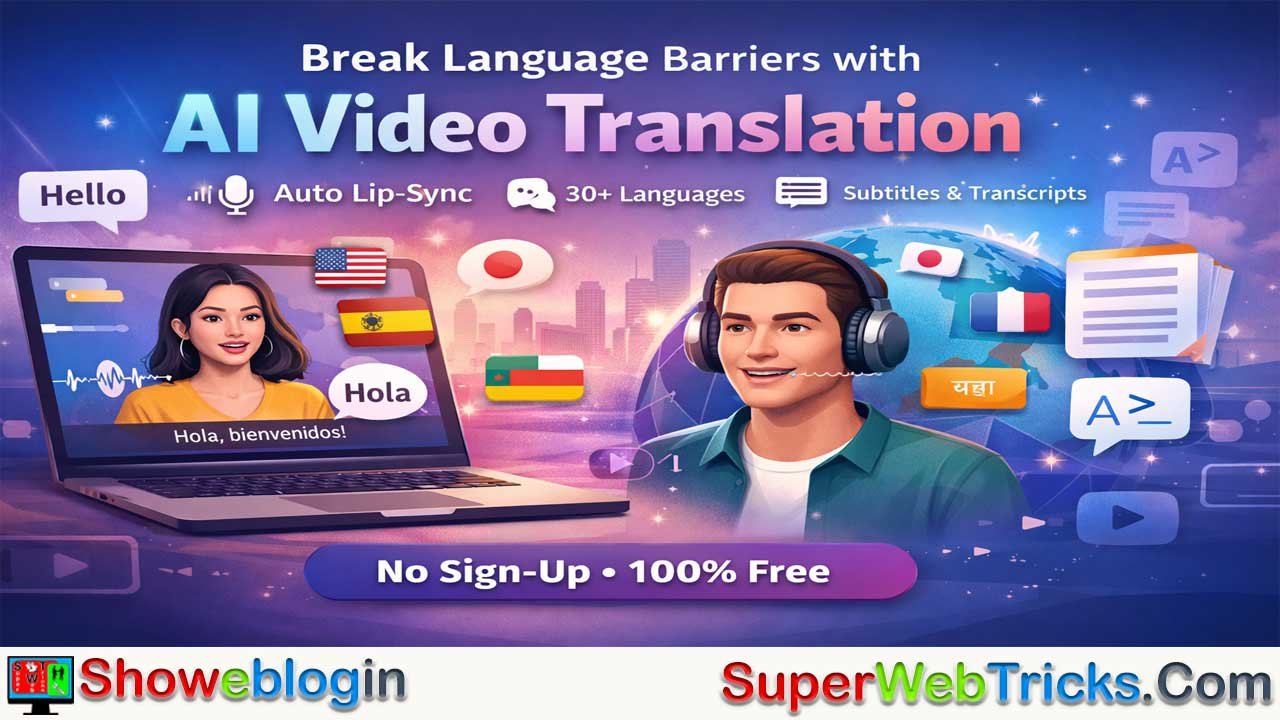






AIVideoTranslator.ai is a free, web-based AI tool that enables users to translate and visually dub videos into 30+ languages without sign-up, using generative AI to synchronize lip movements with translated audio for a seamless, native-speaking effect.
Unlike many competitors locked behind paywalls, it offers instant access, visual lip-syncing, voice preservation, subtitle generation, and video/audio transcription, making it especially appealing for creators, marketers, and educators seeking global reach on a budget. The platform works best with short (10 seconds to 3 minutes), front-facing single-speaker videos under 30MB and may struggle with multiple faces or obstructions.
While it lacks advanced enterprise controls, its zero-cost model, ease of use, and privacy-focused approach make it a highly accessible entry point into AI-powered video localization, provided users apply it ethically and transparently.
| Category | Details |
|---|---|
| Platform Name | AIVideoTranslator.ai |
| Cost | Free |
| Sign-Up Required | No |
| Core Feature | AI video translation with visual lip-sync (dubbing) |
| Languages Supported | 30+ (English, Spanish, French, German, Japanese, Hindi, Arabic, etc.) |
| Subtitles | Auto-generated, optional burn-in |
| Transcription | Video-to-text & audio-to-text |
| Max Duration | 3 minutes |
| Min Duration | 10 seconds |
| Max File Size | 30MB |
| Supported Formats | .mp4, .webm, .ogg |
| Recommended Resolution | 720p or 1080p |
| Best For | Creators, marketers, educators |
| Limitations | Single front-facing face only; struggles with obstructions or multiple speakers |
| Processing Time | ~2–3 mins per 1-min video |
| Privacy | No login required; encrypted uploads; GDPR compliant |
The Ultimate Guide to AIVideoTranslator.ai: Breaking Language Barriers with Zero Friction
In the exploding world of generative AI, video localization has emerged as a “holy grail” for content creators. Traditional methods required hiring translators, voice actors, and video editors to manually synchronize audio.
The ability to take a single video and automatically dub it into multiple languages—while maintaining the speaker’s original voice and lip movements—is usually locked behind expensive enterprise paywalls.
Enter AIVideoTranslator.ai, a tool that is making waves by offering high-quality AI video translation, lip-syncing, and subtitling completely for free, with no sign-up required.
For AI enthusiasts, marketers, and educators looking to go global without breaking the bank, here is everything you need to know about this platform.
What is AIVideoTranslator.ai?
AIVideoTranslator.ai is a web-based AI tool designed to translate video content into over 30 languages. Unlike standard dubbing tools that simply overlay a new audio track, this platform uses generative AI to perform Visual Dubbing (Lip-Syncing). It modifies the pixels of the speaker’s mouth to match the new language, creating a seamless viewing experience where it looks like the speaker is natively speaking the target language.
What Makes AIVideoTranslator.ai Unique?
While there are many AI video tools on the market (such as HeyGen, Rask.ai, or Synthesia), AIVideoTranslator.ai distinguishes itself through accessibility.
- Zero Barrier to Entry: Most competitors (like HeyGen or Rask AI) require account creation, credit cards, or offer very limited trial seconds. AIVideoTranslator.ai allows users to land on the page, upload a file, and get a result immediately without logging in.
- Visual Dubbing (The “Holy Grail”): It doesn’t just replace the audio; it uses generative AI to modify the pixels of the speaker’s mouth. This ensures the lip movements match the new language, eliminating the jarring “bad kung-fu movie” effect of traditional dubbing.
- Privacy-First Approach: By not requiring a login, it minimizes data harvesting. The platform also states that all uploads are encrypted and comply with GDPR standards.
Key Features Under the Hood
1. Visual Dubbing & AI Lip-Sync Technology
The core engine analyzes the facial landmarks of the speaker and synchronizes lip movements with the translated audio track. This significantly increases viewer retention compared to traditional “dubbed” content which often feels disconnected.
The platform’s engine analyzes the facial geometry of the speaker. When translating from English to Spanish, for example, the AI regenerates the mouth area to form Spanish phonemes.
- Accuracy: Claims 99.9% lip-sync accuracy.
- Naturalness: The AI aims to preserve the original speaker’s vocal tone (voice cloning) while switching languages, ensuring brand consistency.
2. Multi-Language Support
The platform currently supports 30+ output languages, including major markets:
- European: English, Spanish, French, German, Portuguese, Italian.
- Asian: Japanese, Korean, Chinese (Mandarin), Hindi, Indonesian.
- Others: Arabic, Turkish, Russian, and more.
3. Integrated Subtitling
Beyond audio, the tool auto-generates subtitles. This is crucial for social media algorithms (TikTok/Reels/Shorts) where many users watch with sound off. You can choose to burn subtitles into the video or just use the translated audio.
4. Video-to-Text & Audio-to-Text
For users who need transcripts rather than full video translation, the site includes dedicated modules to transcribe video or audio files into editable text with claimed 99% accuracy. The ecosystem includes auxiliary tools for specific workflows:
- Video-to-Text: Generates transcripts from video files (useful for creating blog posts from videos).
- Audio-to-Text: Converts MP3/WAV files into text documents.
Technical Specifications & Limitations
For power users, understanding the constraints is just as important as the features. Since this is a free tool, there are specific guardrails to ensure server stability:
| Feature | Specification |
|---|---|
| Duration | Minimum 10 seconds, Maximum 3 minutes. |
| File Size | Up to 30MB. |
| Formats | .mp4, .webm, .ogg. |
| Resolution | Recommended 720p or 1080p. |
| Subject Requirement: | The AI works best with a single, clear front-facing human face. |
| Processing Time | Approx. 2-3 minutes for a 1-minute video. |
Note: It may struggle with side profiles, heavy obstructions (hands covering the face), cartoons, or animals.
⚠️ Critical Limitations (Read Before Uploading)
The AI has specific “vision” requirements. If these aren’t met, the lip-sync may fail or look distorted:
- Single Face Only: The tool cannot handle multiple speakers or crowd shots. It locks onto one primary face.
- Front-Facing: Side profiles (90-degree angles) are difficult for the AI to map. Ensure the speaker is facing the camera directly.
- No Obstructions: Hands covering the mouth, microphones in front of the lips, or heavy beards can confuse the lip-sync engine.
- Human Subjects: It may struggle with cartoons, avatars, or animals.
Practical Use Cases
📈 For Social Media Growth
For Content Creators (The “Viral” Strategy):
Content creators can take a viral English video and instantly repost it to Spanish or Japanese audiences. The lip-sync feature prevents the “uncanny valley” effect, making the content feel native to the new platform.
- Repurposing: Take your highest-performing English YouTube Short and translate it into Spanish and Hindi. This opens up two massive demographics (Latin America and India) with zero additional filming.
- Native Engagement: Because of the lip-sync, international viewers are more likely to watch until the end, boosting retention metrics.
🛒 For E-Commerce & Ads
Dropshippers and marketers can test international markets without reshooting expensive ad creatives. A single UGC (User Generated Content) testimonial can be translated into 5 languages to run localized Facebook or TikTok ads.
🎓 For Education & Training
Corporate trainers can localize internal training videos for global teams. The “Video-to-Text” feature can also be used to quickly generate study notes or transcripts from lecture videos.
How to Use It (Workflow)
The interface is minimalist and requires no technical expertise:
Step 1: Preparation Ensure your video file is under 30MB. If it’s larger, use a free tool like HandBrake or an online compressor to reduce the file size without losing too much quality.
Step 2: Upload Navigate to AIVideoTranslator.ai. Drag and drop your file into the upload box.
Step 3: Configuration
- Select Target Language: Choose the language you want the speaker to speak.
- Toggle Features: Ensure “Lip-sync” is checked for visual dubbing. If you only want subtitles, select “Subtitle.”
Step 4: Processing Click “Translate Video”. The page will show a progress indicator. Pro Tip: Do not close the tab while processing.
Step 5: Review & Download Watch the preview. Check the synchronization. If satisfied, download the MP4 file.
🛡️ Ethical Considerations
As with all generative AI tools, power comes with responsibility.
- Consent: Only translate videos of yourself or people who have given you permission to modify their likeness.
- Transparency: When posting AI-dubbed content, it is best practice to label it as “AI-Translated” to maintain trust with your audience.
- Deepfakes: Do not use this tool to misrepresent public figures or create misleading content.
The Final Verdict
AIVideoTranslator.ai is currently one of the most accessible entry points into AI video localization. While it may not offer the granular editing controls of enterprise software (like changing specific words in the script or cloning custom voices manually), its price point (Free) and ease of use (No Sign-Up) make it an unbeatable tool for quick, high-quality translations.
Best for: Creators, Marketers, and AI tinkerers who need fast results without subscriptions. For anyone looking to test international waters, expand their social media reach, or simply experiment with the magic of AI visual dubbing, this is currently the most accessible starting point on the web.
FAQs about AIVideoTranslator.ai
What is AIVideoTranslator.ai?
AIVideoTranslator.ai is a free web-based tool that translates videos into over 30 languages using AI-powered visual dubbing and lip-sync technology.
How does the lip-sync feature work?
The AI analyzes facial landmarks and regenerates mouth movements to match translated speech, creating the appearance that the speaker is naturally speaking the new language.
Is AIVideoTranslator.ai really free?
Yes, the platform offers video translation and lip-syncing completely free with no subscription or payment required.
Do I need to create an account to use it?
No, it does not require sign-up or login before uploading and translating videos.
How many languages are supported?
The platform supports 30+ languages including English, Spanish, French, German, Portuguese, Japanese, Korean, Hindi, Arabic, and more.
What video formats are supported?
It supports .mp4, .webm, and .ogg file formats.
What is the maximum video length allowed?
Videos must be between 10 seconds and 3 minutes long.
What is the maximum file size?
The upload limit is 30MB per video.
What resolution works best?
720p or 1080p resolution is recommended for optimal lip-sync quality.
Can it handle multiple speakers in one video?
No, it works best with a single, clear, front-facing speaker.
Does it work with side-profile shots?
Side profiles may reduce lip-sync accuracy; front-facing angles are strongly recommended.
Can it translate cartoons or animated characters?
It may struggle with cartoons, avatars, or non-human subjects.
Does it preserve the speaker’s voice?
The AI aims to maintain the speaker’s vocal tone using voice cloning while changing the language.
Does it generate subtitles automatically?
Yes, it can auto-generate subtitles and optionally burn them into the video.
Can I use it only for subtitles without dubbing?
Yes, users can choose subtitle-only mode instead of visual dubbing.
Does it provide transcription services?
Yes, it includes video-to-text and audio-to-text transcription features.
How accurate is the lip-sync?
The platform claims up to 99.9% lip-sync accuracy under optimal conditions.
How long does processing take?
Processing typically takes about 2–3 minutes for a 1-minute video.
Is my uploaded content secure?
The platform states that uploads are encrypted and GDPR compliant.
Can I use it for commercial projects?
It can be used for marketing, social media, e-commerce ads, and training content, but users should verify terms of service before commercial deployment.
What are common use cases?
Common uses include social media localization, ad translation, global e-commerce marketing, and corporate training videos.
Can I edit the translated script manually?
The tool does not offer advanced manual script editing like enterprise platforms.
Does it work well with microphones covering the mouth?
No, obstructions like microphones or hands covering the mouth can affect lip-sync quality.
Is it suitable for long-form YouTube videos?
Due to the 3-minute limit, it is best suited for short-form content rather than long videos.
Can it improve audience retention?
Yes, visual lip-syncing can make translated content feel native, potentially improving viewer engagement and retention.
Are there ethical concerns when using it?
Yes, users should obtain consent before modifying someone’s likeness and clearly label AI-translated content.
Can it be used to create deepfakes?
It should not be used to misrepresent individuals or create misleading or deceptive content.
Who benefits most from this tool?
Content creators, marketers, educators, and businesses seeking cost-effective global expansion benefit the most.
Does it require technical expertise?
No, the interface is simple and designed for non-technical users.
What happens if my video exceeds 30MB?
You must compress the file using tools like HandBrake or online compressors before uploading.
Does it support batch processing?
The platform is designed for single uploads and does not advertise batch processing features.
Can I translate the same video into multiple languages?
Yes, you can upload and translate the same video multiple times into different target languages.
Will the AI work with heavy beards or facial hair?
Heavy facial hair may reduce the accuracy of lip movement regeneration.
Does it require high-speed internet?
A stable internet connection is recommended for uploading and downloading processed videos.
Can I preview the result before downloading?
Yes, the platform provides a preview so you can review synchronization before downloading.
Is it better than enterprise tools like HeyGen or Rask.ai?
It is more accessible and free, but may lack advanced editing controls found in paid enterprise platforms.












Leave a Reply
You must be logged in to post a comment.