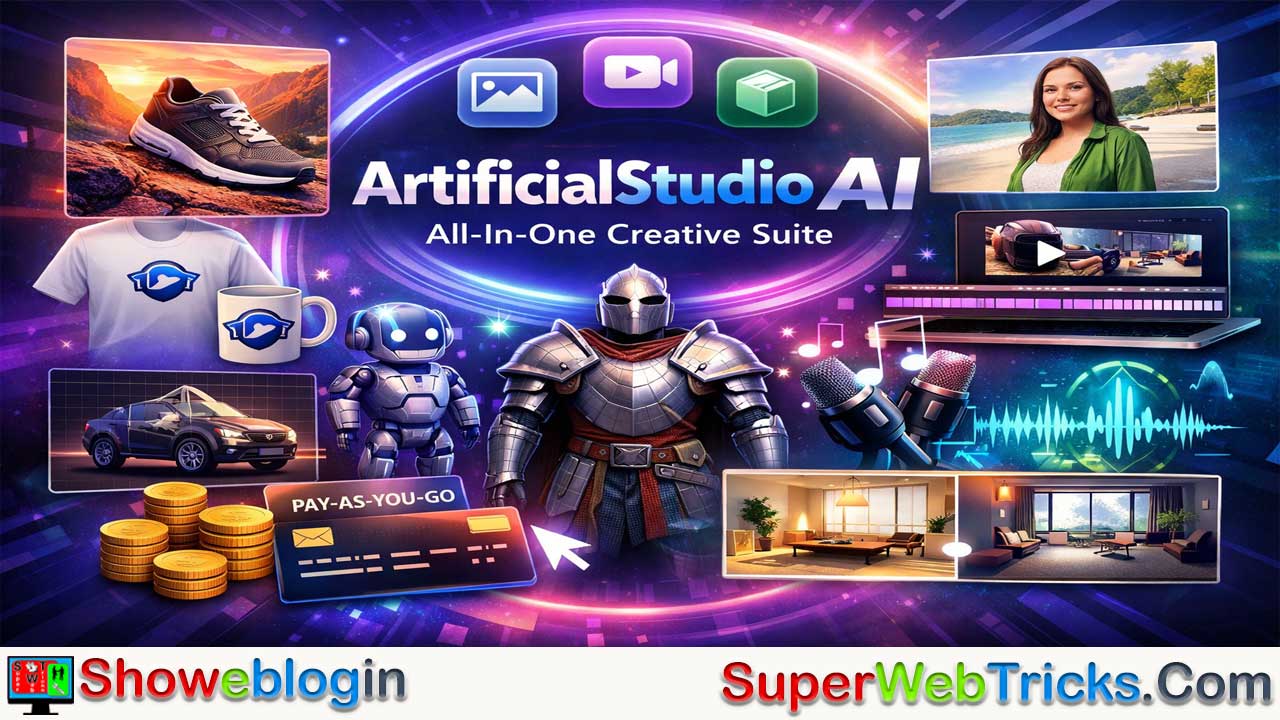






ArtificialStudio AI is an all-in-one, web-based creative platform that consolidates over 50 generative AI tools for image, video, audio, and 3D content into a single, user-friendly interface, aiming to eliminate “subscription fatigue” from juggling multiple niche services.
Designed for creators, marketers, developers, and entrepreneurs, it offers features like AI-powered image editing, product ad generation, logo and mockup creation, image-to-video animation, background removal, 2D-to-3D model conversion, audio transcription, music and SFX generation, and specialized tools such as room redesign and sketch colorization.
With a simple “zero learning curve” layout and a flexible, credit-based pay-as-you-go pricing model, users can generate assets affordably without committing to high monthly fees, while developers can integrate its capabilities via a robust API with webhook support. Though highly convenient and cost-effective, heavy users may consume credits quickly, and specialized standalone tools may still offer deeper fidelity in certain areas, but overall, ArtificialStudio AI positions itself as a versatile, unified solution for modern digital creators.
| Category | Details |
|---|---|
| Platform Type | Web-based all-in-one generative AI suite |
| Total Tools | 50+ AI tools |
| Core Capabilities | Image, Video, Audio, and 3D generation |
| Image Tools | AI Image Editor, Product Ad Generator, Logo & Mockups |
| Video Tools | Image-to-Video, Background Remover |
| 3D Tools | Image-to-3D (.glb, .obj export) |
| Audio Tools | Audio-to-Subtitles, Music & SFX Generator |
| Specialized Tools | Room Modifier, Sketch Colorizer |
| User Experience | Simple UI, “Zero Learning Curve” |
| Pricing Model | Credit-based, pay-as-you-go |
| Sample Pricing | ~$10 for 1,250 credits; ~$15 for 2,000 credits |
| API Access | REST API with documentation & webhooks |
| Ideal For | Creators, marketers, indie developers, agencies |
| Main Advantage | Replaces multiple AI subscriptions |
| Main Limitation | High-end tasks can consume credits quickly |
ArtificialStudio AI: The All-in-One Creative Suite for the Modern Creator
In the rapidly exploding world of generative AI, users often find themselves juggling a dozen different subscriptions: one for image generation, another for video editing, a third for audio, and yet another for 3D modeling.
ArtificialStudio AI attempts to solve this “subscription fatigue” by consolidating over 50 powerful AI tools into a single, cohesive platform. Whether you are a digital marketer, an indie game developer, or a content creator, this platform promises to be a Swiss Army knife for your creative workflow.
This Showeblogin article explores what ArtificialStudio AI offers, how its key tools function, and why it might be the only creative subscription you need.
What is ArtificialStudio AI?
ArtificialStudio AI is a comprehensive web-based platform that offers a vast library of generative AI tools. Unlike niche tools that focus on just one thing (like Midjourney for images or ElevenLabs for voice), ArtificialStudio aggregates models for video, audio, image, and 3D generation under one roof.
The platform is designed for speed and accessibility. It removes the technical barriers often associated with AI models (like setting up Python scripts or complex Discord bots) and provides a simple, intuitive user interface where you can generate assets in seconds.
Key Features & Tools
With over 50 tools available, the platform covers nearly every aspect of digital content creation. Here is a breakdown of the most impactful categories:
1. Image & Branding
- AI Image Editor: This is one of the standout features. Instead of complex masking in Photoshop, you can simply use text prompts to edit images. Want to “change the brown handbag to red” or “add a hat”? The AI interprets your command and modifies only that specific part of the image.
- Product Ad Generator: A game-changer for e-commerce. You can upload a simple photo of your product (e.g., a sneaker), and the AI will generate a professional advertising background—like placing the sneaker on a rugged mountain trail or a sleek marble podium.
- Logo & Mockup Generators: You can generate a logo and immediately apply it to realistic 3D mockups of T-shirts, mugs, or packaging to see how it looks in the real world.
2. Video & Animation
- Image to Video: Bring static images to life. This tool automates motion, creating short video clips from a single photo. It’s ideal for social media managers who need to turn static assets into engaging Reels or TikToks.
- Video Background Remover: Automatically detects subjects in a video and removes the background, allowing you to place yourself or your subject in any environment without a green screen.
3. 3D Design
- Image to 3D: This tool is particularly powerful for game developers and designers. You can upload a 2D image, and the platform uses models (like TripoSR or Rodin) to convert it into a fully textured 3D model (.glb or .obj format) compatible with Blender, Unity, and Unreal Engine.
4. Audio Tools
- Audio to Subtitles: Automatically generates subtitles for your video files, saving hours of manual transcription work.
- Music & SFX: Generate unique drum beats, sound effects, or background music tracks to avoid copyright strikes on video platforms.
5. Specialized Utilities
- Room Modifier: Perfect for interior design. Upload a photo of an empty room and ask the AI to “furnish it in a Japanese minimalist style.”
- Colorize Sketches: Turn black-and-white line art or manga sketches into fully colored illustrations in seconds.
User Experience: Zero Learning Curve
The philosophy of ArtificialStudio is “Zero Learning Curve.”
When you open a tool, you are typically presented with a clean interface:
- Left Panel: Input area (upload your file or type your prompt).
- Right Panel: The output window.
- Run Button: The magic switch.
There are no complex nodes to connect or confusing parameters to tweak. This makes it incredibly accessible for non-technical users who just want the result without the engineering hassle.
Pricing: The “Pay-as-You-Go” Advantage
One of the most attractive aspects of ArtificialStudio is its pricing flexibility. While many competitors lock you into expensive monthly subscriptions ($30-$60/month), ArtificialStudio leans heavily on a credit-based system.
- Affordable Packs: You can purchase credit packs (e.g., ~$10 for 1,250 credits or ~$15 for 2,000 credits).
- Cost Efficiency:
- Generating an image might cost roughly 5 credits.
- A 3D model conversion might cost 4 credits (low res) to 80 credits (high res).
- This means you can generate hundreds of assets for the price of a coffee.
- No Expiry: In many pay-as-you-go models, credits often roll over or stay active until used (check specific terms on the site), which is great for users with fluctuating workloads.
Note: Pricing structures can change, so always check the official Pricing Page for the latest rates.
For Developers: The API
ArtificialStudio isn’t just for end-users; it’s a goldmine for developers. The platform exposes its tools via a REST API.
If you are building an app that needs “Image to 3D” functionality or “Text to Video” capabilities, you don’t need to build the AI models yourself. You can simply integrate ArtificialStudio’s API.
- Documentation: Comprehensive docs are available at
docs.artificialstudio.ai. - Webhooks: The API supports webhooks, so your app can receive a notification the moment a generation task is complete.
Pros and Cons
| Pros | Cons |
|---|---|
| ✅ All-in-One: Replaces multiple niche subscriptions (Midjourney, ElevenLabs, etc.). | ❌ Depth vs. Breadth: Specialized tools (like Midjourney v6) might still offer slightly higher fidelity for very specific art styles. |
| ✅ Extremely Affordable: The credit system is cheaper than paying flat monthly fees for casual users. | ❌ Internet Required: As a cloud-based tool, you need an active internet connection to generate assets. |
| ✅ Developer Friendly: robust API allows for easy integration into other software. | ❌ Variable Costs: Heavy users of “expensive” tools (like high-res 3D or Video) can burn through credits quickly. |
| ✅ Simple UI: No technical skills required. |
Conclusion: Who is this for?
ArtificialStudio AI is the perfect tool for the generalist creator.
If you are a solo entrepreneur, a small marketing agency, or a content creator who needs to make a logo on Monday, a promotional video on Tuesday, and a 3D asset for a game on Wednesday, this platform is a no-brainer. It saves you from managing 10 different passwords and subscriptions, offering a “good enough to excellent” quality across a massive range of media types.
For those tired of “subscription hell,” ArtificialStudio represents a refreshing, unified approach to AI creativity.
FAQs about ArtificialStudio AI
What is ArtificialStudio AI?
ArtificialStudio AI is a web-based, all-in-one creative platform that combines over 50 generative AI tools for image, video, audio, and 3D content creation in a single interface.
How is ArtificialStudio AI different from other AI tools?
Unlike niche platforms that focus on one function, ArtificialStudio aggregates multiple AI models under one subscription, reducing the need for multiple tools and accounts.
Who is ArtificialStudio AI designed for?
It is ideal for content creators, digital marketers, indie game developers, small agencies, entrepreneurs, and developers who need versatile creative tools.
Do I need technical skills to use ArtificialStudio AI?
No, the platform is designed with a “zero learning curve” approach, offering a simple interface without complex setup or coding requirements.
Is ArtificialStudio AI web-based or downloadable?
It is fully web-based, meaning no software installation is required.
What types of content can I create with ArtificialStudio AI?
You can create and edit images, generate videos, produce audio, convert 2D images to 3D models, design logos, create mockups, and more.
Does ArtificialStudio AI offer image editing?
Yes, it includes an AI Image Editor that allows you to modify specific parts of an image using simple text prompts.
Can I generate product advertisements with the platform?
Yes, the Product Ad Generator can place your product into professional, AI-generated backgrounds.
Does it support logo and mockup generation?
Yes, you can generate logos and instantly apply them to realistic 3D mockups like T-shirts, mugs, and packaging.
Can I turn images into videos?
Yes, the Image-to-Video tool animates static images into short video clips suitable for social media.
Does it remove video backgrounds?
Yes, it automatically detects subjects and removes backgrounds without requiring a green screen.
Can ArtificialStudio convert images into 3D models?
Yes, the Image-to-3D tool converts 2D images into textured 3D models in formats like .glb and .obj.
Are the 3D models compatible with game engines?
Yes, generated models can be used in Blender, Unity, Unreal Engine, and other 3D platforms.
Does it provide audio tools?
Yes, it offers tools such as Audio-to-Subtitles and AI-generated music and sound effects.
Can it automatically generate subtitles?
Yes, it can transcribe audio from video files and generate subtitles automatically.
Does the platform offer royalty-free music generation?
Yes, users can create unique music tracks and sound effects to avoid copyright issues.
What is the Room Modifier tool?
It allows users to upload a room photo and redesign it in different interior styles using AI.
Can it colorize sketches or line art?
Yes, the Colorize Sketches tool transforms black-and-white drawings into fully colored illustrations.
How many AI tools are included?
The platform offers more than 50 AI tools across multiple creative categories.
Is there a subscription model?
ArtificialStudio primarily uses a credit-based, pay-as-you-go pricing system instead of mandatory monthly subscriptions.
How does the credit system work?
Users purchase credit packs and spend credits each time they generate or edit content.
Are credits affordable?
Credit packs are relatively low-cost, allowing users to generate multiple assets for a modest investment.
Do credits expire?
Credit expiration policies may vary, so users should check the official pricing terms for current details.
Is it cheaper than multiple AI subscriptions?
For many casual or moderate users, it can be more cost-effective than paying for several specialized monthly subscriptions.
Can heavy usage consume credits quickly?
Yes, high-resolution 3D models or video generation tasks can use more credits.
Does ArtificialStudio offer an API?
Yes, developers can access its features through a REST API.
Can developers integrate AI tools into their own apps?
Yes, the API allows integration of features like Image-to-3D or Text-to-Video into external applications.
Does the API support webhooks?
Yes, webhooks notify developers when generation tasks are completed.
Is documentation available for developers?
Yes, comprehensive API documentation is provided.
Does the platform require an internet connection?
Yes, since it is cloud-based, an active internet connection is required.
Is ArtificialStudio suitable for beginners?
Yes, its simplified interface makes it accessible to non-technical users.
Can professionals use it for commercial projects?
Yes, it can be used for marketing, branding, content creation, and game development workflows.
Does it replace specialized tools like Midjourney?
It can replace many tools for general use, though highly specialized platforms may offer deeper customization for specific styles.
Is it good for social media content creation?
Yes, tools like Image-to-Video and background removal are particularly useful for social media posts and short-form content.
Can small businesses benefit from it?
Yes, small businesses can create ads, branding assets, and promotional materials without hiring large creative teams.
Is there a learning curve?
The platform is designed to minimize learning time with a straightforward input-output workflow.
Can I upload my own assets for editing?
Yes, users can upload images, videos, or audio files depending on the tool being used.
Does it support multiple file formats?
Yes, especially for 3D exports such as .glb and .obj, along with common image and video formats.
Is ArtificialStudio suitable for agencies?
Yes, agencies can use it to handle diverse client needs from branding to multimedia production.
What is the biggest advantage of ArtificialStudio AI?
Its biggest advantage is consolidating numerous AI tools into one affordable, unified platform.
What is the main limitation of the platform?
While versatile, some highly specialized tools may offer slightly higher quality in niche areas, and heavy usage can increase credit costs.












Leave a Reply
You must be logged in to post a comment.