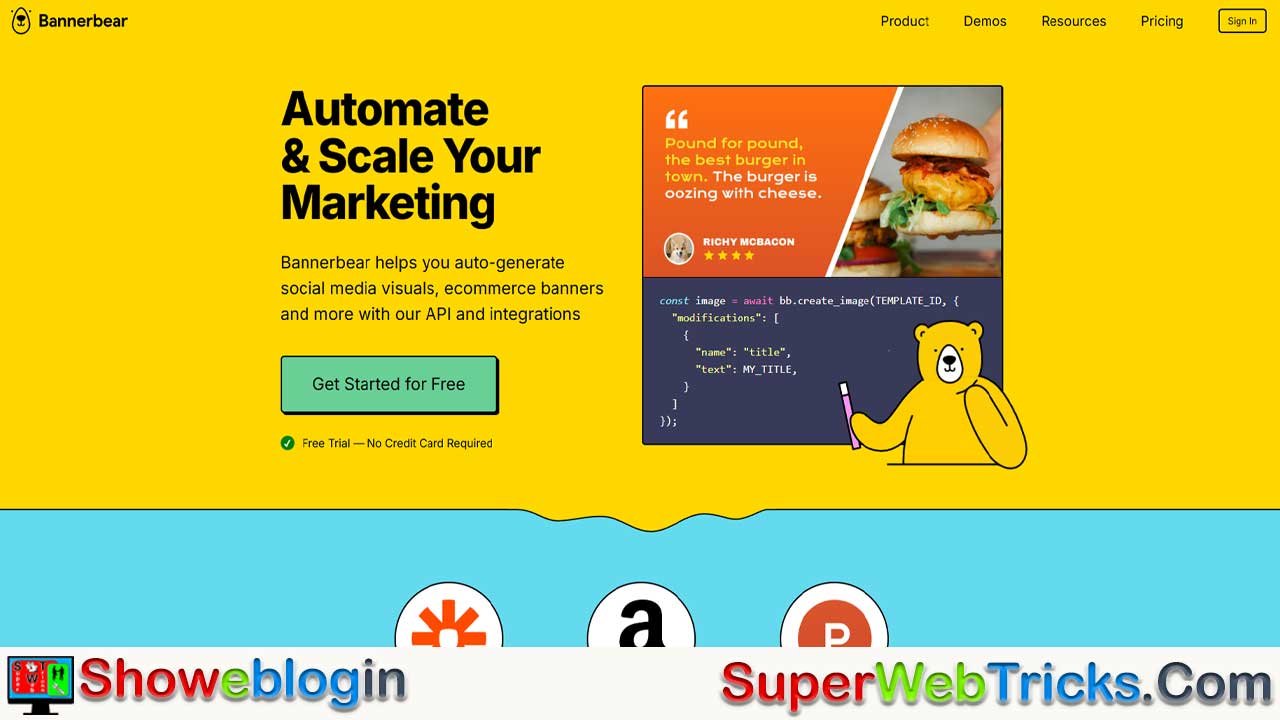






Automated visual content generation matters in 2026 because the scale, speed, and personalization demands of digital marketing have outgrown manual design workflows, making automation a competitive necessity rather than a luxury.
Platforms like Bannerbear enable businesses, creators, and developers to generate thousands of on-brand images, videos, and PDFs programmatically from a single template, eliminating design bottlenecks, reducing costs, and dramatically increasing content velocity across channels like e-commerce, email, social media, and video.
As marketing automation delivers measurable gains—higher revenue, faster iteration, and stronger personalization—and as AI-driven video and visual content adoption accelerates globally (especially in Asia-Pacific and India), tools that combine API-first architecture, no-code integrations, and usage-based pricing empower even small teams to operate at enterprise scale, turning visual automation into a core lever for growth, efficiency, and long-term ROI.
| Area | Information |
|---|---|
| Why It Matters (2026) | Visual content demand has exploded; manual design can’t scale fast enough. Automation is now essential for speed, consistency, and personalization. |
| Core Problem Solved | Producing high-quality images, videos, and PDFs at scale without designers or manual workflows. |
| What Bannerbear Is | An API-first platform for automated image, video, GIF, and PDF generation using reusable templates. |
| Primary Advantage | Create one template → generate unlimited variations programmatically by changing data inputs. |
| Supported Outputs | Images (PNG/JPEG/PDF), Videos, Animated GIFs, Multi-page PDFs. |
| Key Features | Template editor, auto text resizing, face detection, multilingual & RTL support, webhooks, SDKs, no-code integrations. |
| Integrations | REST API, Zapier, Make.com, Airtable, Google Sheets, n8n, webhooks. |
| Pricing Model | Usage-based credit system (e.g., 1 credit per standard image, 3 per PDF, video priced by duration). |
| Entry Plan (2026) | $49/month with 1,000 credits; free trial includes 30 credits, no card required. |
| Best Use Cases | E-commerce product banners, content creator thumbnails, email marketing visuals, podcasts, certificates, reports. |
| ROI Impact | Saves 5–10 hours/week, avoids designer costs, enables A/B testing, boosts CTR and revenue via personalization. |
| Market Context | AI video market growing from ~$788M (2025) to ~$3.44B (2033); fastest adoption in Asia-Pacific. |
| Who It’s Best For | E-commerce brands, creators, agencies, startups, and developers needing automation at scale. |
| Not Ideal For | One-off custom designs, very low budgets, non-technical teams, extreme video-only workloads. |
| Main Competitors | Canva (manual design), Creatomate (video-heavy), Templated/Orshot (cheaper image-focused). |
| Strategic Value | Removes design bottlenecks, enables hyper-personalization, and compounds marketing automation ROI. |
Why Automated Visual Content Generation Matters in 2026
The digital landscape has fundamentally shifted. Every day, millions of content creators, e-commerce businesses, and marketing teams face the same challenge: creating consistent, high-quality visuals at scale without hiring designers or spending weeks on manual production.
Bannerbear solves this problem through intelligent automation. As an API-driven platform, it enables businesses to generate thousands of images, videos, and PDFs programmatically—without touching design tools. Whether you’re running a YouTube channel, managing an e-commerce catalog, sending marketing emails, or building automation workflows, Bannerbear reduces production bottlenecks and accelerates content velocity.
The statistics underscore the urgency: companies using marketing automation see a 34% average revenue increase and generate $5.44 for every $1 invested in automation. In the Asia-Pacific region specifically, AI video generation adoption is accelerating fastest, with the global AI video generation market projected to grow from $788.5 million (2025) to $3.44 billion (2033). For content creators and entrepreneurs in India and beyond, this represents a critical inflection point—the tools that were once reserved for enterprise teams are now accessible, affordable, and essential for competing in crowded digital markets.
What Is Bannerbear? Core Functionality Explained
Bannerbear is a REST API-based platform that automates the creation of images, videos, PDFs, and animated GIFs through template-driven design systems. Unlike traditional graphic design tools (like Canva or Figma), Bannerbear is purpose-built for developers and automation engineers who need to generate visual assets programmatically at scale.
The Architectural Advantage
Bannerbear operates on a fundamentally different principle from user-facing design platforms:
- Template-First Design: You create a reusable template once using Bannerbear’s drag-and-drop editor (which resembles Sketch).
- API-Driven Generation: That template becomes an API endpoint. Send data to it, and Bannerbear generates variations automatically.
- No Redesign Per Asset: Unlike manually designing 1,000 product banners, you define one template and generate infinite variations by changing text, images, colors, and positioning.
For example, if you’re managing an e-commerce catalog with 500 SKUs, you design a single product banner template. Then, using Bannerbear’s API or integrations, you send product name, price, and image URL—and the platform generates 500 unique banners in minutes, not weeks.
Core Features Breakdown
Image Generation API
- Supports resolutions up to 3000×3000 pixels (standard) or higher-resolution variants
- 1 API credit per image (3 credits for high-resolution images)
- Formats: PNG, JPEG, PDF
- Integrates text auto-resizing, face detection, and dynamic layering
Video & Animation
- Video overlays with customizable duration and frame rates
- Animated GIF creation (1 credit per frame)
- Movie compilation (stitching clips with transitions)
- Supports video-to-video overlays for complex sequences
PDF Generation
- Multi-page PDF creation (3 credits per document)
- Dynamic template population
- Ideal for invoices, certificates, reports
Template Editor
- Sketch-like drag-and-drop interface with layer management
- Full typographic controls (letter spacing, line height, kerning)
- Supports custom fonts and brand assets (logos, images)
- Multilingual support (Chinese, Japanese, Arabic/RTL languages)
- Auto-text resizing when content exceeds bounds
- Version control with one-click reversion
Integration Ecosystem
- REST API with official SDKs (Node.js, Ruby, PHP)
- No-code integrations: Zapier, Airtable, Make.com, n8n
- Webhook support for event-driven automation
- URL parameter-based generation for simple use cases
Bannerbear Pricing: The Credit-Based Model Explained
Understanding Bannerbear’s pricing structure is critical for calculating ROI. Unlike fixed-tier SaaS tools, Bannerbear uses a usage-based credit system that scales with your production volume.
How Credits Work
| Media Type | Credit Cost | Notes |
|---|---|---|
| Standard Image (≤3000×3000px) | 1 credit | Most common use case |
| High-Resolution Image (>3000×3000px) | 3 credits | For large displays, print |
| Screenshot (website capture) | 1 credit | Auto-render web pages |
| Image + Face Detection | 2 credits | AI-powered face positioning |
| Animated GIF | 1 credit per frame | 10-frame GIF = 10 credits |
| 3 credits | Single or multi-page | |
| Video (overlay) | 2 + 1 credit per 5 seconds | Example: 10-sec video = 4 credits |
Example: A 30-second video with 2 overlays costs: 2 (overlays) + 6 (30 seconds ÷ 5) = 8 credits.
Subscription Tiers (2026 Pricing)
| Plan | Monthly Cost | API Credits | Best For | Overage Cost |
|---|---|---|---|---|
| Automate | $49 | 1,000 | Small teams, testing | $0.10 per credit |
| Scale | $149 | 10,000 | Growing businesses | $0.05 per credit |
| Enterprise | Custom | Custom | High-volume (50k+/mo) | Negotiated |
Key Advantages Over Competitors:
- Free Trial: 30 API credits with no credit card required—sufficient for testing 30 images or equivalent.
- API Access on All Plans: Unlike Canva (which restricts custom API to Enterprise), Bannerbear enables REST API integration across all tiers, including the entry-level plan.
- No Feature Restrictions: Video, PDF, and image generation are available on the smallest plan—you’re only limited by credits, not features.
Competitive Pricing Analysis
Bannerbear’s pricing is mid-range relative to alternatives:
| Platform | Cheapest Plan | Cost | Credits/Quota | Rating |
|---|---|---|---|---|
| Templated | $29/month | $29 | 1,000 credits | Better value for images |
| Bannerbear | $49/month | $49 | 1,000 credits | Best for all-in-one (video+image) |
| Creatomate | $41/month | $41 | 2,000 credits | Best for video efficiency |
| DynaPictures | €39/month | ~$42 | 1,000 credits | Faster generation |
| Orshot | $30/month | $30 | 3,000 renders | Cheapest option (newer platform) |
Verdict: Bannerbear is not the cheapest, but it excels for users needing:
- Video generation (more efficient than Placid or Pixelixe)
- All-in-one solution (images + videos + PDFs)
- Established platform with strong support and documentation
For pure image generation at lowest cost, Templated or Orshot offer better margins. For video-heavy workflows, Bannerbear’s per-credit pricing is competitive with Creatomate.
Real-World Use Cases: How Businesses Deploy Bannerbear
Understanding concrete applications helps justify the investment. Here’s where Bannerbear delivers measurable ROI:
1. E-Commerce Product Marketing
The Problem: A Shopify store with 2,000 SKUs needs unique product banners for email campaigns, Instagram ads, and landing pages. Manually creating these would require 40+ hours of designer time per campaign.
The Bannerbear Solution:
- Create a single product banner template with dynamic slots for: product image, title, price, discount percentage, and CTA.
- Feed Bannerbear a spreadsheet with product data via Make.com or Zapier.
- Generate 2,000 unique, on-brand banners in 10 minutes.
- Cost: ~400 credits (~$20 on the Automate plan).
ROI: Design cost avoided (typically $3,000–5,000) vs. $49/month platform fee = 60:1 return.
2. Content Creator Automation (YouTube, TikTok, Blogs)
The Problem: A YouTube creator publishing 3 videos per week manually creates custom thumbnails, social media previews, and blog featured images—5 hours of design per week.
The Solution:
- Template: YouTube thumbnail with auto-adjusting title text, channel branding, and visual emphasis layer.
- Connect Bannerbear to Zapier: when a new video is marked “published” in Airtable, Bannerbear automatically generates:
- YouTube thumbnail
- Instagram reel cover
- Blog featured image
- Twitter/X preview card
Output: 4 unique assets per video, 12 per week, with zero manual effort.
Cost: ~100 credits/week (~$50/month on Automate plan).
Time Savings: 5 hours/week × 52 weeks = 260 hours annually reclaimed for content creation instead of design.
3. Email Marketing Campaigns
The Problem: E-commerce brands send weekly promotional emails with dynamic product recommendations. Each email variant requires custom product imagery to boost engagement.
Real Result: Companies using automation for email see 10.5% conversion on abandoned cart messages (vs. 2-3% without personalization).
Bannerbear Implementation:
- Template: Email banner with dynamic product grid (3 best-selling items from customer segment).
- Feed customer segment data to Bannerbear.
- Generate personalized email headers automatically.
- A/B test different layouts without design delays.
Measured Impact: 15% CTR improvement + 34% average revenue lift.
4. Podcast & Video Production
The Problem: Podcast creators manually design episode artwork, YouTube cover images, and social clips for every release.
Solution: Template with dynamic text overlay (episode number, guest name, title). Send episode metadata to Bannerbear, receive finished podcast art in seconds.
Cost Efficiency: 1 hour of manual design/episode → 2 minutes automated = 58 hours saved per 60-episode season.
Marketing Automation ROI: Why Bannerbear Fits the Flywheel
Bannerbear doesn’t just save time—it unlocks a compounding return on investment because it enables broader marketing automation strategies.
The Numbers
Research from industry leaders consistently show:
| Metric | Value | Impact |
|---|---|---|
| ROI of marketing automation | $5.44 per $1 invested | Over 3 years, 544% return |
| Revenue increase (average) | 34% | Direct attribution to automation |
| Payback period | < 6 months | Most companies break even in 26 weeks |
| Lead volume increase | 80% | Coupled with better nurturing |
| Conversion rate lift | 77% | Better targeting + personalization |
| Time saved per campaign | 2.3 hours | Marketing team productivity boost |
Why Bannerbear amplifies these gains:
- Removes Design Bottleneck: Without image generation automation, teams must either hire designers (fixed $40k–80k cost) or slow content velocity. Bannerbear eliminates this trade-off.
- Enables Hyper-Personalization at Scale: Dynamic images (customer name, product recommendations, countdown timers) in emails drive 60% higher engagement vs. static content.
- Reduces Campaign Iteration Time: A/B test 5 email banner variations in hours, not weeks. Faster learning cycles compound ROI.
- Supports Multi-Channel Consistency: Same product data generates Instagram ads, email headers, and landing page banners—reducing creative fragmentation.
Bannerbear vs. Competitors: Detailed Comparison
Bannerbear vs. Canva (Designer Tool)
| Feature | Bannerbear | Canva |
|---|---|---|
| Target User | Developers, automation engineers | Individual creators, marketers |
| Learning Curve | Steep (requires API knowledge) | Easy (drag-and-drop) |
| API Access | All plans | Enterprise only |
| Video Generation | Yes, via API | Yes, but no programmatic access |
| Batch Generation | Native (1,000s at once) | Manual or third-party integration |
| Pricing Model | Usage-based (flexible) | Feature-based tiers |
| Best For | Automation, scale | One-off designs, teams |
Verdict: Canva wins for individual creators; Bannerbear wins for teams needing automation at scale.
Bannerbear vs. Creatomate (Closest Competitor)
| Feature | Bannerbear | Creatomate |
|---|---|---|
| Starting Price | $49/month (1,000 credits) | $41/month (2,000 credits) |
| Video Efficiency | Standard | 10x better for video generation |
| Responsive Templates | Limited flexibility | Excellent (adapt to any resolution) |
| Template Variety | Good library | Larger library |
| API Maturity | Established (5+ years) | Growing |
| Support & Docs | Excellent | Good |
Verdict: Creatomate is cheaper and better for video-heavy workflows. Bannerbear is better for image-focused workloads and established ecosystem.
Bannerbear vs. DynaPictures, Templated, Orshot (Affordable Tier)
These platforms undercut Bannerbear on price but with trade-offs:
DynaPictures (€39/month)
- Pros: Faster generation, e-commerce focus, batch spreadsheet import
- Cons: Fewer template varieties, less API flexibility
- Best for: High-volume e-commerce automation
Templated ($29/month)
- Pros: Cheapest, 1,000 credits, Canva import support
- Cons: Newer platform, smaller community, less documentation
- Best for: Cost-conscious small businesses
Orshot ($30/month, 3,000 renders)
- Pros: 2x cheaper than Bannerbear, multi-page PDFs, Figma import
- Cons: Newer (limited track record), smaller user base
- Best for: Tight budgets, early-stage startups
Verdict: If price is primary driver, choose Templated or Orshot. If you need reliability, ecosystem, and established support, Bannerbear’s premium is justified.
Getting Started: Free Trial & Quick Setup
The 30-Credit Free Tier (No Card Required)
Bannerbear removes friction for testing:
- Sign up at bannerbear.com (email or GitHub login)
- Receive 30 API credits immediately
- Create a template in the web editor (drag-and-drop)
- Test generation via integrated API playground
- Integrate with Zapier, Make.com, or REST API
What 30 Credits Buys:
- 30 standard images, OR
- 10 high-res images + 10 standard images, OR
- 1 video (10 seconds) + 20 images, OR
- 10 PDFs
This is sufficient for meaningful testing without payment commitment.
Quickstart: Creating Your First Template
Step 1: Log in → Create Project → Choose template category (social, email, ecommerce, etc.)
Step 2: Design Template
- Drag text boxes, image placeholders, shapes, and logos
- Define which elements are “dynamic” (will receive data via API)
- Set typography, colors, spacing using Sketch-like controls
Step 3: Test in API Playground
- Fill in sample data
- Click “Generate” → see preview in real-time
Step 4: Integrate
- No-code: Zapier → trigger action when AirTable cell updates → generate image
- Code:
POSTto Bannerbear endpoint with JSON data
Full setup: 15–30 minutes for a typical use case.
Integrations & Automation Ecosystem
Bannerbear’s true power emerges through integrations with the modern automation stack.
Native No-Code Integrations
| Platform | Use Case | Example |
|---|---|---|
| Zapier | Trigger image generation on form submission, new row, etc. | Blog published → auto-generate featured image |
| Make.com | Complex workflows with conditional logic | If product price drops → regenerate banner |
| Airtable | Link image generation to database records | Customer CRM → personalized marketing image |
| n8n | Self-hosted automation (open-source alternative) | Enterprise workflows without vendor lock-in |
| Typeform | Collect data → auto-generate image | Form submission → custom certificate generation |
| Google Sheets | Bulk generation from spreadsheet rows | 500 products → 500 unique banners |
Real Example:
“The featured image for my latest blog post was actually created automatically with Bannerbear + Zapier integration. When I mark a blog post as ‘published’ in Airtable, the title, description + image are fed into a bannerbear template.”
REST API for Developers
For those building custom applications:
const image = await bb.create_image(TEMPLATE_ID, {
  "modifications": [
    {
      "name": "title",
      "text": "My Product"
    },
    {
      "name": "price",
      "text": "$29.99"
    }
  ]
});
Supported Languages: Node.js, Ruby, Python, PHP, Go, Java (community libraries).
Webhook Support: Bannerbear can POST completion status to your app when images finish rendering (useful for async workflows).
Advanced Features: Face Detection, Multilingual Support, AI Integration
Face Detection & Auto-Positioning
Bannerbear includes built-in AI that detects faces in photos and auto-positions them within templates:
- 2 credits per image with face detection (vs. 1 without)
- Useful for: team photos, influencer collaborations, user-generated content campaigns
- Ensures faces are centered and visible, reducing manual cropping
Multilingual Support
Enterprise-critical for global brands:
- Full support: Chinese, Japanese, Korean, Arabic, Hebrew, Russian, Thai, and other RTL/complex scripts
- Dynamic text sizing: Longer text in languages like German automatically shrinks to fit
- Critical for: International e-commerce, localized marketing campaigns
Video Capabilities
Bannerbear’s video generation is particularly valuable for:
- Social media shorts: TikTok, Instagram Reels, YouTube Shorts
- Email video: GIFs and short MP4s for email campaigns (increases CTR by 26% vs. static)
- Podcast artwork with animation: Intro sequences, episode intros
- Tutorial clips: Product demo auto-generation
Example: A video template with animated text overlay + background music can be generated in 5 seconds, enabling daily content production without video editing expertise.
The Broader Context: India’s SaaS Boom & Global Content Creator Economy
India’s Emerging SaaS Ecosystem
India is positioning itself as the SaaS capital of the world:
- Market Size: $7 billion (2024) → projected $50 billion by 2030
- Founder Mindset: Indian entrepreneurs are AI-first and automation-obsessed, adopting tools like Bannerbear faster than Western peers
- Cost Arbitrage: A Bannerbear subscription ($49/month) is equivalent to ~₹4,000/month—dramatically cheaper than hiring a freelance designer in India (₹15k–30k/month)
- Vernacular AI Boom: Tools are emerging to localize content for Indian languages (Hindi, Tamil, Telugu)—Bannerbear’s multilingual support positions it well for this shift
The Creator Economy Inflection Point
Global video generation AI market reaching $3.44 billion by 2033 (vs. $788.5 million today) signals a fundamental shift:
- Prosumer market exploding: Millions of micro-content creators (1k–100k followers) now need professional-grade production tools
- Asia-Pacific fastest growth: Short-form video consumption in India, China, Southeast Asia is driving tool adoption
- No-code dominance: Platforms like Bannerbear + Zapier enable solo creators to operate at business scale
For an Indian content creator:
- Hiring a designer: ₹3,000–5,000 per asset
- Bannerbear: ₹49 shared across 1,000 assets = ₹0.05 per asset (100:1 cost advantage)
This economic lever is why Bannerbear adoption is accelerating in India and South Asia.
Limitations & When NOT to Use Bannerbear
To provide balanced guidance, here are scenarios where Bannerbear may not be ideal:
1. Highly Custom Creative Work
- Bannerbear excels at templated, variable content (product banners, email headers)
- It struggles with one-off, bespoke designs that require artistic direction
- Better alternative: Hire a designer or use Figma
2. Immediate Cost Sensitivity (Startups < $10k/month revenue)
- At $49/month minimum, Bannerbear assumes some baseline usage
- If you generate < 100 images/month, cheaper alternatives (Templated, Orshot) may be more economical
- For early-stage bootstrapped projects, Canva ($12/month) may suffice
3. Video Generation at Extreme Scale
- Bannerbear’s video pricing (2+ credits per video) becomes expensive for 10,000+/month video producers
- Creatomate’s “10x video efficiency” claim suggests better unit economics for video-heavy workflows
- Consider: DynaPictures or Creatomate if 60%+ of output is video
4. Complex Design Revisions
- Once templates are live, changing design significantly requires re-templating
- Canva’s flexibility (edit any design element) is better for teams requiring frequent creative pivots
5. Non-Technical Teams
- Bannerbear assumes comfort with APIs, webhooks, and automation platforms
- Canva or Adobe Express are more approachable for non-technical marketers
- (Bannerbear’s Zapier integration does lower the barrier, but some technical literacy still required)
Best Practices: Maximizing ROI with Bannerbear
To extract maximum value from a Bannerbear subscription, follow these proven approaches:
1. Start with High-Leverage Templates
Begin with 2–3 templates that solve your biggest pain point:
- If you’re an e-commerce brand: product banners for email + ads
- If you’re a content creator: featured images + social previews
- If you’re an agency: client deliverable templates (certificates, social graphics)
Generate baseline usage metrics (images/month, cost per asset). Use this to calculate payback period.
2. Build Template Libraries Gradually
Don’t create 20 templates at launch. Add templates as you identify new use cases:
- Week 1: Email banner template
- Week 2: Instagram post template
- Week 3: YouTube thumbnail template
This iterative approach prevents over-engineering and clarifies ROI per template.
3. Integrate with Existing Data Systems
The ROI multiplier comes from automating the data input layer:
- Connect Airtable (product catalog) → Bannerbear (dynamic banners)
- Connect Google Sheets (weekly campaigns) → Zapier → Bannerbear
- Connect Stripe (new order) → Bannerbear (personalized thank-you image)
Don’t manually paste data into Bannerbear each time—that defeats the purpose.
4. Monitor Credit Consumption
Log into Bannerbear monthly and review credit usage:
- Are you consistently under quota? → Downgrade to lower tier
- Exceeding quota? → Upgrade (overage charges are expensive at $0.10/credit on Automate plan)
5. A/B Test Image Variations
Create 2–3 template variations (headline text, color, layout):
- Generate all variations for an email campaign
- Measure which performs better
- Double down on the winner
This scientific approach to creative improves email CTR by 15–30%.
6. Document Template Setup
As you build templates, document:
- Template ID
- Required input fields (with validation rules)
- Typical use case and volume
- Cost per asset
This becomes invaluable when onboarding team members or scaling operations.
Conclusion: Is Bannerbear Right for You?
Bannerbear represents a strategic investment in content velocity and marketing automation. It’s not the cheapest tool in its category, but it’s one of the most versatile—combining image, video, and PDF generation with an established ecosystem of integrations.
Best For:
✅ E-commerce brands managing 100+ SKUs with seasonal campaigns
✅ Content creators (blogs, YouTube, TikTok) producing weekly content
✅ Marketing teams running multi-channel campaigns (email + social + web)
✅ Agencies building client deliverables at scale
✅ Startups prioritizing speed over hiring additional designers
✅ Developers building AI-native applications with visual components
Not Ideal For:
❌ One-off design projects (use Canva or hire a designer)
❌ Extreme budget constraints (< $49/month for tools) (use Templated or Orshot)
❌ 80%+ video-focused workflows (use Creatomate for better unit economics)
❌ Non-technical teams without automation infrastructure
The Financial Case in 2026
For businesses running digital marketing or content operations:
- Time Saved: 5–10 hours/week (equivalent to $500–1,000/month in designer labor)
- Cost: $49–149/month
- Payback Period: 1–2 weeks
- Compounding Return: As you add templates and automation, ROI compounds (each new template adds value)
With the global AI video generation market reaching $3.44 billion by 2033—up from $788.5 million today—the tooling that enables high-velocity content production is becoming table stakes, not optional.
Start with the free 30-credit trial. Build one template. Measure the time savings. If you’re reclaiming 5+ hours/week, the subscription pays for itself.












Leave a Reply
You must be logged in to post a comment.