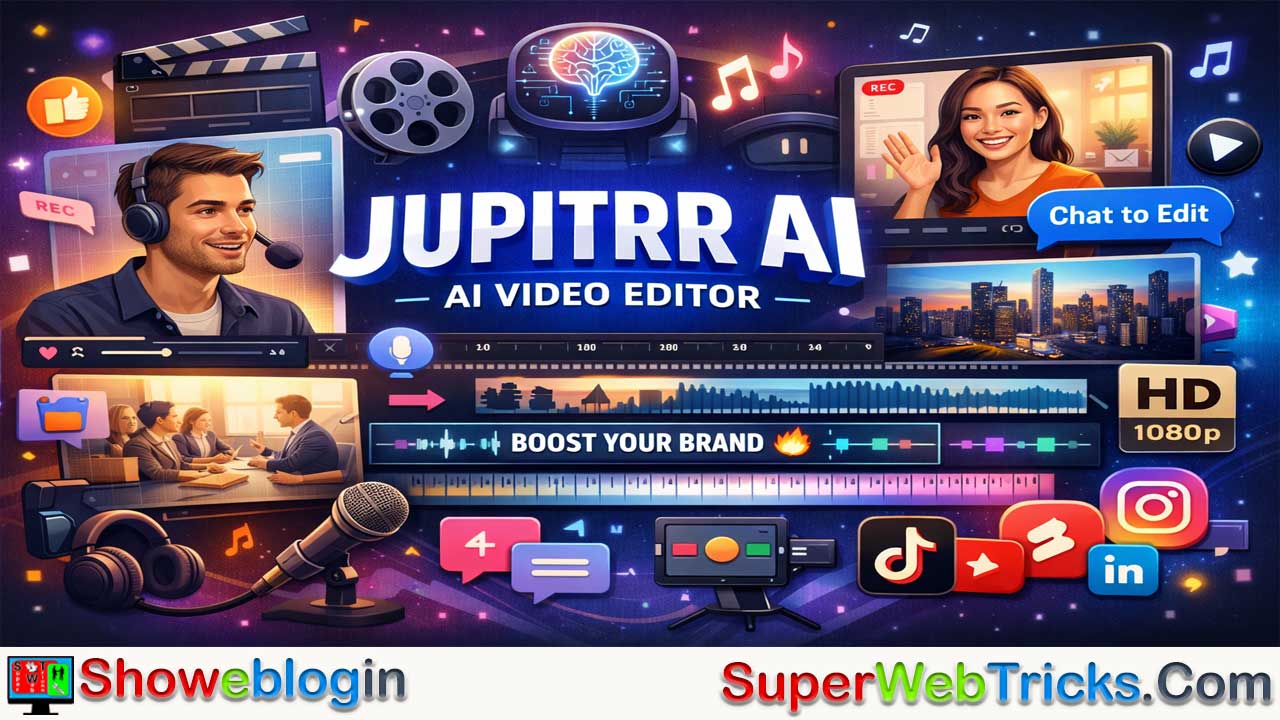






Jupitrr AI is an advanced AI-powered video editing tool designed to transform raw “talking head” footage into polished, social media-ready clips in seconds. Unlike traditional text-to-video generators, it focuses on enhancing existing recordings by automatically adding B-rolls, dynamic subtitles, transitions, music, and AI-generated hooks.
With features like “Chat to Edit,” smart subtitles, and audio-to-video conversion, Jupitrr simplifies editing for creators, founders, coaches, and marketers. Its seamless workflow—upload, process, refine, export—makes video production fast and intuitive. Offering free and paid plans (with access to premium Getty/iStock assets), Jupitrr is ideal for professionals looking to create engaging TikTok, YouTube Shorts, and LinkedIn videos without the steep learning curve of traditional editors.
| Feature | Details |
|---|---|
| Tool Name | Jupitrr AI |
| Official Website | https://www.jupitrr.com |
| Category | AI Video Editing / Talking Head Video Creation |
| Primary Function | Converts raw talking head videos or audio into polished, social media-ready clips |
| Core Features | Auto B-rolls, Animated Subtitles, Chat-to-Edit, AI Hooks, Background Music |
| Supported Platforms | TikTok, Instagram Reels, YouTube Shorts, LinkedIn |
| Languages Supported | 50+ languages |
| Free Plan | 3 videos/month, 2 mins max, watermark, 720p export, Pexels assets |
| Growth Plan | ~$13.20/month (annual), 30 videos, 5 mins max, HD export, iStock assets |
| Pro Plan | ~$30/month (annual), 50 videos, up to 10 mins, brand logo, priority support |
| Best For | Founders, Coaches, Content Creators, Marketers, Educators |
| Strengths | Fast editing, ease of use, premium stock assets, B2B-focused |
| Limitations | Duration caps, no text-to-video generation, best on desktop |
| Output Quality | Up to 1080p HD |
| Use Cases | Social media clips, podcasts, explainer videos, marketing content |
The Ultimate Guide to Jupitrr AI: Revolutionizing Talking Head Video Creation
In the rapidly evolving landscape of AI video tools, content creators and B2B marketers are constantly on the lookout for solutions that streamline the editing process without sacrificing quality. Enter Jupitrr AI, a specialized AI-powered video editor designed to turn raw “talking head” recordings into engaging, professional social media clips in seconds.
This Showeblogin article provides a detailed walkthrough of Jupitrr AI, exploring its features, workflow, pricing, and why it is becoming a go-to tool for creators like founders, coaches, and marketing teams.
What is Jupitrr AI?
Jupitrr AI is not a text-to-video generator that creates footage from scratch. Instead, it is a powerful AI video editor. Its primary function is to take your raw video (or audio) recordings and automatically add the “polish” that usually takes hours of manual editing.
Think of it as an automated post-production team. You provide the raw “talking head” footage, and Jupitrr AI automatically generates:
- B-roll footage (stock video overlays)
- Animated subtitles
- Zoom-ins and transitions
- AI-generated hooks
- Background music
It is specifically engineered for platforms like TikTok, Instagram Reels, YouTube Shorts, and LinkedIn video content.
Key Features & Capabilities
1. Auto-Generated B-Rolls
One of Jupitrr’s standout features is its ability to “listen” to your video and automatically overlay relevant stock footage.
- Visual Context: If you say “marketing strategy,” the AI might overlay a clip of a meeting or a graph.
- Stock Libraries: Free plans utilize Pexels, while paid subscriptions unlock a massive library of premium Getty Images/iStock assets (over 13.8 million clips) for commercial use.
2. “Chat-to-Edit” Functionality
Jupitrr simplifies the editing interface with a “Chat to edit” feature. Instead of fiddling with complex timelines and keyframes, you simply type instructions in natural language.
- Example: “Change the B-roll at 0:15 to a city skyline” or “Remove the silence.”
- This makes the tool accessible to users with zero video editing experience.
3. Audio-to-Video
Don’t want to be on camera? You can upload a voice recording, and Jupitrr will generate a video using relevant stock footage and subtitles that match your audio. This is perfect for repurposing podcast clips or voice notes into visual content.
4. Smart Subtitles & Emojis
The tool automatically transcribes your audio and adds trendy, animated subtitles (similar to the style popularized by Alex Hormozi). It supports over 50 languages, making it excellent for global reach.
How It Works: A Simple Workflow
- Upload: Drag and drop your raw video file or audio recording onto the platform.
- AI Processing: Jupitrr analyzes the content. It identifies the topic, generates a “hook” (an attention-grabbing title), and places B-roll and subtitles where appropriate.
- Review & Refine: You watch the generated version. If you don’t like a specific B-roll clip or subtitle font, you can swap it out manually or use the “Chat to edit” feature to request changes.
- Export: Once satisfied, you render the video in High Definition (1080p) ready for social media upload.
Pricing Plans
Jupitrr offers a tiered pricing structure to suit different needs. (Note: Prices are subject to change; always check the official site for the latest figures).
| Plan | Target User | Key Limits & Features |
|---|---|---|
| Free | Beginners | • 3 videos/month • Max 2 mins per video • Watermarked • Pexels stock assets only • 720p Export |
| Growth | Creators | • ~ $13.20/mo (billed yearly) • 30 videos/month • Max 5 mins per video • Unlimited Premium iStock Assets • No Watermark • 1080p HD Export |
| Pro | Power Users/Agencies | • ~ $30/mo (billed yearly) • 50 videos/month • Max 10 mins (landscape) / 5 mins (portrait) • Brand Logo integration • Priority support |
Note: The platform often offers “Annual” discounts (e.g., ~40% off) compared to monthly billing.
Use Cases: Who is this for?
- Founders & CEOs: For building a personal brand on LinkedIn with “thought leadership” videos without spending hours editing.
- Content Creators: For rapidly turning long-form YouTube videos into short clips (Shorts/Reels).
- Podcasters: For visualizing audio snippets to share on Instagram or TikTok.
- Educators/Coaches: For creating quick explainer videos where visual aids (B-roll) help explain concepts.
Pros and Cons
Pros:
- Speed: Reduces editing time from hours to minutes.
- Stock Library: Access to premium iStock/Getty assets on paid plans is a huge value add.
- Ease of Use: “Chat to edit” removes the learning curve of traditional editing software (like Premiere Pro or Davinci Resolve).
- B2B Focus: Specifically markets to businesses, ensuring the output looks professional rather than just “flashy.”
Cons:
- Duration Limits: Even on the Pro plan, videos are capped at 10 minutes. This is strictly for short-form content.
- No Generative Video: It cannot create a video from just text; you must provide the base audio or video.
- Mobile Experience: Primarily a desktop-browser-based workflow (VideoOS), though accessible, it’s best used on a computer for precise control.
Showeblogin Final Verdict
Jupitrr AI is a robust tool for users who have something to say but lack the time or skills to edit video. It bridges the gap between raw webcam footage and a polished, engaging social media clip.
While it may not replace a human editor for high-end documentary work, for daily social media content—especially for LinkedIn and TikTok—it is a productivity powerhouse.
FAQs about Jupitrr AI
What is Jupitrr AI?
Jupitrr AI is an AI-powered video editor that turns raw talking head recordings or audio into professional, social media-ready clips automatically.
How does Jupitrr AI work?
You upload your video or audio, and the AI adds B-rolls, subtitles, transitions, and background music. You can then refine using “Chat to Edit.”
Is Jupitrr a text-to-video generator?
No, it doesn’t generate video from text. It enhances existing recordings by automating the editing process.
What are the main features of Jupitrr AI?
Key features include AI-generated B-rolls, animated subtitles, chat-based editing, smart hooks, and audio-to-video creation.
Can Jupitrr AI create videos from audio only?
Yes, you can upload a voice recording, and it will create a full video using relevant stock footage and synced subtitles.
What stock libraries does Jupitrr use?
Free users get Pexels footage, while paid users access Getty Images and iStock’s 13.8 million premium clips.
Does Jupitrr support multiple languages?
Yes, it supports more than 50 languages for subtitles and transcription.
What is the “Chat to Edit” feature?
It lets you type natural-language commands like “change B-roll at 0:10” or “remove silence,” simplifying complex edits.
Who can benefit from Jupitrr AI?
Founders, coaches, educators, podcasters, and social media creators who want to produce quality content quickly.
What are the pricing plans for Jupitrr AI?
There are three tiers—Free, Growth (~$13.20/month), and Pro (~$30/month), with varying limits and features.
Does the free plan include watermarks?
Yes, free videos include watermarks and are limited to 720p export.
What export quality does Jupitrr AI offer?
Paid plans support full HD (1080p) export for professional-quality output.
Can I use Jupitrr AI on mobile?
It’s primarily optimized for desktop browsers, though it can be accessed on mobile with limited functionality.
Is Jupitrr suitable for long-form videos?
No, it’s designed for short-form videos up to 10 minutes, ideal for TikTok, Reels, and YouTube Shorts.
Does Jupitrr AI allow brand customization?
Yes, Pro plan users can integrate their brand logo and maintain visual consistency.
Is there customer support available?
Yes, priority support is available for Pro users, while others can use standard help resources.
Can Jupitrr replace human editors?
Not entirely, but it significantly reduces editing time and is perfect for fast-turnaround social content.
Which social platforms does Jupitrr target?
It’s optimized for TikTok, Instagram Reels, YouTube Shorts, and LinkedIn video posts.
Does Jupitrr AI offer commercial-use stock assets?
Yes, paid plans include access to commercially licensed Getty and iStock footage.
Why is Jupitrr AI popular among B2B creators?
Because it produces polished, professional-looking videos that enhance brand presence without needing editing expertise.












Leave a Reply
You must be logged in to post a comment.