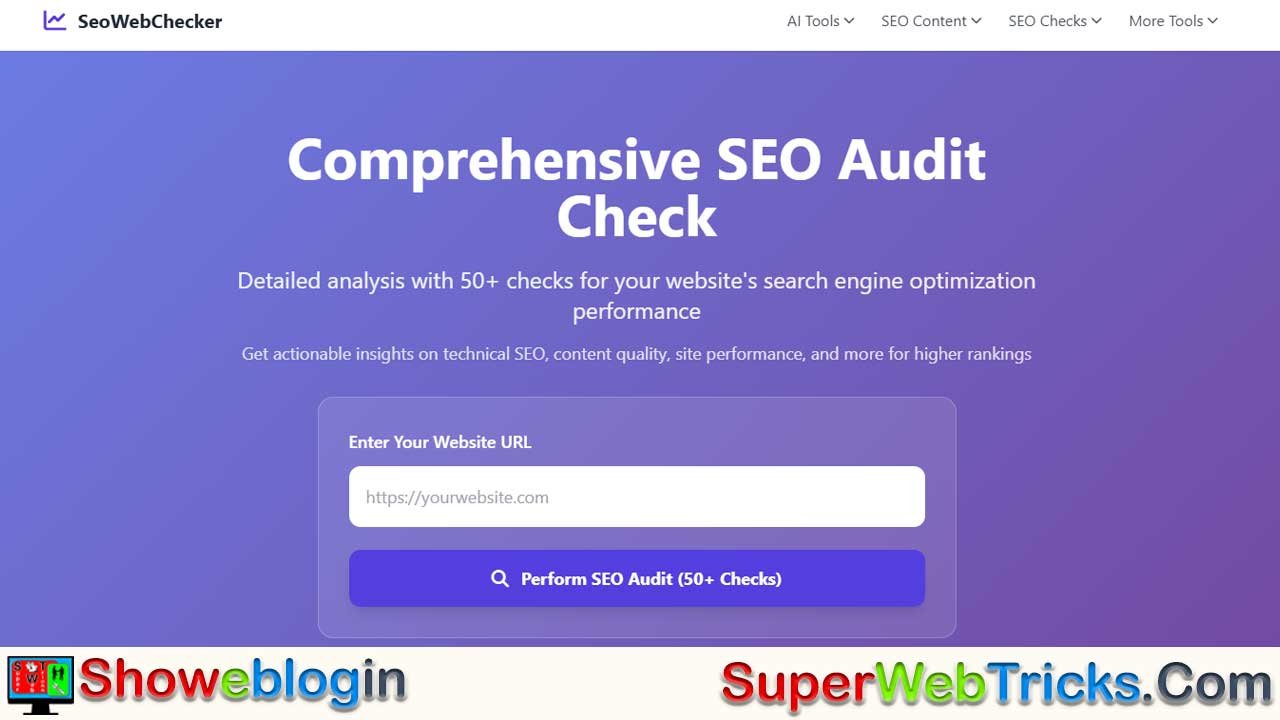






SeoWebChecker is a powerful, all-in-one suite of over 50 free SEO and digital marketing tools designed to help students, bloggers, small businesses, and marketers optimize their websites with ease.
From in-depth website audits and keyword analysis to backlink management, speed tests, and security checks, it delivers professional-grade insights without the heavy costs of premium platforms.
With its user-friendly interface and actionable recommendations, SeoWebChecker acts as a complete digital health check-up for your site—empowering you to boost rankings, drive organic traffic, and achieve sustainable online success.
| Feature | Details |
|---|---|
| Platform Name | SeoWebChecker |
| Number of Tools | 50+ free SEO and digital marketing tools |
| Core Features | Website Audits, Keyword Research, Backlink Checker, Speed Test, Security Tools |
| Best For | Students, Bloggers, SMBs, Content Creators, Digital Marketers |
| Website Audit Focus | On-Page SEO, Technical SEO, Mobile-Friendliness, SSL, Duplicate Content |
| Keyword Tools | Long Tail Keyword Generator, Question Content Generator, Density Checker |
| Backlink Tools | Backlink Checker, Competitor Link Analysis, Lost/Found Link Tracking |
| Performance Tools | Website Speed Test, Page Load Optimization, Core Web Vitals Insights |
| Specialized Tools | Domain Authority Checker, Domain Value Appraisal, SSL Checker, Plagiarism Detector |
| Pricing | Mostly Free (with accessible options for advanced needs) |
| Accessibility | Beginner-friendly, No steep learning curve, Actionable recommendations |
| Final Verdict | A comprehensive, cost-effective SEO toolkit to boost rankings & traffic |
The Ultimate Guide to SeoWebChecker: A Powerful Suite of Free SEO Tools
In the dynamic and competitive world of digital marketing, search engine optimization (SEO) has become the heartbeat of online success. A well-optimized website doesn’t just climb the ranks of Google—it connects with the right audience, builds trust, and drives long-term growth. But for most website owners, the biggest challenge isn’t knowing that SEO is important—it’s finding the right tools without spending hundreds or thousands on expensive platforms.
This is where SeoWebChecker shines. With its suite of over 50 free SEO and digital marketing tools, this platform eliminates the barrier of cost while delivering professional-grade results. Whether you’re a beginner learning the ropes, a small business owner trying to grow traffic, or a digital marketer juggling multiple campaigns, SeoWebChecker equips you with everything you need to succeed.
In this Showeblogin Ultimate Guide, we’ll take you on a deep dive into SeoWebChecker’s features, benefits, and best-use cases, showing you why it’s more than just a tool—it’s a complete SEO partner.
Why SeoWebChecker is a Game-Changer in SEO
Before we unpack the features, it’s important to understand why SeoWebChecker deserves attention in today’s crowded market of SEO tools. Most platforms like Ahrefs, SEMrush, or Moz offer excellent solutions but come with subscription fees ranging from $99 to $399 per month. For students, freelancers, bloggers, and startups, this can be financially unrealistic.
SeoWebChecker bridges that gap by offering free and easy-to-use tools without sacrificing accuracy or usability. It brings together essential SEO tasks—audits, keyword research, backlink management, speed testing, and security checks—into a single dashboard. Instead of hopping between multiple websites, you can streamline your entire SEO process in one place.
👉 Showeblogin Tip: Think of SeoWebChecker as a digital health check-up for your website. It doesn’t just diagnose issues; it also prescribes actionable steps to fix them.
A Deep Dive into SeoWebChecker’s Core Features
Comprehensive Website Audits
Every strong SEO strategy starts with a website audit. SeoWebChecker’s audit tool is like an X-ray for your site—it identifies hidden issues that are quietly affecting your rankings. Unlike many free tools that give surface-level insights, SeoWebChecker digs deeper.
- On-Page SEO Checks – It analyzes meta titles and descriptions for keyword usage, checks header tag structure (H1–H6), evaluates keyword density, and ensures content uniqueness.
- Technical SEO Checks – It detects slow-loading pages, missing SSL certificates, mobile-friendliness issues, duplicate content, and crawl errors.
- Actionable Recommendations – Instead of vague suggestions, it provides step-by-step guidance, making it easy for beginners to act on insights.
📌 Example: Imagine you’re a blogger running a food recipe site. A SeoWebChecker audit might reveal duplicate content across your recipes, missing meta descriptions, and large image files slowing down your site. Fixing these issues could quickly improve your site speed and rankings.
Keyword Analysis and Optimization
Keywords are the bridge between your content and your audience. SeoWebChecker’s keyword tools make sure you’re not just guessing which terms to target.
- Long Tail Keyword Generator – Perfect for finding low-competition, high-intent keywords. For example, instead of targeting “SEO tools” (high competition), you could focus on “free SEO tools for small businesses” and capture more qualified traffic.
- Question Content Generator – With voice search on the rise, this tool helps you identify question-based queries like “What are the best free SEO tools?” or “How to speed up a WordPress site?”—giving you a chance to rank for Google’s featured snippets.
- Keyword Density Checker – Ensures your content isn’t overstuffed with keywords, maintaining balance for both readability and SEO.
👉 Showeblogin Insight: By using these tools together, you can build an SEO content calendar that aligns with trending keywords and actual search queries, dramatically improving your organic reach.
Backlink Profile Management
If keywords are the fuel of SEO, backlinks are the engine that powers authority. Google still places massive weight on backlinks when ranking sites.
SeoWebChecker’s Backlink Checker allows you to:
- Track new, lost, and existing backlinks.
- Identify toxic backlinks that could harm your rankings.
- Analyze competitor backlink profiles to uncover new opportunities.
📌 Example: Suppose your competitor in the fitness niche has multiple backlinks from authority blogs. By studying their backlink profile using SeoWebChecker, you can reach out to the same blogs or find similar opportunities—leveling the playing field.
This tool is essential for businesses aiming to build credibility in competitive niches.
Performance and Speed Tests
Page speed isn’t just a technical factor—it directly impacts user experience and conversions. According to Google, a one-second delay in page load time can reduce conversions by up to 7%.
SeoWebChecker’s Website Speed Test evaluates:
- Load times across desktop and mobile.
- Page size and resource-heavy elements.
- Opportunities to optimize images, scripts, and caching.
By following its recommendations, you can improve Core Web Vitals—a crucial ranking factor for Google.
👉 Showeblogin Pro Tip: A fast website not only ranks higher but also builds trust with users. Shoppers are more likely to complete purchases on sites that load quickly.
A Suite of Specialized Tools
Beyond the basics, SeoWebChecker offers unique specialized tools that make it a well-rounded digital marketing suite:
- Domain Authority Checker – Assess your site’s strength and credibility.
- Domain Value Appraisal – Estimate potential resale or market value of your website.
- SSL Certificate Test – Confirm your site is secure, protecting both users and rankings.
- Cross-Site Scripting Checker – Spot vulnerabilities that could expose your site to hacks.
- Plagiarism Checker – Ensure your content is original, safeguarding against duplicate penalties.
- IP Lookup & Whois Checker – Get domain ownership and hosting details.
These extra tools make SeoWebChecker not just an SEO platform but a digital marketing powerhouse.
The Ideal User: Who Benefits Most from SeoWebChecker?
SeoWebChecker’s beauty lies in its versatility. Unlike premium tools designed mostly for agencies, this platform caters to diverse users.
- Students & Beginners: Learn SEO hands-on without financial barriers. Its clear reports act like a step-by-step learning manual.
- Bloggers & Content Creators: Focus on creating while SeoWebChecker handles the technical and keyword optimization side.
- Small & Medium-Sized Businesses (SMBs): Compete with larger brands by leveraging professional tools at zero or minimal cost.
- Digital Marketers & Freelancers: Manage multiple clients efficiently with a comprehensive, all-in-one toolkit.
👉 Showeblogin CTA: No matter your background, SeoWebChecker scales with your growth. It’s not just for diagnosing problems—it’s for unlocking long-term digital success.
How SeoWebChecker Compares to Paid Tools
A common question many users ask is: “Can free tools really compete with giants like SEMrush or Ahrefs?” The answer is: Yes, in many cases.
- Depth of Analysis: While paid tools may offer more advanced tracking, SeoWebChecker covers all the fundamental SEO checks you need.
- Ease of Use: Paid platforms can overwhelm beginners. SeoWebChecker is straightforward, making it easy to act on results.
- Cost: This is where SeoWebChecker truly wins—it offers value at zero cost for most tools.
For SMBs, students, and bloggers, SeoWebChecker delivers 80% of the benefits of premium tools without the price tag.
FAQs about SeoWebChecker
What is SeoWebChecker?
SeoWebChecker is a free all-in-one SEO and digital marketing toolkit offering over 50 tools for website audits, keyword research, backlink checks, and performance optimization.
Is SeoWebChecker free to use?
Yes, most of SeoWebChecker’s tools are completely free, making it accessible for beginners, students, bloggers, and small businesses.
Who should use SeoWebChecker?
Students, bloggers, small to medium-sized businesses, freelancers, and digital marketers can all benefit from its wide range of SEO features.
Does SeoWebChecker provide keyword research tools?
Yes, it offers tools like the Long Tail Keyword Generator, Question Content Generator, and Keyword Density Checker to help optimize content.
Can SeoWebChecker help with backlinks?
Absolutely. The Backlink Checker helps monitor backlinks, track new or lost links, and analyze competitor backlink strategies.
Does SeoWebChecker check website speed?
Yes, the Website Speed Test analyzes loading times for desktop and mobile, offering insights to improve Core Web Vitals and overall performance.
Is SeoWebChecker good for beginners?
Yes, it is designed with a beginner-friendly interface and provides clear, actionable reports that simplify the learning process.
Does SeoWebChecker support technical SEO?
Yes, it checks for SSL certificates, mobile-friendliness, crawl errors, duplicate content, and site speed—covering major aspects of technical SEO.
Is SeoWebChecker better than paid SEO tools?
For many users, yes. It offers essential SEO features for free, making it a cost-effective alternative to premium platforms like Ahrefs or SEMrush.
Does SeoWebChecker include domain tools?
Yes, tools such as Domain Authority Checker and Domain Value Appraisal are available to assess credibility and potential website value.
Can SeoWebChecker detect duplicate content?
Yes, the platform includes plagiarism and duplicate content checkers to ensure originality and avoid SEO penalties.
Does SeoWebChecker improve Google rankings directly?
No tool can directly guarantee rankings, but SeoWebChecker provides insights and recommendations that, when implemented, significantly improve SEO performance.
Is SeoWebChecker safe to use?
Yes, it is safe and reliable, with additional features like SSL Certificate Test and Cross-Site Scripting Checker for extra security.
Can SeoWebChecker be used for eCommerce websites?
Yes, it works for all types of websites, including blogs, eCommerce platforms, corporate sites, and personal portfolios.
Does SeoWebChecker support voice search optimization?
Yes, its Question Content Generator helps create content that ranks for voice search queries and Google’s featured snippets.
Can I analyze my competitors with SeoWebChecker?
Yes, you can study competitor backlinks, keywords, and performance metrics to find new opportunities for your own site.
Does SeoWebChecker require installation?
No, it is a web-based platform, so you can access its tools directly online without downloading software.
Is SeoWebChecker useful for students learning SEO?
Yes, it is an excellent free learning resource, giving students hands-on experience with SEO audits, keyword research, and site optimization.
Can SeoWebChecker check website security?
Yes, it offers security tools like the SSL Checker and Cross-Site Scripting Checker to identify vulnerabilities.
Does SeoWebChecker support local SEO?
Yes, by helping with keyword targeting, audits, and backlink analysis, it indirectly supports local SEO strategies.
How often should I use SeoWebChecker?
It’s recommended to run a website audit at least once a month and use keyword or backlink tools regularly depending on your content strategy.
Can SeoWebChecker generate SEO reports?
Yes, it provides detailed and easy-to-understand reports that highlight errors, strengths, and recommendations.
Is SeoWebChecker mobile-friendly?
Yes, you can access it from mobile browsers, and it also checks whether your own website is mobile-friendly.
Does SeoWebChecker offer plagiarism checks?
Yes, it includes a plagiarism checker to ensure your content is unique and optimized for search engines.
Is SeoWebChecker suitable for agencies?
Yes, agencies can use it as a cost-effective solution for managing multiple clients’ websites efficiently.
Can SeoWebChecker analyze meta tags?
Yes, it reviews meta titles and descriptions for proper length, keyword usage, and optimization.
Does SeoWebChecker help reduce bounce rates?
Indirectly, yes. By improving site speed, content optimization, and user experience, it helps keep visitors engaged longer.
Does SeoWebChecker work for WordPress websites?
Yes, it works for WordPress and all other CMS platforms by analyzing URLs directly.
Can SeoWebChecker improve content strategy?
Yes, with keyword tools, content generators, and SEO audits, it helps shape a stronger and more targeted content plan.
Is SeoWebChecker updated regularly?
Yes, its tools are updated to align with the latest SEO practices and Google algorithm changes.
In the vast world of SEO tools, SeoWebChecker stands out as a practical, accessible, and comprehensive solution. It goes beyond being just another free tool—it’s a complete SEO and digital marketing ecosystem that empowers users to analyze, optimize, and grow their online presence.
With its combination of comprehensive audits, keyword tools, backlink management, speed tests, and security features, SeoWebChecker makes it possible to perform professional-grade SEO without breaking the bank.
👉 If you’re serious about growing your website, start using SeoWebChecker with Showeblogin today. It’s your free roadmap to climbing the search engine ladder, boosting traffic, and achieving long-term success.







Leave a Reply
You must be logged in to post a comment.