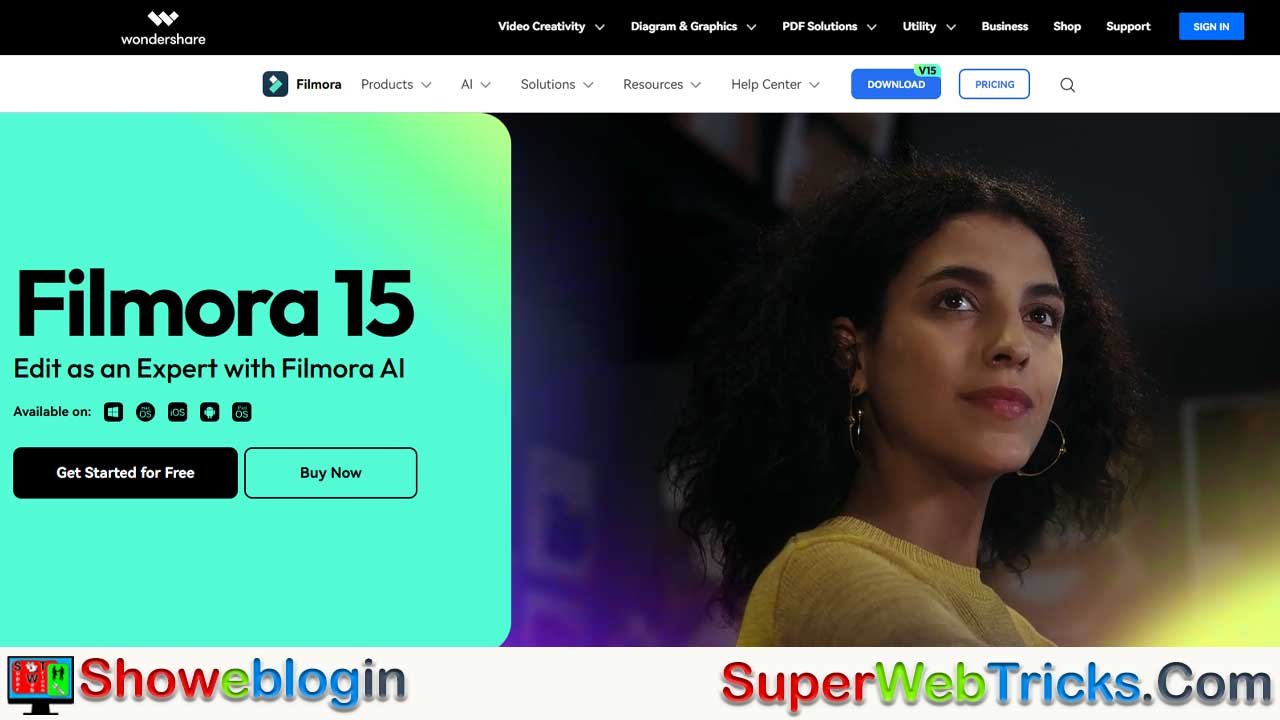






Wondershare Filmora in 2026 positions itself as a powerful, AI-driven video editing platform that bridges the gap between beginner-friendly tools and professional software, offering creators an affordable ($49.99/year personal, higher for business licensing), intuitive, and cross-platform solution with robust automation features like AI Auto Cut, text-to-video, dynamic captions, and royalty-free music generation.
With 20 million monthly users, a 4.5-star rating, and support for 25 languages, Filmora excels for YouTubers, social media creators, educators, and small businesses who prioritize speed, accessibility, and monetization-ready workflows over industry-standard complexity.
While it lacks Hollywood-level color grading and agency prestige, its extensive asset library, cloud sync, mobile-first design, and strong affiliate and client monetization pathways make it an optimal choice for independent and international creators—provided they comply with its Business License requirements for commercial use.
| Category | Information |
|---|---|
| Software Name | Wondershare Filmora |
| Latest Version | Filmora 15 (2026 ecosystem) |
| Launch Year | 2015 |
| Company | Wondershare (Shenzhen, China) |
| Monthly Active Users | ~20 million |
| User Rating | 4.5/5 (13,000+ verified reviews) |
| Supported Platforms | Windows, macOS, iOS, Android, Web |
| Pricing (Personal) | $49.99/year |
| Business License | $155.88+/year (required for monetization) |
| One-Time License | $79.99–$109.99 (version-locked) |
| Core Strength | AI-powered, beginner-friendly editing |
| Key AI Features | Text-to-video, Auto Cut, Dynamic Captions, AI Music, Smart Cutout |
| Asset Library | 2.9M+ royalty-free assets |
| Best For | YouTubers, content creators, educators, small businesses |
| Not Ideal For | Hollywood post-production, advanced color grading |
| Languages Supported | 25+ |
| Monetization Support | YouTube AdSense, client work, affiliate program |
Wondershare Filmora: The Complete Guide to AI-Powered Video Editing for Creators in 2026
Wondershare Filmora has emerged as the preeminent video editing solution for creators seeking professional output without the steep learning curve of enterprise-grade software.
With 20 million monthly active users worldwide and a 4.5-star rating from 13,000+ verified reviews, Filmora bridges the gap between simplicity and functionality, making it the preferred choice for YouTubers, content marketers, and aspiring filmmakers across 25 languages.
This Showeblogin comprehensive guide explores Filmora’s architecture, capabilities, monetization pathways, and strategic positioning within the competitive video editing landscape of 2026.
What Is Wondershare Filmora?
Wondershare Filmora is a desktop and mobile video editing platform launched in 2015 by Wondershare, a Shenzhen-based software company with a 20+ year track record in creative software. Unlike professional-grade alternatives that demand months of mastery, Filmora delivers professional-quality output through an intuitive drag-and-drop interface powered by advanced AI automation. The software operates on a freemium model, with optional subscription plans unlocking premium features and commercial licensing rights.
The platform’s appeal lies in its democratization of pro-grade features. Rather than forcing creators into a binary choice between free-but-limited tools (CapCut, iMovie) or expensive enterprise software (Adobe Premiere Pro at $22.99/month), Filmora offers a third path: accessible pricing ($49.99/year for individuals) combined with production-grade capabilities.
Platform Architecture
Filmora 15 (released in late 2024) operates across five core environments:
Desktop Ecosystem – Windows and Mac applications with synchronized cloud projects enable seamless cross-device workflows. Mac versions now include Metal rendering support, leveraging Apple’s GPU architecture for significantly faster playback and export speeds compared to earlier iterations.
Mobile Expansion – iOS and Android apps allow on-the-go editing, critical for creators producing short-form content on TikTok, Instagram Reels, and YouTube Shorts. Mobile apps include AI Auto Cut, VideoGen (video-to-video generation), and Dynamic Captions—features traditionally reserved for desktop software.
Web-Based Editing – Filmora.io provides browser-based editing without installation, enabling global accessibility from any device with internet connectivity.
Cloud Synchronization – Projects sync across devices via Filmora Cloud Storage, allowing creators to edit on desktop and finalize on mobile, or vice versa, without manual file transfers.
Pricing Structure & Value Proposition
Filmora’s pricing model reflects three distinct creator personas, each with corresponding licensing tiers:
| Plan | Cost | Best For | Key Inclusions |
|---|---|---|---|
| Annual (Personal) | $49.99/year | Hobbyists, emerging creators | Updates, 1GB cloud storage, watermark-free export, 2.9M assets |
| Perpetual (One-Time) | $79.99-$109.99 | Budget-conscious editors | Lifetime access to version purchased, no subscription renewal |
| Cross-Platform | $69.99/year | Multi-device creators | All platforms (Windows, Mac, iOS, Android, iPad) |
| Business License | $155.88+/year | YouTube monetization, client work | Commercial rights, no attribution required, senior support |
The Commercial Licensing Consideration
A critical distinction separates Filmora’s personal and business tiers. YouTube’s Partner Program explicitly requires creators to disclose all software used for monetized content. While the free and $49.99 annual plans permit export and distribution, monetization (generating AdSense revenue) requires either:
- Business License Purchase – Required if earning from YouTube ads, sponsorships, or client work
- Watermark Acceptance – Free version embeds a Filmora watermark, signaling to viewers that content was created with consumer software (impacts professionalism perception)
This licensing requirement represents a deliberate business model: Filmora captures the hobbyist segment with affordable entry pricing, then monetizes the subset who convert to content creators earning revenue. For a blog targeting AdSense-focused creators, this represents a critical teaching moment.
AI-Powered Editing Features: The Competitive Advantage
Filmora 15 distinguishes itself through an AI-powered toolkit that automates traditionally time-consuming editing tasks. These features have triggered the software’s ascension from “beginner tool” to “creator essential.”
AI Video Generation Suite
Text-to-Video – Creators input a script or prompt; Filmora’s AI generates video with B-roll, transitions, and basic effects. A 30-second product demo script converts to finished video within minutes, eliminating the “stock footage search” bottleneck.
AI Auto Cut – Analyzes audio and identifies peak moments (laughter, applause, emphasis), then automatically cuts between these moments for short-form content. A 60-minute podcast converts to 15-20 TikTok-ready clips without manual selection.
VideoGen (Video-to-Video) – Upload existing footage; the AI intelligently swaps or adds visual elements, useful for creators repurposing content across platforms.
Image-to-Video – Static product images, promotional graphics, or thumbnails transform into dynamic videos with motion, transitions, and animated text—critical for e-commerce and affiliate marketing content.
AI Audio & Voiceover Tools
AI Music Generator – Royalty-free music tailored to video mood and pacing. For international creators, this eliminates copyright claim risks that plague YouTube channels using unlicensed music.
Text-to-Speech – Generates voiceovers in multiple languages with natural inflection, enabling creators to localize content without recording new audio.
AI Voice Cloning – Train the AI on your voice, then generate new voiceovers without re-recording. Particularly valuable for creators managing multiple video series simultaneously.
AI Audio Denoise – Removes background noise from smartphone-recorded audio, a frequent pain point for travel vloggers and field reporters.
AI Vocal Remover – Isolates background music from video, enabling creators to extract instrumental versions for background music in compilations.
Smart Visual Tools
AI Smart Cutout – Replace backgrounds, remove unwanted objects, or create cutout effects without green screen. For instance, remove unbranded logos from competitor footage when creating comparison videos.
AI Smart Masking – Intelligently outline and isolate subjects for selective editing (e.g., brightening a subject’s face without affecting the background).
AI Portrait Cutout – Automated subject isolation for short-form content, particularly effective for TikTok and Reels where layering multiple subjects creates visual interest.
AI Thumbnail Creator – Auto-generates multiple YouTube thumbnail variations with text, highlighting, and color optimization for maximum click-through rates (CTR).
Content Optimization
AI Copywriting – Auto-generates video titles, descriptions, and hashtags optimized for platform algorithms. For YouTube, this generates SEO-friendly titles; for social platforms, platform-specific hashtags.
Dynamic Captions – Converts speech to text in real-time with customizable styling, critical for accessibility compliance and silent viewing (YouTube reports 85% of videos watched muted).
Creative Assets Library: Scale Without Licensing Risk
Filmora’s 2.9 million asset library addresses a fundamental creator pain point: premium asset licensing. Rather than hunting across multiple platforms (Shutterstock, Adobe Stock, Epidemic Sound), creators access an integrated library within the editor.
Quantified Asset Breakdown
- 13,000+ Video Effects – From basic transitions to cinematic color grades
- 39,000+ Animated Titles – Pre-made opening sequences, lower thirds, end screens
- 300,000+ Royalty-Free Music Tracks – Partnered with Universal Music and other major labels
- 1.5 Million Stock Media Clips – B-roll footage categorized by industry, season, and aesthetic
- 200+ Professional LUTs – Pre-built color grades applicable across videos for visual consistency
Commercial Rights Clarification
This is where many creators encounter friction. Not all assets are commercially available.
Commercially Permissible Assets:
- Non-AI music, sound effects, transitions, effects, filters, and stickers labeled “commercially available”
- All materials included in Business License tier
Non-Commercial (Hobbyist Plan Only):
- AI-generated images, AI stickers, AI Text-to-Video outputs, AI-generated sound effects
For creators monetizing through AdSense, YouTube Partner Program, or client work, this distinction is legally material. Using AI-generated assets in commercially monetized content without Business License exposes creators to potential copyright claims and account suspension.
Competitive Landscape: How Filmora Ranks in 2026
The video editing software market encompasses several distinct categories, each serving different creator segments. Understanding Filmora’s position clarifies its ideal use cases.
Market Share Distribution
| Software | Market Share | Target Audience | Strength |
|---|---|---|---|
| Adobe Premiere Pro | 35% | Professionals, agencies | Industry standard, Creative Cloud integration |
| Final Cut Pro X | 25% | Mac-based professionals | Performance, ecosystem lock-in |
| DaVinci Resolve | 15% | Color graders, film editors | Professional-grade color, free version |
| Avid Media Composer | 10% | Film/TV post-production | Collaborative workflows, stability |
| Filmora | 5% | YouTubers, hobbyists, small creators | Ease of use, affordability, AI features |
Direct Comparison: Filmora vs. Key Competitors
Filmora vs. DaVinci Resolve (Free Version)
DaVinci Resolve free tier offers professional-grade color correction and advanced audio tools, but demands 16GB+ RAM and features a steep learning curve requiring weeks of YouTube tutorials. Filmora achieves 80% of Resolve’s color correction capability through simpler interfaces and 1/4 the system requirements.
Verdict: Resolve excels for color-intensive work; Filmora for speed-to-market. Reddit users consistently report: “Filmora gets vlogs done 3x faster than Resolve.”
Filmora vs. CapCut (Free)
CapCut excels at short-form mobile content (15-60 second videos), featuring AI-powered auto-captions and magnetic timelines. However, CapCut struggles with projects exceeding 15 minutes, lacks advanced audio mixing, and offers limited offline functionality. Filmora handles long-form content (30+ minute podcasts, educational series) without performance degradation.
Verdict: CapCut for TikTok; Filmora for YouTube channel backbone content.
Filmora vs. Adobe Premiere Pro ($22.99/month)
Adobe Premiere offers unmatched integration with After Effects (motion graphics), Audition (audio), and Photoshop (graphics), ideal for agency workflows. However, Adobe’s subscription model costs $275/year, and the interface intimidates beginners. Filmora at $49.99/year serves creators who prioritize affordability and accessibility over ecosystem integration.
Verdict: Premiere for professional agencies; Filmora for independent creators.
Popularity Rankings by Region
Global: Adobe Premiere Pro (9/10), Final Cut Pro X (8/10), DaVinci Resolve (7/10), Filmora (4/10)
India: Adobe Premiere Pro (8/10), DaVinci Resolve (7/10), CapCut (7/10), Filmora (6/10) – higher adoption due to affordability and YouTube creator prevalence
UK/Europe: Adobe Premiere Pro (9/10), Final Cut Pro X (7/10), DaVinci Resolve (8/10), Filmora (5/10)
Filmora’s regional strength in Asia-Pacific and India aligns with the platform’s pricing advantages for emerging-market creators where $22.99/month for Premiere Pro represents a significant percentage of expected earnings.
Monetization Strategies: Turning Filmora Skills Into Revenue
For creators reading this article, monetization pathways depend entirely on licensing transparency. Filmora’s official Creator Monetization Program clarifies commission structures.
YouTube AdSense: The Primary Revenue Stream
Requirement: Business License ($155.88+/year) to monetize content
Why: YouTube’s Partner Program prohibits unlicensed commercial software from revenue-generating content. While the algorithm doesn’t detect Filmora use directly, manual claims or copyright strikes on Filmora-created content in violation of terms can result in channel suspension.
Setup:
- Upgrade to Business License before enrolling in Partner Program
- Ensure all assets used are marked “commercially available”
- Document license purchase for audit compliance
Affiliate Commissions: Filmora’s Creator Program
Wondershare directly funds creators who refer new paying customers.
Commission Structure:
- Base commission: 30%
- Referral example: 10 annual subscribers ($49.99 × 10 = $499.90) generates $150 affiliate income
- Tiered scaling: Reach higher referral thresholds → unlock up to 50% commissions
- Early access: Approved affiliates gain exclusive access to Filmora 15 pro features before public release
Execution:
- Create tutorials demonstrating AI features (highest conversion)
- Compare Filmora to competitors (DaVinci Resolve, CapCut)
- Share honest reviews highlighting beginner-friendliness
- Link directly to Filmora’s official pricing page
For a blog with 100,000 monthly visitors, assuming 2% click-through and 5% conversion, this generates ~$500-1,500/month from affiliates alone.
Client Video Production: Service Revenue
Filmora’s commercial license unlocks client project work—a higher-margin revenue stream than AdSense.
Typical Pricing:
- Short-form content (Instagram Reels, TikTok): $50-150/video
- YouTube videos (8-15 minutes): $200-500/video
- Marketing videos (product demos, explainers): $500-2,000/video
Competitive Advantage: Market undercharging because they use Filmora. A freelancer completing a 10-minute YouTube edit in 3 hours (vs. 6+ hours in Premiere) can charge premium rates due to faster turnaround.
Strengths: Why Creators Choose Filmora
Ease of Use
Filmora’s drag-and-drop interface enables new users to create basic videos within 15 minutes. The 4.5-star rating from 13,000+ verified reviews consistently highlights user-friendliness as the primary satisfaction driver.
Expert consensus: “Filmora is the fastest path from script to published video without sacrificing professional output.”
Affordability
At $49.99/year ($4.17/month), Filmora costs less than a single Uber ride, a fraction of Premiere Pro ($22.99/month = $275.88/year), and Free tier of DaVinci Resolve costs $0 but demands $295/year for Studio features. For emerging creators with minimal initial investment capital, Filmora’s pricing removes financial barriers.
AI-Powered Automation
Filmora’s AI suite addresses the most time-consuming aspects of video creation: captions (manual transcription takes 1 hour for 10-minute video; Filmora does it in 60 seconds), music licensing (eliminates Copyright ID claims), and object removal (eliminates green screen requirement).
Extensive Creative Library
2.9 million assets eliminate the asset-hunting friction endemic to video creation. Rather than spending 2 hours sourcing transition effects and B-roll, creators focus on storytelling.
Multi-Platform Integration
YouTube direct export, TikTok optimization, Instagram Reels formatting, and cloud sync across five devices create frictionless workflows for creators managing multiple platforms simultaneously.
Performance Optimization
Filmora’s GPU acceleration and Metal rendering (on Mac) deliver 40-60% faster export times compared to earlier versions. For creators on tight publication schedules (daily upload cadence for YouTube Shorts), this represents material competitive advantage.
Limitations & Honest Trade-Offs
No software is universally ideal. Understanding Filmora’s constraints prevents misalignment.
Not Industry-Standard for Professional Production
Filmora remains absent from Hollywood post-production workflows. Agencies and film studios use Premiere Pro, Final Cut Pro, or Avid Media Composer for client deliverables. Filmora is perceived as “hobbyist software,” a stigma that persists despite technical capability improvements.
Business Implication: Filmora on resume doesn’t unlock high-paying agency roles. It’s optimal for independent creators and small content studios, not post-production studios.
Licensing Complexity for Monetization
The gap between personal ($49.99) and business ($155.88+) tiers creates adoption friction. Many beginners start with personal licenses, generate income without realizing business licensing is required, then face copyright complications.
Limited Advanced Color Correction
While Filmora handles basic color grading, DaVinci Resolve’s Fusion page and professional LUT support outclass Filmora for cinematic color work. Filmora excels at “good enough” color; not “Hollywood-grade” color.
System Resource Demands
Although lighter than Premiere Pro or Resolve, Filmora still demands modern hardware. Editing 4K footage on a 2015 MacBook Air will lag compared to 2024 specifications.
User Reviews & Community Sentiment
Verified Customer Ratings
Trustpilot (4.5/5 stars, 13,000+ reviews):
Positive themes:
- “Incredibly easy to use, perfect for my YouTube channel.”
- “AI features save me 5+ hours per video.”
- “Great value for money compared to Adobe.”
Negative themes:
- “Feature creep pricing—transitions now cost extra.”
- “Customer support is slow for complex issues.”
- “Updates sometimes break existing projects.”
Reddit Sentiment (/r/Filmora, /r/VideoEditing):
Consensus: “Filmora is ideal for YouTube vlogs and short-form content. If you’re doing feature films or color-intensive work, start with DaVinci Resolve.”
Notable critique: “Filmora charges for every little feature—free assets are sparse, and everything good requires Filmstock subscription.”
Getting Started: A Practical Roadmap for New Creators
Step 1: Assess Your Monetization Intent
Will you monetize through AdSense or client work? → Invest in Business License immediately ($155.88/year).
Hobby-only projects? → Start with free tier; upgrade if engagement justifies it.
Step 2: Choose Your Platform
- Desktop (Windows/Mac): Full feature access, best for 5+ minute videos
- Mobile (iOS/Android): On-the-go editing, ideal for daily content or travel creators
- Web (Filmora.io): No installation, quick projects
Step 3: Master Core Workflows
Recommended learning sequence:
- Basic trimming, transitions, text overlays (Day 1-2)
- AI Auto Cut for highlight compilation (Day 3-4)
- Dynamic Captions for accessibility (Day 5)
- AI Music for copyright-free audio (Week 2)
- Advanced: Keyframing and motion tracking (Week 3+)
Step 4: Scale Through Templates
Filmora’s 1,000+ templates accelerate repetitive projects. Rather than building identical intros for 50 videos, create a template once, customize for each upload.
Step 5: Leverage Affiliate Program
Once proficient, earn $150-500/month referring beginners to Filmora’s paid plans.
The International Dimension: Filmora’s Global Advantage
Wondershare has engineered Filmora explicitly for international audiences. This is strategic for content creators targeting global traffic.
Multilingual Support (25 Languages)
Filmora’s interface supports Arabic, Bengali, Chinese (Simplified/Traditional), Dutch, English, Filipino, French, German, Hindi, Indonesian, Italian, Japanese, Korean, Malay, Marathi, Polish, Portuguese, Romanian, Russian, Spanish, Swedish, Tamil, Telugu, Thai, and Vietnamese.
Implications: A creator in Kolkata can work in Hindi, directly incorporating cultural nuances into editing workflows. This eliminates friction endemic to English-only tools.
Regional Pricing Adaptation
Wondershare adjusts pricing for purchasing power parity. India, Brazil, and Southeast Asia see lower annual subscription costs relative to USD pricing, removing affordability barriers for emerging-market creators.
Mobile-First Architecture
Over 60% of global video consumption occurs on mobile devices. Filmora’s mobile apps deliver 95% of desktop functionality without compromise, critical for creators in regions where laptop penetration lags developed markets.
Conclusion: Is Filmora Right for Your Creative Business?
Wondershare Filmora occupies a strategic niche: the accessible entry point for creators unwilling to compromise between simplicity and quality. With 20 million monthly users, a 4.5-star rating from verified customers, and a 5% market share in an $11.51 billion industry, Filmora has transcended “beginner tool” status to become a legitimate production platform.
For international creators managing tight budgets, optimizing publication velocity, and prioritizing AI-driven automation, Filmora delivers measurable competitive advantage. The $49.99 annual price point removes financial barriers that otherwise confine creative tools to affluent markets, directly aligning with the platform’s mission to democratize professional video production.
The critical caveat: monetization requires Business License compliance. Creators generating revenue without commercial licensing face copyright risk and account suspension, a scenario easily prevented through informed license selection.
Ideal For:
- YouTubers and content creators producing 2-30 minute videos
- Social media managers optimizing for multiple platforms
- Educators creating instructional content
- Small business owners producing marketing videos
- Aspiring videographers building portfolios
Not Ideal For:
- Hollywood post-production studios
- Color-grade-intensive documentary work
- Real-time live streaming production
- Enterprise-scale collaborative workflows
For creators in the first category, Filmora in 2026 represents not a compromise, but the optimal choice.
FAQs about Wondershare Filmora
What is Wondershare Filmora?
Wondershare Filmora is an AI-powered video editing software designed for creators who want professional results with an easy, beginner-friendly interface.
Who should use Wondershare Filmora?
Filmora is best for YouTubers, content creators, educators, small businesses, marketers, and beginners who want fast editing without complex workflows.
Is Wondershare Filmora good for beginners?
Yes, Filmora is widely known for its drag-and-drop interface, templates, and AI tools that allow beginners to create videos within minutes.
Is Filmora suitable for professional video editing?
Filmora is suitable for independent creators and small studios but is not considered an industry-standard tool for Hollywood or agency-level post-production.
What platforms does Filmora support?
Filmora works on Windows, macOS, iOS, Android, and through a web-based editor with cloud synchronization.
What is the latest version of Filmora?
Filmora 15 is the latest major version, featuring expanded AI tools, faster rendering, and improved cross-device workflows.
How much does Wondershare Filmora cost?
Filmora costs $49.99 per year for personal use, with higher-priced business licenses required for monetization and client work.
Is there a free version of Filmora?
Yes, Filmora has a free version, but exported videos include a watermark and cannot be legally monetized.
Does Filmora require a subscription?
Filmora offers both subscription plans and one-time perpetual licenses, though subscriptions provide ongoing updates and features.
What is the difference between personal and business licenses?
Personal licenses are for non-commercial use, while business licenses are required for YouTube monetization, ads, sponsorships, and client projects.
Can I monetize YouTube videos made with Filmora?
Yes, but only if you use a Business License and commercially permitted assets.
Does Filmora include AI features?
Yes, Filmora includes AI tools such as text-to-video, Auto Cut, dynamic captions, AI music, voice cloning, and background removal.
What is AI Auto Cut in Filmora?
AI Auto Cut automatically detects highlights in long videos and creates short clips optimized for social media.
Does Filmora support text-to-video generation?
Yes, users can input a script or prompt, and Filmora generates a complete video with visuals, transitions, and music.
Can Filmora remove background noise from audio?
Yes, Filmora includes AI audio denoise for cleaning up background noise in recordings.
Does Filmora have royalty-free music?
Yes, Filmora provides a large library of royalty-free music, reducing the risk of copyright claims.
How many assets does Filmora include?
Filmora offers over 2.9 million creative assets, including effects, titles, music, stock footage, and LUTs.
Are Filmora assets safe for commercial use?
Only assets marked as commercially available and those included with the Business License can be used for monetized content.
Does Filmora support 4K video editing?
Yes, Filmora supports 4K editing and exporting, depending on system hardware.
Is Filmora faster than Adobe Premiere Pro?
For simple and medium-complexity projects, Filmora is often faster due to its streamlined interface and AI automation.
How does Filmora compare to CapCut?
Filmora is better for long-form YouTube content, while CapCut is more optimized for short-form mobile videos.
How does Filmora compare to DaVinci Resolve?
DaVinci Resolve excels in advanced color grading, while Filmora focuses on speed, simplicity, and lower system requirements.
Can Filmora be used on low-end computers?
Filmora runs more smoothly than many professional editors but still requires modern hardware for 4K or heavy effects.
Does Filmora support cloud storage?
Yes, Filmora includes cloud synchronization so projects can be edited across devices.
Is Filmora good for TikTok and Instagram Reels?
Yes, Filmora offers vertical formats, auto-captions, and platform-optimized templates for short-form content.
Does Filmora support multiple languages?
Yes, Filmora supports over 25 languages, making it popular among international creators.
Can I use Filmora for client work?
Yes, client work is allowed only with a Business License.
Does Filmora have an affiliate program?
Yes, Filmora offers an affiliate program with commissions starting around 30% and scaling higher.
Is Filmora good for educational videos?
Yes, Filmora is widely used for tutorials, online courses, and instructional content due to its simplicity and captions.
Can Filmora generate subtitles automatically?
Yes, Filmora’s dynamic captions automatically convert speech to text with customizable styles.
Does Filmora support voice cloning?
Yes, Filmora includes AI voice cloning for generating voiceovers without repeated recording.
Is Filmora good for small businesses?
Yes, small businesses use Filmora to create marketing videos, product demos, and social media ads affordably.
What are Filmora’s main limitations?
Filmora lacks advanced cinematic color grading, enterprise collaboration tools, and industry-standard status.
Is Filmora worth it in 2026?
For creators prioritizing affordability, speed, and AI automation, Filmora is one of the best value video editors available.












Leave a Reply
You must be logged in to post a comment.