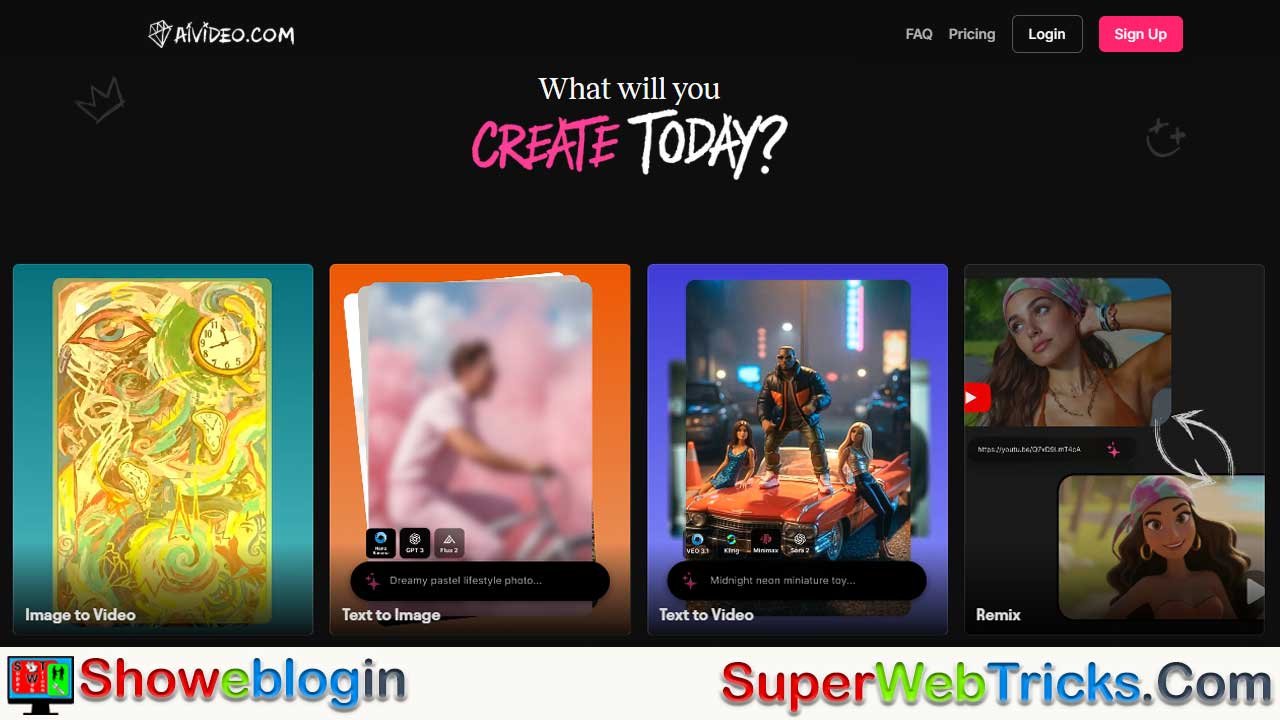






AIVideo.com positions itself in 2026 as a true all-in-one AI production hub that solves subscription fatigue by unifying top-tier image, video, and voice models (including Luma, Kling, Minimax, and more) inside a single, timeline-based editor.
Rather than competing as a standalone model, it is model-agnostic, continuously integrating the best new AI tech while offering two workflows: an automated “Composer” for fast, beginner-friendly video generation and a powerful AI-native editor for professionals, featuring command-based timeline edits and best-in-class character consistency via its Character Studio.
With strong multilingual support, commercial usage rights, and access to premium models at a fraction of the cost of maintaining multiple subscriptions, AIVideo.com stands out as a flexible, business-ready solution—though credit usage and a learning curve for advanced editing remain tradeoffs—making it one of the most compelling AI video platforms for serious creators in 2026.
| Category | Details |
|---|---|
| Platform Name | AIVideo.com |
| Best For | Content creators, marketers, agencies, faceless YouTube channels |
| Core Value | All-in-one AI video production hub |
| Workflow Modes | Video Composer (beginner) & AI Native Editor (pro) |
| Key Feature | Timeline-based editor with AI command edits (“Command + E”) |
| Character Consistency | Yes – via Character Studio |
| AI Models Included | Kling AI, Luma Photon, Hailuo Minimax, others |
| Video Resolution | Up to 4K (Pro plan) |
| Voiceovers | Integrated AI TTS (50+ languages) |
| Commercial Rights | Yes (Pro & Enterprise plans) |
| Pricing Model | Credit-based subscription |
| Starter Price | ~$19/month |
| Pro Price | ~$49/month |
| Main Advantage | Replaces multiple AI subscriptions in one tool |
| Main Drawback | High-end models consume credits quickly |
| Free Trial | Limited (no permanent free plan) |
AIVideo.com Review (2026): The “All-in-One” Platform Changing Content Creation
If you are a content creator in 2026, you likely face a common, expensive problem: Subscription Fatigue. You pay for Midjourney for images, Runway or Kling for video generation, ElevenLabs for voiceovers, and Premiere Pro to stitch it all together.
AIVideo.com has emerged as the solution to this fragmentation. By aggregating the world’s best AI models (Luma, Kling, Minimax, and more) into a single, timeline-based editor, it promises to be the only tool you need. But does it live up to the hype?
In this comprehensive review, we break down the features, the pricing, and the unique “Composer vs. Editor” workflow that is attracting international business users.
What Exactly is AIVideo.com?
Think of AIVideo.com not as a single AI model, but as a Production Hub.
Unlike competitors that force you to use their proprietary (and often limited) technology, AIVideo.com acts as a gateway. It connects via API to the top-performing models in the industry and wraps them in a user-friendly interface.
Why does this matter?
- Model Agnostic: If a new, better AI model comes out next week, AIVideo.com integrates it. You don’t have to switch platforms.
- Unified Workflow: You can generate an image with Luma Photon, animate it with Kling AI, and add a voiceover—all without leaving the same browser tab.
Key Features Breakdown
1. The “Two-Pronged” Workflow
AIVideo.com caters to two distinct types of users through two different modes:
A. The Video Composer (For Beginners & Marketers)
This is the “Easy Button.” You provide a high-level prompt (e.g., “A 30-second commercial for a futuristic coffee brand, cinematic style”).
- The AI Agent takes over: It writes the script, generates the scenes, picks the music, and compiles a rough cut.
- Best for: Rapid prototyping, social media shorts, and users with zero editing experience.
B. The AI Native Editor (For Pros)
This is where the platform shines. It looks like a traditional Non-Linear Editor (like CapCut or Premiere) but is powered by AI.
- Timeline Control: Drag and drop clips, trim audio, and layer sound effects.
- “Command + E” Magic: Highlight any clip on the timeline and type a command. Example: “Make this clip slow motion” or “Turn day into night.” The AI executes the edit instantly.
2. Character Studio: Solving the Consistency Problem
The “Holy Grail” of AI video is keeping a character’s face the same across different shots. AIVideo.com solves this with Character Studio.
- Click-and-Tweak Interface: Instead of complex prompting, you use sliders to select age, ethnicity, hair style, and clothing.
- Asset Library: Once you design “Agent Smith,” you can save him. You can then generate 50 different videos of Agent Smith walking, talking, or driving, and he will look identical in every shot.
- Use Case: This is critical for Faceless YouTube Channels and brand mascots.
3. Access to Premium Models
AIVideo.com gives you access to models that are often hard to access or expensive individually:
- Video Generation: Includes Kling AI (known for realistic movement) and Hailuo Minimax.
- Image Generation: Uses Luma Photon for high-fidelity, photorealistic starting frames.
- Voice: Integrated text-to-speech that rivals ElevenLabs in emotional range.
Step-by-Step: How to Make a Video in 5 Minutes
If you are new to the platform, here is the fastest workflow to get started:
- Select a Template: Choose from “Cinematic,” “Anime,” or “Commercial” presets.
- Generate a Script: Use the built-in LLM to write a hook-filled script for TikTok or YouTube Shorts.
- Choose Your Visuals: Select the “Stock + AI” option. The AI will mix generated clips with high-quality stock footage to save credits.
- Auto-Voice: Select a narrator voice (e.g., “Deep Documentary” or “Energetic Vlogger”).
- Export: Render in 1080p or 4K.
Pricing: Is It Worth the Cost?
Note: Prices are estimated based on current tiers and subject to change.
AIVideo.com typically uses a Credit System.
- Starter Plan (~$19/month): Good for hobbyists. Gives you enough credits for roughly 10-15 short videos.
- Pro Plan (~$49/month): Unlocks watermark-free exports, 4K resolution, and access to “heavy” models like Kling Professional.
The Value Proposition:
To replicate this stack manually, you would pay:
- Midjourney: $10/mo
- Runway Unlimited: $95/mo
- ElevenLabs: $22/mo
- Total: ~$127/month
At roughly $49/mo, AIVideo.com offers significant savings for power users by bundling these capabilities.
Pros and Cons
| Pros | Cons |
|---|---|
| All-in-One: No need to switch tabs or transfer files. | Credit Consumption: High-quality models (like Kling) burn credits fast. |
| Consistency: Best-in-class character consistency tools. | Learning Curve: The “Editor” mode can be overwhelming for total beginners. |
| Flexibility: Access to multiple top-tier AI models. | No “Forever Free” Plan: Trials are often limited. |
| Speed: “Command + E” editing is faster than manual tools. |
Final Verdict
AIVideo.com is currently the smartest choice for creators who treat content creation as a business, not just a hobby. By consolidating the best tools into one efficient workflow, it saves time and money.
If you are ready to stop fighting with complex prompts and start producing broadcast-quality video, this is the platform to use in 2026.
Visit the Official Website to Try the “Composer Agent” Free
FAQs about AIVideo.com
What is AIVideo.com?
AIVideo.com is an all-in-one AI video production platform that combines image generation, video generation, voiceovers, and editing in a single browser-based workflow.
Is AIVideo.com an AI model or a tool?
It is a tool, not a single model. It aggregates and integrates multiple leading AI models through one unified interface.
Who is AIVideo.com best suited for?
It is ideal for content creators, marketers, agencies, YouTubers, and businesses producing video at scale.
Does AIVideo.com replace multiple AI subscriptions?
Yes, it can replace separate subscriptions for image generation, video generation, voiceovers, and editing software.
What makes AIVideo.com different from other AI video platforms?
Its model-agnostic approach, timeline-based AI editor, and strong character consistency tools set it apart.
What is the Video Composer mode?
Video Composer is an automated mode where the AI generates scripts, scenes, music, and edits from a single prompt.
Who should use the Video Composer?
Beginners, marketers, and users who want fast video creation with minimal manual editing.
What is the AI Native Editor?
It is a professional timeline editor enhanced with AI commands for instant edits and transformations.
How does Command + E work?
You select a clip on the timeline, type an edit command, and the AI applies the change automatically.
Can I manually edit videos on AIVideo.com?
Yes, the AI Native Editor supports manual timeline control alongside AI-powered edits.
What is Character Studio?
Character Studio is a tool for creating and saving consistent AI characters across multiple videos.
Why is character consistency important?
It ensures the same face and appearance appear across scenes, which is crucial for branding and faceless channels.
Can I reuse characters in multiple videos?
Yes, saved characters can be reused indefinitely with consistent appearance.
Which video models does AIVideo.com support?
It supports premium models such as Kling AI and Hailuo Minimax.
Which image models are included?
Luma Photon is used for high-quality, photorealistic image generation.
Does AIVideo.com include AI voiceovers?
Yes, it includes integrated text-to-speech with a wide emotional range.
How many languages are supported?
Text-to-speech and scripting support over 50 languages.
Is AIVideo.com suitable for international creators?
Yes, multilingual support makes it especially attractive for global audiences.
Can I create short-form content like TikToks or Reels?
Yes, it is optimized for short-form and social media video creation.
Does AIVideo.com support long-form videos?
Yes, especially when using the AI Native Editor for more control.
What video resolutions are available?
Up to 4K resolution is available on higher-tier plans.
Is AIVideo.com browser-based?
Yes, everything runs in the browser with no software downloads required.
Does AIVideo.com require a powerful computer?
No, most processing is cloud-based.
How long does it take to create a video?
Short videos can be created in as little as five minutes using templates and automation.
Does AIVideo.com use stock footage?
Yes, it can blend AI-generated clips with high-quality stock footage.
What is the pricing model?
AIVideo.com uses a credit-based subscription system.
How much does AIVideo.com cost?
Plans typically start around $19 per month, with Pro plans around $49 per month.
What affects credit usage?
Higher-quality models, longer videos, and advanced effects consume more credits.
Is AIVideo.com cheaper than using separate tools?
For most power users, yes, it offers significant cost savings.
Is there a free plan?
There is usually a limited free trial but no permanent free plan.
Can I use AIVideo.com for commercial projects?
Yes, Pro and Enterprise plans include full commercial usage rights.
Who owns the videos I generate?
You retain ownership of the content you create under commercial plans.
Is AIVideo.com good for agencies?
Yes, its scalability and consistency tools make it agency-friendly.
Can teams collaborate on projects?
Team and enterprise features are available on higher-tier plans.
How steep is the learning curve?
The Composer is easy to use, while the Editor has a moderate learning curve.
Is AIVideo.com beginner-friendly?
Yes, especially when using templates and the Composer mode.
Can professionals replace Premiere Pro with it?
For many AI-driven workflows, yes, though traditional editors may still prefer external tools for fine-grain control.
How does AIVideo.com compare to Sora?
Sora generates video, while AIVideo.com focuses on full production and editing workflows.
Does AIVideo.com keep adding new models?
Yes, it regularly integrates new and improved AI models.
Is AIVideo.com future-proof?
Its model-agnostic design makes it adaptable as AI technology evolves.
What are the main drawbacks?
Credit consumption and complexity for advanced editing are the most common downsides.
Is AIVideo.com worth it in 2026?
For creators treating content as a business, it offers strong value, speed, and flexibility.












Leave a Reply
You must be logged in to post a comment.