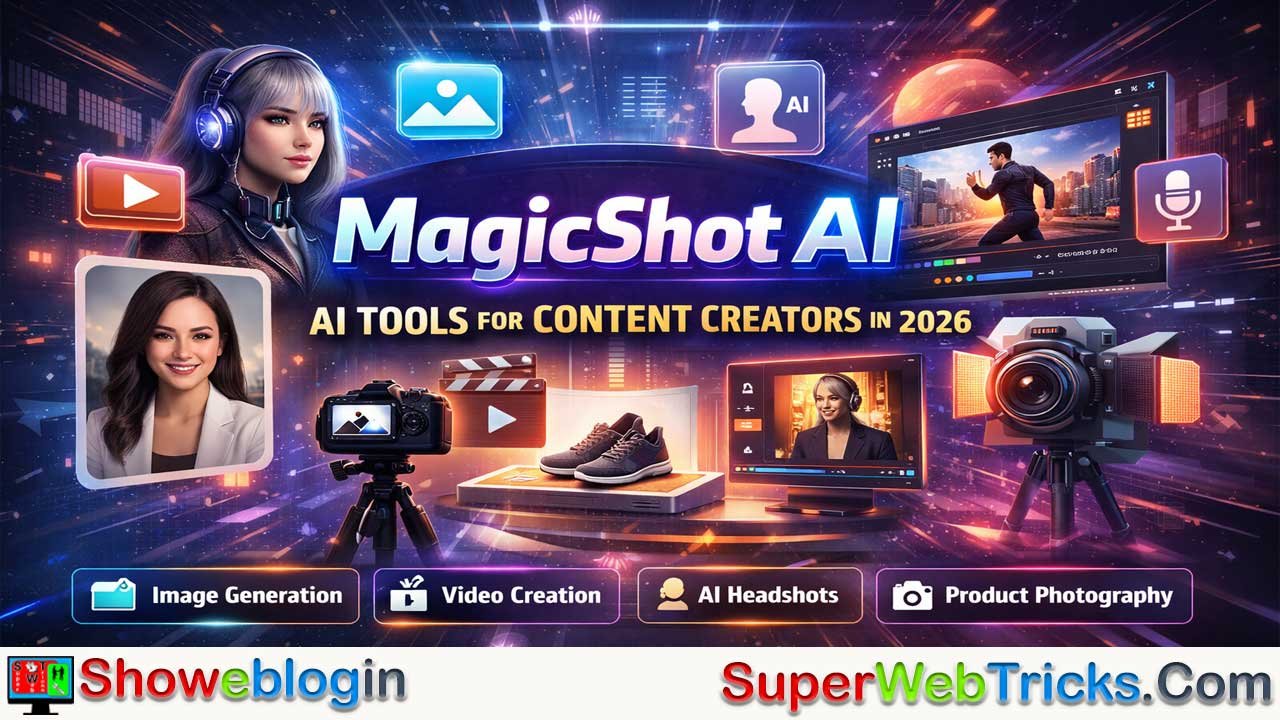






MagicShot AI is an all-in-one creative platform built for content creators, bloggers, marketers, and e-commerce sellers who need to scale production fast in 2026 without ballooning costs.
With 50+ AI tools covering image generation, video creation, audio/voice, avatars, professional headshots, logos, and product photography, MagicShot consolidates what would otherwise require multiple subscriptions into a single, credit-based system with full commercial rights.
Its strengths lie in speed, breadth, and accessibility—allowing users to turn text prompts or simple photos into production-ready assets in seconds—making it especially valuable for blogging, personal branding, short-form video, and online selling.
While it lags behind some competitors in UI polish, peak-hour performance, and ultra-realistic avatars, its transparent pricing, flexible pay-as-you-go model, and wide feature set position it as a “Swiss Army knife” for generalist creators who prioritize efficiency and versatility over niche, best-in-class perfection.
| Category | Details |
|---|---|
| Tool Name | MagicShot AI |
| Type | All-in-one AI content creation platform |
| Total Tools | 50+ AI tools |
| Core Uses | Image, video, audio, avatars, headshots, logos, product photos |
| Target Users | Content creators, bloggers, marketers, e-commerce sellers |
| Key Features | Text-to-image, text-to-video, image-to-video, AI avatars, product photography, text-to-speech |
| AI Models | Flux 1, Imagen 4, Seedream 4.5, Nano Banana Pro |
| Output Rights | 100% commercial rights |
| Pricing Model | Credit-based (pay-as-you-go + subscription option) |
| Entry Price | $5 minimum credit purchase |
| Free Credits | 100/month with subscription |
| Platforms | Web + iOS (mobile-first) |
| Best For | Scaling content across multiple formats on a budget |
| Main Limitations | UI polish, peak-time performance, avatar consistency |
| Overall Rating | ~4.1/5 (iOS App Store) |
MagicShot AI: Complete Guide to 50+ AI Creative Tools for Content Creators in 2026
Scaling content production has become the defining challenge for content creators, bloggers, and digital marketers in 2026. Whether you’re creating product photography for your e-commerce store, generating professional headshots for LinkedIn, producing AI-powered videos, or designing logos for your brand, the bottleneck isn’t inspiration—it’s time and resources.
This is where MagicShot AI enters the picture. With more than 2 million users worldwide, MagicShot.ai has emerged as a comprehensive all-in-one platform that consolidates 50+ AI tools across image, video, and audio generation into a single, accessible interface. For content creators working with tight budgets and tighter deadlines, it represents a significant productivity lever.
This Showeblogin guide dives deep into MagicShot AI’s capabilities, pricing, use cases, and practical workflows—so you can decide whether it’s the right fit for scaling your content creation process.
What Is MagicShot AI?
MagicShot.ai is an advanced AI-powered creative platform designed to simplify visual, video, and audio content generation. Unlike single-purpose tools, it bundles 50+ features into one workspace, powered by cutting-edge AI models including Nano Banana Pro, Seedream 4.5, Imagen 4, and Flux 1.
The platform operates on a philosophy of speed without sacrificing quality: users describe their creative vision, the AI generates multiple options, and creators select and download production-ready assets—often in seconds. All generated content is 100% owned by the creator, with full rights for personal and commercial use.
Core Features: The 50+ Tool Breakdown
Image Generation & Editing
AI Photo Generator produces high-quality images from text descriptions. This is useful for blog headers, social media graphics, or exploratory design work. The underlying models ensure consistency and professional finish.
AI Avatar Generator transforms photos into customizable avatars. Users upload a single image and receive multiple avatar variations in different artistic styles—from photorealistic to anime, cyberpunk, and luxury fashion interpretations. For creators building personal brands or gaming communities, this tool replaces expensive design work.
AI Background Remover & Editor handles background separation and manipulation. While competitors like Photoroom focus heavily on e-commerce product staging, MagicShot’s background tools integrate into a broader creative workflow, making it efficient for multi-purpose content creation.
Outpainting & Image Extension expands images beyond their original dimensions, useful for creating social media graphics that fit different aspect ratios without cropping key content.
Video & Animation
Text-to-Video generates short videos from written prompts. Content creators can turn blog post ideas, script drafts, or concept descriptions into visual video clips, reducing the need for manual filming or editing.
Image-to-Video Animation brings still photos to motion. A single product shot, portrait, or landscape image becomes an animated sequence—valuable for Instagram Reels, YouTube Shorts, and product demonstration videos.
Face Swap & Video Editing allows users to swap faces seamlessly in existing video footage, useful for creating variations of promotional content or generating personalized video messages at scale.
Professional Product & Marketing Videos bundles text-to-video, animation, and scene customization. Output is available in 720p or 1080p, ready for direct upload to social media platforms or e-commerce listings.
Audio & Voice
Text-to-Speech converts written content into natural-sounding audio. MagicShot offers 30+ voices and accents, making it practical for podcasts, YouTube video narration, or creating voiceovers without hiring voice talent.
AI Voice & Speech Synthesis supports multiple languages and emotional tones, bridging the gap between written content and audio-first distribution channels like podcasts and Spotify.
Professional & Specialized Tools
Professional Headshot Generator deserves special mention: it’s ranked among the best headshot generators for 2026, praised for consistent, LinkedIn-ready output. The guided workflow is optimized for job seekers, founders, and freelancers who need multiple usable options quickly.
AI Logo Generator creates brand-ready logos. For solopreneurs and small teams, this eliminates the need to commission graphic designers for basic logo concepts.
Model Photoshoot Generator uploads a single photo and produces multiple model-style variations with trending outfits, poses, and backgrounds. For e-commerce businesses without physical inventory, this is a game-changer for apparel, accessories, and lifestyle product photography.
Wedding & Family Photoshoot takes wedding or family photos and transforms them into magazine-ready portraits with professional lighting, soft colors, and timeless styling—useful for clients or personal projects.
AI Product Photography generates polished product images for e-commerce platforms (Amazon, Shopify, eBay). This is competitive with Photoroom and Flair.ai for e-commerce sellers scaling product catalogs.
Pricing: Transparent, Flexible, and Accessible
MagicShot uses a credit-based system where every feature costs credits. This creates predictable, transparent billing—you only pay for what you generate.
Pay-as-You-Go Model
- Entry point: $5 minimum purchase
- No subscription required
- Credits never expire
- Suitable for casual or experimental use
Subscription Model
- 100 free credits per month included
- 50% discount on additional credit purchases
- Monthly commitment required
- Best for consistent content creators
For context: using professional headshot generation, logo design, or product photography typically consumes 5–50 credits per result, depending on resolution and model complexity. A $5 purchase generates enough credits for 2–5 small projects, while a monthly subscription (with 100 credits) supports 10–20 regular operations.
This pricing compares favorably to competitors. Photoroom’s entry tier ($9.99/month) and Canva’s AI tools ($13/month) are similar, while specialized tools like HeyGen (custom avatars) start at $20/month. MagicShot’s all-in-one approach makes it cost-effective for teams managing multiple content types.
Key Use Cases for Content Creators & Bloggers
1. Accelerating Blog Content Production
Bloggers can generate featured images, infographic concepts, and social media graphics from text prompts. Combined with AI writing tools like ChatGPT, MagicShot closes the design bottleneck that slows content publishing.
For your blog, this means: outline → write with ChatGPT → generate 3–5 header image variations with MagicShot → publish—all without hiring a designer.
2. Building Professional Personal Branding
Job seekers and solopreneurs use the Professional Headshot Generator to create multiple LinkedIn-ready variations. Instead of scheduling an expensive photo shoot, upload a high-quality selfie and receive 4–6 polished headshot options.
3. Scaling E-Commerce Product Imagery
Online sellers generating 50+ product listings monthly save thousands in photography costs. Upload raw product photos → generate lifestyle backgrounds → add AI models → export for marketplaces. Batch processing multiplies this advantage.
4. YouTube & Short-Form Content
The text-to-video and image-to-video tools directly address the creator economy’s core pain point: producing enough short-form content to maintain algorithmic visibility. Generate 5–10 video variations from a single script or product shot.
5. Marketing & Social Media Ads
Generate product demo videos, testimonial videos with AI avatars, and social ads from images. MagicShot’s integration of text-to-video, face swap, and audio means a marketer can produce a complete 30-second YouTube ad without external tools.
6. Podcast & Audio Content Production
Convert blog posts into podcast episodes using text-to-speech. The 30+ voice options allow creators to maintain consistency across multiple audio series.
User Experience: What Real Users Say
Strengths (Positive Feedback)
Ease of Use: The interface is praised for being intuitive—users report finishing professional headshots on the first attempt without extensive setting adjustments.
Consistency: Results are reliable and professional-looking. This matters for brand work where visual coherence is non-negotiable.
Speed: Asset generation in seconds is transformative for creators accustomed to waiting hours in editing software.
Feature Breadth: Having 50+ tools in one platform eliminates context switching and tool stack fragmentation.
Limitations (Critical Feedback)
Occasional Processing Delays: Some users report slow generation times and features that don’t execute reliably. This is more common during high-traffic periods or with complex requests.
Avatar Quality Variability: While praised for some use cases, AI avatars can appear generic or lack the photorealism expected from premium tools like HeyGen.
UI/UX Polish: Several reviewers note the interface feels rushed compared to competitors like Canva or Photoroom. Navigation and organization could improve.
Lifetime Subscription Issues: At least one user reported that MagicShot transitioned lifetime subscribers to its credit-based model, creating tension between the original value proposition and current operations.
Data & Transparency: Limited public documentation on which data is used to train models and how user content is processed.
Overall Rating: 4.1/5 stars on the iOS App Store (2024–2025), reflecting strong product-market fit with notable usability gaps.
MagicShot AI vs. Competitors: How It Stacks Up
| Feature | MagicShot | Photoroom | Canva Magic Studio | HeyGen | Synthesia |
|---|---|---|---|---|---|
| Image Generation | ✓ (50+ tools) | ✓ (Product-focused) | ✓ (Design-focused) | ✗ | ✗ |
| Video Generation | ✓ (Text & Image-to-Video) | ✗ | ✓ (Limited) | ✓ (Avatar videos) | ✓ (Avatar videos) |
| Audio/TTS | ✓ (30+ voices) | ✗ | ✗ | ✓ (Voice synthesis) | ✓ (160+ languages) |
| Professional Headshots | ✓ (Guided workflow) | ✗ | ✓ (Template-based) | Limited | ✗ |
| E-Commerce Product Photos | ✓ (Good) | ✓ (Best-in-class) | ✓ (Good) | ✗ | ✗ |
| Avatar Creation | ✓ (From photo) | ✗ | ✓ (Limited) | ✓ (Specialized) | ✓ (Specialized) |
| Pricing Entry Point | $5 | $9.99/month | $13/month | $20/month | $30/month |
| Best For | All-in-one content creators | E-commerce teams | Social media designers | AI avatar videos | Corporate training videos |
Verdict: MagicShot is the Swiss Army knife for generalist creators; Photoroom dominates e-commerce; Canva wins for social design; HeyGen and Synthesia specialize in AI avatar videos. The choice depends on your primary content type and budget.
Pros & Cons: A Balanced View
Pros
✅ Comprehensive Feature Set: 50+ tools eliminate the need for multiple subscriptions. Content creators using both image and video generation save money and reduce tool fatigue.
✅ Transparent Credit-Based Pricing: You only pay for what you generate. No hidden fees or unused monthly allowances.
✅ Commercial Rights: Full ownership of generated content—critical for creators monetizing content on YouTube, blogs, or as freelancers.
✅ Fast Generation: Professional-quality outputs in seconds, not hours. This compounds efficiency gains across large content calendars.
✅ No Learning Curve: The interface is beginner-friendly without being simplistic. Designers and non-designers alike can produce results.
✅ Community Feature: Share and discover creations on the MagicShot community (iOS now; web coming soon). This builds discoverability and audience engagement.
✅ Continuous Innovation: Updated AI models (Flux 1, Imagen 4, Seedream 4.5) mean the platform improves without requiring user action.
Cons
❌ Inconsistent Execution: Some features (especially AI avatars) produce generic, low-quality results. Reliability varies.
❌ Performance Under Load: Processing slows during peak usage. Content creators on tight deadlines report frustration.
❌ UI/UX Friction: The interface lacks the polish of mature competitors. Workflow optimization could improve.
❌ Limited Transparency: Data usage, model training, and privacy policies lack clarity.
❌ Community Feature Limitations: Only available on iOS; web version delayed. This limits discoverability for some creators.
❌ Mobile-First Design: While the iOS app is capable, the web version feels like an afterthought. Desktop creators may experience friction.
❌ No Native Integration: Unlike Canva (which integrates with WordPress, Slack, etc.), MagicShot requires manual downloading and uploading to your publishing platform.
How to Use MagicShot AI: A Practical Workflow
Step 1: Create a Free Account
Sign up at magicshot.ai. Free trials give you a few credits to experiment before committing.
Step 2: Choose Your Tool
Browse the 50+ features and select based on your immediate need:
- Headshot: Professional Headshot Generator
- Blog image: AI Photo Generator or AI Avatar
- E-commerce: Product Photography tool
- Video: Text-to-Video or Image-to-Video
- Audio: Text-to-Speech
Step 3: Craft a Detailed Prompt
MagicShot’s AI responds to specific prompts. Vague requests produce generic outputs.
Weak Prompt: “Create a professional photo.”
Strong Prompt: “Create a LinkedIn professional headshot of a 35-year-old female tech entrepreneur in business casual (white blazer, subtle jewelry). Studio lighting, neutral gray background, confident expression, looking slightly above camera.”
Step 4: Generate & Review
The AI generates 2–4 variations. Review for quality, consistency with your brand, and commercial viability.
Step 5: Refine or Download
Refine using in-app editing, or download for use in your CMS, social media scheduler, or e-commerce platform.
Step 6: Batch & Scale
If generating multiple similar assets (e.g., 10 product photos), generate in batches. Most cost-effective workflow for scaling.
Best Practices for Maximum ROI
- Develop a Prompt Library: Save winning prompts for headshots, product photos, and video concepts. Reuse across projects to maintain consistency.
- Batch Your Generations: Generate 10 product photos or 5 video variations in one session rather than piecemeal. This optimizes cost-per-asset and maintains visual coherence.
- Use for Variations, Not Substitutes: MagicShot excels at producing variations (different backgrounds, outfits, poses). Use it to expand on existing concepts, not as your sole creative input.
- Combine with Writing AI: Pair text-to-video with ChatGPT-generated scripts. This is a surprisingly effective content production pipeline: outline → script → video → upload.
- Quality Gate Your Outputs: Not every generated image is usable. Review before publishing. MagicShot’s best use is producing 5–10 options and selecting the top 2–3.
- Brand Consistency Checklist: Establish guidelines (color palette, style preferences, outfit types) and mention them in prompts. This reduces the number of unusable variations.
- Leverage the Community Feature: Share your best creations on MagicShot’s community. This builds discoverability and connects you with other creators.
FAQ: Common Questions Answered
Q: Do I own the content I generate?
A: Yes, 100%. MagicShot grants full commercial rights. You can use generated images and videos on your blog, YouTube, e-commerce store, or in paid advertising without licensing concerns.
Q: What’s included in the free trial?
A: Free sign-up with limited trial credits. Specific numbers aren’t publicly stated; budget $5 minimum if you want meaningful experimentation.
Q: How do I delete my account?
A: Log in → Profile → Settings → Delete Account. Note: This action is irreversible and removes all generated content from MagicShot’s servers.
Q: Are there content restrictions?
A: Yes. MagicShot prohibits:
- Nudity or sexually explicit content
- Political content or propaganda
- Content exploiting or harming minors
Violations result in account suspension or permanent ban.
Q: How does MagicShot compare to Adobe Firefly?
A: Both offer professional-grade image generation. Firefly integrates with Creative Cloud (Photoshop, Illustrator) but costs more ($9.99/month + subscription). MagicShot is cheaper and broader (video + audio included). Firefly has tighter polish and integration.
Q: Can I use generated images for NFTs or blockchain projects?
A: Commercial rights include blockchain uses. Check MagicShot’s terms for any exceptions (not commonly stated).
Q: What’s the quality difference between free and paid generation?
A: Not explicitly documented. Credit cost varies by feature complexity and resolution, implying paid generation typically yields higher quality. Test before large-scale investment.
Q: Does MagicShot support batch processing?
A: Not formally—but you can generate multiple assets sequentially. Bulk/API capabilities aren’t currently advertised, though Claid.ai and Flair.ai offer dedicated bulk tools.
Verdict: Is MagicShot AI Right for You?
MagicShot is ideal if you:
- Create content across multiple formats (blog images, videos, avatars, audio)
- Run an e-commerce business needing product photography
- Operate with budget constraints (freelance budgets, startup teams)
- Prefer unified, all-in-one tools over fragmented tool stacks
- Value speed and ease over peak-tier visual quality
Consider alternatives if you:
- Specialize in e-commerce and want best-in-class product photography (choose Photoroom)
- Focus exclusively on social media design (choose Canva)
- Prioritize ultra-realistic AI avatars for corporate video (choose Synthesia or HeyGen)
- Require API/bulk automation for enterprise workflows
- Demand highest-tier visual quality without compromise
Conclusion
MagicShot AI represents a significant evolution in creator tools: it democratizes professional-grade image, video, and audio generation while maintaining transparent, accessible pricing. For bloggers, content creators, e-commerce sellers, and small marketing teams operating in 2026’s AI-native ecosystem, it’s a valuable productivity multiplier.
The platform isn’t perfect—UI/UX refinement and feature consistency remain gaps. But the breadth of tools (50+), speed of generation (seconds), and ownership of created content make it a compelling choice for creators scaling content production without proportional budget increases.
Next Step: Start with a $5 credit purchase and test the tools most relevant to your workflow—headshot generation for personal branding, text-to-video for YouTube, or product photography for e-commerce. One successful batch of assets will quickly demonstrate ROI.
For creators navigating the attention economy of 2026, MagicShot AI doesn’t replace creativity or strategy. But it removes the production bottleneck that slows execution.












Leave a Reply
You must be logged in to post a comment.