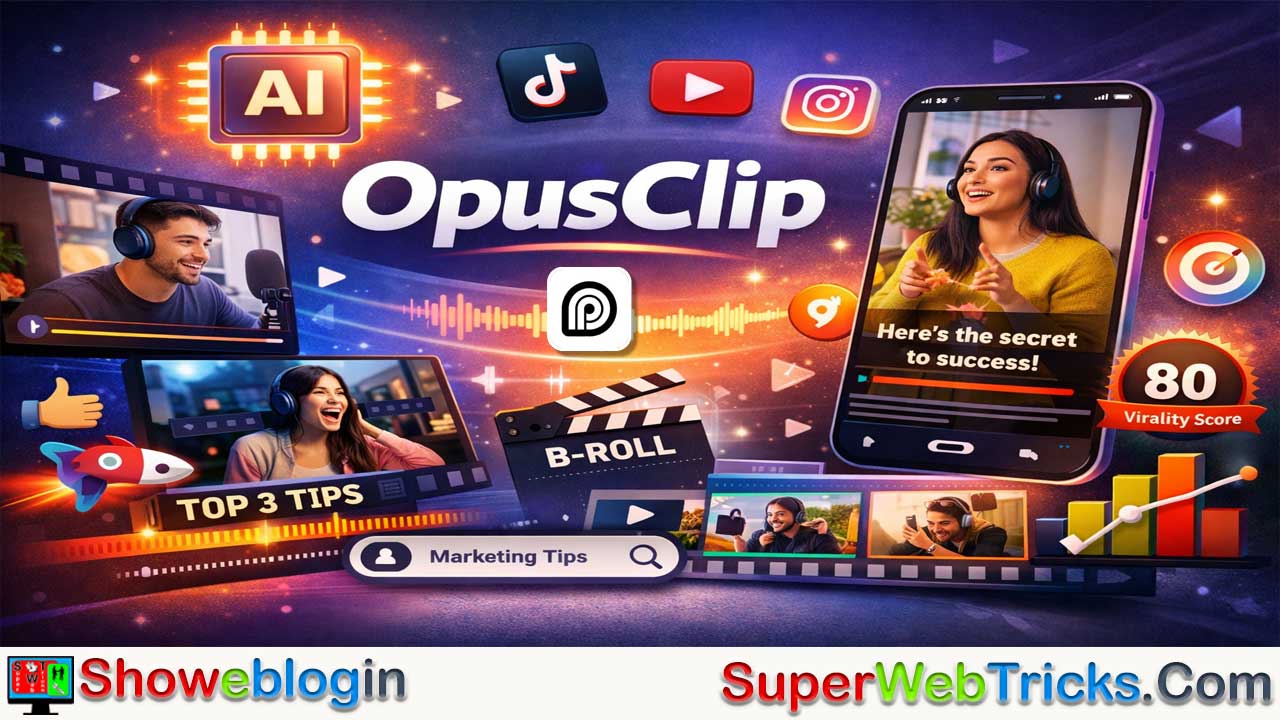






OpusClip is a next-generation AI-powered video editing platform that automatically transforms long-form videos—like podcasts, webinars, and interviews—into viral-ready short clips for YouTube Shorts, TikTok, and Instagram Reels in just a few clicks.
Using advanced tools such as ClipAnything™, AI Virality Score™, and ReframeAnything™, it intelligently detects key highlights, reframes shots, generates captions, adds B-roll, and applies brand styles automatically. Designed for creators, marketers, and agencies, OpusClip streamlines the entire repurposing workflow—from analysis to posting—saving hours of manual editing.
With smart automation, team collaboration features, and deep social-media integration, it empowers users to turn a single long video into multiple engaging shorts that maximize reach and audience engagement across all platforms.
| Information | Details |
|---|---|
| Tool Name | OpusClip |
| Official Website | https://www.opus.pro |
| Category | AI Video Repurposing / AI Video Editing |
| Developed By | Opus.pro |
| Core Function | Converts long-form videos into short, viral clips optimized for social media |
| Key Features | ClipAnything™, AI Virality Score™, ReframeAnything™, AI Copilot, Auto Captions, AI B-roll |
| Supported Formats | 9:16 (Vertical), 1:1 (Square), 16:9 (Horizontal) |
| Social Platforms | YouTube Shorts, TikTok, Instagram Reels, LinkedIn, Facebook |
| Collaboration | Team Workspaces, Shared Brand Kits, Scheduling, Auto Posting |
| Languages Supported | 20+ including English, Spanish, French, German |
| Free Plan | Yes (limited credits, watermark) |
| Paid Plans | Starter ($9/mo), Pro ($14.50/mo), Business (Custom) |
| Best For | Creators, Podcasters, Agencies, Marketers, Livestreamers |
| Unique Strength | Context-aware AI clipping and superior speaker detection |
| AI Scoring System | Virality Score (0–100) to rank best-performing clips |
| Export Options | Direct to platforms or editable in Adobe Premiere / DaVinci Resolve |
| Use Case Example | Turn 60-minute podcast into 10–20 social-ready short clips in minutes |
OpusClip: The Ultimate Guide to AI-Powered Video Repurposing
Turn Long-Form Content into Viral Shorts in One Click
In the fast-paced world of social media, short-form video is king. For podcasters, streamers, and marketers, the challenge isn’t creating content—it’s repurposing it. OpusClip turns long-form videos into social-ready short clips for platforms like YouTube Shorts, TikTok, Instagram Reels, and more, in just a few clicks.
OpusClip is an advanced AI-powered video editing and clipping platform developed by Opus.pro that automates the process of turning long form videos into short, engaging clips optimized for social media and modern content consumption.
Trusted by millions of creators, brands, marketers, livestreamers, and media companies worldwide, OpusClip combines intelligent automation with intuitive controls — making high-quality video editing accessible to everyone, regardless of skill level.
What is OpusClip?
OpusClip is positioned as a one-click AI video clipping platform that analyzes your long videos and automatically generates highlight clips optimized for virality and social engagement. It reframes, captions, edits, and scores clips based on their potential to go viral for platforms like TikTok, Instagram Reels, and YouTube Shorts. It does all this with:
- Smart scene detection
- Automatic highlight extraction
- AI-generated captions
- Auto-reframing and formatting
This means you spend minutes instead of hours editing video content manually.
It is used by millions of creators and businesses who want to repurpose podcasts, webinars, interviews, and talking-head videos into short-form content without heavy manual editing.
The tool lives on the web at opus.pro and focuses on turning any long-form video into multiple, ready-to-post vertical shorts with captions, framing, and branding already applied.
Key Features of OpusClip
OpusClip’s strength lies in its AI engine that understands both video and context to surface the best moments.
AI video Analysis
The system evaluates speech patterns, visual transitions, and engagement potential to detect the most compelling segments from a long video.
ClipAnything™ (The Brain)
Most AI clippers only work well on “talking head” videos. OpusClip’s ClipAnything model is multimodal, meaning it understands visual, audio, and sentiment cues across various genres.
- Versatility: Works on vlogs, gaming, sports, and reaction videos, not just podcasts.
- Context Awareness: Identifies the “hook,” the “meat,” and the “conclusion” to ensure clips make sense and aren’t cut off mid-sentence.
From a single source video, it can generate multiple short clips (often 10+ shorts) suitable for YouTube Shorts, Reels, and TikTok, saving hours of manual cutting.
AI Virality Score™
Each clip can receive a virality score based on patterns learned from thousands of viral videos, helping you prioritize which clips to publish first. Every clip generated is assigned a score (0–100) indicating its viral potential.
- Data-Driven: The AI creates this score by analyzing thousands of viral videos to identify successful patterns.
- Efficiency: Instead of watching 30 generated clips, you can focus on the top-rated ones (usually those scored 80+).
AI Reframe (ReframeAnything™)
The AI automatically reframes videos and supports different formats such as 9:16 vertical, 1:1 square, and 16:9 horizontal, so the same content fits various platforms. Converting horizontal (16:9) video to vertical (9:16) often leads to awkward cropping.
- Active Speaker Detection: The AI identifies who is speaking and automatically keeps them centered.
- Object Tracking: For dynamic videos (like sports or gaming), it tracks moving subjects to ensure the action stays in the frame.
Whether the original video was landscape, portrait, or square, OpusClip can reframe and optimize clips for different aspect ratios — ideal for cross-platform publishing.
AI Copilot
For users who want more control, the AI Copilot allows you to:
- Search by Keyword: Type “marketing strategy” to find all related clips instantly.
- Target Specific Timeframes: Tell the AI to only look for clips between the 10:00 and 20:00 minute marks.
Auto Captions
It provides automated captioning with high accuracy, supports multiple languages, and lets you customize caption styles and animations for better engagement.
The AI tool generates accurate captions with customizable styles and animations, boosting accessibility and engagement without any manual transcription work. Adds dynamic, animated captions (similar to the “Alex Hormozi” style) with 97% accuracy. It automatically highlights keywords in different colors to boost retention.
AI B-roll
OpusClip can insert contextually relevant stock footage or AI-generated visuals as B-roll, blending them with your main footage to make shorts more dynamic and professional.
Automatically inserts relevant stock footage or B-roll to visualize spoken concepts, increasing viewer engagement. For an AI tool user, this means less time scrubbing timelines and more time selecting which AI-generated clips match your content strategy.
Social Media Integration
With OpusClip’s publishing workflows, you can prepare clips and export them directly to major platforms like TikTok, Instagram, YouTube, LinkedIn and more — all within the app.
Other Features
🎯Auto-Emoji: Intelligently places emojis relevant to the context of the speech.
⚙️Custom Editing Tools: In addition to automatic generation, OpusClip offers intuitive editing options for trimming, adding transitions, adjusting layout, and enhancing audio — similar to a modern video editor but powered by AI.
🤝Team Collaboration: Pro and business plans include team workspaces, allowing multiple editors or marketers to collaborate on large video projects together.
Workflow: How OpusClip Works
Most workflows in OpusClip follow a simple three-step pipeline.
- Import
- Paste a YouTube URL, upload an MP4, Zoom recording, podcast, or other long-form video file.
- The platform ingests and transcribes your video, preparing it for AI analysis.
- Select
- Let the AI auto-detect highlights, or guide it via “ClipAnything” style prompting where you specify topics, keywords, or moments you want clips around.
- Review the generated clips and their virality scores, then keep, tweak, or discard as needed.
- Style & Publish
- Apply brand kits (fonts, colors, logos), animated captions, emojis, and layout templates.
- Export clips in your desired resolution or use built-in scheduling and auto-posting to push content to YouTube Shorts, TikTok, Instagram, and other platforms.
A typical example: upload a 60-minute podcast, let OpusClip produce 10–20 vertical clips with captions and virality scores, quickly tweak a few layouts, then schedule a week’s worth of Shorts content in one session.
OpusClip’s workflow is designed for simplicity:
- Input: Paste a link (YouTube, Zoom, Rumble, Twitch, Google Drive, etc.) or upload a video file directly.
- Analyze: The AI scans the video, looking for narrative structures and engagement spikes.
- Generate: Within minutes, you receive a dashboard of 10–20 short clips, complete with titles, captions, and scores.
- Edit (Optional): Click “Edit” to adjust the start/end times, change caption colors, or switch the layout.
- Post: Download the clip or use the built-in Social Scheduler to post directly to TikTok, YouTube, and Instagram.
Branding, Collaboration, and Ecosystem
Beyond clipping, OpusClip also supports workflows for creators, agencies, and teams.
- Brand kits and templates: Save your brand colors, fonts, and logo, then apply them in one click to keep all clips visually consistent.
- Animated captions and emojis: Use dynamic subtitles, emojis, and graphical elements to match modern short-form editing trends and increase watch time.
- Team workspaces: Higher-tier plans provide shared workspaces so teams can collaborate on projects, review clips, and maintain a unified brand style.
- Scheduler and autoposting: Plan and publish clips directly to multiple platforms from within the tool, streamlining your content calendar.
- Exports for editors: Pro-level workflows often include export options for editing suites like Adobe Premiere Pro or DaVinci Resolve, so editors can refine AI-generated clips further.
This mix makes OpusClip suitable not just for solo creators but also for agencies managing multiple clients’ content pipelines.
Pricing Overview (High Level)
Specific pricing can change, but OpusClip typically offers tiered plans ranging from a free option up to business-level packages.
- Free Forever: Lets new users test AI clipping with limited credits, resolution caps, and watermarked outputs—ideal for experimentation and light use. It includes a limited monthly processing 60 credits (1 credit = 1 minute of video processing) and 1080p exports with watermark. After 3 days, the clips will no longer be exportable.
- Starter: A lower-cost plan aimed at individual creators who need more credits, no watermark, virality scoring, and basic branding tools.
- Pro: Adds advanced features like AI B-roll, team workspace, multi-platform scheduling, and premium exports; this tier targets power users, editors, and agencies.
- Business/Enterprise: Custom-priced for larger organizations, often including higher credit limits, API access, advanced integrations, and dedicated support.
| Plan | Price (Approx.) | Credits/Month | Key Features |
|---|---|---|---|
| Free Forever | $0 | 60 mins | Watermarked, no editing, auto-posting disabled. |
| Starter | $9/mo (yearly) | 150 mins | No watermark, auto-posting, AI editing tools. |
| Pro | $14.50/mo (yearly) | 300 mins | Multi-user workspaces, 2 brand templates, priority support. |
The platform also offers trial periods so users can evaluate the full feature set before upgrading. For exact, up-to-date prices and inclusions, you should always check the official pricing section on opus.pro, as third-party summaries may lag behind changes.
Pros and Cons
| Pros | Cons |
|---|---|
| 🚀 Massive Time Saver: Turns hours of editing into minutes. | 📉 Context Errors: Occasional clips may miss context (though easy to fix). |
| 🎯 High Accuracy: “Active Speaker” detection is best-in-class. | 💳 Credit Limits: Heavy users (daily podcasts) may burn through credits fast. |
| 🎨 Custom Branding: Upload your own logos and fonts (Paid plans). | 🛑 Watermark: Free plan exports have a visible OpusClip watermark. |
| 🌍 Multi-Language: Supports English, Spanish, German, French, and 20+ others. |
Who Should Use OpusClip (and Practical Use Cases)
OpusClip is particularly valuable if your strategy depends on repurposing long-form content into short, high-output, multi-platform clips.
- YouTube and TikTok creators: Turn talking-head videos, tutorials, and livestreams into a steady flow of Shorts and Reels with minimal manual editing.
- Podcasters and educators: To rapidly create “trailers” or highlight reels for social media promotion. Convert podcast episodes, interviews, or lessons into bite-sized insights that drive traffic back to full episodes or courses.
- Agencies and marketers: To manage multiple clients’ content repurposing without hiring extra editors. Automate clipping from webinars, brand videos, and client content, then push platform-ready clips with consistent branding.
- Livestreamers: To turn 4-hour Twitch streams into digestible TikToks.
- Solopreneurs and coaches: To break down long webinars into bite-sized “knowledge nuggets. Use highlights from coaching calls, webinars, and content recordings to fuel daily social posts without hiring editors.
Showeblogin Final Verdict
OpusClip is arguably the strongest contender in the AI clipping market today. While tools like Vidyo.ai or Munch offer similar services, OpusClip’s ClipAnything technology and superior active speaker detection give it a significant edge for creators who care about quality as much as speed.
If you are sitting on a goldmine of long-form content, this tool is the key to unlocking its value. If you already use other AI tools for scripting, thumbnails, or scheduling, OpusClip slots in as the “long video to short video” layer in your AI content stack, turning raw footage into a library of social assets.
In an era where short-form content dominates online engagement, OpusClip stands out as one of the most powerful AI tools available for video creators in 2026. Whether you’re a beginner or professional, its combination of automation and customization helps you produce high-quality content consistently — without steep learning curves.
FAQs about OpusClip
What is OpusClip?
OpusClip is an AI-powered video repurposing platform that automatically turns long-form videos into short, viral clips for social media platforms like YouTube Shorts, TikTok, and Instagram Reels.
Who created OpusClip?
OpusClip is developed by Opus.pro, a company specializing in AI-driven tools for creators and marketers.
How does OpusClip work?
It analyzes your video, detects key highlights, reframes shots, adds captions, and produces ready-to-post short clips using AI automation.
What makes OpusClip different from other AI video editors?
OpusClip’s ClipAnything™ model understands both audio and visual context, ensuring clips make sense and feel natural, unlike most simple clipping tools.
What is ClipAnything™ in OpusClip?
ClipAnything™ is the core AI engine that identifies engaging segments, detects speakers, and maintains narrative flow across various video types.
What is the AI Virality Score™?
The AI Virality Score™ rates each clip (0–100) based on data from thousands of viral videos, helping users prioritize which clips to publish.
What is ReframeAnything™?
ReframeAnything™ automatically converts videos to vertical, square, or horizontal formats while keeping the speaker or subject centered.
Can I add captions automatically in OpusClip?
Yes, OpusClip auto-generates accurate captions in multiple languages with customizable styles, colors, and animations.
Does OpusClip support AI-generated B-roll?
Yes, it automatically inserts contextually relevant stock or AI-generated B-roll to enhance visuals and storytelling.
What platforms can I post to using OpusClip?
You can post directly to YouTube Shorts, TikTok, Instagram, Facebook, and LinkedIn from within the OpusClip dashboard.
Can I customize branding in OpusClip?
Yes, you can upload brand kits with your logos, fonts, and colors to maintain consistency across all clips.
Is OpusClip suitable for teams or agencies?
Yes, the Pro and Business plans include shared workspaces for team collaboration and multi-client management.
What types of videos work best with OpusClip?
It works well with podcasts, webinars, interviews, vlogs, tutorials, gaming videos, and livestreams.
Does OpusClip support multiple languages?
Yes, it supports over 20 languages for captions and voice detection, including English, Spanish, French, and German.
How accurate are the auto captions?
OpusClip captions have around 97% accuracy, with dynamic keyword highlighting for improved viewer retention.
What is the pricing structure of OpusClip?
It offers Free, Starter ($9/mo), Pro ($14.50/mo), and Business (Custom) plans with varying features and credits.
Is there a free version of OpusClip?
Yes, the Free Forever plan includes limited credits, watermarked exports, and 1080p resolution.
Can I try OpusClip before paying?
Yes, you can use the Free plan or trial options to explore its features before upgrading.
Does OpusClip have credit limits?
Yes, each plan has monthly credit limits based on minutes of processed video; heavy users may need higher-tier plans.
Can I export videos to editing software?
Yes, you can export clips for further refinement in Adobe Premiere Pro or DaVinci Resolve.
Does OpusClip integrate with social media scheduling tools?
Yes, it includes built-in scheduling and auto-posting to major social platforms.
Can I search for specific topics within a video?
Yes, the AI Copilot lets you search clips by keywords or timestamps to find relevant moments instantly.
How long does it take to generate clips?
Usually within a few minutes, depending on the video length and processing load.
Does OpusClip support horizontal and vertical video formats?
Yes, it automatically adjusts videos to 9:16, 1:1, or 16:9 for different platforms.
Who should use OpusClip?
Creators, marketers, podcasters, agencies, coaches, and livestreamers who want to repurpose long-form content efficiently.
Does OpusClip support collaboration?
Yes, team members can collaborate, share projects, and maintain brand consistency using shared workspaces.
Is watermark removal available?
Yes, watermark-free exports are available from the Starter plan and above.
Can OpusClip detect the active speaker automatically?
Yes, its AI identifies and centers the active speaker during reframing to ensure focus.
Does it work with live-stream recordings?
Yes, OpusClip can process recordings from Twitch, Zoom, YouTube, and other livestream sources.
Can I add emojis to my clips?
Yes, OpusClip includes an Auto-Emoji feature that adds relevant emojis based on speech context.
How does OpusClip improve productivity?
It automates time-consuming editing steps, turning hours of manual work into minutes of AI-assisted output.
Does OpusClip require editing skills?
No, it’s designed for all users—creators, marketers, and beginners—with an easy-to-use, intuitive interface.
What file types does OpusClip support?
It supports common video formats such as MP4, MOV, and direct URLs from YouTube or Zoom.
Can OpusClip be used for educational content?
Yes, teachers and course creators can repurpose lectures into short, engaging learning clips.
Does OpusClip offer analytics or clip performance tracking?
It provides virality scoring but not full analytics; users can track performance on social platforms after posting.
Is internet access required to use OpusClip?
Yes, it’s a cloud-based web application that runs online through your browser.
Can I cancel or change my plan anytime?
Yes, plans can be upgraded, downgraded, or canceled at any time via the user dashboard.
How secure is OpusClip for content uploads?
All uploads are processed securely in the cloud, and user data is protected according to Opus.pro’s privacy policies.
Where can I access OpusClip?
You can use it directly from your browser at https://www.opus.pro.












Leave a Reply
You must be logged in to post a comment.