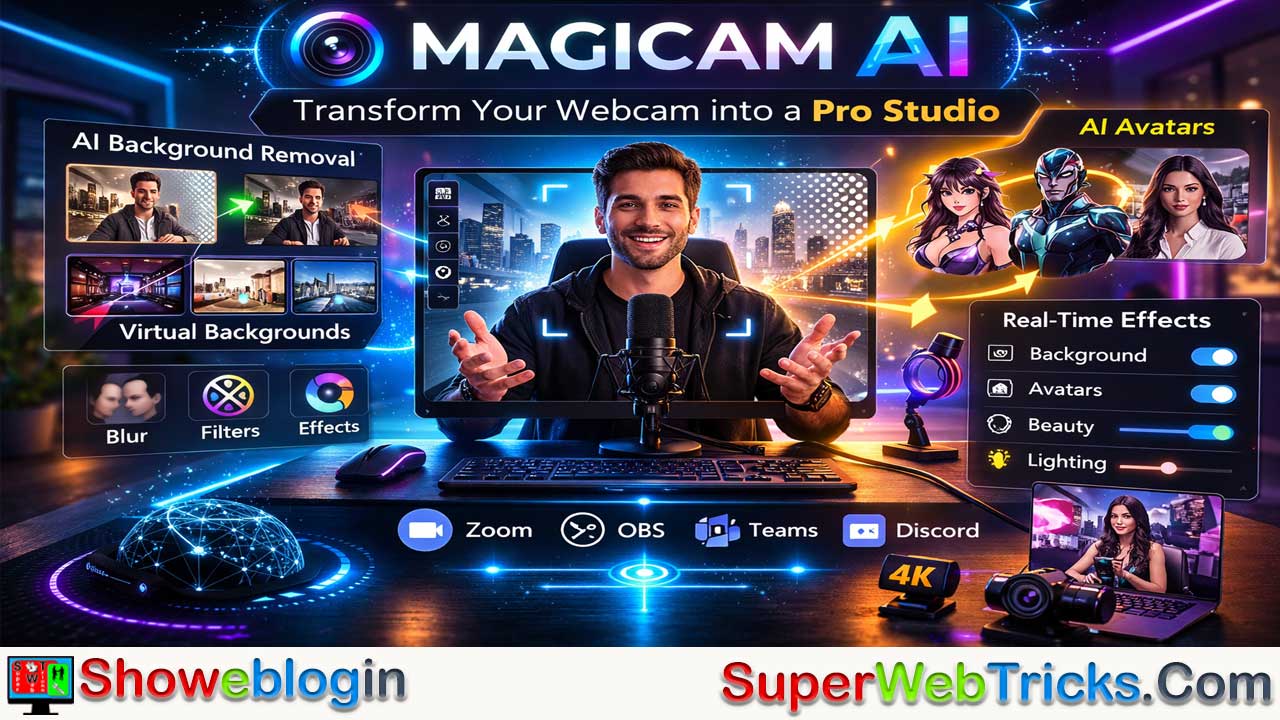






Magicam AI is an AI-powered virtual camera application that transforms a standard webcam into a professional-grade video setup by using real-time computer vision and rendering.
Acting as a bridge between your webcam and platforms like Zoom or OBS, it offers advanced background removal without a green screen, AI avatars with real-time facial expression mapping, beautification tools, artistic filters, and seamless virtual camera integration. Designed for streamers, remote professionals, educators, and content creators, Magicam AI enhances privacy, branding, and visual quality without expensive hardware.
Optimized for modern systems with dedicated or integrated GPUs, it delivers ultra-low latency performance, making it a practical and accessible solution for anyone looking to elevate their digital presence.
Here’s a concise key information table for Magicam AI:
| Category | Details |
|---|---|
| Type | AI-powered virtual camera software |
| Core Function | Enhances webcam video using real-time AI processing |
| Background Removal | Yes – No green screen required |
| AI Avatars | Real-time facial expression mapping to 2D/3D characters |
| Video Effects | Blur (bokeh), beautification, lighting correction, artistic filters |
| Compatibility | Works with Zoom, OBS, Microsoft Teams, Discord, Google Meet, Twitch Studio |
| Best For | Streamers, content creators, remote professionals, educators |
| System Requirements | Modern CPU; dedicated GPU (NVIDIA/AMD) recommended |
| Performance | Optimized for low CPU usage and ultra-low latency |
| Pricing | Free and/or subscription tiers (check official site) |
| Official Website | https://magicam.ai |
Elevate Your Video Presence: A Comprehensive Guide to Magicam AI
In an era where digital presence is as important as physical presence, the tools we use to present ourselves online have evolved. For streamers, remote professionals, and content creators, Magicam AI has emerged as a powerhouse utility designed to transform a standard webcam into a professional-grade production studio.
This Showeblogin article dives deep into what Magicam AI offers, how it works, and why it is becoming a must-have tool in the AI-software ecosystem.
What is Magicam AI?
Magicam AI is an AI-driven virtual camera application that uses computer vision and real-time rendering to enhance live video feeds. Unlike traditional video software that relies on heavy hardware or physical green screens, Magicam leverages artificial intelligence to process video frames on the fly.
It acts as a “middleman” between your physical webcam and your communication software (like Zoom, OBS, or Microsoft Teams), allowing you to apply sophisticated effects, backgrounds, and AI avatars instantly.
Key Features That Set Magicam AI Apart
1. Professional Background Removal (No Green Screen Needed)
The hallmark of Magicam AI is its “Segment Anything” capability. It uses advanced neural networks to distinguish the human subject from the background with high precision.
- Virtual Backgrounds: Choose from a library of high-quality environments or upload your own.
- Blur Effect: Achieve a professional “bokeh” (shallow depth of field) look that makes you stand out while hiding a messy room.
2. AI Avatars and Character Transformation
Perhaps the most “magical” part of the tool is its ability to map your facial expressions onto 3D or stylized 2D avatars.
- Real-time Expression Mapping: Your movements, blinks, and speech are mirrored by an AI character.
- Privacy & Branding: This is ideal for “Vtubers” or creators who wish to maintain privacy while still delivering a high-engagement, emotive performance.
3. Real-Time Beautification and Filters
Magicam includes a suite of AI-driven retouching tools.
- Appearance Enhancement: Subtle skin smoothing, lighting adjustments, and color grading.
- Style Filters: Transform your video feed into different artistic styles, such as an oil painting, a sketch, or a cinematic movie grade.
4. Smart Virtual Camera Integration
Once installed, Magicam AI creates a “Virtual Camera” on your system. This means any app that recognizes a webcam—be it Discord, Google Meet, Zoom, OBS, or Twitch Studio—can use the enhanced Magicam feed as its source.
Best Use Cases for Magicam AI
For Content Creators & Streamers
If you are starting on Twitch or YouTube, a professional setup can be expensive. Magicam AI provides a “pro” look (background removal and lighting) without requiring a $2,000 DSLR or a studio setup.
For Remote Professionals
Frequent meetings from home can be intrusive. Magicam allows you to maintain a professional “office” background or use the blur feature to protect your household’s privacy, all while ensuring you look your best through AI lighting correction.
For Educators and Presenters
Engaging students online is difficult. Using AI avatars or interactive backgrounds can make virtual lessons significantly more memorable and fun.
How to Get Started: A Step-by-Step Guide
- Download: Visit the official website at magicam.ai and download the installer for your operating system (Windows/Mac).
- Calibration: Open the app and let it recognize your webcam. It will perform a quick calibration to understand your lighting and room depth.
- Choose Your Look: Navigate through the sidebar to select your background, apply a “Beauty” filter, or toggle on an AI Avatar.
- Connect to Your Meeting App:
- Open Zoom/Teams/OBS.
- Go to Settings > Video > Camera.
- Select “Magicam Camera” from the dropdown menu instead of your integrated webcam.
- Go Live: Your enhanced, AI-processed video is now streaming!
Performance and System Requirements
Because Magicam AI performs real-time video processing, it is most effective on machines with a dedicated GPU (NVIDIA or AMD) or modern integrated graphics.
- AI Processing: It is optimized to run in the background with low CPU usage, ensuring your computer doesn’t lag during gaming or heavy multitasking.
- Latency: The AI models are designed for “ultra-low latency,” meaning there is no noticeable delay between your movement and the screen output.
The Verdict: Is It Worth It?
Magicam AI is a versatile tool that democratizes professional video production. It bridges the gap between a “basic webcam user” and a “professional broadcaster.”
Pros:
- User-friendly interface requiring zero technical skills.
- Industry-leading background segmentation.
- Wide compatibility with almost all video-calling software.
Cons:
- Requires a relatively modern computer for the best experience.
- Advanced AI avatars may require a subscription (check the site for latest pricing tiers).
Final Thought
If you spend a significant portion of your day on camera, Magicam AI is an investment in your digital identity. It provides the polish, privacy, and personality needed to stand out in a crowded digital world.
Visit magicam.ai today to download the tool and experience the future of virtual presence.
FAQs about Magicam AI
What is Magicam AI?
Magicam AI is an AI-powered virtual camera application that enhances webcam video in real time with backgrounds, avatars, filters, and visual effects.
How does Magicam AI work?
It acts as a virtual camera between your physical webcam and video apps, processing your video feed using AI before outputting it to platforms like Zoom or OBS.
Does Magicam AI require a green screen?
No, it uses AI-based background segmentation to remove or replace backgrounds without a physical green screen.
Can I use Magicam AI with Zoom?
Yes, you can select “Magicam Camera” as your video source inside Zoom settings.
Is Magicam AI compatible with OBS?
Yes, it works with OBS and other streaming software that supports virtual camera input.
Does Magicam AI work with Microsoft Teams?
Yes, it integrates with Microsoft Teams via the virtual camera feature.
Can I use Magicam AI on Discord?
Yes, Discord recognizes Magicam as a selectable camera source.
Is Magicam AI available for Windows and Mac?
It supports major desktop operating systems such as Windows and macOS (check the official site for the latest compatibility).
Does Magicam AI support AI avatars?
Yes, it can map your facial expressions and movements to 2D or 3D avatars in real time.
Is facial tracking accurate?
Magicam AI uses computer vision models designed for precise real-time facial expression tracking.
Can I customize virtual backgrounds?
Yes, you can choose from built-in backgrounds or upload your own images.
Does Magicam AI offer background blur?
Yes, it includes a blur effect to create a professional depth-of-field look.
Does it include beauty filters?
Yes, it offers AI-based skin smoothing, lighting correction, and appearance enhancements.
Are there artistic filters available?
Yes, you can apply stylistic effects such as cinematic color grading or sketch-style filters.
Is Magicam AI suitable for streamers?
Yes, it is ideal for Twitch and YouTube creators who want a professional look without expensive equipment.
Can remote professionals use Magicam AI for meetings?
Yes, it helps maintain privacy and professionalism during video calls.
Is Magicam AI useful for educators?
Yes, interactive backgrounds and avatars can make virtual lessons more engaging.
Does Magicam AI require a powerful computer?
For best performance, a modern computer with a dedicated GPU (NVIDIA or AMD) is recommended.
Does it cause lag during streaming?
It is optimized for low CPU usage and ultra-low latency, though performance depends on system specs.
Is there noticeable video delay?
The AI processing is designed to minimize latency, making delays generally unnoticeable.
Is Magicam AI free?
It may offer free features, but advanced capabilities like premium avatars may require a subscription.
Can I use Magicam AI for Vtubing?
Yes, its real-time avatar mapping makes it suitable for Vtubers.
Does Magicam AI record videos?
Magicam functions as a virtual camera; recording depends on the app you use (e.g., OBS).
Can I use Magicam AI for live streaming?
Yes, it works with streaming platforms via compatible broadcasting software.
Is technical knowledge required to use Magicam AI?
No, it features a user-friendly interface designed for beginners.
How do I install Magicam AI?
Download the installer from the official website, run setup, and follow on-screen instructions.
How do I connect Magicam to my meeting app?
After installation, select “Magicam Camera” in your video app’s camera settings.
Does Magicam AI support custom branding?
Yes, you can use custom backgrounds and avatars for personal or business branding.
Is my data stored by Magicam AI?
Data handling policies depend on the company’s privacy terms; review the official privacy policy for details.
Can I adjust lighting with Magicam AI?
Yes, it includes AI lighting corrections to enhance video clarity.
Does Magicam AI work with integrated graphics?
It may run on modern integrated graphics, but performance improves with a dedicated GPU.
Is Magicam AI good for YouTube creators?
Yes, it helps new creators achieve a professional on-camera look affordably.
Can I switch effects during a live session?
Yes, most effects and backgrounds can be toggled in real time.
Does Magicam AI support multiple webcams?
It typically works with the default system webcam, though multiple camera support depends on system setup.
Is internet required to use Magicam AI?
Basic processing may work locally, but some features could require internet access.
Can businesses use Magicam AI for branding?
Yes, companies can use it to maintain consistent, polished visuals in meetings and webinars.
Is Magicam AI beginner-friendly?
Yes, it is designed for users without advanced technical skills.
Why should I use Magicam AI instead of buying expensive camera gear?
It provides professional visual enhancements through software, reducing the need for costly hardware upgrades.












Leave a Reply
You must be logged in to post a comment.