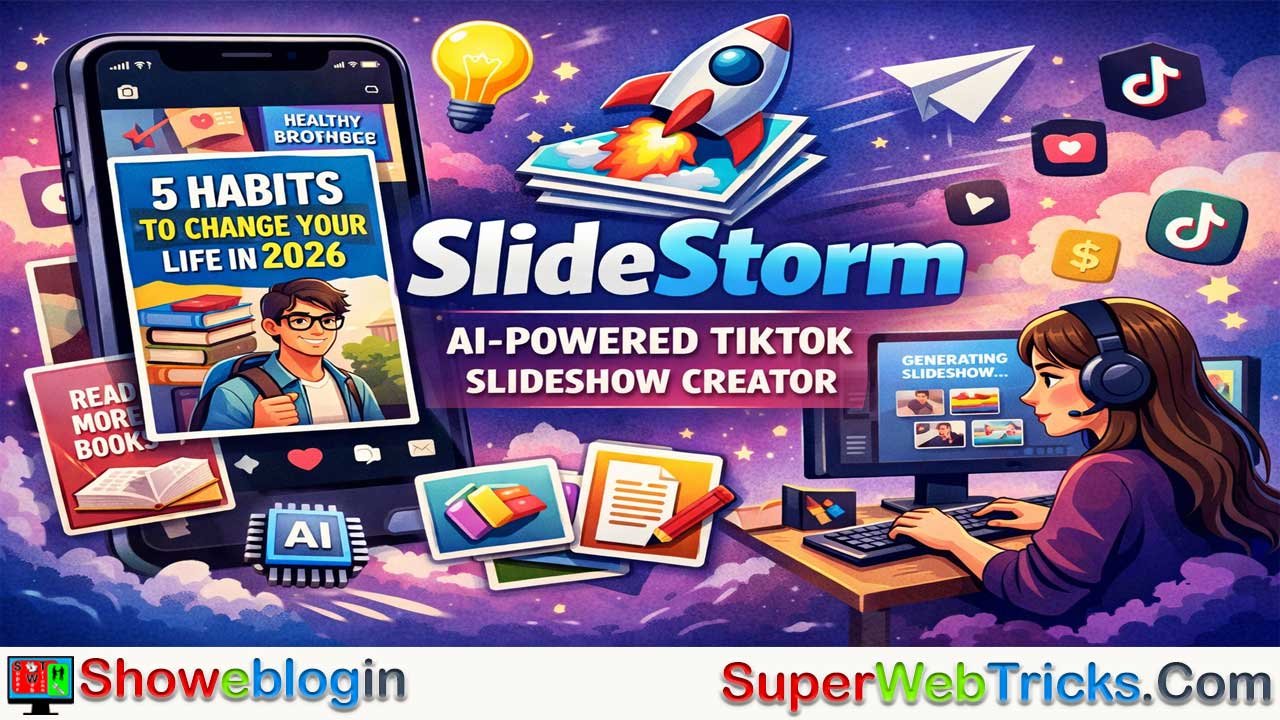






SlideStorm is an AI-powered tool designed to automate the creation of high-engagement TikTok slideshows, a format currently favored by TikTok’s algorithm because it encourages active swiping, longer retention, and interactive storytelling.
With a simple prompt, the platform generates complete slideshow posts—including structured slides, captions, and images—while offering features like character consistency across slides, a built-in editor for customization, and bulk generation with multi-account management for scaling content across many TikTok profiles. It also includes idea and hook generators to improve virality and supports direct publishing to TikTok.
Using a credit-based pricing system, SlideStorm is especially useful for creators, marketers, and agencies running faceless accounts, educational pages, or affiliate promotions, as it significantly reduces the time and effort required to produce large volumes of professional slideshow content.
| Aspect | Details |
|---|---|
| Tool Name | SlideStorm |
| Purpose | AI tool for creating automated TikTok slideshows |
| Main Function | Converts a text prompt into a full slideshow with captions and images |
| Target Users | TikTok creators, marketers, agencies, faceless account owners |
| Core Features | AI slideshow generation, character consistency, slideshow editor, bulk generation, multi-account management |
| Content Output | 5–12 slide TikTok posts with captions and visuals |
| Posting Options | Direct upload to TikTok or download for manual posting |
| Pricing Model | Credit-based system |
| Starter Plan | $19/month, 300 credits, 5 TikTok accounts |
| Pro Plan | $49/month, 900 credits, 25 TikTok accounts |
| Premium Plan | $99/month, 2100 credits, 100 TikTok accounts |
| Credit Usage | 1 credit = 1 slideshow, 3 credits = AI image generation |
| Best For | Scaling high-volume TikTok slideshow content and faceless niche accounts |
Master Your TikTok Growth with SlideStorm: The Ultimate Guide to AI-Powered Slideshow Automation
In the fast-evolving landscape of social media, TikTok has transitioned from a platform of dance challenges to a powerhouse of information, storytelling, and e-commerce. Among its most successful formats today is the TikTok Slideshow. Unlike traditional videos, slideshows allow users to swipe at their own pace, leading to higher engagement rates, longer “watch” times, and a unique form of interactive storytelling.
However, creating high-quality, professional slideshows manually is a grueling process. It involves researching hooks, writing captions, sourcing or generating consistent images, and managing multiple accounts. Enter SlideStorm, a specialized AI tool designed to automate this entire workflow.
In this comprehensive guide, we will dive deep into everything you need to know about SlideStorm, from its core features and pricing to advanced strategies for scaling your TikTok presence.
What is SlideStorm?
SlideStorm is an AI-driven “TikTok Slideshow Factory.” It is specifically built for creators, marketers, and agencies who want to dominate the TikTok algorithm using the slideshow format. While many AI tools focus on video generation (text-to-video), SlideStorm identifies a specific gap: the high-converting, swipable image galleries that are currently dominating “faceless” accounts and educational niches.
The platform allows you to transform a single text prompt into a fully realized, multi-slide TikTok post in seconds. It handles everything: the narrative structure, the visual style, the captions, and even the direct upload to TikTok.
Why TikTok Slideshows are the Current “Meta”
Before we dive into the tool itself, it’s important to understand why a tool like SlideStorm is so valuable right now.
- Higher Retention: When a user swipes through a slideshow, TikTok registers multiple “interactions” per post.
- Interactive Nature: Users control the speed of the content, making it feel more personal.
- Information Density: You can pack a lot of value into 10–12 slides, making it perfect for “How-to” guides, listicles, or emotional storytelling.
- Algorithmic Favor: TikTok’s current algorithm frequently pushes high-quality slideshows to the “For You” page (FYP) because they encourage active engagement rather than passive viewing.
Key Features of SlideStorm
1. AI-Powered Slideshow Generation
The core of SlideStorm is its prompt-to-slideshow engine. You don’t need to be a writer or a designer. You simply input a topic—for example, “5 habits that will change your life in 2026″—and the AI generates:
- A sequence of slides (usually 5 to 12).
- Engaging captions for each slide.
- Relevant background images tailored to your chosen aesthetic.
2. Character Consistency (The “Holy Grail” of AI Content)
One of the biggest hurdles for AI creators is maintaining a consistent look for characters across different frames. If your slideshow tells a story about a specific person, you don’t want them to look like a different human on every slide.
SlideStorm solves this by allowing users to:
- Provide Character Descriptions: Define the age, clothing, and features of your subject.
- Upload Reference Images: Use a base image to guide the AI, ensuring that your “protagonist” remains recognizable throughout the entire presentation.
3. Comprehensive Slideshow Editor
AI is a great starting point, but the “human touch” is what makes content go viral. SlideStorm’s built-in editor gives you full creative control:
- Caption Editing: Tweak the AI-generated text to match your brand’s voice.
- Image Replacement: If an AI-generated image isn’t perfect, you can swap it with a different AI generation, a stock photo from their library, or your own upload.
- Layout Adjustments: Change how the text and images interact for maximum visual impact.
4. Bulk Generation & Multi-Account Management
For agencies and “faceless” entrepreneurs, volume is key. SlideStorm allows you to:
- Generate up to 10 slideshows at once from a single prompt.
- Connect multiple TikTok accounts: The Pro and Premium plans allow you to manage anywhere from 25 to 100 accounts, making it a powerful tool for scaling a “niche site” style strategy on TikTok.
Step-by-Step Guide: Creating Your First Viral Slideshow
Step 1: Ideation and Hook Generation
Before you even touch the generator, use SlideStorm’s free internal tools: the TikTok Slideshow Idea Generator and the TikTok Slideshow Hook Generator. A strong hook (the first slide) is 80% of the battle. Once you have a winning idea, paste it into the main prompt box.
Step 2: Configuration
Choose your slide count and image style. If you’re going for a “high-end business” feel, choose a realistic or cinematic style. If you’re in the “self-improvement” or “storytelling” niche, perhaps a more artistic or hand-drawn style would resonate better.
Step 3: Setting Character Consistency (Optional)
If your content features a recurring character, this is where you input your descriptions. Pro tip: Be specific. Instead of “a woman,” try “a 25-year-old woman with glasses, wearing a green hoodie, in a cozy coffee shop setting.”
Step 4: Review and Edit
Launch the editor. Check for “AI hallucinations” in the text and ensure the images align with the message. Use the Image Library if you want a more “natural” or stock-photo look instead of AI-generated art.
Step 5: Publishing
You can post directly to your linked TikTok accounts from the dashboard. Alternatively, you can download the images to post them manually, which allows you to use trending audio directly within the TikTok app—a crucial step for maximum reach.
Understanding the Pricing and Credit System
SlideStorm uses a transparent credit-based system. One of the best features for users is that credits accumulate monthly and never expire, meaning if you have a slow month, your investment carries over.
| Plan | Price (Monthly) | Credits | Benefits |
|---|---|---|---|
| Starter | $19 | 300 | 5 TikTok accounts, 300 image uploads, Full Editor. |
| Pro | $49 | 900 | 25 TikTok accounts, 600 image uploads, Priority Support. |
| Premium | $99 | 2100 | 100 TikTok accounts, 1000 image uploads, Best value. |
Credit Breakdown:
- 1 Credit: Generates one full slideshow.
- 3 Credits: Generates a custom AI image.
- Free: Using images from the built-in library or your own uploads.
For a Starter user, 300 credits could mean 300 unique slideshows if you use stock/personal images, or around 75–100 slideshows if you are generating unique AI art for every slide.
Use Cases for AI Tool Enthusiasts
1. Faceless Authority Accounts
Create “Did You Know?” or “History Facts” accounts. These accounts rely on high-volume posting, which SlideStorm automates perfectly. By maintaining character consistency, you can even create a “virtual influencer” who hosts these slideshows.
2. E-commerce and Affiliate Marketing
If you’re running a TikTok Shop or promoting Amazon Associates links, use SlideStorm to create “Problem/Solution” slideshows.
- Slide 1: “Tired of messy cables?”
- Slides 2-5: Show the solution using the product.
- Slide 6: “Link in bio!”
3. Personal Branding and Education
Coaches and consultants can turn their long-form blog posts or YouTube videos into “snackable” TikTok slideshows. This “repurposing” strategy is the most efficient way to maintain a multi-platform presence without burning out.
Advanced Strategies for Success
- The “A/B Testing” Prompt: Use the bulk generation feature to create three different versions of the same topic with different hooks. Post all three (at different times) to see which hook the algorithm prefers.
- Hybrid Content: Don’t rely 100% on AI images. Mix in “real-world” photos or screenshots of tweets/reviews to add a layer of authenticity and “social proof.”
- Niche Down: The most successful SlideStorm users aren’t generalists. They dominate specific niches like “Stoicism,” “Plant Care,” or “Crypto News.”
Conclusion: Is SlideStorm Worth It?
For the casual TikTok user, SlideStorm might be more power than needed. However, for AI tool users looking to monetize their social media presence, it is a game-changer. It eliminates the “blank page syndrome” and the tedious hours spent in graphic design tools.
By focusing specifically on the slideshow format—the current high-growth “hack” of TikTok—SlideStorm provides a streamlined, professional, and highly scalable solution. Whether you’re a solo creator or an agency managing a fleet of accounts, SlideStorm offers the automation necessary to turn TikTok from a hobby into a high-output content machine.
Ready to start? Visit SlideStorm.ai to generate your first slideshow for free.
FAQs about SlideStorm
What is SlideStorm?
SlideStorm is an AI-powered tool that automatically generates TikTok slideshow posts from a simple text prompt, including slides, captions, and images.
How does SlideStorm create TikTok slideshows?
Users enter a topic or prompt, and the AI generates a structured slideshow with multiple slides, captions, and visuals designed to maximize engagement on TikTok.
Who should use SlideStorm?
SlideStorm is ideal for TikTok creators, social media marketers, agencies, and entrepreneurs managing faceless or niche TikTok accounts.
Can SlideStorm maintain character consistency in slideshows?
Yes, it allows users to define character descriptions or upload reference images so the same character appears consistently across all slides.
Does SlideStorm allow editing after AI generation?
Yes, the built-in editor lets users modify captions, replace images, and adjust layouts before publishing the slideshow.
Can SlideStorm post directly to TikTok?
Yes, users can connect their TikTok accounts and publish slideshows directly from the SlideStorm dashboard.
What is the credit system in SlideStorm?
SlideStorm uses credits where 1 credit generates a slideshow and 3 credits generate a custom AI image. Credits accumulate monthly and do not expire.
How many TikTok accounts can be managed with SlideStorm?
Depending on the plan, users can manage between 5 and 100 TikTok accounts from a single dashboard.
Can SlideStorm generate multiple slideshows at once?
Yes, the platform supports bulk generation, allowing users to create several slideshow variations from one prompt.
Is SlideStorm suitable for beginners?
Yes, the tool is designed to be beginner-friendly, allowing users with no design or writing experience to create professional TikTok slideshows quickly.












Leave a Reply
You must be logged in to post a comment.