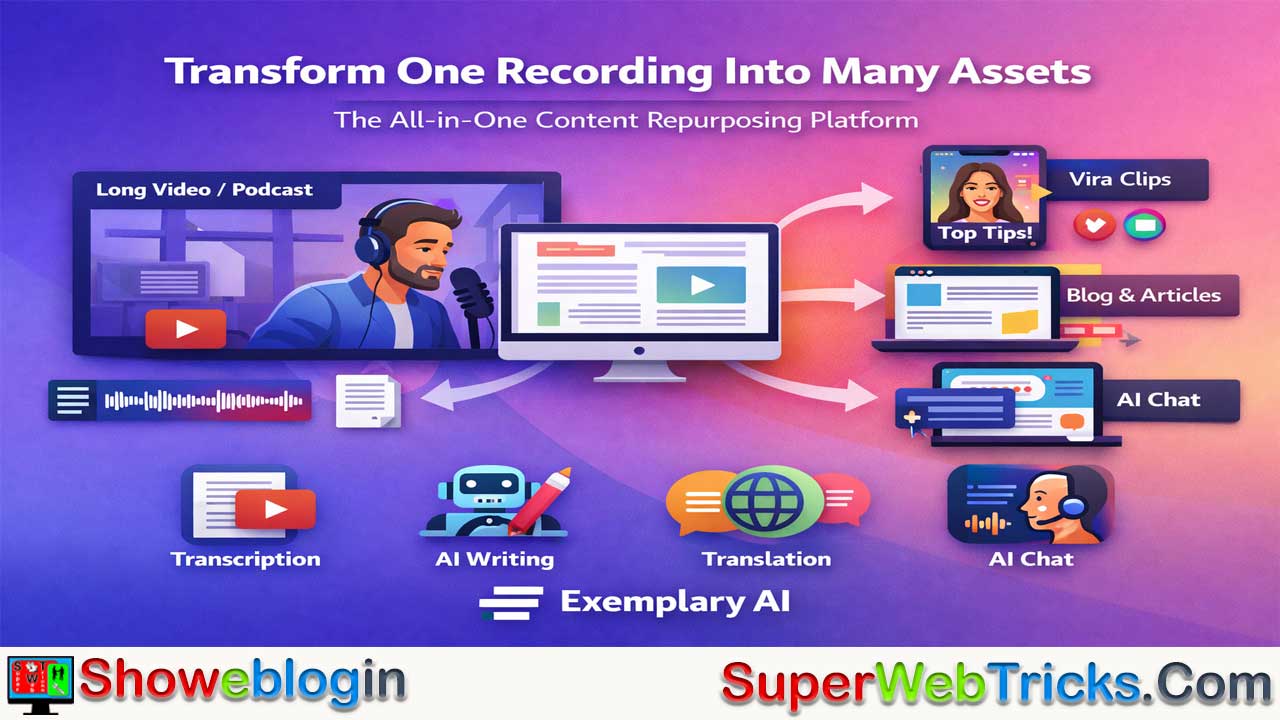






Exemplary AI is an all-in-one AI-powered content repurposing platform designed to help creators, podcasters, and marketing teams turn long-form audio or video into multiple short-form assets quickly and efficiently.
Combining high-accuracy transcription (95%+), multilingual translation, AI-generated video clipping with virality scoring and face tracking, an integrated AI writer for blogs, newsletters, show notes, and custom posts, plus a unique AI Chat feature that lets users query their content like a searchable database, it streamlines what would otherwise require multiple tools.
Users can upload content, review and edit transcripts in a text-based editor, auto-generate clips and written assets, and export videos, audiograms, subtitles, or text. Operating on a freemium model with scalable paid tiers, Exemplary AI stands out for speed and breadth compared to tools like Descript, OpusClip, and Otter.ai, though it is not a replacement for advanced video editors. Overall, it’s positioned as a powerful “content multiplier” for maximizing the value of a single recording.
| Feature / Aspect | Details |
|---|---|
| What it is | AI-powered content repurposing platform |
| Core Purpose | Turn long audio/video into clips, text, and posts |
| Main Capabilities | Auto clips, transcription, translation, AI writing, AI Chat |
| Auto-Clipping | Viral-ready vertical videos + virality score + face tracking |
| Transcription | High accuracy (95%+), 120+ languages, speaker ID |
| AI Writer Outputs | Blogs, newsletters, show notes, custom posts |
| AI Chat | Ask questions about your content |
| Audiograms | Static videos with waveform + captions |
| Workflow Steps | Upload → Review transcript → Generate → Export |
| Export Formats | MP4 clips, audiograms, subtitles, text assets |
| Pricing Model | Freemium; Free → Starter → Pro → Enterprise |
| Best For | Creators, marketers, podcasters, agencies |
| Vs. Competitors | Faster repurposing than Descript, OpusClip, Otter.ai |
| Pros | Saves time, all-in-one, high accuracy |
| Cons | Upload limits on free plan, not full video editor |
| Ideal Use Case | Multiply content from one long source |
The All-in-One Content Engine: A Deep Dive into Exemplary AI
For content creators, podcasters, and marketing teams, the modern digital landscape demands a relentless output of content. You don’t just need a YouTube video; you need three TikToks, a LinkedIn article, a blog post, and a newsletter—all derived from that single video.
This Showeblogin guide explores Exemplary AI in detail, breaking down its features, workflow, and value proposition. If you are looking to turn one piece of content into ten, this is the tool you need to understand.
What is Exemplary AI?
Exemplary AI is an AI-powered content repurposing platform designed to transform long-form audio and video into short, engaging assets. It positions itself as a “Swiss Army Knife” for creators, combining transcription, video editing, and generative AI writing into a single dashboard.
Instead of paying for a transcription service (like Otter), a clipping tool (like OpusClip), and a writing assistant (like ChatGPT) separately, Exemplary AI consolidates these workflows.
Core Features: Under the Hood
Exemplary AI isn’t just a transcription tool; it’s a generative engine. Here are the pillars of the platform:
1. AI Video Clips (The “Viral” Engine)
This is the flagship feature for social media managers. You upload a long podcast or webinar, and the AI analyzes the content to find “viral-worthy” hooks.
- Auto-Clipping: It identifies interesting segments and automatically cuts them into vertical (9:16) videos for TikTok, Reels, or Shorts.
- Virality Score: It assigns a score to clips based on their potential engagement.
- Face Tracking: The AI automatically keeps the speaker centered in the vertical frame, even if they move around in the original wide shot.
2. High-Fidelity Transcription & Translation
At its foundation, the tool provides industry-leading transcription accuracy (claiming 95%+).
- Multilingual Support: It supports over 120+ languages.
- Speaker Identification: It distinguishes between different speakers (e.g., Host vs. Guest) automatically.
- Translation: You can instantly translate your transcript (and subtitles) into other languages to reach a global audience.
3. AI Writer & Content Generation
Once your media is transcribed, the “AI Writer” creates text-based assets based on that specific content.
- Blogs & Newsletters: Turn a 30-minute interview into a structured, SEO-friendly blog post.
- Show Notes: Automatically generate summaries, key takeaways, and timestamps for podcast descriptions.
- Custom Prompts: You aren’t limited to presets. You can instruct the AI (e.g., “Write a witty LinkedIn post about this video focusing on the third point the guest made”).
4. AI Chat (Interrogate Your Content)
This is a standout feature for researchers and students. You can “chat” with your media file.
- Example: You upload a 2-hour lecture. You can ask the AI Chat, “What did the professor say about quantum entanglement at the 20-minute mark?” or “List all the book recommendations mentioned in this recording.”
5. Audiograms
For audio-first creators (podcasters), Exemplary AI can generate audiograms—static videos with moving waveforms and captions—perfect for sharing audio snippets on visual platforms like Instagram.
How to Use Exemplary AI: A 4-Step Workflow
If you are new to the tool, here is the most efficient workflow to get started.
Step 1: Upload and Analyze
- Log in and click “New Project.”
- You can upload a file directly from your computer or paste a link from YouTube or Google Drive.
Pro Tip: Select the correct source language to ensure the highest transcription accuracy.
Step 2: Review the Transcript
- Before generating content, glance through the transcript. The editor is “text-based,” meaning if you delete a sentence in the text, it cuts that section out of the video/audio.
- Correct any proper nouns (names of companies or people) that the AI might have misspelled.
Step 3: Generate Clips and Content
- Navigate to the “AI Clips” tab to see the short videos the system has created for you. You can edit the start/end times and change the caption style (colors, fonts) to match your brand.
- Go to the “AI Content” tab to generate your written assets (blogs, tweets, emails).
Step 4: Export
- Download your video clips (MP4), audiograms, or subtitles (SRT/VTT).
- Copy-paste your blog posts or show notes into your CMS.
Pricing Tiers (Subject to Change)
Exemplary AI operates on a freemium model, making it accessible to beginners while scaling for agencies.
| Plan | Best For | Key Limits |
|---|---|---|
| Free | Hobbyists | ~60 mins upload/month. Watermarked exports. |
| Starter | Solo Creators | ~$12-19/mo. 2,400 mins/year. No watermarks. |
| Pro | Power Users | ~$39/mo. 7,200 mins/year. 3 User seats. API Access. |
| Enterprise | Agencies | Custom pricing. Unlimited minutes & workspaces. |
Note: Pricing is estimated based on recent data and may vary. Always check the official pricing page for the latest offers.
Exemplary AI vs. The Competition
Why choose this over others?
- Vs. Descript: Descript is a stronger editor (better for deep editing of the actual video file), but Exemplary AI is faster at repurposing (auto-generating clips and blogs).
- Vs. OpusClip: OpusClip is fantastic for clips but lacks the comprehensive “AI Writer” and “AI Chat” features that Exemplary offers for text generation.
- Vs. Otter.ai: Otter is great for meeting notes, but it doesn’t offer the creative video clipping and content creation tools that Exemplary does.
Pros and Cons
Pros:
- Massive Time Saver: Turns hours of work into minutes.
- All-in-One: Reduces the need for multiple subscriptions.
- High Accuracy: Excellent transcription even with accents.
- Granular Control: Allows you to edit the AI’s output using custom prompts.
Cons:
- Upload Limits: The free plan is quite restrictive on minutes.
- Editor Limitations: It is not a replacement for Adobe Premiere or DaVinci Resolve for complex video editing (color grading, complex transitions).
- Occasional Bugs: As with many rapidly evolving AI tools, users occasionally report UI glitches during high-traffic times.
Showeblogin Final Verdict
Exemplary AI is an essential tool for the “Content Multiplier.”
If you are a creator who records one long video/podcast and wants to squeeze every drop of value out of it without hiring a large production team, this tool is a powerhouse. It effectively bridges the gap between video editing, transcription, and copywriting.
FAQs about Exemplary AI
What is Exemplary AI?
Exemplary AI is an AI-powered content repurposing platform that transforms long-form audio and video into short clips, transcripts, blogs, social posts, and other digital assets from one dashboard.
Who is Exemplary AI best suited for?
It is ideal for content creators, podcasters, marketers, educators, agencies, and businesses that want to maximize output from a single long-form recording.
How does Exemplary AI work?
Users upload a video or audio file, the platform transcribes and analyzes it, then automatically generates clips, written content, subtitles, and other assets for export.
Does Exemplary AI support video clipping?
Yes, it automatically identifies engaging segments and converts them into short vertical videos optimized for TikTok, Reels, and YouTube Shorts.
What is the Virality Score feature?
It is an AI-generated rating that estimates how engaging or shareable a clip may be based on content analysis.
Does Exemplary AI offer transcription services?
Yes, it provides high-accuracy transcription with speaker identification and editing capabilities.
How many languages does Exemplary AI support?
It supports transcription and translation in over 120 languages.
Can I translate transcripts and subtitles?
Yes, transcripts and subtitles can be translated into multiple languages to reach global audiences.
What is the AI Writer feature?
The AI Writer generates blogs, newsletters, show notes, summaries, social posts, and custom content based on your uploaded media.
Can I customize AI-generated content?
Yes, you can use custom prompts to guide tone, format, and focus areas for generated outputs.
What is AI Chat in Exemplary AI?
AI Chat allows you to ask questions about your uploaded content and receive specific answers drawn directly from the transcript.
Can I edit videos using text?
Yes, the platform offers text-based editing, meaning deleting text from the transcript removes the corresponding video or audio segment.
Does Exemplary AI create audiograms?
Yes, it can generate audiograms with animated waveforms and captions for sharing audio snippets visually.
What file formats can I export?
You can export MP4 video clips, subtitle files (SRT/VTT), audiograms, and text-based content.
Is Exemplary AI free to use?
Yes, it offers a free plan with limited upload minutes and watermarked exports.
What are the paid plans like?
Paid tiers increase upload limits, remove watermarks, add team seats, and may provide API access depending on the plan.
How does Exemplary AI compare to Descript?
Descript offers stronger deep editing features, while Exemplary AI focuses more on fast content repurposing and automated clip generation.
How does Exemplary AI compare to OpusClip?
OpusClip specializes in video clips, whereas Exemplary AI also includes AI writing and content chat features.
How does Exemplary AI compare to Otter.ai?
Otter.ai focuses on meeting transcription, while Exemplary AI expands into video clipping and full content generation.
Is Exemplary AI suitable for agencies?
Yes, higher-tier plans support multiple users and workspaces, making it scalable for agencies.
Can I upload YouTube links directly?
Yes, you can upload files directly or import content via supported links like YouTube or cloud storage.
Is the transcription editable?
Yes, transcripts can be reviewed and corrected before generating clips or written content.
Does it replace professional video editing software?
No, it is not a replacement for advanced editors like Adobe Premiere or DaVinci Resolve for complex editing tasks.
Does Exemplary AI help with SEO content?
Yes, generated blogs and articles can be structured for SEO optimization.
Is the platform beginner-friendly?
Yes, the workflow is straightforward: upload, review, generate, and export.
Can I use it for educational lectures?
Yes, you can upload lectures and use AI Chat to extract key insights or summaries.
Does it support team collaboration?
Higher-tier plans allow multiple user seats for collaboration.
Are there upload limits?
Yes, upload limits depend on the pricing tier, with stricter limits on the free plan.
Can I adjust caption styles?
Yes, you can customize caption colors, fonts, and layout to match branding.
Does it help save time?
Yes, it significantly reduces manual editing and writing time by automating repurposing tasks.
Is it suitable for podcast marketing?
Yes, it is especially useful for turning podcast episodes into clips, show notes, blogs, and social posts.
Does Exemplary AI offer API access?
API access may be available in higher-tier plans for advanced integrations.
Can I generate newsletter content from a video?
Yes, the AI Writer can convert video transcripts into newsletter-ready drafts.
Is it cloud-based?
Yes, it operates through a web-based dashboard without requiring local installation.
Can it identify different speakers automatically?
Yes, it supports automatic speaker detection in transcripts.
Is it useful for multilingual content creators?
Yes, with its translation and multilingual transcription features, it supports global content strategies.
Does it require editing before publishing?
While AI outputs are strong, reviewing and refining content is recommended for best results.
What makes Exemplary AI unique?
Its combination of clipping, transcription, AI writing, translation, and content chat in one platform makes it a comprehensive content multiplier tool.












Leave a Reply
You must be logged in to post a comment.