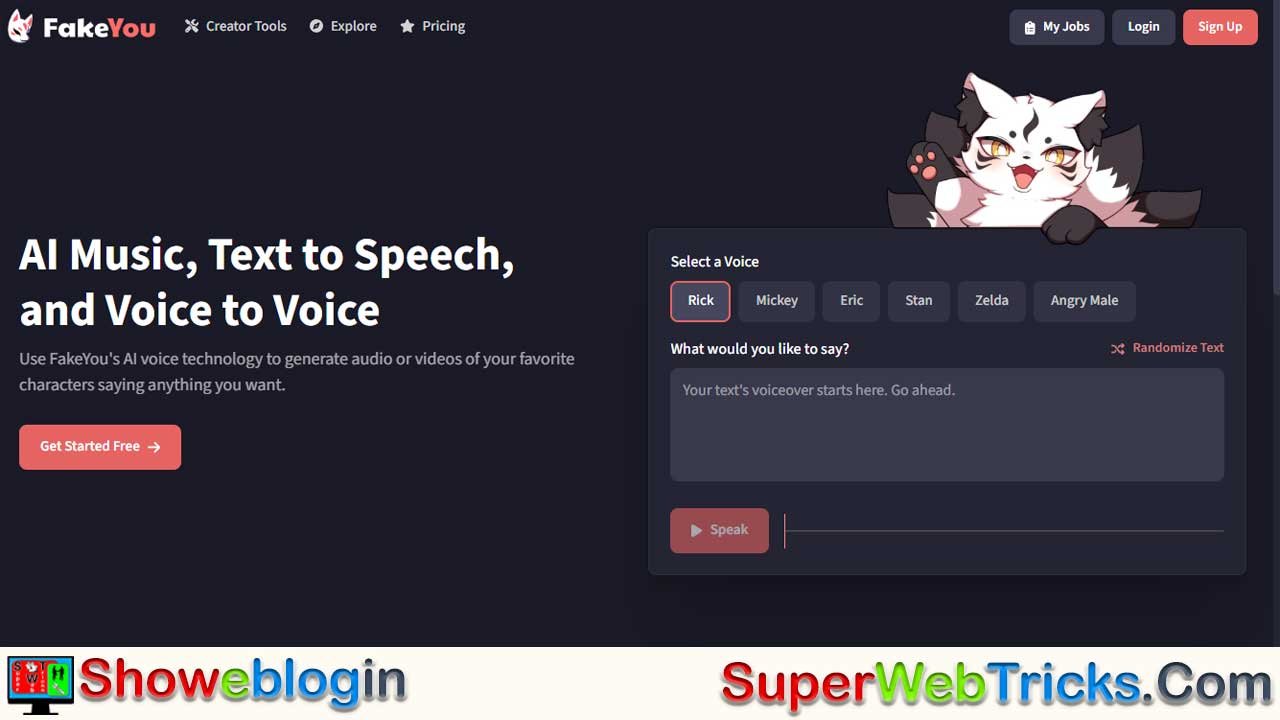






FakeYou is a browser-based AI voice platform built for memes, fan content, and playful voice cloning, offering text-to-speech, voice-to-voice, and community-trained voice models featuring thousands of characters—from anime icons to celebrities.
It’s easy to use: pick a voice, type or record your line, tweak pacing with punctuation, and regenerate until it sounds right. While mostly free, paid tiers speed up the queue and allow longer clips or custom model training. It’s great for fun, creative projects, but not ideal for professional narration or commercial use of celebrity voices, and its old lip-sync tool is currently unreliable.
| Category | Info |
|---|---|
| What It Is | AI platform for celebrity/character voice generation |
| Main Tools | Text-to-Speech, Voice-to-Voice, Voice Designer |
| Best Uses | Memes, parodies, fan content, alerts, fun projects |
| Voice Library | 3,000+ community-made voices (anime, games, celebs, etc.) |
| Strengths | Free to try, huge voice variety, community-driven |
| Limitations | Quality varies, emotional control limited, lip-sync tool unreliable |
| Pricing | Free (short clips), Plus $7/mo, Pro $15/mo, Elite $25/mo |
| Account Needed? | Not to test; yes to download |
| Legal Note | Safe for personal use; avoid commercial use of celebrity voices |
| Official Site | FakeYou.com |
The Ultimate Guide to FakeYou: Bring Celebrity Voices to Life
Have you ever wanted Morgan Freeman to narrate your daily to-do list, or Goku to scream a happy birthday message to your friend? Welcome to FakeYou (formerly Vocodes), the deepfake AI platform that puts thousands of iconic voices right in your browser.
While professional tools like ElevenLabs focus on realism for corporate use, FakeYou has carved out a unique niche: it is the internet’s playground for memes, parodies, and fan content. It’s community-driven, largely free to try, and packed with pop-culture icons you won’t find on “serious” platforms.
What Can You Do With FakeYou?
FakeYou is more than just a text-to-speech tool. It currently offers three main creative pillars:
1. Text to Speech (TTS)
This is the flagship feature. You type text, select a character (from Spongebob to Darth Vader), and the AI generates audio.
Best For: Memes, Twitch donation alerts, funny voicemails, and fan fiction dubs.
2. Voice to Voice
Instead of typing, you speak into your microphone. The AI takes your intonation and pacing but “reskins” it with the target character’s vocal timbre.
Best For: Karaoke covers (AI covers), acting out specific scenes where you need emotional control, or correcting a TTS clip that sounds too robotic.
3. Voice Designer
For the power users. You can upload samples of a voice (your own or a character’s) to train a brand new model. This is why the library is so huge—it’s built by the community.
⚠️ Status Update 2025 (Wav2Lip): FakeYou previously offered a “Video Lip Sync” tool to make static images move their mouths. User reports from late 2024 and 2025 suggest this feature is currently inconsistent or non-functional for many users. For now, we recommend sticking to the audio tools.
The Voice Library: Who Can You Be?
FakeYou boasts 3,000+ user-contributed voices. Because they are community-made, quality varies, but the “gems” are incredibly realistic.
| Category | Popular Voices |
|---|---|
| Anime | Goku, Naruto, Vegeta, Sailor Moon, Dio Brando |
| Cartoons | SpongeBob, Patrick Star, Rick & Morty, Eric Cartman |
| Real People | Morgan Freeman, David Attenborough, Tucker Carlson |
| Gaming | Mario, Sonic, Glados (Portal), Master Chief, Arthur Morgan |
| Music | Kanye West, Eminem, Ariana Grande |
Step-by-Step Guide: Creating Your First Clip
You don’t need an account to test it, but you will need one to download your results.
1. Find Your Voice
Go to the Text to Speech page.
- Search Smart: Don’t just type “Batman.” Type “Batman” and look at the ratings (star icons) next to the results.
- Look for “Verified”: Some models have a green checkmark or high usage stats. These are usually much higher quality and less “buzzy” than others.
2. Craft Your Prompt
Type your text in the box. Crucial Tip: The AI needs help with pacing.
- Use Punctuation: Commas add short pauses; periods add long ones.
- Bad: “Hello there I am Obi Wan.”
- Good: “Hello there. I… am Obi Wan.”
- Phonetic Spelling: If the AI mispronounces a name (e.g., “Siobhan”), spell it phonetically (e.g., “Shi-von”).
3. Generate & Refine
Click Speak.
- The Queue: If you are on the free plan, you will enter a queue. This can take anywhere from 10 seconds to a few minutes depending on server load.
- Reroll: AI is random. If the first take sounds glitchy, try generating it again. The second version might be perfect.
Advanced Tips for Power Users
1. Emotion Hacking
FakeYou TTS is mostly “flat” emotionally. To get emotion, you have two options:
- Search for Emotional Variants: Users often upload specific versions of characters. Search for “Goku Angry” or “SpongeBob Sad” rather than just the base name.
- Use Voice-to-Voice: If the TTS isn’t acting enough, record the line yourself with the emotion you want, then use the “Voice to Voice” tool to convert it.
2. Pronunciation Fixes (ARPABET)
Some advanced models support ARPABET (a phonetic code). If a model supports it, you can force specific sounds.
- Example: To force the word “cat” to be pronounced specifically, you might use syntax like
{K AE T}depending on the model’s documentation.
Pricing: Free vs. Paid
FakeYou operates on a “Freemium” model.
- Free Forever: Unlimited standard voices, but you face wait times in the queue and are limited to short clips (approx. 12 seconds).
- Plus ($7/mo): Priority processing (skip the line), longer clips (30s), and faster generation.
- Pro ($15/mo): Even longer clips (1 min), and the ability to upload/train your own private voice models.
- Elite ($25/mo): The fastest tier, allowing for commercial voice use (on specific licensed voices) and sharing of private models.
Is it Safe & Legal? (The “Deepfake” Ethics)
Legal Gray Area:
Voice cloning is a developing legal field.
- Personal Use: Making a funny meme to send to a friend is generally considered “Fair Use” or safe.
- Commercial Use: Do not use celebrity voices (like Taylor Swift or Donald Trump) for ads or monetized products. You do not own the rights to their likeness.
- Verification: FakeYou has implemented safety measures. Unlike some unchecked open-source tools, they moderate content to prevent hate speech generation.
Verdict: Should You Use It?
Use FakeYou If:
- You want fun, recognizable characters for memes and social media.
- You want a free tool that runs in your browser.
- You enjoy exploring a community-built library of obscure characters.
Look Elsewhere (e.g., ElevenLabs/Murf) If:
- You need professional, corporate narration (e.g., for a bank advertisement).
- You need 100% emotional control and zero “robotic” artifacts.
- You need the lip-syncing video feature (currently unreliable on FakeYou).
Ready to start?
Visit FakeYou.com and search for your favorite character to create your first clip.
FAQs about FakeYou
What is FakeYou?
FakeYou is a browser-based AI platform that generates celebrity and character-style voice clips using text or recorded audio.
Is FakeYou free to use?
Yes, you can generate short clips for free, though paid plans offer faster processing and longer audio.
Do I need an account to download audio?
Yes, downloads require a free account, but testing voices does not.
How many voices does FakeYou have?
FakeYou offers over 3,000 community-created voices across anime, games, cartoons, music, and real people.
Why do some voices sound low quality?
Voices are made by users, so quality varies; look for verified or highly rated models for better results.
Can I make my own custom voice model?
Yes, the Voice Designer feature allows users on higher tiers to train and upload custom voice models.
What is Voice-to-Voice?
It converts your spoken lines into another voice while preserving your pacing and emotion.
Why is the lip-sync feature not working?
User reports from 2024–2025 indicate that the lip-sync tool is unreliable or non-functional for many users.
Can FakeYou generate emotional speech?
TTS is mostly flat, but emotional variants of voices or the voice-to-voice tool can improve expressiveness.
Why is my clip stuck in queue?
Free users wait longer during high server load; paid users skip the queue.
Why did my audio generate with glitches?
AI randomness, server load, and model quality can cause artifacts; re-generating often fixes it.
Can FakeYou pronounce names correctly?
Yes, using phonetic spelling or ARPABET (for compatible models) helps fix mispronunciations.
Is FakeYou safe to use?
Yes, FakeYou moderates harmful content and allows personal, non-malicious use of its tools.
Is it legal to clone celebrity voices?
It’s generally okay for personal, non-commercial use but not allowed for ads, monetized content, or impersonation.
Can I use FakeYou audio in YouTube videos?
Yes for non-commercial, parody, or fan content, but avoid monetized use with celebrity-like voices.
Does FakeYou work on mobile?
Yes, the website is mobile-friendly, though longer generations may run slower.
Can I use FakeYou for school projects?
Yes, as long as it’s for educational or personal use and not commercial promotion.
How long can clips be?
Free users get clips around 12 seconds; paid plans allow longer clips up to one minute depending on tier.
Why won’t my custom voice train successfully?
Issues may stem from poor audio samples or insufficient data; clean, varied recordings improve results.
Does FakeYou support multiple languages?
Some models handle other languages well, but accuracy varies since many voices were trained on English audio.
Can I upload someone else’s voice samples?
You should only upload audio you have permission to use to avoid privacy or rights violations.
Can I use FakeYou for streaming alerts?
Yes, many users create Twitch and YouTube alerts with character voices.
Why is the output robotic?
Some models have limited training data; trying alternate versions of the same character can improve realism.
How do I choose the best voice?
Search the character name, check ratings, look for verified badges, and test multiple options.
Can FakeYou generate music covers?
Voice-to-voice can imitate vocals for songs, though quality varies depending on the model.
Does FakeYou store my recordings?
Audio used for generation may be stored for processing and moderation, depending on platform policies.
Can I delete my generated clips?
Yes, you can remove them from your account’s clip history.
Is FakeYou better than ElevenLabs?
FakeYou excels at fun, character-driven voices; ElevenLabs is stronger for professional narration.
Why does a voice have multiple versions?
Different users train models, creating variations with different quality, emotion, or accuracy.
Can children use FakeYou?
It’s meant for general audiences, but younger users should follow platform age guidelines and use it responsibly.












Leave a Reply
You must be logged in to post a comment.