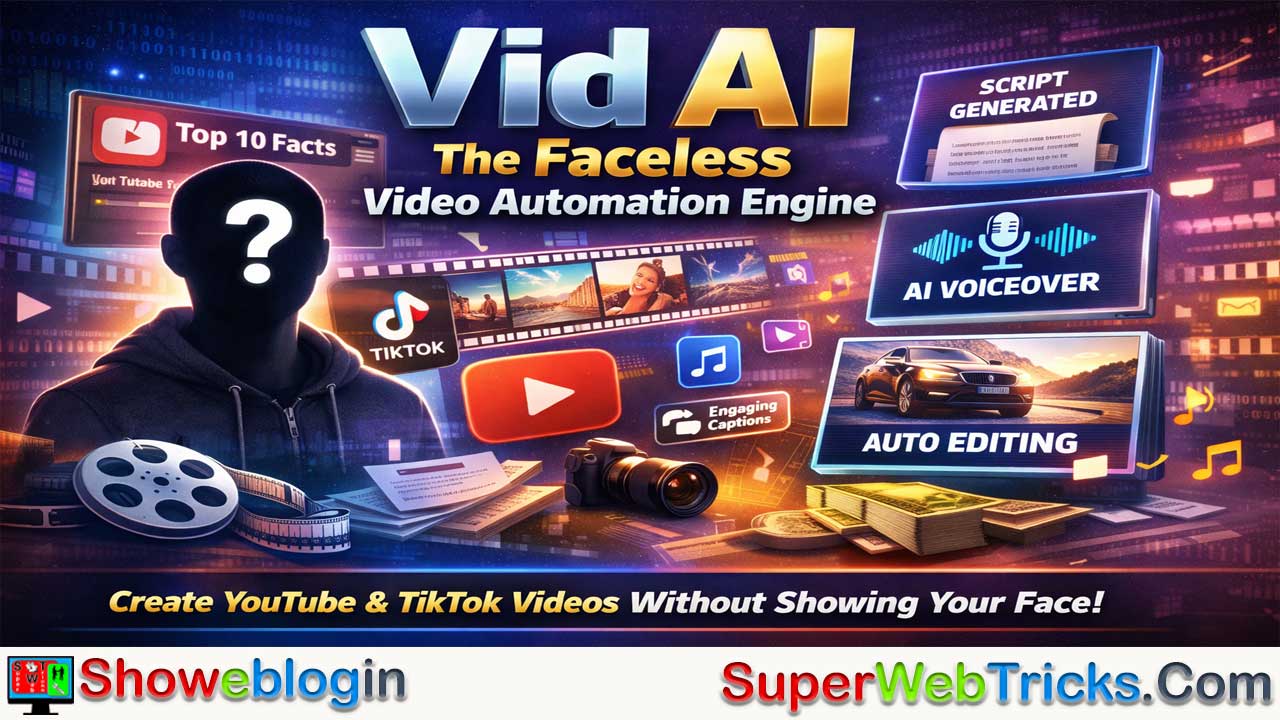






Vid AI is an all-in-one “faceless” video creation platform designed to help creators rapidly produce high-retention content for YouTube, TikTok, and Instagram without filming or manual editing.
Endorsed by educators like Matt Par and Algrow, it automates the full workflow—turning prompts, outlines, or articles into structured scripts with strong hooks, generating realistic AI voiceovers, and automatically assembling copyright-safe stock footage, captions, and background music into polished videos.
Supporting both Shorts and long-form content up to 20 minutes, it also includes a timeline editor for manual tweaks, making it especially suited for YouTube automation channels, affiliate marketing, and content repurposing. While it excels in speed, volume, and ease of use, it relies heavily on stock visuals and may offer less creative control, positioning it best for creators focused on scalable, faceless growth rather than custom, personality-driven production.
| Category | Details |
|---|---|
| What it is | AI-powered “faceless” video creation & growth engine |
| Core Purpose | Automates script, voiceover, visuals & editing |
| Platforms Supported | YouTube (Shorts & long-form), TikTok, Instagram Reels |
| Main Features | Idea-to-script, AI voiceovers, stock B-roll, auto captions, background music |
| Video Length | Shorts to up to ~20 minutes |
| Manual Editing | Timeline editor for tweaks |
| Best For | Faceless channels, content automation, repurposing |
| Pros | Fast production, retention-focused, no filming/editing skills needed |
| Cons | Stock footage reliance, less creative control, cost |
| Pricing Model | Subscription with tiered credits/minutes |
| Not Ideal For | Custom vlogs or highly bespoke films |
Vid AI: The Ultimate “Faceless” Video Growth Engine?
In the rapidly evolving world of AI video generation, Vid AI has carved out a specific niche. Unlike general-purpose text-to-video tools (like Sora or Runway) that generate abstract clips from scratch, Vid AI is built as a “Faceless Growth Engine.” It is designed specifically for content creators who want to build profitable YouTube, TikTok, and Instagram channels without ever showing their face or spending hours on manual editing.
Endorsed by major YouTube educators like Matt Par and Algrow, Vid AI promises to turn a simple idea into a fully edited, high-retention video in minutes. Here is a detailed breakdown of what the tool offers, how it works, and who it is for.
What is Vid AI?
Vid AI is an all-in-one content creation suite that automates the entire video production workflow. It combines scriptwriting, voiceover generation, visual asset selection (stock footage), and video editing into a single platform.
The core promise of Vid AI is volume and consistency. It addresses the biggest pain point for creators: the time-consuming process of editing. By automating the heavy lifting, it allows users to publish daily “Shorts” or long-form videos (up to 20 minutes) that look professionally edited.
Key Features
1. Idea-to-Script Generation
Vid AI doesn’t just ask for a prompt; it acts as a creative partner. You can start a video in three ways:
- Simple Prompt: Type a topic like “Top 10 Stoic Principles for Success.”
- Rough Outline: Paste a bulleted list of points you want to cover.
- Article to Video: Feed it a URL or text from an article, and it will repurpose that content into a video script.
- Narrative Control: Unlike tools that produce generic “fact dumps,” Vid AI is tuned for retention, drafting scripts with hooks and structures designed to keep viewers watching.
2. Ultra-Realistic AI Voiceovers
Bad audio kills retention. Vid AI includes a library of 40+ human-sounding AI voices.
- No “Robotic” Monotone: The engine offers varied pacing, tones, and inflections to make the narration sound natural.
- Customization: You can adjust the speed and style to fit the mood of the video (e.g., energetic for TikTok, calm/deep for a documentary).
3. Automated Visual Assembly (B-Roll & Captions)
This is the tool’s most powerful feature. Once the script and voice are ready, Vid AI analyzes the text and automatically pulls relevant stock footage and B-roll to match the context of each sentence.
- Copyright-Safe Assets: The platform uses a library of royalty-free stock footage, reducing the risk of copyright strikes/demonetization.
- Auto-Captions: It automatically generates and overlays dynamic, engaging captions (karaoke style) which are crucial for social media engagement.
- Background Music: Automatically selects and mixes background music that fits the video’s tone.
4. Long-Form & Short-Form Support
While many AI tools limit you to 60-second clips, Vid AI stands out by supporting long-form content up to 20 minutes.
- YouTube Long-Form: Create full documentaries, top 10 lists, or explainer videos.
- Vertical Shorts: Automatically optimized aspect ratios for YouTube Shorts, TikTok, and Instagram Reels.
5. Timeline Editor for Control
Automation is great, but sometimes AI misses the mark. Vid AI includes a timeline editor that allows you to manually swap out clips, change music, or tweak captions if you’re not 100% happy with the auto-generated version.
How It Works: The 4-Step Workflow
- Input: Enter your video topic, prompt, or script. Select your target platform (e.g., YouTube Short vs. Long Form).
- Generate: The AI writes the script and generates the voiceover. You can review and edit the text before proceeding.
- Assemble: The AI “visualizes” the video, placing stock clips, transitions, and captions on the timeline.
- Export: Preview the final video. If it looks good, export it in high definition (1080p) ready for upload.
Use Cases
- YouTube Automation (Cash Cow Channels): Perfect for niches like “Top 10 Lists,” “Psychology/Stoicism,” “History,” “Luxury,” “Tech Facts,” and “Health/Wellness.”
- Affiliate Marketing: Create product review or “problem/solution” videos rapidly to drive traffic to affiliate links.
- Social Media Growth: Brands can populate their TikTok or Instagram Reels feed with daily educational or entertaining content to build authority.
- Repurposing Content: Bloggers and podcasters can turn their written/audio content into video formats to reach new audiences.
Pricing & Plans
Note: Pricing structures for AI tools change frequently. It is best to check Vid.ai directly for the latest offers.
Vid AI typically operates on a subscription model based on the volume of content you produce.
- Tiered Credits: Plans are usually split by the number of “video minutes” or “credits” you get per month.
- Starter/Basic: Generally affordable for those just testing the waters (e.g., creating a few Shorts a week).
- Pro/Growth: Designed for serious creators who need to post daily. This tier often unlocks longer video durations (up to 20 mins) and higher priority rendering.
- Money-Back Guarantee: Many users report a 30-day refund policy for unused credits, making it lower risk to try.
Pros and Cons
| Pros | Cons |
|---|---|
| ✅ Speed: Drastically reduces production time from hours to minutes. | ❌ Stock Fatigue: Heavily reliant on stock footage, which can look generic if not curated well. |
| ✅ Retention-Focused: Scripts and edits are designed for “viral” metrics (retention/CTR). | ❌ Less Creative Control: Not suitable for vloggers or creators who need specific, custom filming. |
| ✅ Long-Form Capable: One of the few tools that handles 10-20 minute videos well. | ❌ Cost: Can be pricier than basic editors, aimed at those treating content as a business. |
| ✅ No Skills Needed: You don’t need to know Premiere Pro or DaVinci Resolve. |
Showeblogin Final Verdict
Vid AI is arguably one of the strongest contenders for the “YouTube Automation” creator economy. If your goal is to build a channel based on information, entertainment, or storytelling without being on camera, this tool removes the biggest barrier to entry: editing time.
While it may not replace high-end, custom video production for personal brands, it is a powerhouse for scaling quantity and maintaining quality for faceless channels.
FAQs about Vid AI
What is Vid AI?
Vid AI is an AI-powered faceless video creation platform that automates scripting, voiceovers, stock footage selection, captions, music, and editing into ready-to-publish videos.
Who is Vid AI designed for?
It is built for content creators, YouTubers, TikTok users, Instagram creators, affiliate marketers, and businesses that want to produce videos without filming themselves.
What makes Vid AI different from general AI video tools?
Unlike text-to-video generators that create clips from scratch, Vid AI focuses on automated faceless content using structured scripts, stock footage, and retention-based editing.
Can Vid AI create YouTube long-form videos?
Yes, it supports long-form videos up to around 20 minutes, making it suitable for documentaries, explainer videos, and top 10 lists.
Does Vid AI support YouTube Shorts and TikTok videos?
Yes, it automatically formats videos for vertical platforms like YouTube Shorts, TikTok, and Instagram Reels.
How does the script generation work?
Users can enter a prompt, outline, or article link, and the AI generates a structured, engagement-focused script with hooks and smooth transitions.
Can I edit the script before generating the video?
Yes, you can review and modify the script before moving to voiceover and video assembly.
Are the AI voiceovers realistic?
Yes, Vid AI includes 40+ human-like voices with adjustable tone, speed, and style to match different content types.
Does Vid AI add background music automatically?
Yes, it selects and mixes royalty-free background music that fits the tone of the video.
Where does the footage come from?
The platform pulls copyright-safe, royalty-free stock footage that matches the script context.
Can I change the visuals if I don’t like them?
Yes, the built-in timeline editor allows you to swap clips, adjust captions, and modify music.
Does Vid AI automatically generate captions?
Yes, it adds dynamic, engagement-style captions that are optimized for social media retention.
Is Vid AI good for YouTube automation channels?
Yes, it is specifically popular for faceless “cash cow” channels focused on niches like history, psychology, tech, luxury, and top 10 content.
Can bloggers repurpose articles into videos?
Yes, you can paste article text or URLs to convert written content into video scripts.
Is Vid AI suitable for beginners?
Yes, no prior editing skills or software knowledge is required.
Does Vid AI replace professional video editors?
It can replace basic editing workflows but may not match highly customized, cinematic productions.
Is the content monetizable on YouTube?
Since it uses royalty-free assets and original scripts, videos can typically be monetized if they meet platform policies.
How fast can I create a video?
Most videos can be generated within minutes, significantly reducing production time.
Does Vid AI offer different subscription plans?
Yes, it operates on tiered plans based on monthly credits or video minutes.
Is there a money-back guarantee?
Many users report a refund policy for unused credits, but terms may vary.
Can I use Vid AI for affiliate marketing?
Yes, it is suitable for product reviews and problem-solution videos that drive traffic to affiliate links.
Does Vid AI work for brands and businesses?
Yes, brands can use it to maintain consistent educational or promotional content on social platforms.
Is there full creative control?
Automation handles most tasks, but manual adjustments are available through the timeline editor.
What are the main limitations of Vid AI?
Heavy reliance on stock footage may make videos look generic if not customized, and pricing may be higher than basic editing tools.
Do I need to show my face to use Vid AI?
No, it is specifically designed for faceless content creation.












Leave a Reply
You must be logged in to post a comment.