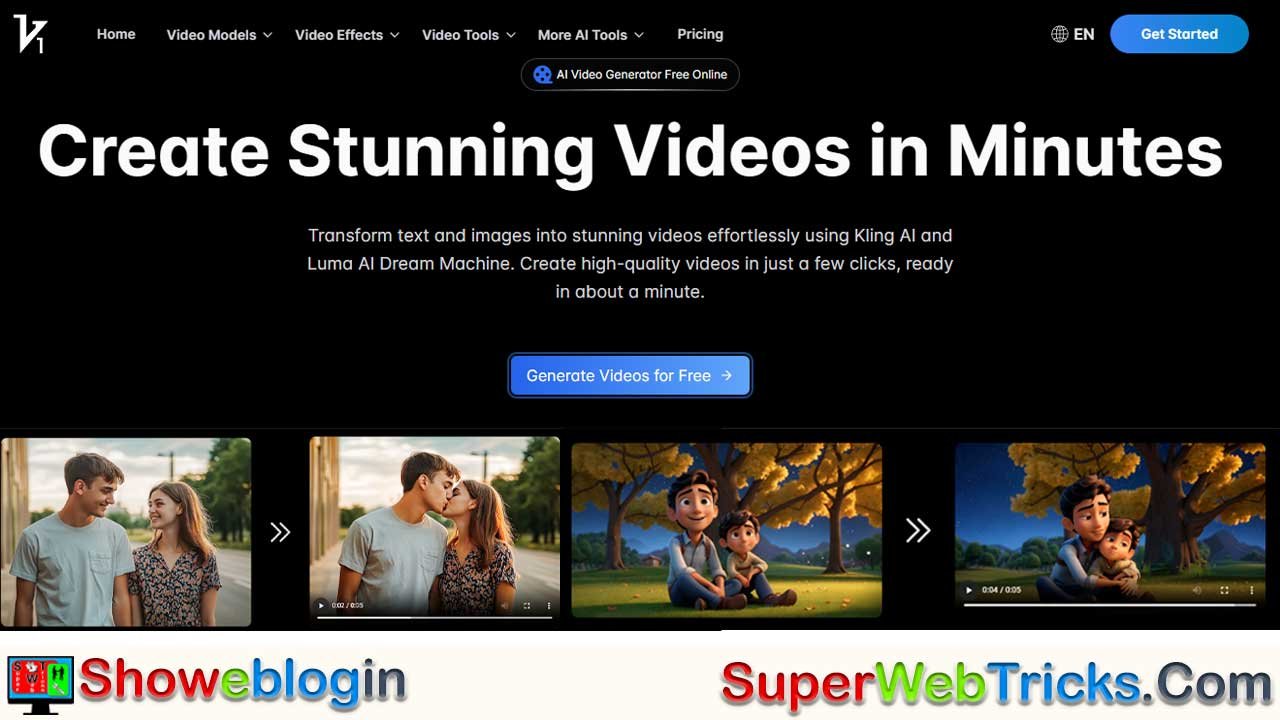






Vidful.ai is a browser-based “AI model aggregator” that unifies top video-generation engines—including Kling AI, Luma Dream Machine, and Google Veo 3—into one easy platform, letting creators choose the best model for realism, cinematics, or experimental fidelity without juggling multiple tools.
It offers both professional features (text-to-video, image-to-video, script-to-video) and viral, one-click generators (AI Hug, Dance, Nap, Muscle) designed for social content. While the free plan provides limited, short, watermarked generations, the paid tier unlocks longer clips, commercial rights, no watermark, and priority speed.
Compared to rivals like Runway or OpenAI’s Sora, Vidful.ai stands out for accessibility, model variety, and playful templates. For best results, users should specify lighting, camera movement, and negative prompts, and upload high-quality images. Overall, Vidful.ai democratizes high-end video creation by giving anyone instant access to industry-leading engines directly in the browser.
| Category | Details |
|---|---|
| What It Is | A browser-based AI video generator that aggregates top models (Kling AI, Luma Dream Machine, Google Veo 3, Grok Imagine). |
| Core Strength | Multi-engine flexibility — choose the best model for realism, cinematics, or experimental visuals. |
| Main Models | Kling AI: Realistic physics & motionLuma Dream Machine: Cinematic shots & consistent charactersVeo 3: Photorealism + experimental audio sync |
| Creation Modes | Text-to-Video, Image-to-Video, Script-to-Video, plus trend-based mini-apps (AI Hug, AI Dance, AI Nap, Muscle/Squish). |
| Free Plan Limits | ~5 credits/month (varies), 5-second clips, watermark, no commercial use, standard queue. |
| Paid Plan Benefits | 100+ generations, 10–15 sec clips, no watermark, commercial use allowed, faster queue speed. |
| Output Format | MP4 downloads; browser-generated (no install needed). |
| Who It’s For | TikTok/YouTube creators, marketers, filmmakers, and anyone wanting quick viral content. |
| Pros | Free access, multi-engine power, one-click viral templates, no software installation. |
| Cons | Free tier restrictions, occasional wait times, quality varies by model. |
| Best Use Cases | Cinematic trailers, realistic physics scenes, product videos, dance animations, emotional edits, social-media content. |
| Website | Vidful.ai |
Vidful.ai Review: The “All-in-One” Free AI Video Generator
Unleash Creativity with Kling AI, Luma Dream Machine, & Google Veo 3
Official Site: https://vidful.ai/
In the exploding universe of generative AI, content creators are often forced to juggle multiple expensive subscriptions. You might need one tool for realistic physics, another for cinematic transitions, and a third for character consistency. Vidful.ai disrupts this fragmented market by acting as a powerful AI Model Aggregator.
It brings the world’s most advanced video generation engines—Kuaishou Kling AI, Luma Dream Machine, and even Google’s Veo 3—under one roof. Best of all? It runs entirely in your browser, democratizing professional video production for everyone from TikTok creators to digital marketers.
The Core Technology: A “Multi-Engine” Powerhouse
Vidful.ai is not just a single tool; it is a gateway to the industry’s heavy hitters. By allowing users to switch between different underlying models, it offers a “best tool for the job” approach.
1. Kuaishou Kling AI (The Physics Master)
- Best For: Realistic motion and complex interactions.
- Why Use It: Kling AI has a deep understanding of real-world physics. If you need a video of a glass of water spilling, a car drifting, or a person walking naturally through a crowd, Kling ensures the movement “feels” weighty and real, avoiding the floaty, glitchy look of older AI.
2. Luma Dream Machine (The Cinematographer)
- Best For: High-fidelity storytelling and camera work.
- Why Use It: Luma excels at cinematic consistency. It understands camera angles (pan, zoom, dolly) and maintains character identity across frames. Use this for movie trailers, music videos, or emotional storytelling where the “vibe” matters most.
3. Google Veo 3 & Grok Imagine (The Next-Gen Experimentalists)
- Best For: Cutting-edge visual fidelity and audio synchronization.
- Why Use It: Vidful.ai also integrates newer experimental models like Veo 3, which pushes the boundaries of 1080p photorealism and can even attempt to generate synchronized audio (sound effects/ambience) alongside the video—a rarity in the current market.
Feature Deep Dive: More Than Just Prompts
Vidful.ai categorizes its tools into “Professional” and “Viral/Fun” modules to suit different user needs.
A. Professional Creation Tools
- Text-to-Video: The classic creator. Type a prompt like “A futuristic cyberpunk city with neon rain, 4k, cinematic lighting,” and watch it materialize.
- Image-to-Video: Upload a static product shot or a family photo. The AI analyzes the image and animates it—making water flow, clouds move, or hair blow in the wind.
- Script-to-Video: Ideal for marketers. Paste a short script, and the AI attempts to generate a sequence of clips that match the narrative flow.
B. Viral Trend Generators (One-Click Magic)
Vidful.ai offers specialized “mini-apps” designed for social media trends:
- 🫂 AI Hug: Upload two separate photos (e.g., a late grandparent and a current photo of yourself), and the AI will generate a heartwarming video of the two subjects hugging.
- 💤 AI Nap: A “cozy” generator that takes a photo of a pet or person and animates them sleeping peacefully in a dreamlike environment—perfect for Lo-Fi channels or relaxing content.
- 💪 AI Muscle & Squish: Fun, stylized effects that can instantly buff up a character or turn them into a squishy, clay-like animation.
- 💃 AI Dance: Upload a photo of a person, and the AI will animate them performing trending dance moves.
How to Create Your First Video (Step-by-Step)
You don’t need a high-end PC. Vidful.ai processes everything in the cloud.
- Access the Platform: Go to Vidful.ai. No software download is required.
- Select Your Model: On the dashboard, you will often see options or tabs for specific generators (e.g., “Kling,” “Dream Machine,” or specific features like “AI Hug”).
- Input Your Prompt:
- For Text: Be descriptive. Instead of “a cat,” try “A fluffy calico cat sitting on a windowsill, golden hour lighting, 4k, highly detailed fur.”
- For Images: Upload a clear, high-resolution JPEG or PNG.
- Adjust Settings (Optional): Depending on the model, you may be able to select aspect ratio (16:9 for YouTube, 9:16 for TikTok) or “Creativity Level.”
- Generate: Click the button and wait. Generation times vary from 1 to 5 minutes depending on server load and the complexity of the model.
- Download: Preview your clip. If satisfied, download the MP4 file.
The “Free” Plan vs. Pro: What’s the Catch?
Vidful.ai markets itself as “Free Online,” but like all high-end AI tools, there are realistic limits to manage server costs.
| Feature | Free Plan | Paid Subscription |
|---|---|---|
| Generations | Limited (typically ~5 credits/month or daily quotas) | High monthly allowance (100+ generations) |
| Video Duration | Short clips (usually ~5 seconds) | Extended clips (up to 10-15 seconds) |
| Watermark | Yes (Branded watermark on video) | No (Clean, professional video) |
| Commercial Use | No (Personal use only) | Yes (Full commercial rights) |
| Queue Speed | Standard (Can be slower during peak times) | Fast/Priority processing |
Note: The exact “credit” system may fluctuate. Some specific tools (like the viral “AI Hug” generator) may offer more lenient free usage to encourage sharing, while the heavy-duty Kling/Luma models are stricter.
Comparison: Vidful.ai vs. The Competition
| Feature | Vidful.ai | Runway Gen-2 / Gen-3 | Sora (OpenAI) |
|---|---|---|---|
| Accessibility | High (Browser-based, No Waitlist) | High (Browser & App) | Low (Currently limited/Red-teaming) |
| Model Variety | Aggregator (Kling, Luma, Veo, etc.) | Single Proprietary Model | Single Proprietary Model |
| Learning Curve | Low (One-click viral templates) | Medium (Advanced controls) | N/A |
| Viral Features | Yes (Hugs, Squish, Dance) | No (Focus on cinematic stock) | No (Focus on realism) |
| Cost | Freemium | Paid Subscription (Credits) | N/A |
Pro-Tips for Better Results
To get the most out of Vidful.ai’s engines, follow these prompting strategies:
- Define the Lighting: Always specify lighting conditions. Keywords like “Cinematic lighting,” “Volumetric fog,” “Golden hour,” or “Neon cyberpunk lights” drastically improve realism.
- Specify Camera Movement: Don’t just describe the subject; describe the camera. Use terms like “Drone shot,” “Slow zoom in,” “Tracking shot,” or “Low angle” to make the video feel dynamic.
- The “Negative Prompt” Trick: If the tool allows it, use negative prompts to tell the AI what not to do (e.g., “blurry, distorted face, extra limbs, cartoonish”).
- Start with High-Res Images: For Image-to-Video, the output quality is heavily dependent on the input. A blurry photo will result in a blurry video.
Conclusion
Vidful.ai stands out not because it invented the technology, but because it made it accessible. It is the perfect sandbox for creators who want to experiment with the power of Kling and Luma without navigating complex installations or waiting lists.
Whether you want to create a viral “AI Hug” video for Instagram or storyboard a sci-fi short film, Vidful.ai puts the director’s chair in your pocket—for free.
Start Creating Now at Vidful.ai
FAQs about Vidful.ai
What is Vidful.ai?
Vidful.ai is a browser-based AI video generator that combines multiple advanced models like Kling, Luma, and Veo 3 into one platform.
Is Vidful.ai free to use?
Yes, it offers a free plan with limited credits, short clips, and watermarks, while paid plans provide longer videos and commercial rights.
Do I need to install any software?
No, everything runs in the browser, so no downloads or high-end hardware are required.
Which AI models does Vidful.ai use?
Vidful.ai integrates Kling AI for physics realism, Luma Dream Machine for cinematic storytelling, and Google Veo 3 for high-fidelity visuals.
Can I upload my own images?
Yes, you can upload images for Image-to-Video generation, where the AI animates or enhances the content.
Does Vidful.ai support text-to-video generation?
Yes, you can generate videos directly from text prompts with model-specific styling and camera direction.
Does Vidful.ai support script-to-video?
Yes, it can generate a sequence of clips that align with an uploaded script.
Are there viral or fun generators?
Yes, options like AI Hug, AI Dance, AI Nap, Muscle, and Squish create trending or stylized videos instantly.
Can I use the videos for commercial projects?
Only paid plans allow commercial use; free-plan videos are for personal use with mandatory watermarks.
Why is my video short?
Short duration is standard for free tiers because AI video generation is computationally expensive.
Why do some generations take longer?
High server load or choosing more complex models can increase generation time.
How do I improve video quality?
Use detailed prompts with lighting, camera movement, and high-resolution images.
What are negative prompts?
They let you specify what to avoid, helping reduce distortions or unwanted elements.
Which model should I choose for realism?
Kling AI is best for realistic physics and natural motion.
Which model should I choose for cinematic scenes?
Luma Dream Machine excels at consistent characters and film-style camera moves.
Which model is best for experimental visuals?
Veo 3 is ideal for cutting-edge, high-fidelity visuals and early-stage audio sync.
Does Vidful.ai add watermarks?
The free plan includes watermarks; paid plans remove them.
Is Vidful.ai safe to use?
It is generally safe, but users should avoid uploading sensitive or private material.
Can I use Vidful.ai for YouTube or TikTok?
Yes, videos work on all major platforms, but free users must keep the watermark.
Does Vidful.ai support custom aspect ratios?
Yes, you can select ratios like 16:9 or 9:16 depending on the model.
Does the platform maintain character consistency?
Luma Dream Machine is designed to maintain consistent characters across frames.
Can I upload photos of multiple people?
Yes, and certain features like AI Hug rely on two separate uploaded photos.
Can Vidful.ai animate pets?
Yes, tools like AI Nap or standard image-to-video can animate animals.
Why does the output look blurry sometimes?
Low-resolution input images or high complexity prompts can reduce clarity.
Does Vidful.ai generate audio?
Some experimental models, like Veo 3, can attempt basic ambient audio sync.
Can I create long videos?
Longer clips are available in paid plans; free users are limited to short segments.
Does Vidful.ai work on mobile?
Yes, it functions in most mobile browsers.
Do I need technical knowledge to use Vidful.ai?
No, the platform is beginner-friendly and offers one-click templates.
Is there a learning curve?
Minimal, though using advanced prompts can improve results.
Can Vidful.ai create dance animations?
Yes, the AI Dance tool animates a subject performing trending moves.
Are generations cloud-processed?
Yes, all heavy computation is done on Vidful.ai’s servers.
Can I download the generated videos?
Yes, you can download MP4 files after previewing.
Does Vidful.ai offer priority processing?
Paid tiers get faster queue times and quicker results.
Can Vidful.ai be used for storytelling?
Yes, especially with models like Luma and the script-to-video feature.
Does Vidful.ai support multiple languages in prompts?
Most models accept multilingual text prompts.
Is there a limit to daily usage?
The free plan may include daily or monthly credit limits depending on load.
Why is character motion sometimes inaccurate?
Model limitations or vague prompts can cause unnatural movement.
Can I combine different models in one project?
You can generate multiple clips with different models and edit them together externally.
Does Vidful.ai require an account?
Most features require signing up to track credits and generations.
Does Vidful.ai store my uploads?
It may store content temporarily for processing; users should avoid private material.
How do I get watermark-free videos?
Upgrade to a paid plan to remove the watermark.
Can Vidful.ai create product showcase videos?
Yes, image-to-video and text-to-video features are suitable for advertising-style clips.
Does Vidful.ai work in low-end devices?
Yes, since all processing happens in the cloud, device specs matter little.












Leave a Reply
You must be logged in to post a comment.