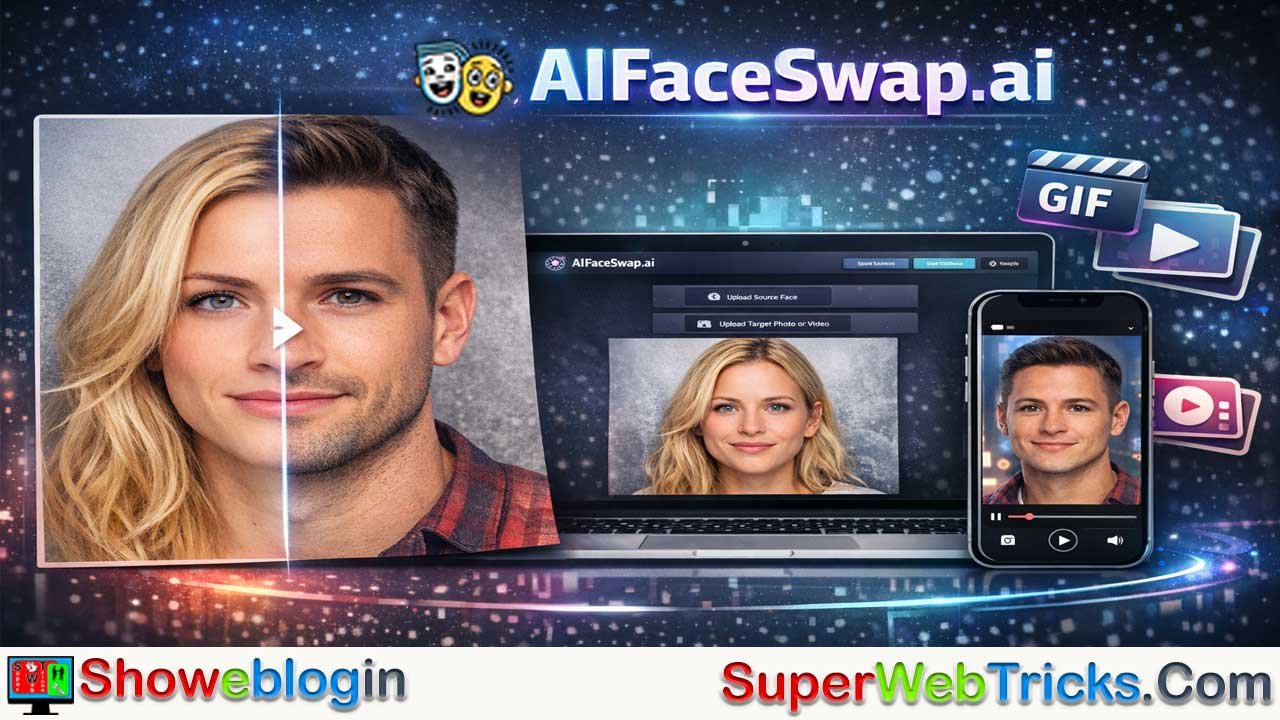






AIFaceSwap.ai is a browser-based, freemium AI tool that makes high-quality face swapping fast, accessible, and beginner-friendly, supporting photos, GIFs, and short videos without requiring installation or even a login for basic use.
Powered by deep learning (including GAN-style techniques), it automatically detects facial landmarks, maps features accurately, and blends lighting and skin tones to produce natural-looking results, even in group photos or dynamic media. Key strengths include multi-face swapping, smart detection in imperfect conditions, batch processing, and video/GIF support, while free users may face resolution limits, credit constraints, or processing queues.
Best results depend heavily on high-quality source images and angle matching, and while the platform is versatile and privacy-conscious, it must be used responsibly with clear consent and ethical intent. Overall, AIFaceSwap.ai isn’t a replacement for professional VFX software, but it excels as a quick, powerful, and “click-and-go” solution for creators, marketers, and casual users alike.
| Category | Details |
|---|---|
| Tool Name | AIFaceSwap.ai |
| Type | Web-based AI face-swapping tool |
| Media Supported | Photos, GIFs, Videos |
| Multi-Face Support | Yes (group photos supported) |
| Login Required | No (for basic features) |
| Cost Model | Freemium (free tier + paid credits) |
| Core Tech | Deep learning / GAN-based face mapping |
| Key Features | Smart face detection, video/GIF swaps, batch processing |
| Free Tier Limits | Lower resolution, short video length, possible wait times |
| Platforms | Any device with a browser (Desktop, iOS, Android) |
| Privacy | Uploaded media typically deleted within 24–48 hours |
| Best Use Cases | Social media content, memes, previews, anonymization |
| Main Limitation | Struggles with extreme angles or profile views |
The Magic Mirror of 2026: A Deep Dive into AIFaceSwap.ai
In the rapidly evolving landscape of generative AI, few tools capture the imagination quite like face-swapping technology. Whether for creating viral memes, visualizing a new haircut, or producing engaging social media content, the demand for accessible, high-quality face manipulation is at an all-time high.
Enter AIFaceSwap.ai—a platform that has gained traction for its promise of simplicity and speed. If you are tired of clunky software or expensive subscriptions, this tool claims to be the browser-based solution you’ve been looking for.
This Showeblogin guide goes beyond the basics. We will look under the hood, break down the credit economy, and provide a “Masterclass” on getting professional results from a free tool.
What is AIFaceSwap.ai?
AIFaceSwap.ai is a web-based artificial intelligence tool designed to replace one person’s face in an image or video with another’s. Unlike professional VFX software that requires hours of manual masking and blending, this tool leverages deep learning algorithms to automate the process in seconds.
It is designed for accessibility: it runs entirely in your browser, meaning you don’t need a powerful gaming PC or complex installations to get professional-looking results.
AIFaceSwap.ai – Core Capabilities at a Glance
- Media Support: Swaps faces in Photos, GIFs, and Videos.
- Multi-Face Support: Can detect and swap multiple faces in a single group photo.
- Accessibility: No login required for basic features; completely online.
- Cost Model: Freemium (Robust free capabilities with premium options for higher limits).
Under the Hood: How It Works
Before you click “Swap,” it helps to understand what the AI is actually doing. AIFaceSwap.ai doesn’t just “paste” a JPEG on top of another. It uses a technology often referred to as GANs (Generative Adversarial Networks).
- Face Detection: The AI scans your target image for facial landmarks—eyes, nose bridge, jawline, and mouth corners.
- Feature Mapping: It analyzes the “Source” face (the one you want to use) and maps its features onto the 3D geometry of the “Target” face.
- Blending & Relighting: This is the secret sauce. The AI adjusts the skin tone, lighting, and shadows of the source face to match the environment of the target photo. This prevents the “floating head” look and ensures the swap looks organic.
AIFaceSwap.ai – Key Features That Set It Apart
1. The “No-Login” Frictionless Experience
One of the biggest hurdles with modern AI tools is the “sign-up wall.” AIFaceSwap.ai allows users to land on the page and immediately upload an image. This friction-free approach is perfect for casual users who want a quick result without handing over their email address immediately.
2. Multi-Face Swapping (Group Photos)
Most basic tools crash when they see two faces. AIFaceSwap.ai excels here.
- How it works: When you upload a group photo, the AI detects distinct faces and indexes them. You can then assign different source faces to each person in the group.
- Use Case: Perfect for wedding photos where someone blinked, or creating hilarious “family reunion” memes where everyone has the same face.
3. Smart Face Detection
The underlying AI models are trained to recognize facial landmarks (eyes, nose, mouth contours) even in less-than-ideal lighting. This ensures that the swapped face aligns correctly with the target’s angle and expression, rather than just being “pasted” on top.
4. Video & GIF Swapping
While many free tools limit you to static JPEGs, AIFaceSwap.ai handles dynamic media. If you want to put your friend’s face into a trending GIF or a short video clip, the tool processes the frames to maintain temporal consistency (ensuring the face doesn’t flicker or vanish when the subject moves).
Static images are easy; video is hard. AIFaceSwap.ai processes video frame-by-frame to ensure temporal consistency.
- The Tech: It tracks the face as it moves, rotates, and changes expression.
- Limits: Free users are typically limited to short clips (often 15-30 seconds). Processing video is computationally expensive, so this feature usually consumes more “credits” (see Pricing section).
5. Batch Processing
For power users, the tool offers batch processing. Instead of swapping faces one by one, you can upload a series of photos (e.g., a photoshoot) and apply the same face to all of them simultaneously.
How to Use AIFaceSwap.ai: A Step-by-Step Guide
User Masterclass: How to Get “Photoshop-Level” Results
Using the tool is intuitive, but following these steps ensures the highest quality output. The tool is automated, but the input quality determines the output quality. Follow these rules to avoid glitchy or blurry results.
Step 1: The Golden Rule of Source Photos
The “Source” face (the face you are injecting) is the most critical variable.
- DO: Use a high-resolution, front-facing selfie with even lighting.
- DON’T: Use photos with heavy filters, hair covering the eyes, or extreme profile views (side profiles are notoriously difficult for AI to map onto front-facing targets).
Step 2: Matching Angles
AI is smart, but it’s not a miracle worker.
- If your Target video shows a person looking down, try to use a Source photo where the person is also looking slightly down or straight on.
- If the angles are too divergent (e.g., Target looking left, Source looking right), the AI will stretch the features, resulting in a distorted, “alien” look.
Step 3: Resolution Management
- Free Tier: Downloads are often limited to 720p or standard HD.
- Pro Tip: If you need a high-res result for print, use an AI Upscaler (often available as a separate tool on the same site or external sites) after you download the face-swapped image to sharpen the details.
Step 4: Download & Share
- Preview the result. If satisfied, download the file directly to your device.
- Note: Always check for watermarks if you are on the free tier, though many basic swaps remain watermark-free.
Pros and Cons – AIFaceSwap.ai
| Pros | Cons |
|---|---|
| ✅ User-Friendly: Zero learning curve; drag-and-drop interface. | ❌ Processing Queue: Free users may experience wait times during peak hours. |
| ✅ Versatile: Handles Images, Videos, and GIFs in one place. | ❌ Resolution Limits: Free downloads may not be 4K/high-def. |
| ✅ Privacy-Conscious: Images are typically deleted from servers after 24-48 hours. | ❌ Occasional Glitches: Extreme angles or profile views can sometimes confuse the AI. |
| ✅ No Installation: Runs on any device (Desktop, iOS, Android). |
AIFaceSwap.ai: Safety, Ethics, and Responsibility
With great power comes great responsibility. AI face swapping is a controversial technology, and using it ethically is paramount.
- Consent is King: Never use this tool to swap faces of people without their permission. This applies to friends, colleagues, and especially strangers.
- Avoid Misinformation: Do not create content intended to deceive, defame, or spread fake news involving public figures.
- Data Privacy: While AIFaceSwap.ai deletes data periodically, never upload sensitive, compromising, or private photos to any public web-based AI generator. Treat everything you upload as if it were public.
AIFaceSwap.ai – Best Use Cases
- Social Media Content: Create engaging, humorous content for TikTok or Instagram Reels.
- Privacy Protection: Swap faces in public photos to anonymize bystanders before posting.
- Visualizing Styles: See how you would look with a different celebrity’s hairstyle or makeup by swapping your face onto their photo.
- E-Commerce/Marketing: Quickly visualize different models for ad creatives (internal prototyping only).
The Verdict
AIFaceSwap.ai stands out as a robust utility in the crowded AI market. It strikes an excellent balance between power and ease of use. It is not a replacement for high-end professional VFX work, but for 99% of users looking to create fun, engaging, or experimental content, it is one of the best “click-and-go” solutions available today.
FAQs about AIFaceSwap.ai
What is AIFaceSwap.ai?
AIFaceSwap.ai is a browser-based AI tool that lets users swap faces in photos, GIFs, and videos using automated deep learning models.
Do I need to install any software?
No installation is required since the tool runs entirely online in your web browser.
Is login required to use AIFaceSwap.ai?
No login is needed for basic features, making it quick and frictionless to start.
Is AIFaceSwap.ai free to use?
Yes, it offers a freemium model with strong free features and optional paid credits for higher limits.
What types of media are supported?
The platform supports static images, animated GIFs, and short video clips.
Can it swap multiple faces in one image?
Yes, it can detect and swap multiple faces in group photos.
How accurate is the face swapping?
Accuracy is high when source images are clear, front-facing, and well-lit, with matching angles to the target.
Does it work on videos smoothly?
Yes, the AI processes videos frame-by-frame to maintain temporal consistency and reduce flickering.
Are there limits on video length?
Free users are typically limited to short clips due to high processing demands.
What resolution can I download for free?
Free downloads are usually limited to standard HD or 720p resolution.
Does the tool add watermarks?
Some free outputs may include watermarks, though many basic swaps remain watermark-free.
Is batch processing available?
Yes, batch processing allows applying the same face to multiple images at once.
How long does processing take?
Most swaps take seconds, though free users may experience queues during peak times.
Does it handle poor lighting or angles?
The AI performs well in moderate conditions but may struggle with extreme angles or profiles.
Is AIFaceSwap.ai safe to use?
The tool is generally safe, but users should avoid uploading sensitive or private images.
How is user data handled?
Uploaded images are typically deleted from servers within 24–48 hours.
Can I use it on mobile devices?
Yes, it works on any device with a modern web browser, including phones and tablets.
Is it suitable for professional VFX work?
It’s not a replacement for professional VFX software but is ideal for quick, high-quality results.
Can I use it for social media content?
Yes, it’s popular for memes, reels, GIFs, and viral-style content.
Is face swapping ethical?
It is ethical when used with consent and not for deception, misinformation, or harm.
Can it be used for privacy protection?
Yes, it can help anonymize faces in public photos before sharing.
Does the AI just paste faces on images?
No, it maps facial features and blends lighting and shadows for a natural look.
What kind of source photo works best?
High-resolution, front-facing photos with even lighting give the best results.
Can I improve quality after downloading?
Yes, using an AI upscaler can enhance sharpness and resolution after processing.
Who is AIFaceSwap.ai best for?
It’s best for creators, marketers, casual users, and anyone wanting fast, realistic face swaps without technical hassle.












Leave a Reply
You must be logged in to post a comment.