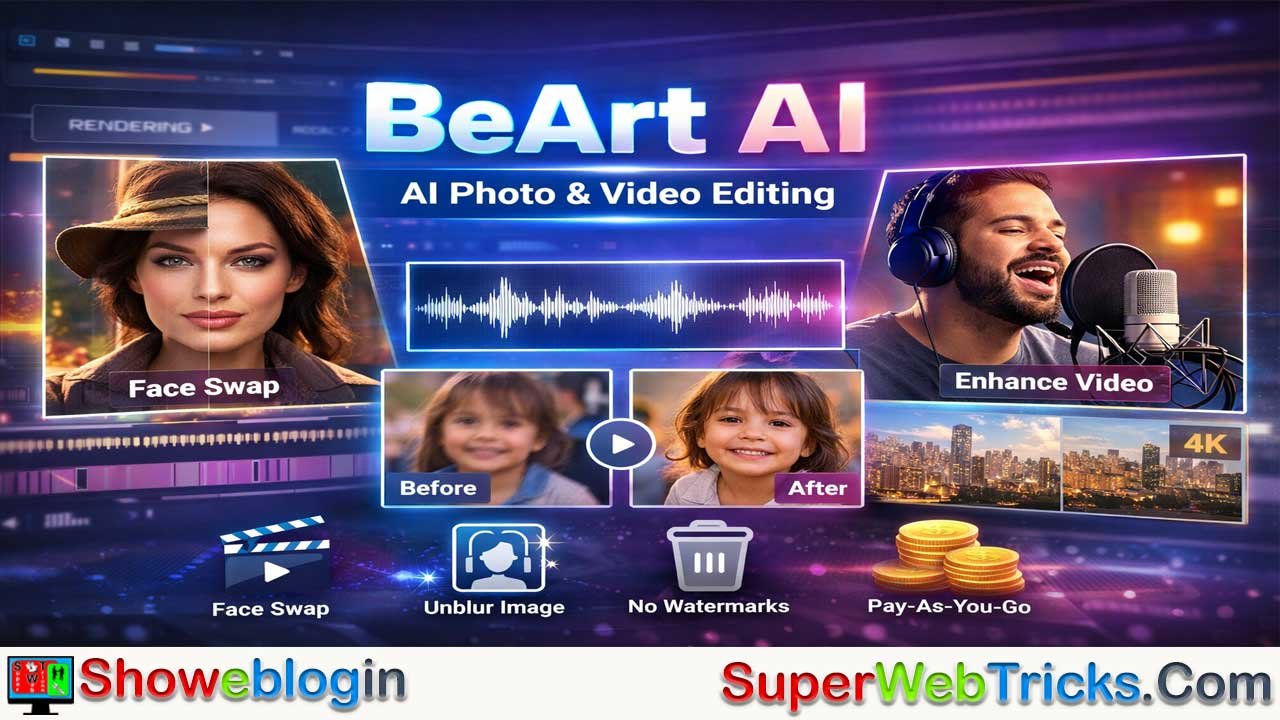






BeArt AI is a browser-based AI photo and video editing platform that offers powerful tools like face swapping, video upscaling, lip sync, image unblurring, and AI portrait generation—all without requiring software installation.
With its flexible credit-based pricing model, weekly free credits, no watermarks, and cloud processing, it provides an accessible and affordable solution for content creators, marketers, and casual users looking to produce high-quality AI-generated visuals quickly and easily.
| Category | Details |
|---|---|
| Platform Name | BeArt AI |
| Website | https://beart.ai/ |
| Type | AI Photo & Video Editing Platform |
| Access | Web-based (No installation required) |
| Main Features | AI Face Swap (Photo & Video), Multi-Face Swap, Batch Swap, AI Lip Sync, Video Upscaler, Image Unblur, AI Portrait Generator |
| Flagship Feature | High-precision AI Face Swapping |
| Watermarks | No watermarks (even for free users) |
| Free Credits | 20/week (unregistered), 100/week (registered) |
| Paid Model | Pay-as-you-go credit system |
| Credit Expiry | Never expires |
| Photo Face Swap Cost | 1 credit per image |
| Video Face Swap Cost | 1 credit per second (30fps) |
| Lip Sync Cost | 4–10 credits per second |
| Data Retention | User data cleared within 24 hours |
| Best For | Content creators, marketers, meme pages, casual users |
| Device Compatibility | PC, Mac, Tablet, Mobile (browser-based) |
BeArt AI: The Comprehensive Guide to Next-Gen AI Photo & Video Editing
In the rapidly evolving landscape of generative AI, creative tools are becoming more powerful—and more accessible—than ever before. Yet many platforms still lock advanced features behind expensive subscriptions or complicated software installations.
BeArt AI enters the scene as a browser-based solution designed to democratize high-end photo and video editing. By combining deep-learning technology with a simple user interface and a flexible pricing model, BeArt AI makes advanced creative manipulation available to everyone—from professional content creators to casual meme-makers.
What is BeArt AI?
BeArt AI is an all-in-one web-based creative platform that leverages artificial intelligence to perform complex image and video editing tasks instantly. Instead of relying on manual masking, layering, and frame-by-frame adjustments like traditional editing software, BeArt uses deep learning algorithms to analyze:
- Facial landmarks
- Lighting conditions
- Skin tones and textures
- Expressions and head angles
- Scene composition
The platform’s flagship feature is AI Face Swapping, but it has evolved into a broader creative suite that includes video enhancement, lip syncing, portrait generation, and image restoration tools.
Key Highlights
- No Installation Required: Fully web-based—works on PC, Mac, tablet, and mobile.
- Cloud Processing: Heavy AI computation happens on BeArt’s servers.
- Privacy-Focused: User data is automatically cleared within 24 hours.
- No Watermarks: Even free users can export content without intrusive branding.
- Cross-Platform Access: Log in anywhere and access your history.
Core Features: What Can You Create?
BeArt AI categorizes its tools into photo and video manipulation. Here is a breakdown of its most powerful features:
1. AI Face Swapping (The Flagship Feature)
BeArt dominates this niche with high-fidelity swaps that handle angles, lighting, and expressions surprisingly well.
Photo Face Swap
Replace a face in a static image with high fidelity. The AI:
- Matches skin tone and lighting
- Adjusts facial proportions
- Blends edges seamlessly
- Preserves shadows and highlights
Ideal for:
- Memes
- Marketing visuals
- Fun edits with friends
- Creative photo projects
Video Face Swap
This feature tracks facial movement frame-by-frame, ensuring natural expressions and lip movement continuity.
- Supports dynamic motion
- Handles different head angles
- Maintains consistency across scenes
- Processes fully in the cloud
Multi-Face Swap
For group photos and multi-character videos:
- Detects all faces automatically
- Allows individual or full-scene swaps
- Ideal for parody videos or team-based edits
Batch Face Swap
A time-saving tool for:
- Social media pages
- Meme accounts
- Marketing teams
- High-volume creators
Upload multiple files and process them simultaneously.
2. Visual Enhancement Tools
Beyond face swapping, BeArt AI offers powerful enhancement capabilities.
Unblur Image (Smart Analysis)
This tool restores detail in:
- Out-of-focus shots
- Motion-blurred photos
- Low-resolution family pictures
- Old scanned images
It uses AI reconstruction techniques rather than simple sharpening filters, resulting in noticeably improved clarity.
Video Upscaler
Enhance lower-resolution footage to higher-definition formats. Ideal for:
- Old video restoration
- Social media re-uploads
- Displaying content on larger screens
The upscaler improves sharpness and detail while maintaining natural texture.
3. Advanced Creative Tools
AI Lip Sync
A favorite among content creators, this tool:
- Matches lip movements to new audio tracks
- Allows dubbing into other languages
- Makes static portraits appear to speak
Useful for:
- Localization
- Educational content
- Comedy sketches
- Viral short-form videos
Sora Watermark Remover
Designed to clean up watermarks from AI-generated videos, helping creators maintain a polished, professional appearance.
AI Portrait Generator
Create:
- Professional headshots
- Stylized avatars
- Artistic portraits
Perfect for:
- LinkedIn profiles
- Branding materials
- Online communities
Pricing Model: A Refreshing Change
One of BeArt AI’s biggest selling points is its refusal to use the industry-standard “monthly subscription” trap. Instead, it operates on a Credit System.
1. The Free Tier (Generous & Recurring)
- Unregistered Users: 20 free credits/week.
- Registered Users: 100 free credits/week (refreshes every Monday).
- Note: Free users get the same quality as paid users—no watermarks.
2. The “Pay-As-You-Go” Model
If you need more than the weekly free allowance, you buy credits once, and they never expire.
- Basic Pack: ~$9.99 for 600 credits.
- Bulk Packs: Discounts increase with volume (up to 50% off).
How Credits Are Used:
- Photo Face Swap: 1 Credit per image.
- Video Face Swap: 1 Credit per second (30fps).
- Unblur Image: 1 Credit per image.
- Lip Sync: 4–10 Credits per second (depending on quality).
How Credits Are Used
| Feature | Credit Cost |
|---|---|
| Photo Face Swap | 1 credit per image |
| Video Face Swap | 1 credit per second (30fps) |
| 60fps Video | 2 credits per second |
| Unblur Image | 1 credit per image |
| Lip Sync | 4–10 credits per second |
Longer videos will consume credits quickly, especially at higher frame rates.
How to Use BeArt AI: A Quick Workflow
Using BeArt is designed to be intuitive. Here is a standard workflow for a Video Face Swap:
- Upload Target: Upload the video you want to alter (the “receiving” video).
- Upload Source: Upload the photo of the face you want to insert.
- Adjust Settings: Select if you want to swap all faces or specific ones.
- Generate: Click “Swap Face Now.”
- Offline Processing: You can close the tab! BeArt processes in the cloud. You can return later to your history to download the result.
Who Should Use BeArt AI?
Content Creators
- TikTok and Instagram creators
- YouTube parody channels
- Short-form video editors
Marketers
- Creative advertising
- Viral campaign concepts
- Social content variations
Casual Users
- Memes
- Personalized gifts
- Fun social experiments
Businesses
- Batch editing
- High-volume image processing
- Team collaboration via shared accounts
Pros and Cons
✅ Pros:
- Zero Watermarks: Rare for a free/freemium tool.
- No Subscriptions: You only pay for what you use, and credits last a lifetime.
- High Precision: Handles complex movements and multi-face scenes better than many mobile apps.
- Cross-Platform: Use the same account on your phone and desktop.
❌ Cons:
- Credit Heavy for Long Videos: High-FPS video swapping (60fps) costs 2 credits/sec, which can drain your balance quickly on long clips.
- Cloud Dependency: Requires an internet connection; you cannot edit offline.
Ethical Considerations
With powerful AI tools comes responsibility. Face swapping and lip syncing can be used creatively—but also misleadingly. Users should:
- Obtain consent when using someone’s likeness
- Avoid deceptive or harmful content
- Follow platform and local legal guidelines
Responsible use ensures these tools remain accessible to everyone.
Showeblogin Final Verdict
BeArt AI is an excellent choice for users who are tired of monthly subscriptions for tools they only use occasionally. It stands out as a flexible, accessible, and budget-friendly AI editing platform. Its “credits never expire” policy makes it a safe investment for casual creators, while the weekly free credits are enough for most hobbyists to have fun without spending a dime.
Its weekly free credits and lifetime credit purchases make it appealing to both hobbyists and professionals who want freedom from subscription fatigue.
The platform’s strength lies in combining:
- High-quality AI rendering
- Practical creative tools
- Transparent pricing
- Browser-based convenience
For anyone looking to experiment with AI-powered photo and video editing without committing to a monthly fee, BeArt AI is a compelling choice.
FAQs about BeArt AI
What is BeArt AI?
BeArt AI is a web-based AI photo and video editing platform that allows users to perform face swaps, video enhancements, lip syncing, image unblurring, and portrait generation directly from their browser without installing software.
How does BeArt AI work?
BeArt AI uses deep learning algorithms to analyze facial features, lighting, angles, and expressions, then applies AI processing in the cloud to generate realistic edits automatically.
Is BeArt AI free to use?
Yes, BeArt AI offers free weekly credits. Unregistered users receive 20 credits per week, while registered users get 100 free credits per week.
Do free users get watermarked results?
No, BeArt AI does not add watermarks to outputs, even for free users.
What is the credit system in BeArt AI?
BeArt AI uses a pay-as-you-go credit model where users purchase credits that never expire and are only used when generating content.
How many credits does a photo face swap cost?
A photo face swap costs 1 credit per image.
How many credits does a video face swap cost?
Video face swaps cost 1 credit per second at 30fps and 2 credits per second at 60fps.
How much does AI lip sync cost?
AI lip sync costs between 4 and 10 credits per second, depending on the selected quality settings.
Do purchased credits expire?
No, purchased credits never expire.
Does BeArt AI require software installation?
No, BeArt AI works entirely in your web browser and does not require any downloads or installations.
Can I use BeArt AI on mobile devices?
Yes, BeArt AI is fully web-based and works on smartphones, tablets, desktops, and laptops.
What is the main feature of BeArt AI?
The flagship feature of BeArt AI is high-quality AI face swapping for both photos and videos.
Can BeArt AI swap multiple faces in one image?
Yes, the platform supports multi-face detection and allows users to swap individual faces or all faces at once.
Does BeArt AI support batch processing?
Yes, users can process multiple images using the batch face swap feature.
How accurate is BeArt AI face swapping?
BeArt AI delivers high-fidelity swaps by adapting to facial angles, expressions, lighting, and movement for realistic results.
Can I enhance blurry images with BeArt AI?
Yes, the Unblur Image tool restores clarity to out-of-focus or low-resolution photos using AI-based reconstruction.
Does BeArt AI offer video upscaling?
Yes, the platform includes a video upscaler that enhances video resolution for improved clarity and detail.
What is AI Lip Sync in BeArt AI?
AI Lip Sync matches lip movements to new audio tracks, allowing users to dub videos or make portraits appear to speak.
Is BeArt AI suitable for content creators?
Yes, it is ideal for content creators, marketers, meme pages, and social media users who want quick, high-quality edits.
How long does processing take?
Processing time depends on file size and server load, but tasks are handled in the cloud and users can close the tab while waiting.
Can I edit videos offline?
No, BeArt AI requires an internet connection because processing occurs on cloud servers.
Is my data safe on BeArt AI?
BeArt AI states that user data is automatically cleared within 24 hours for privacy protection.
What types of files does BeArt AI support?
BeArt AI supports common image and video formats typically used for online content creation.
Is BeArt AI better than subscription-based tools?
It can be more cost-effective for occasional users because credits never expire and there is no monthly subscription requirement.
Can I use BeArt AI for commercial purposes?
Users should review BeArt AI’s terms of service, but the platform is commonly used for marketing, social media, and business content creation.
Does BeArt AI reduce video quality after editing?
BeArt AI aims to maintain high output quality, and its video upscaling feature can even enhance resolution.
Can I return to download my processed files later?
Yes, users can access their processing history and download completed files from their account.
Is BeArt AI beginner-friendly?
Yes, the interface is designed to be simple and intuitive, requiring no advanced editing skills.
Are there subscription plans available?
No, BeArt AI focuses on a one-time credit purchase model instead of recurring subscription plans.
Who should use BeArt AI?
BeArt AI is suitable for content creators, marketers, businesses, and casual users who want powerful AI editing tools without complex software or recurring fees.












Leave a Reply
You must be logged in to post a comment.