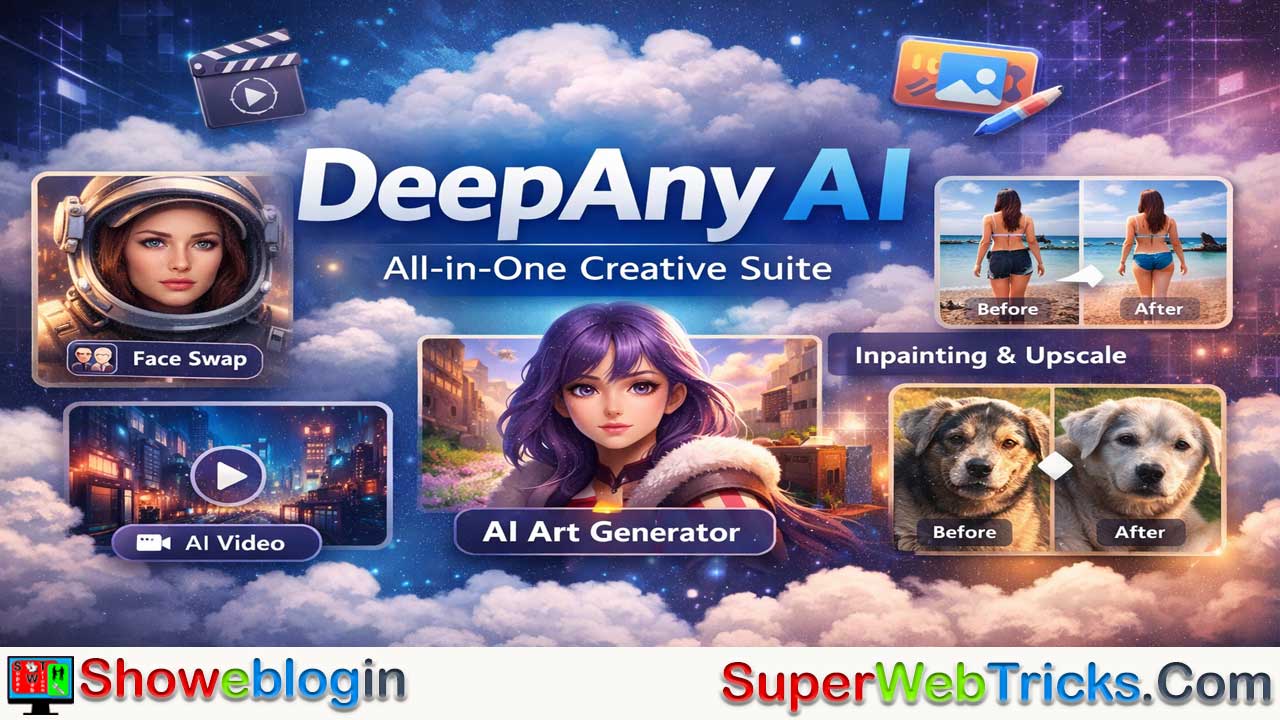






DeepAny AI is a cloud-based, all-in-one generative AI platform that combines powerful creative tools—such as AI face swapping for photos and videos, text-to-video and image-to-video generation, intelligent inpainting for object removal or replacement, AI art creation, and media upscaling—into a single, user-friendly interface requiring no coding or high-end hardware.
Powered by RTX PRO 6000 GPUs, it performs heavy processing in the cloud, making advanced visual editing accessible on any device. Operating on a freemium, credit-based system with optional subscriptions, it allows users to test features before committing, though video tasks can consume credits quickly and require a stable internet connection.
Overall, DeepAny AI serves as a convenient and accessible creative suite for marketers, content creators, and hobbyists seeking professional-grade visual AI tools without the complexity of specialized software.
| Category | Details |
|---|---|
| Platform Type | Cloud-based AI creative suite |
| Main Functions | Face swap (photo & video), AI video generation, AI art generator, inpainting (magic editor), media upscaler |
| Processing Power | Cloud GPUs (RTX PRO 6000) |
| Hardware Required | None (runs in browser) |
| Skill Level | Beginner-friendly, no coding required |
| Pricing Model | Freemium + credit-based system |
| Free Access | Limited daily free credits/trials |
| Best For | Content creators, marketers, social media users, hobbyists |
| Strengths | All-in-one toolkit, high-quality face swap, fast processing |
| Limitations | Credits consumed quickly for video tasks, requires stable internet |
DeepAny AI: A Comprehensive Guide to the All-in-One Creative Suite
In the rapidly expanding landscape of generative AI, DeepAny AI positions itself as a versatile, cloud-based “Swiss Army Knife” for digital media. Unlike tools that focus on a single niche (like just text-to-image or just chatbots), DeepAny AI aggregates powerful visual manipulation tools into a single, user-friendly interface that requires no coding knowledge and minimal setup.
What is DeepAny AI?
DeepAny AI is a web-based platform that leverages high-performance cloud computing (specifically utilizing RTX PRO 6000 GPUs) to render AI tasks. This means users can perform heavy-duty processing—like rendering AI videos or swapping faces in high definition—without needing a powerful computer of their own.
It is particularly popular for its “freemium” approach, allowing users to test features with daily trials or credit-based systems before committing to a subscription.
Core Features
The platform focuses on five primary creative tools, each designed to streamline a specific part of the content creation workflow.
1. AI Face Swap (Photo & Video)
DeepAny is widely recognized for its robust Face Swap technology. Unlike basic mobile apps, this tool handles both static images and video footage.
- How it works: You upload a source image (the face you want to use) and a target image/video (the scene you want to put the face into). The AI maps facial geometry, lighting, and skin tones to blend the two seamlessly.
- Use Cases: Creating engaging social media content, personalized memes, or visualizing how a person might look in different professional attire or movie scenes.
2. AI Video Generator
This feature allows users to generate short video clips from simple text prompts or by animating static images.
- Text-to-Video: Describe a scene (e.g., “A cyberpunk city in the rain”), and the AI generates a short clip matching the description.
- Image-to-Video: Take a still photo and add motion, such as making a character blink, smile, or turn their head, effectively bringing portraits to life.
3. Inpaint Anything (AI Magic Editor)
The Inpaint tool functions as a smart eraser and editor. It allows you to modify specific parts of an image without affecting the rest.
- Remove Objects: Highlight an unwanted object (like a trash can or a photobomber), and the AI will fill the space with a background that matches the surrounding area.
- Replace Elements: You can highlight a shirt and type “leather jacket” to have the AI digitally change the clothing while keeping the person’s pose and lighting intact.
4. AI Art Generator
For creating original assets from scratch, the Art Generator uses text-to-image models.
- Capabilities: Users can generate visuals in various styles—from photorealistic portraits and anime characters to oil paintings and 3D renders.
- Efficiency: It is designed for speed, allowing for rapid iteration of concepts for storyboards, blog headers, or creative inspiration.
5. Media Upscaler
This utility tool addresses the common issue of low-resolution images.
- Function: It uses AI to upscale images, increasing their resolution and sharpness without the blurriness associated with traditional digital zooming. This is ideal for restoring old photos or preparing low-res web images for print.
Pricing and Access Models
DeepAny AI typically operates on a credit-based system, which offers flexibility for different types of users.
- Daily Free Trials: The platform often provides a limited number of free daily credits or trials, allowing new users to test the quality of the tools without immediate payment.
- Credit Consumption: Different tasks “cost” different amounts of credits. For example, generating a single image might cost 1 credit, while processing a video face swap (which requires rendering many frames) will consume significantly more.
- Plans: Users can purchase credit packages or subscriptions (e.g., daily or monthly plans) depending on their volume of usage. This “pay-as-you-go” or “subscription” mix caters to both casual users and power users.
Pros and Cons for Users
| Pros | Cons |
|---|---|
| No Hardware Required: Cloud processing means it runs on any device (laptop, tablet, phone). | Credit System: Video tasks can burn through credits quickly. |
| All-in-One: Eliminates the need to switch between different apps for swapping, editing, and generating. | Internet Dependent: Requires a stable connection for uploading assets and downloading results. |
| User-Friendly: Simple interface with minimal learning curve. | Generic Styles: Art generation may offer fewer granular controls than complex tools like Midjourney. |
Conclusion
DeepAny AI is a powerful entry point for creators looking to leverage generative AI without the steep learning curve of professional software. Its strength lies in its Face Swap and Inpainting capabilities, which offer professional-grade photo manipulation in seconds. For marketers, content creators, and hobbyists, it provides a accessible toolkit to experiment with the latest in visual AI technology.
FAQs about DeepAny AI
What is DeepAny AI?
DeepAny AI is a cloud-based all-in-one creative platform that offers AI-powered tools like face swapping, video generation, art creation, inpainting, and media upscaling through a web browser.
Is DeepAny AI free to use?
DeepAny AI offers limited daily free credits or trials, allowing users to test features before purchasing additional credits or a subscription plan.
How does the credit system work?
Each task consumes a specific number of credits depending on processing complexity. Simple image generation costs fewer credits, while video face swaps and rendering consume more.
Do I need a powerful computer to use DeepAny AI?
No. All processing is handled in the cloud using high-performance GPUs, so you only need a stable internet connection and a browser.
Can DeepAny AI swap faces in videos?
Yes. It supports both photo and video face swapping by mapping facial geometry, lighting, and skin tones for realistic blending.
Is DeepAny AI suitable for beginners?
Yes. The platform is designed with a simple interface that requires no coding or advanced technical knowledge.
What is the AI Video Generator feature?
It allows users to create short videos from text prompts or animate static images to add motion such as blinking or head movement.
What does the Inpaint tool do?
The Inpaint feature lets users remove unwanted objects or replace specific elements in an image while preserving the rest of the scene.
Can I generate original artwork with DeepAny AI?
Yes. The AI Art Generator creates images from text prompts in various styles, including photorealistic, anime, and digital art.
Does DeepAny AI improve image quality?
Yes. The Media Upscaler enhances resolution and sharpness of low-quality images using AI-based upscaling.
Is DeepAny AI good for social media content?
Yes. Its face swap, video, and editing tools are popular for creating engaging social media visuals and short-form content.
Does DeepAny AI require software installation?
No. It is entirely web-based and does not require downloads or installation.
How fast is DeepAny AI processing?
Processing speed depends on the task and server load, but cloud GPUs enable relatively fast rendering compared to local processing.
Can I use DeepAny AI for commercial projects?
Usage rights depend on the platform’s terms of service and subscription plan, so users should review the licensing details before commercial use.
Is there a subscription option?
Yes. Users can purchase credit packages or subscribe to daily or monthly plans depending on their usage needs.
Does DeepAny AI work on mobile devices?
Yes. Since it runs in a web browser, it can be accessed on smartphones and tablets.
Are there limitations to the art styles available?
While it offers multiple styles, it may provide fewer advanced customization controls compared to highly specialized AI art tools.
Is internet speed important for using DeepAny AI?
Yes. A stable and reasonably fast internet connection is important for uploading media and downloading processed results.
Can DeepAny AI restore old photos?
Yes. The Media Upscaler can enhance and sharpen older or low-resolution images.
Who is DeepAny AI best suited for?
It is ideal for content creators, marketers, designers, and hobbyists looking for quick, AI-powered visual editing without complex software.












Leave a Reply
You must be logged in to post a comment.