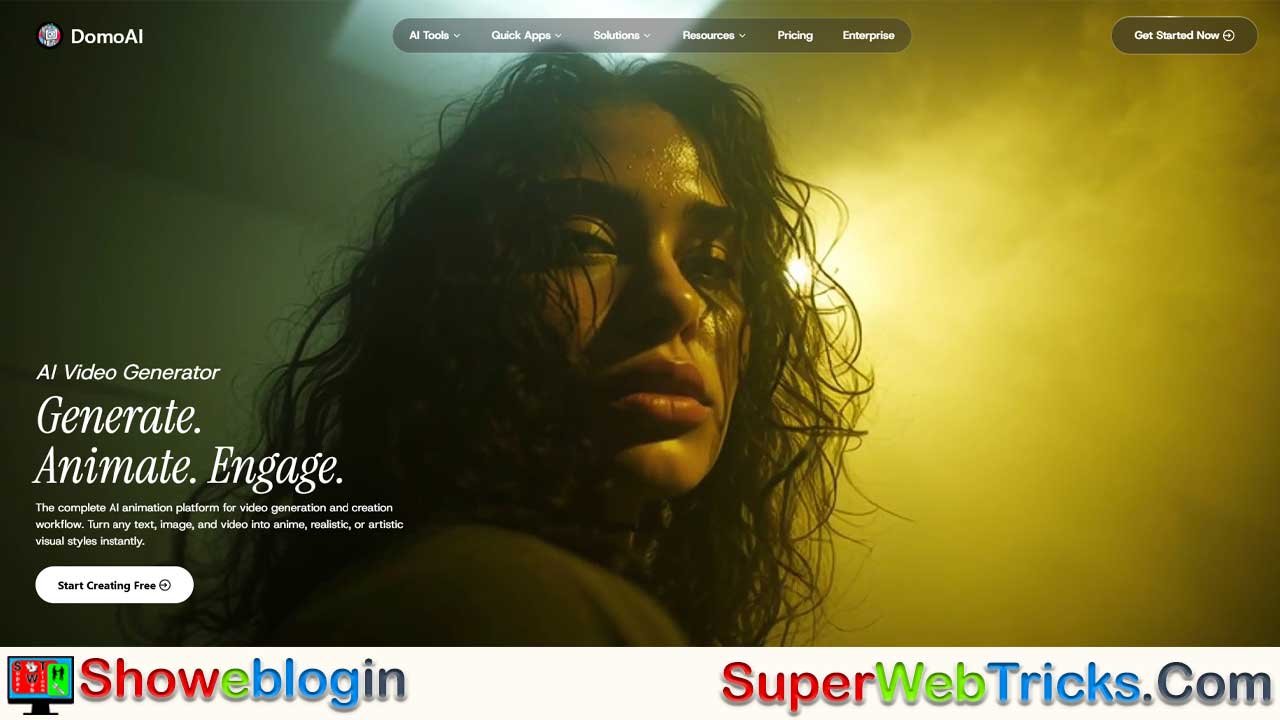


DomoAI is an all-in-one AI animation platform that makes high-quality video creation accessible by offering five powerful generation engines—video-to-video style transfer, character animation with precise motion control, image-to-video animation, talking avatars with advanced lip sync, and text-to-video creation—alongside smart editing tools like upscaling, background removal, and color restyling.
With a community of over 3 million users, it empowers creators, marketers, and game developers to produce professional-grade animations without technical expertise or expensive tools.
Its freemium model grants full commercial rights to generated content, positioning DomoAI as a versatile, creator-friendly “studio in a box” that accelerates storytelling and visual production for everyone.
| Category | Information |
|---|---|
| What It Is | All-in-one AI animation and video creation platform |
| User Base | 3M+ creators; one of the top global Discord servers |
| Core Features | Video-to-Video, Character Animation, Image-to-Video, Talking Avatar, Text-to-Video |
| Editing Tools | AI Upscaler, Background Removal, Motion Reference, Color & Style Restyle |
| Use Cases | Content creation, marketing, game development, advertising |
| Strengths | High-quality style transfer, precise motion control, easy avatar creation |
| Business Model | Freemium, credit-based system |
| Commercial Rights | Users retain full commercial rights to generated content |
| Ideal For | Creators, influencers, marketers, indie developers, businesses |
| Platform Advantage | No advanced animation skills or expensive software required |
DomoAI: The All-In-One AI Powerhouse Revolutionizing Video Animation
In the fast-paced world of digital content, the barrier to entry for high-quality animation has historically been incredibly high. Professional animation requires years of training, expensive software, and countless hours of rendering. DomoAI has shattered this barrier.
Positioning itself as a “complete AI animation platform,” DomoAI is not just another video generator; it is a comprehensive creative suite that bridges the gap between static imagination and dynamic storytelling. With a community of over 3 million creators and a ranking as one of the top Discord servers globally, it has rapidly become a standard tool for creators looking to produce professional-grade visuals without a Hollywood budget.
The Core Magic: Five Pillars of Generation
DomoAI distinguishes itself from competitors by offering five distinct generation engines, each solving a specific problem in the content creation workflow.
Video-to-Video: The Art of Style Transfer
This is DomoAI’s flagship feature. It allows users to upload raw footage—shot on a smartphone or a professional camera—and instantly transform it into a completely different artistic medium.
- How it works: You upload a video of a dancer, a person walking, or a cinematic shot. You then select a style preset (such as Japanese Anime, 3D Cartoon, Illustration, or Realistic).
- The Result: The AI retains the original motion and composition of your footage but renders it frame-by-frame in the new style. This is widely used by creators to turn themselves into anime characters for TikTok and Instagram Reels.
Character Animation: Precision Motion Control
Most AI video generators suffer from “hallucination,” where characters morph or move unpredictably. DomoAI solves this with Motion Guiding.
- The Workflow: You upload a static image of your character (the “Actor”) and a separate video clip of a movement (the “Motion Reference”).
- The Magic: DomoAI applies the movement from the video onto your static character. If you have a drawing of a knight and a video of a person breakdancing, the AI will make the knight breakdance, maintaining the character’s design consistency.
Image-to-Video: Bringing Stills to Life
This feature breathes life into static photography and art. It analyzes the elements of an image—like hair blowing in the wind, water flowing, or subtle facial expressions—and generates a fluid animation. It is an essential tool for digital marketers looking to make static ad banners more engaging.
Talking Avatar & Lip Sync
Creating a virtual presenter usually requires complex 3D modeling. DomoAI simplifies this into a few clicks.
Lip Sync Auto-Match: The platform’s advanced audio processing automatically synchronizes the avatar’s lip movements with your uploaded audio track or text-to-speech script. This ensures that the character doesn’t just move their mouth, but actually looks like they are enunciating the words.
Text-to-Video: Creation from Scratch
For creators who are in the “ideation” phase and have no visual assets, this feature generates video clips purely from text prompts. It is ideal for storyboarding, concept art, and rapid visualization.
The Smart Utility Belt: Professional Editing Tools
DomoAI understands that generation is only half the battle; the rest is editing. To streamline this, they offer a suite of “Smart Editing Tools” that automate tedious post-production tasks.
| Feature | Function | Benefit |
|---|---|---|
| AI Video Upscaler | Enhances resolution and clarity. | transform 720p AI outputs into crisp 4K footage suitable for professional streaming. |
| Background Removal | Removes backgrounds without green screens. | Offers “Screen Keying” or “Subject Only” modes for easy compositing in other software. |
| Motion Reference | Uses reference videos to guide AI generation. | ensures complex movements (like martial arts or dance) are captured accurately in the animation. |
| Color & Style Restyle | Transforms the color palette and texture. | Allows creators to A/B test different visual moods (e.g., Cyberpunk vs. Watercolor) instantly. |
Real-World Applications: Who is using DomoAI?
The platform’s versatility has attracted a diverse user base, ranging from hobbyists to enterprise professionals.
For Content Creators & Influencers
In the “Attention Economy,” visual novelty is key. Creators use DomoAI to turn mundane vlogs into animated episodes. The viral “AI Anime Dance” trend on TikTok is largely fueled by DomoAI’s video-to-video capabilities.
For Game Developers
Indie developers use the Character Animation tool to rapidly prototype character movements. Instead of manually animating a walk cycle, they can simply record themselves walking and apply that motion to their 2D game sprites.
For Marketers & Advertisers
The Talking Avatar feature allows businesses to create consistent brand ambassadors without hiring actors for every single video. Combined with Image-to-Video, marketers can turn static product shots into dynamic advertisements that capture higher click-through rates.
Business Model: Commercial Rights & Accessibility
One of the most frequent questions regarding AI tools is ownership. DomoAI has taken a creator-friendly stance:
- Commercial Ownership: Users retain full commercial rights to the content they generate. This means the videos can be monetized on YouTube, sold as stock footage, or used in paid advertising campaigns without fear of copyright strikes from the platform.
- Freemium Access: DomoAI operates on a credit-based system. New users are given free credits to experiment with the tools, while heavy users can subscribe to paid plans for higher resolution, faster generation speeds, and more processing credits.
Conclusion: The Future of Animation
DomoAI is not replacing animators; it is giving them a jetpack. By automating the frame-by-frame labor of rendering and styling, it allows creators to focus on direction, storytelling, and concept. Whether you are a filmmaker looking to experiment with anime styles, or a business owner needing a quick animated explainer, DomoAI offers a professional “studio in a box” accessible through a web browser.
Ready to Create? You can start generating your first AI animation immediately by visiting the Official DomoAI Website.
FAQs about DomoAI
What is DomoAI?
DomoAI is an all-in-one AI animation platform that transforms videos, images, and text into high-quality animated content.
How does DomoAI’s video-to-video feature work?
You upload a video and choose a style, and the AI recreates the footage frame-by-frame while preserving motion and composition.
What styles can DomoAI apply to videos?
Styles include anime, illustration, 3D cartoon, realism, and various artistic presets.
What is Motion Guiding?
Motion Guiding transfers movement from a reference video onto a static character image to maintain consistent animation.
Can DomoAI animate a single image?
Yes, the image-to-video engine adds natural motion such as hair movement, water, or subtle facial expressions.
Does DomoAI support talking avatars?
Yes, it can generate lip-synced speaking avatars from an image and audio or text input.
Can DomoAI create videos from text prompts?
Yes, the text-to-video feature generates entirely new clips based on written descriptions.
What editing tools does DomoAI include?
It offers AI upscaling, background removal, motion reference tools, and color/style restyling.
Can DomoAI upscale low-resolution AI videos?
Yes, the AI upscaler enhances resolution up to crisp, professional-grade 4K.
Does DomoAI remove backgrounds automatically?
Yes, it can separate subjects without green screens through “Subject Only” or “Screen Keying” modes.
Who uses DomoAI?
Creators, influencers, advertisers, marketers, indie game developers, and businesses use the platform.
Is DomoAI suitable for content creators?
Yes, it helps creators turn everyday footage into engaging, stylized videos ideal for social media.
Can game developers use DomoAI?
Indie developers can quickly prototype character motions using the Character Animation tool.
Is DomoAI good for marketers and advertisers?
Yes, it helps generate dynamic ads, talking avatars, and animated visuals that boost engagement.
Do users own the content they create with DomoAI?
Yes, users retain full commercial rights to all generated content.
Can I monetize videos created with DomoAI?
Yes, the content can be used in ads, sold, or published on monetized channels.
How does DomoAI’s pricing work?
It follows a credit-based freemium model with optional subscriptions for faster, higher-quality generation.
Does DomoAI offer free credits?
Yes, new users receive free credits to test the platform’s features.
Does DomoAI run in a browser?
Yes, all tools are accessible online without installing software.
Is DomoAI beginner-friendly?
Yes, it requires no animation experience, making it accessible to anyone.
How fast does DomoAI generate videos?
Speed varies by resolution and plan, but higher-tier subscriptions offer faster processing.
Does DomoAI support long videos?
There may be duration limits depending on the user’s plan and credit balance.
Does DomoAI preserve character consistency?
Yes, the Character Animation feature maintains design accuracy across frames.
Can I turn myself into an anime character using DomoAI?
Yes, this is one of the most popular uses of the video-to-video engine.
Can I use my own art or character designs?
Yes, you can upload original images and animate them using motion references.
Does DomoAI work for realistic animations?
Yes, it supports realistic rendering styles in addition to stylized ones.
Does it support audio input?
Yes, audio files can be uploaded for talking avatar lip sync.
Can I use DomoAI for explainer videos?
Yes, talking avatars and text-to-video tools are ideal for quick explainers.
Is there a watermark on free outputs?
Some free outputs may include watermarks depending on the plan.
Does DomoAI require powerful hardware?
No, all processing happens in the cloud.
Is DomoAI safe for commercial brands?
Yes, it offers consistent avatars and style control suitable for professional use.
Can DomoAI create social-media-ready content?
Yes, it supports formats ideal for TikTok, Instagram, YouTube, and ads.
Does DomoAI require any animation skills?
No, it automates the animation process so anyone can create professional results.
Can I restyle my video multiple times?
Yes, color and style restyle tools allow experimenting with different looks instantly.
Does DomoAI support 4K output?
Yes, higher-tier plans allow 4K video generation or upscaling.
Is teamwork or collaboration supported?
Collaborative use depends on sharing assets and credits across accounts.
Does DomoAI offer customer support?
Yes, support is available through their website and active community channels.
Is there a community for DomoAI users?
Yes, over 3 million creators participate in one of the world’s largest Discord creative communities.
Can I use DomoAI for storyboarding?
Yes, text-to-video and quick animations are perfect for visual planning.
Does DomoAI maintain motion accuracy?
Yes, thanks to motion reference tools that reduce animation errors and hallucination.
Can I animate dance or martial arts movements?
Yes, complex motions can be recreated by uploading a reference video.
Can businesses use DomoAI for branding?
Yes, brands can create consistent animated ambassadors or product visuals.
Does DomoAI support multiple styles per project?
You can generate variations and combine them using external editing tools.
Can I edit DomoAI outputs in other software?
Yes, content can be used in apps like Premiere, After Effects, or game engines.
Does DomoAI work for 2D and 3D looks?
Yes, it supports both 2D artistic styles and 3D cartoon or realistic styles.
Can DomoAI turn still product images into videos?
Yes, image-to-video lets marketers animate product shots into attention-grabbing clips.
Leave a Reply
You must be logged in to post a comment.