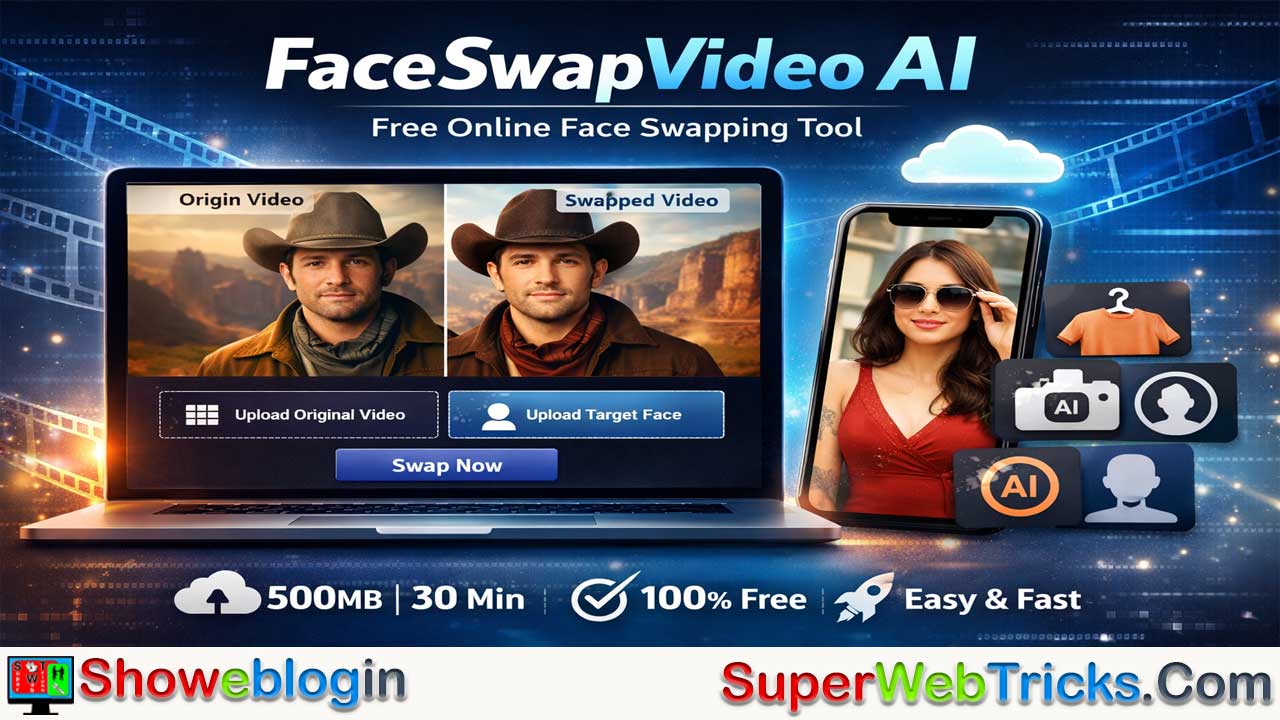






FaceSwapVideo AI is a browser-based, cloud-powered face-swapping platform that lets users replace faces in videos, photos, and GIFs through a simple three-step workflow without requiring software installation or advanced hardware.
It stands out for its unusually generous free limits—supporting videos up to 500 MB and 30 minutes—along with multi-format compatibility and a daily credit system that covers most casual use. Beyond face swapping, it offers an expanded suite of AI tools such as clothes changers and portrait generators, making it a multipurpose creative hub.
While results depend heavily on input quality and daily credits cap heavy usage, the platform is fast, accessible across devices, and positioned as privacy-conscious. Overall, it serves as an easy entry point for creators and hobbyists seeking quick, studio-style AI edits, provided users follow ethical guidelines around consent and responsible content creation.
| Category | Details |
|---|---|
| Platform Type | Browser-based AI face-swapping tool (cloud processing) |
| Main Functions | Face swap for videos, photos, and GIFs |
| Max Video Size | Up to 500 MB |
| Max Video Duration | Up to 30 minutes |
| Supported Formats | Major video/image formats |
| Pricing Model | Free with daily credit system (1,000 credits/day) |
| Multi-Face Support | Yes (can select specific faces in group shots) |
| Extra AI Tools | Clothes changer, video denoiser/joiner, AI portraits |
| Speed | Fast processing, short clips often under a minute |
| Device Compatibility | Works on desktop and mobile browsers |
| Installation Required | None (web-only) |
| Privacy Claim | States it does not permanently store user data |
| Ideal For | Content creators, memes, privacy masking, fun edits |
FaceSwapVideo AI – The Free, Browser-Based Face Swapping Powerhouse
In the rapidly evolving landscape of generative AI, face-swapping technology has moved from complex code repositories to user-friendly web interfaces. One of the most prominent entrants in this space is FaceSwapVideo AI.
For AI enthusiasts, content creators, and casual users looking for a robust, no-cost solution to swap faces in videos, photos, and GIFs, this tool claims to offer a “studio-quality” experience without the heavy price tag.
What is FaceSwapVideo AI?
FaceSwapVideo AI is a purely web-based platform that leverages artificial intelligence to replace a face in a target video, image, or GIF with another face of your choosing. Unlike deepfake software that requires powerful GPUs and local installation (like DeepFaceLab), this tool runs entirely in the cloud.
Its main selling point is accessibility: it removes the technical barrier to entry, allowing users to perform complex video editing tasks in three simple steps.
Core Capabilities
- Video Face Swap: Swap faces in moving footage with impressive temporal consistency.
- Photo & GIF Swap: Static images and animated memes are also supported.
- Multiple Face Swap: The tool can detect multiple faces in a single frame, allowing you to swap specific faces within a group shot.
- No Watermarks (Advertised): The platform positions itself as a free tool that doesn’t ruin output with intrusive branding.
Key Features & Specifications
For power users, the specs matter. Here is what FaceSwapVideo AI brings to the table:
1. High File Limits
One of the biggest limitations of free online tools is usually file size or video duration. FaceSwapVideo AI stands out with surprisingly generous limits:
- Max Video Size: Up to 500 MB
- Max Video Duration: Up to 30 Minutes
- Most competitors cap free users at 10-30 seconds, making this 30-minute limit a significant advantage for long-form content creators.
2. Multi-Format Support
The tool claims to support “all major video formats,” eliminating the need to convert files before uploading.
3. “100% Free” with a Credit System
While the homepage boasts “100% Free,” it operates on a Daily Credit System.
- Users can claim 1,000 credits daily.
- According to the platform, this allowance is generally sufficient for most standard user needs, effectively functioning as an “unlimited” free tier for casual use.
4. Additional AI Suite
While face swapping is the flagship feature, the site acts as a hub for other generative tools, including:
- AI Clothes Changer
- Video Denoiser & Joiner
- AI Headshot & Portrait Generators
- Fun/Novelty tools (e.g., AI Hugging or Kissing generators)
How to Use FaceSwapVideo AI (Step-by-Step)
The user interface is designed for “zero-learning-curve” usability.
Step 1: Upload the “Origin” Video
- Navigate to the official website.
- Click Upload Video to select the video you want to alter.
Tip: Ensure the face in the video is well-lit and not obstructed by hands or objects for the best results.
Step 2: Upload the “Target” Face
- Click Upload Photo to select the image containing the face you want to insert into the video.
Tip: A clear, front-facing high-resolution photo works best. Avoid side profiles or blurry selfies.
Step 3: Swap and Download
- Click the Swap Now button.
- The AI will process the video frame-by-frame. Wait for the loading bar to complete.
- Once finished, preview the result and click Download to save it to your device.
Use Cases
- Content Creation: Create funny memes or parody videos for TikTok and Instagram Reels.
- Privacy Protection: Anonymize a person in a video by swapping their face with a generated AI face before publishing news or documentary footage.
- Personalized Greetings: Swap yourself into a movie clip to send unique birthday wishes or holiday cards.
- Social Experiments: Visualize how you would look in different scenarios, hairstyles, or movie roles.
The Verdict: Pros and Cons
To give you a balanced view, here are the strengths and weaknesses of FaceSwapVideo AI.
✅ The Pros
- Generous Limits: The 30-minute/500MB limit is virtually unheard of for free web tools.
- Speed: Advertised as “Ultra-Fast,” usually processing short clips in under a minute.
- Accessibility: No software installation; works on mobile and desktop browsers.
- Privacy Focused: Claims not to store user data permanently and uses secure processing (though standard caution with uploading personal photos should always apply).
❌ The Cons
- Dependence on Input Quality: If the original video has rapid movement or extreme angles, the face mask might slip or flicker (a common issue with all one-click AI swappers).
- Daily Limits: While 1,000 credits is a lot, it is technically not “unlimited” if you are a heavy bulk-user.
- Single Person Focus: While multi-face swap exists, the primary workflow is optimized for swapping one target face at a time efficiently.
Safety and Ethics Reminder
As with any AI face-swapping tool, ethical usage is paramount.
- Consent: Do not use this tool to create non-consensual content involving real people.
- Misinformation: Do not use face swapping to create misleading political content or fake news.
- Terms of Service: Always adhere to the platform’s guidelines regarding prohibited content.
Conclusion
FaceSwapVideo AI positions itself as a top-tier contender in the free AI tools market. Its combination of high file size limits, ease of use, and lack of mandatory subscription fees makes it an excellent choice for users who want quick results without the hassle of coding or expensive software.
For those looking to experiment with AI video editing, faceswapvideo.ai is currently one of the most accessible starting points on the web.
FAQs about FaceSwapVideo AI
What is FaceSwapVideo AI?
It is a browser-based AI tool that lets users swap faces in videos, photos, and GIFs using cloud processing without installing any software.
Is FaceSwapVideo AI really free to use?
The platform offers a free tier with a daily credit system that provides 1,000 credits per day, which is generally enough for typical casual usage.
What is the maximum video size supported?
Users can upload videos up to 500 MB, which is higher than many competing free online tools.
What is the maximum video duration allowed?
The platform supports videos up to 30 minutes long, making it suitable for longer content projects.
Does it support multiple faces in one video?
Yes, it can detect multiple faces in a frame and allows users to choose which faces to swap.
Do I need to install any software?
No installation is required since everything runs directly in a web browser.
What file formats are supported?
It supports most major video and image formats, reducing the need for file conversion before uploading.
How fast is the processing speed?
Short clips are typically processed in under a minute, though speed depends on file size and server load.
Can I use it on a mobile device?
Yes, it works on both desktop and mobile browsers.
Does the platform add watermarks to outputs?
It advertises watermark-free results for its free outputs.
Are there other AI tools available on the site?
Yes, it also offers tools like an AI clothes changer, video denoiser and joiner, and AI portrait generators.
Is my uploaded data kept private?
The platform claims it does not permanently store user data and uses secure processing, though users should still exercise caution with personal media.
What affects the quality of face swaps?
Clear lighting, stable angles, and unobstructed faces in the source media significantly improve results.
Are there daily usage limits?
Yes, usage is limited by the daily credit allocation, which resets each day.
What are common use cases for the tool?
It is often used for content creation, memes, privacy masking, personalized videos, and creative experimentation.
Is it safe to use face-swapping technology ethically?
Users should always obtain consent, avoid misleading content, and follow platform guidelines to ensure responsible use.












Leave a Reply
You must be logged in to post a comment.