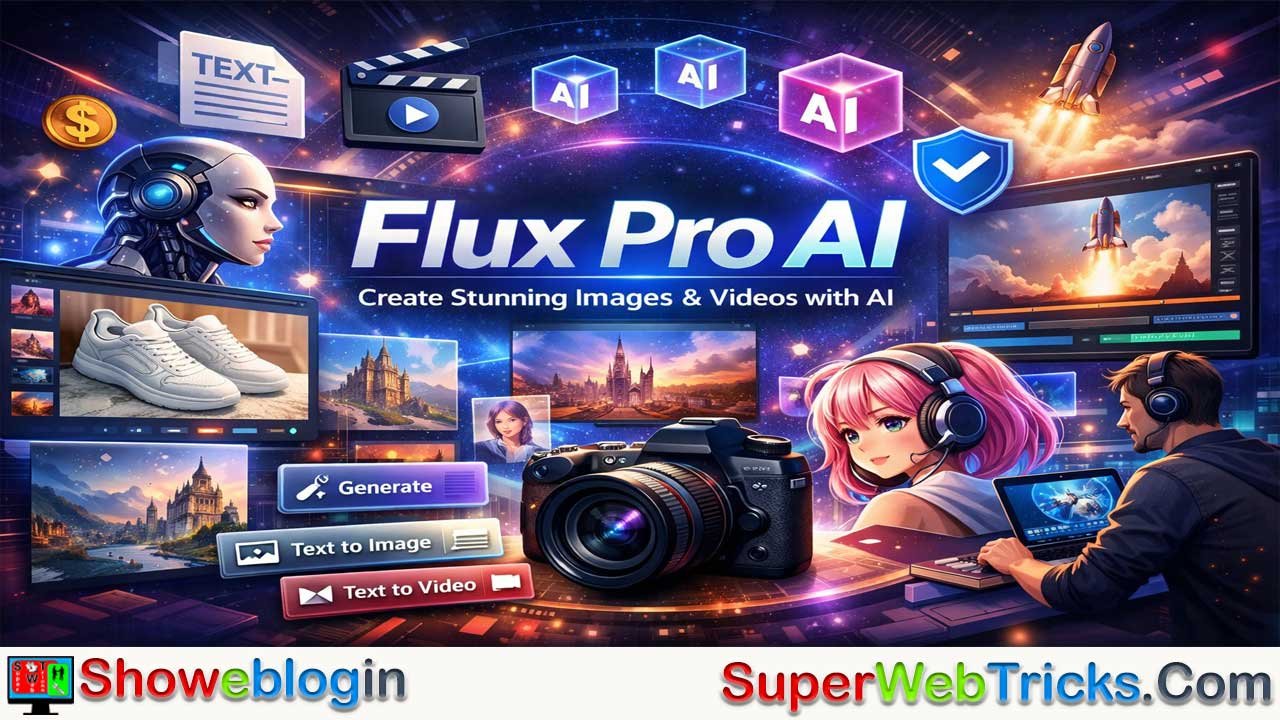




Flux Pro AI is a free, all-in-one AI creation studio for generating high-quality images and videos from text, offering a generous credit system (60 starter credits plus daily refills), fast performance, and professional results without watermarks or hidden fees.
Powered by multiple advanced models like Flux.2 Pro for photorealism, Flux.1 Schnell for speed, Flux Kontext for consistency, and Flex for text-heavy designs, it excels in text accuracy, anatomy rendering, prompt adherence, and commercial usability.
Unlike many competitors, it includes commercial rights, private generations, and integrated text-to-image and text-to-video tools, making it ideal for creators, marketers, businesses, and freelancers who want to produce social content, product visuals, videos, and design assets quickly and affordably—starting free and scaling only when needed.
What Is Flux Pro AI? The Best Free AI Image Generator in 2026
Flux Pro AI is an all-in-one creation studio. It generates high-quality images and videos using artificial intelligence. The platform uses advanced AI models like Flux.1 and Flux.2. You can create content from text descriptions alone.
The tool is completely free to start. You get 60 credits when you sign up. You earn 20 more credits every single day. This means you never run out of tools to create with.
Flux Pro AI lets you generate images and videos without hiring expensive designers or videographers. The process takes seconds. Your images come out professional-looking. The platform handles everything automatically.
Why Choose Flux Pro AI Over Other Free AI Image Generators?
Flux Pro AI beats many competitors in accuracy and speed. The Flux.1 Schnell model is 10 times faster than standard models. You generate stunning visuals in just seconds. Other tools like Midjourney often charge monthly with no real free trial.
Flux Pro AI includes these winning features:
- Text accuracy in images: Flux renders clean, legible text inside images. Many tools still fail at this.
- Anatomy precision: The AI excels at rendering hands, faces, and human features correctly.
- Prompt adherence: The tool understands complex, nuanced descriptions very well.
- Multiple AI models: Choose from Flux.2 Pro, Flux.1 Pro, Flux Kontext, and more.
- Commercial rights included: Use images and videos for business and selling.
- No watermark downloads: Your creations look professional.
- Private generations: Your work stays private.
Free alternatives often limit you to a small number of images per month. Flux Pro AI beats them with generous free credits and flexible paid plans.
Flux Pro AI Features: Everything You Need for Content Creation
Advanced AI Image Generation Models
Flux Pro AI gives you access to the latest AI painting and image models. Each model specializes in different types of content.
Flux.2 Pro – This is the flagship professional model. It delivers photorealistic outputs up to 4MP resolution. Use it for professional photography, product images, and marketing materials. The detail rendering is exceptional.
Flux.1 Schnell – This is the speed king. It generates stunning images in just 1 to 4 steps. It is ideal for rapid prototyping, social media content, and quick idea testing.
Flux.1 Pro – The original professional model. It generates high-quality, realistic images with clear text. You get flexible versions for developers and commercial applications.
Flux Kontext Pro – This model focuses on image consistency. It maintains visual coherence across multiple generations. It is perfect for maintaining brand consistency.
Flux Kontext Lora – Combines natural language understanding with custom LoRA models. Supports text-to-image, image-to-image, and image editing with personalized styles.
Flux.2 Flex – Offers adjustable quality-speed trade-offs. Excels in precise text rendering and typography up to 4MP. Ideal for memes, posters, product mockups, and layouts.
Nano Banana Pro AI – An advanced model for text-to-image generation and image editing. Delivers impressive results with strong quality and versatility.
Seedream 4.5 Image AI – A powerful image editing model. Enables editing of multiple images while maintaining consistency.
AI Video Generation Tools
Flux Pro AI includes powerful video generation features. You go from text descriptions to animated videos quickly.
Text-to-Video Generation – Write a description. The AI creates animated videos automatically. No filming, editing, or production needed. Perfect for social media, ads, and marketing content.
Image-to-Video Generation – Start with a static image. The tool animates it into a video. Bring your existing designs to life instantly. Maintain visual consistency with your brand.
Video Effect Features – Add professional effects to your videos. The tool handles everything automatically.
Free AI Tools You Can Use Daily
Flux Pro AI includes free helper tools:
- Free image-to-prompt generator.
- 50–500 free tool uses daily (depending on plan).
- Hot prompt templates and tags such as Nature, Art, Anime, Cyberpunk, Realistic, Food, Tattoo and more.
Flux Pro AI Pricing Plans: Find Your Perfect Option
Free Plan – Start Creating Today
- 60 starter credits when you sign up.
- 20 daily check-in credits (earn free credits every day).
- Free access to Flux.1 Schnell and Flux.1 Dev models.
- 50 free tool uses per day.
- Shared generation queue.
- 15-day history.
- Basic premium features.
This free tier is genuinely generous. You can test the platform for weeks without paying.
Basic Monthly Plan – 5000 Credits/Month
- 5000 monthly credits.
- Unlimited premium features.
- High-quality Flux.2 Pro images.
- Flux Kontext Pro AI access.
- Powerful AI video generation.
- 500 free tool uses daily.
- No watermark downloads.
- Private generations.
- 365-day history.
- Commercial rights.
- Cancel anytime.
Professional Monthly Plan – 13000 Credits/Month
- 13000 monthly credits.
- Everything in Basic, plus:
- Faster generation queue.
- Valid for 1 year.
- Best value for regular creators.
Premium Annual Plan – 21000 Credits/Month
- 21000 monthly credits.
- Highest tier capacity.
- Commercial license included.
- Perfect for agencies and businesses.
One-Time Credit Packages
If you do not want a subscription, buy one-time credits:
- 4000 credits pack.
- 10000 credits pack.
- 26000 credits pack.
- 56000 credits pack.
How to Use Flux Pro AI: Step-by-Step Guide
Creating Your First AI Image
Step 1: Sign Up for Free
Visit fluxproweb.com. Click “Get Started Free.” Enter your email. Confirm your account. You instantly receive 60 credits.
Step 2: Choose Your AI Model
Go to the image generator. Select your preferred model (Flux.2 Pro for quality, Flux.1 Schnell for speed, etc.).
Step 3: Write Your Prompt
Describe what you want to create. Be specific. Include style, mood, lighting, and special details.
Example: “Professional product photo of white sneakers on marble table, soft studio lighting, commercial photography style.”
Step 4: Generate Images
Click “Generate.” The AI creates your images in seconds. You get multiple variations to choose from.
Step 5: Download and Use
Download your images without watermarks. Use them commercially on social media, in products, or in ads.
Creating AI Videos
Text-to-Video Steps:
- Select “Video Generator.”
- Choose text-to-video mode.
- Write your video prompt.
- Click “Generate Video.”
- Download and edit as needed.
Image-to-Video Steps:
- Upload your image.
- Select image-to-video mode.
- Describe the motion you want.
- Generate animated video.
- Add effects if desired.
- Download instantly.
Real-World Use Cases: How Creators Use Flux Pro AI
E-Commerce Product Photography
Create professional product photos without expensive photoshoots. Generate variations of your products on different backgrounds. Show items from multiple angles. Update seasonal collections instantly without hiring photographers.
Social Media Content Creation
Generate eye-catching images for Instagram, TikTok, Facebook, and YouTube. Create multiple variations for A/B testing. Post consistently without content gaps. Build a strong, consistent visual brand.
Content Repurposing
Transform blog articles into video content. Turn your written guides into animated explainers. Repurpose old content into new formats. Reach audiences who prefer video and visual content.
Graphic Design and Marketing
Create social media graphics without complex design tools. Generate ad banners in minutes. Design presentation slides using AI visuals. Create email marketing graphics and marketing assets faster.
YouTube and Faceless Channels
Build a profitable faceless AI channel. Create videos about AI tools, tech news, business, and tutorials. Use Flux Pro AI to generate all visuals. Scale video production without appearing on camera.
Print-on-Demand Designs
Generate unique artwork for t-shirts, mugs, posters, and more. Create trending designs quickly. Test ideas before launching. Reduce risk and maximize profit on custom products.
AI Portraits and Character Design
Create character artwork for games, comics, and animations. Generate professional headshots and avatars. Maintain consistent style across multiple characters. Ideal for indie game devs and storytellers.
Real Estate and Architecture
Generate property visualization images. Show future development concepts. Create architectural renderings quickly. Use visuals in listings, ads, and investor decks.
Key Features That Make Flux Pro AI Stand Out
Fastest Image Generation Speed
Flux.1 Schnell generates images in just a few steps. Many tools take much longer. This speed matters for busy creators. You produce more content in less time and test more ideas per day.
Fast generation also means efficient use of credits. You get more images per session and keep workflows smooth.
Industry-Leading Text Accuracy
The AI renders clean, readable text inside images. Most free tools struggle with this. Flux handles logos, labels, and long text much better.
This is crucial for:
- Social media quotes and memes.
- Product labels and packaging mockups.
- Posters and flyers.
- Branding and design work.
- Educational graphics.
Exceptional Human Feature Rendering
Flux Pro AI performs strongly on hands, faces, and body proportions. These are difficult for many models. With Flux, anatomy looks natural and realistic.
This is useful for:
- Portrait-style images.
- Character art and concept design.
- Fashion and apparel mockups.
- Avatar and profile picture creation.
Prompt Understanding and Adherence
The AI understands complex and detailed prompts. You can set style, mood, composition, and more. The output aligns closely with your idea, instead of random interpretations.
Commercial License Included
Use your creations for business. Sell products with AI-generated images. Use them in ads, branding, and client projects. There are no hidden licensing fees.
This is especially valuable for small businesses, agencies, and freelancers.
Private Generations Option
Keep your images private. They will not appear in public galleries or feeds. This protects your ideas, client work, and proprietary designs.
No Watermark Downloads
Downloads are clean and ready to use. No logos or watermarks. This is essential for professional and commercial use.
Flux Pro AI vs Competitors: How It Stacks Up
Flux Pro AI vs Midjourney
| Feature | Flux Pro AI | Midjourney |
|---|---|---|
| Free Trial | 60 free credits + daily credits | No real free trial |
| Starting Price | Free to start | Paid monthly |
| Text Accuracy | Very strong | Good |
| Speed | Very fast (Schnell) | Standard |
| Photorealism | Very high | Very high |
| Commercial Use | Included | Included |
| Ease of Use | Web interface, simple | Discord-based |
| Model Variety | Many specialized models | One main model |
Verdict: Flux Pro AI is better for beginners, budget users, and text-heavy designs. Midjourney is still strong for pure artistic photorealism.
Flux Pro AI vs DALL-E 3
| Feature | Flux Pro AI | DALL-E 3 |
|---|---|---|
| Free Tier | Credits with daily refill | Limited monthly use |
| Pricing | Flexible credit-based plans | Fixed monthly |
| Text Rendering | Very strong | Good |
| Model Variety | Multiple models | Single main model |
| Commercial Use | Included | Included |
| Speed | Very fast | Moderate |
Verdict: Flux Pro AI offers more flexibility, speed, and model choice. DALL-E 3 offers broad ecosystem integration but less flexibility on pricing and credit use.
Flux Pro AI vs Leonardo.ai
| Feature | Flux Pro AI | Leonardo.ai |
|---|---|---|
| Free Tier | Daily refill credits | Limited free quota |
| Text Accuracy | Very strong | Good |
| Models | Many Flux and Kontext models | Multiple SD-based |
| Speed | Very fast | Fast |
| Video Generation | Yes | Limited / partial |
| Ease of Use | Very simple | Simple |
Verdict: Flux Pro AI is superior for text-heavy designs and integrated video creation. Leonardo.ai is strong but less focused on video.
Flux Pro AI vs Free Alternatives
Free-only tools like basic Canva generators or simple web tools are helpful but limited. Flux Pro AI outperforms them with:
- Better image quality.
- Better text rendering.
- Higher speed.
- More powerful models.
- Built-in video creation.
- More generous free credits.
How to Maximize Your Flux Pro AI Credits
1. Plan Your Generations
Prepare prompts in advance. Avoid random testing. Batch similar tasks together. This reduces wasted credits.
2. Use the Right Model for Each Task
- Flux.1 Schnell for quick social content.
- Flux.2 Pro for high-end commercial visuals.
- Flux Kontext for consistent characters and branding.
- Flex for text-heavy creatives like posters and memes.
Matching tasks to models improves results and reduces retries.
3. Create Variations Instead of Regenerating
Generate multiple variations from a single prompt. Choose the best and refine if needed. This gets more value from each generation.
4. Combine Text-to-Image and Image-to-Image
Generate a strong base image from text. Use image-to-image with refined prompts to get final output. This is more efficient than starting from scratch every time.
5. Use Your Daily Free Credits
Log in daily. Spend your 20 free credits. Build a library of assets over time. Upgrade only when you outgrow the free tier.
6. Use Hot Prompt Templates
Start from ready-made prompts and adjust them. This speeds up your learning curve and improves results.
Advanced Tips: Mastering Flux Pro AI Prompts
Write Better Prompts, Get Better Results
Instead of:
“Create an image of a cat.”
Try:
“Close-up professional portrait of a fluffy orange tabby cat with bright green eyes, soft studio lighting, blurred bokeh background, commercial pet photography style.”
Add these elements:
- Subject.
- Style.
- Mood.
- Lighting.
- Technical details.
- Quality level.
Prompt Engineering Tricks
- Use style references: “inspired by watercolor illustration,” “cinematic film still.”
- Mention camera details: “macro shot,” “wide angle,” “soft focus.”
- Add mood: “moody and dramatic,” “bright and cheerful.”
- Specify medium: “oil painting,” “digital art,” “3D render,” “photorealistic.”
Earning Money With Flux Pro AI Content
1. YouTube and Faceless Channels
Create tech, AI, or business videos using only AI visuals and voiceover. Use Flux Pro AI to generate all thumbnails and video imagery. Target high-CPM niches like AI tools, finance, and business.
2. Print-on-Demand Merchandise
Use Flux Pro AI to design t-shirts, mugs, posters, and more. Upload designs to platforms like Etsy and print-on-demand services. Earn per sale without inventory.
3. Digital Products and Stock Content
Create bundles of backgrounds, icons, patterns, and illustration packs. Sell them on marketplaces or your own site. AI allows you to scale your catalog quickly.
4. Freelance Graphic Design
Offer branding, social media design, and ad creative services. Use AI to speed up your production. Deliver more work in less time while keeping quality high.
5. Email List and Content Marketing
Share tips and resources about AI design. Promote your own digital products, templates, or training. Use AI visuals to keep emails engaging.
6. Affiliate Marketing
Recommend AI tools and related software. Use Flux Pro AI images in your blogs, landing pages, and social posts. Earn commissions when people sign up.
Common Questions About Flux Pro AI
Is Flux Pro AI Actually Free?
Yes. You get 60 credits when you register and daily credits after that. You can use these to generate images and videos without paying.
Can I Use Flux Pro AI Images Commercially?
Yes. The platform allows commercial use. You can use outputs in products, ads, websites, and client work.
How Long Do Generations Take?
Most images generate in a few seconds, especially with the Schnell model. Video generation takes longer but is still fast compared to traditional production.
What’s the Difference Between Models?
Each model is optimized for different needs:
- Schnell: Speed and volume.
- Pro: High-end quality.
- Dev: Customization and experimentation.
- Kontext: Consistency and editing.
- Flex: Text and layout heavy images.
Can I Edit Generated Images?
Yes. You can download and edit images in any editor. You can also re-upload and refine them using image-to-image features.
Is My Work Private and Secure?
You can set generations to private. This keeps your content out of public feeds and protects your ideas.
Can I Use Flux Pro AI for YouTube Monetization?
Yes. You can create thumbnails, visuals, and full AI videos. Many creators run channels built almost entirely with AI visuals.
Do I Need Design Experience?
No. Simple text prompts are enough. The interface is made for non-designers.
What Does “Commercial Rights” Include?
You can use, sell, and monetize the images in most contexts, including ads, physical products, and client work, depending on plan terms.
Frequently Asked Questions About AI Image Generation
Which AI Image Generator Is Best for Text Rendering?
Flux Pro AI is one of the leading options for clear, readable text inside images. It handles long words, small fonts, and complex layouts better than many rivals.
What’s the Difference Between AI Image and Video Generators?
AI image generators create single images from text or images. AI video generators create moving visuals and sequences. Flux Pro AI provides both, so you can design full visual systems.
Can I Make Money From Faceless AI Channels?
Yes. Many channels use only AI voices and AI visuals. You can publish in tech, self-improvement, finance, and news niches and monetize through ads and sponsorships.
How Much Money Can I Make With AI Content?
Income depends on niche, volume, quality, and monetization. AI lets you produce more content with less cost, which increases your chances of earning more.
Is AI-Generated Content Allowed on Major Platforms?
Most platforms allow AI-generated content as long as you follow their rules and are honest with your audience. Always check platform policies.
Getting Started With Flux Pro AI: Your Action Plan
Week 1: Learn and Experiment
- Sign up at fluxproweb.com.
- Explore the dashboard and main models.
- Test 10–20 simple prompts.
- Try both text-to-image and image-to-video.
- Use your 60 starter credits and daily credits.
Week 2: Practice Prompt Engineering
- Write detailed prompts.
- Test multiple styles and subjects.
- Compare results across models.
- Save your best prompts for reuse.
Week 3: Create Your First Project
- Choose a project (social pack, product images, thumbnails, etc.).
- Plan 30–40 assets.
- Generate and refine.
- Organize outputs into folders.
Week 4: Optimize and Scale
- Study what performs best.
- Improve prompts based on results.
- Decide whether to upgrade your plan.
- Add monetization methods.
Final Verdict: Why Flux Pro AI Is Your Best Choice
Flux Pro AI delivers professional-grade image and video generation with a generous free tier. You get starter credits and daily credits, fast models, and multiple AI engines optimized for different tasks. Text rendering, human anatomy, and speed are strong points.
Creators, marketers, businesses, and freelancers can all benefit. You can build YouTube channels, design print-on-demand products, generate social content, and improve your brand presence without a big budget.
Commercial rights, no watermarks, and private generations make it a serious tool for professional work. You only need to upgrade when you are ready to scale output.
Start free today at fluxproweb.com. Use your credits. Test the models. Discover how fast and simple AI-powered image and video creation can be.






Leave a Reply
You must be logged in to post a comment.