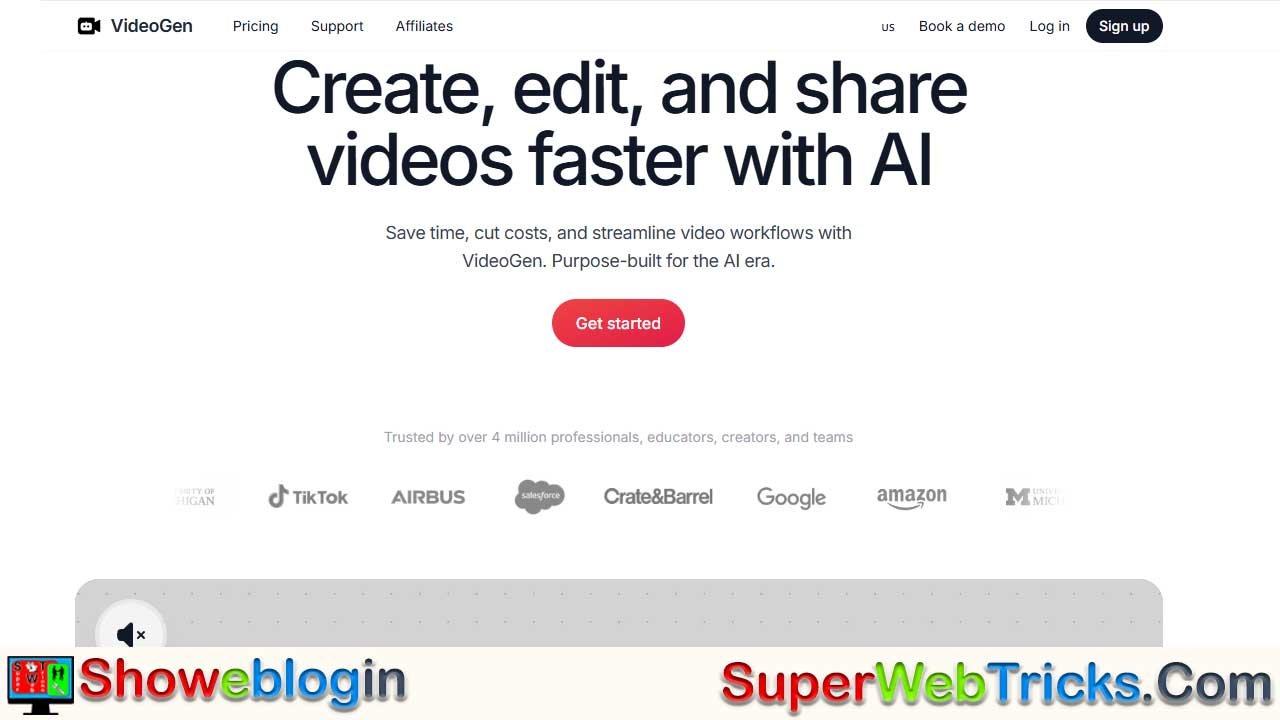






VideoGen is an AI-powered video creation platform that turns simple text prompts into fully edited, professional videos in seconds by combining LLM-driven scripting with a massive media engine.
It automatically matches your script to relevant stock or AI-generated footage, adds realistic voiceovers and subtitles, and gives you a full editing timeline to customize every element. With features like 3M+ copyright-free assets, 200+ multilingual AI voices, and Business-tier avatars and generative video, users can produce polished content without filming or editing skills.
Ideal for YouTubers, social media managers, and businesses, VideoGen dramatically speeds up production, though lower tiers depend heavily on stock footage and voices may need tweaking to avoid sounding robotic.
| Category | Details |
|---|---|
| Product | VideoGen – AI text-to-video generator |
| Core Function | Converts prompts/scripts into fully edited videos with footage, voiceovers, and subtitles |
| Key Features | Contextual asset matching, 3M+ stock assets, 200+ voices, avatars (Business), generative video |
| Editing Tools | Multi-layer timeline, clip swapping, brand kit, full canvas editing |
| Use Cases | YouTubers, social media managers, agencies, corporate training |
| Plans | Pro ($12–24/mo), Business ($75–99/mo) |
| Free Tier | Preview only; exports limited/watermarked |
| Strengths | Fast production, easy to use, copyright-safe assets |
| Limitations | Some voices sound robotic; stock footage limits specificity |
| Website | https://videogen.io/ |
VideoGen: The AI Engine Turning Text into Professional Video in Seconds
Video content is no longer just an “option” for digital growth; it is the currency of the internet. Yet, for most businesses and creators, the production pipeline—scripting, filming, editing, and rendering—is a bottleneck that kills momentum.
VideoGen (https://videogen.io/) has emerged as a leading solution to this problem. By combining large language models (LLMs) with a massive media engine, it promises to be more than just an editor; it acts as an autonomous video production studio in your browser.
What Is VideoGen?
VideoGen is an AI-powered video creation platform that automates the “boring” parts of video production. Instead of manually searching for stock footage or recording voiceovers, you provide the concept, and VideoGen’s AI agents execute the vision.
It is particularly famous for its “Text-to-Video” capability, where a simple prompt (e.g., “A 30-second promo for a new coffee brand emphasizing morning energy”) is instantly converted into a fully edited video with stock footage, voiceovers, and subtitles.
Deep Dive: The Features Powering the Platform
VideoGen isn’t just a stock library wrapper; it has a sophisticated tech stack under the hood.
Intelligent Asset Matching (The “Brain”)
The core magic of VideoGen is its ability to “read” your script and understand context.
- Contextual Understanding: If your script says “The stock market crashed,” the AI knows to look for charts with red arrows or stressed traders, rather than just a generic picture of money.
- 3 Million+ Copyright-Free Assets: It pulls from a massive repository of royalty-free images and videos, ensuring your content is safe for commercial use (monetizable on YouTube, safe for ads).
- Generative Video: For Business plan users, the tool goes beyond stock footage. It can generate brand-new video clips from scratch using generative AI, perfect for abstract concepts where stock footage doesn’t exist.
The AI Voice & Avatar Studio
Sound design is half the battle in video production.
- Hyper-Realistic Voices: Access over 200+ distinct AI voices in 50+ languages. You can choose accents (e.g., British, American, Australian) and tones (e.g., “Cheery Marketer,” “Serious Newscaster”).
- AI Avatars (New): A game-changing feature for the Business tier. You can select a digital human avatar that lip-syncs perfectly to your script, acting as a virtual presenter for tutorials or corporate updates.
Precision Editing Tools
While the AI builds the first draft, you retain full control.
- Interactive Canvas: Unlike basic AI tools that give you a static video file, VideoGen provides a fully editable timeline. You can drag, drop, resize, and swap any element.
- Multi-Layer Timeline: Manage background music, voiceovers, sound effects, and B-roll on separate tracks, giving you the precision of a tool like CapCut or Premiere Pro but with the speed of AI.
Step-by-Step Guide: Creating Your First Video
If you are new to the platform, here is the exact workflow to go from zero to published video:
Step 1: Input Your Prompt
Log in and click “Create Video.” You will be asked for a topic. Be specific!
- Bad Prompt: “Make a video about dogs.”
- Good Prompt: “A 60-second educational video about the history of Golden Retrievers, specifically their origin in Scotland.”
Step 2: AI Script Generation
The AI will generate a script outline. Review it. You can edit the text directly if you want to change the tone or add specific facts. Once satisfied, click “Generate Scenes.”
Step 3: The Magic Assembly
Watch as the AI analyzes each sentence of your script. It will:
- Find a relevant video clip for every sentence.
- Generate the voiceover reading the text.
- Auto-generate subtitles overlaid on the screen.
Step 4: Swap and Polish
This is where you add your human touch.
- Don’t like a clip? Click it and select “Swap.” The AI will suggest 5-10 alternatives instantly.
- Brand it: Upload your company logo and specific brand colors to the “Brand Kit” section so the subtitles match your style.
Step 5: Export
Click “Export.” The video renders in the cloud (saving your computer’s RAM). You can download it in 1080p or 4K, ready for TikTok, YouTube, or LinkedIn.
Pricing Plans: Which One Do You Need?
VideoGen operates on a subscription model. Note that pricing can fluctuate, but the tiers generally break down as follows:
| Feature | Pro Plan (~$12-24/mo) | Business Plan (~$75-99/mo) |
|---|---|---|
| Best For | Solopreneurs, YouTubers | Agencies, Corporate Teams |
| Video Limits | Unlimited Generation | Unlimited Generation |
| Voiceover Limit | ~10k characters/video | ~30k characters/video |
| Storage | 50 GB | 500 GB |
| Stock Assets | Standard Library | Premium Assets + iStock Integration |
| AI Avatars | ❌ Not Included | ✅ Included |
| Generative Video | ❌ Not Included | ✅ Included |
- Is there a Free Tier? VideoGen often offers a “free preview” or trial where you can generate a video to test the system, but you typically cannot export the final high-quality file without a watermark or a paid plan.
- The “Credit” System: Be aware that some high-end features (like generating brand new AI video pixels) may consume “credits” even on unlimited plans, so check the fair-use policy.
Real-World Success: Who Uses This?
1. The “Faceless” YouTuber
Scenario: You want to run a YouTube channel about “Top 10 Travel Destinations” but don’t want to show your face or buy a camera.
Solution: VideoGen writes the script for “Top 10 Places in Italy,” finds footage of Rome and Venice, and narrates it. You can produce 5 videos a day instead of 1 a week.
2. The Corporate Trainer
Scenario: HR needs to update the “Workplace Safety” video but hiring a film crew costs $5,000.
Solution: Using the Business Plan, they select a professional AI Avatar presenter. They paste the safety policy text, and the avatar delivers the presentation perfectly. Cost: $0 extra. Time: 20 minutes.
3. The Social Media Manager
Scenario: You need a daily Instagram Reel to keep engagement up but run out of ideas.
Solution: Take a blog post your company wrote, paste the URL or text into VideoGen, and it repurposes that written content into a snappy 30-second vertical video.
The Verdict: Pros and Cons
To give you a balanced view, here is what actual users are saying:
✅ The Pros:
- Speed: It is undeniably the fastest way to get a visual draft.
- Ease of Use: Zero editing experience is required.
- Commercial Safety: The peace of mind that assets are copyright-cleared is a huge selling point for businesses.
⚠️ The Cons:
- “Robotic” Feel: While the voices are great, they are still AI. Without manual tweaking of pauses and emphasis, they can sometimes sound monotonous.
- Stock Reliance: On lower tiers, you rely on stock footage. If you need very specific visuals (e.g., “a dog eating a specific brand of cereal”), the AI might struggle to find that exact stock clip.
Final Thoughts
VideoGen is a productivity multiplier. It won’t replace a Hollywood film director, but for the 90% of video content that needs to be informative, clear, and professional—and needs to be done yesterday—it is an indispensable tool.
Ready to start? Visit https://videogen.io/ to create your account and build your first video for free.
FAQs about VideoGen
What is VideoGen?
VideoGen is an AI-powered platform that converts text prompts or scripts into fully edited videos complete with footage, voiceovers, and subtitles.
How does VideoGen work?
It analyzes your script, finds or generates relevant visuals, applies an AI voiceover, adds subtitles, and assembles a draft video that you can further edit.
Is VideoGen good for beginners?
Yes, it requires no editing experience and is designed for users who want fast, professional videos without technical skills.
Does VideoGen offer text-to-video generation?
Yes, its signature feature is turning simple text prompts into complete videos in seconds.
Can VideoGen generate original AI video clips?
Yes, but only on the Business plan, which includes generative video capabilities.
Are the assets copyright-free?
Yes, VideoGen provides over 3 million copyright-safe assets suitable for commercial use.
Does VideoGen support multiple languages?
Yes, it offers over 200 AI voices across more than 50 languages.
Can I use AI avatars?
Yes, AI avatars are available on the Business plan for presenter-style videos.
Does VideoGen provide a full editing timeline?
Yes, you can edit clips, audio, subtitles, and layers using a multi-track timeline.
Is there a free version of VideoGen?
There is a preview option that lets you test video generation, but exports are limited or watermarked.
What are the main pricing plans?
The Pro plan ranges from $12–24/month, and the Business plan ranges from $75–99/month.
Is the Pro plan enough for YouTubers?
Yes, most solo creators find the Pro plan sufficient unless they need avatars or generative footage.
Who should choose the Business plan?
Agencies, corporate teams, or anyone needing avatars, generative video, or large storage.
Are exports high quality?
Yes, you can export in 1080p or 4K.
Can I change the AI voice after generation?
Yes, you can swap voices anytime during editing.
Can I upload my own footage?
Yes, custom video, audio, and image uploads are supported.
Does VideoGen support brand kits?
Yes, you can upload logos, set brand colors, and apply consistent styling.
Can VideoGen repurpose written content?
Yes, you can paste text or URLs, and it will convert them into video scripts.
Is VideoGen good for faceless YouTube channels?
Yes, it automates scripting, footage selection, and voiceover generation for faceless content.
Can I create vertical videos for TikTok or Reels?
Yes, VideoGen supports various aspect ratios including 9:16 vertical.
Does VideoGen store my projects in the cloud?
Yes, cloud storage is included, varying by plan.
How many characters can I use for voiceovers?
Pro allows around 10k characters per video; Business allows around 30k.
Does VideoGen allow timeline-based audio control?
Yes, you can adjust volume, music levels, and sound effects on separate tracks.
Is VideoGen suitable for corporate training videos?
Yes, especially with avatars and multilingual voiceovers.
Does VideoGen support subtitle editing?
Yes, subtitles can be edited, restyled, or replaced.
Can I swap footage easily?
Yes, clicking a clip gives multiple AI-suggested alternatives instantly.
Does VideoGen work in a browser?
Yes, it is fully browser-based.
What are the main limitations of VideoGen?
Voices may sound monotone without tweaks, and stock footage may limit highly specific visuals.
Does VideoGen require a powerful computer?
No, rendering happens in the cloud, so performance is not dependent on your device.
Can I collaborate with team members?
Business plans provide better team collaboration and storage options.
Does VideoGen include stock music?
Yes, it provides copyright-free background music suitable for YouTube and social platforms.
Can I download the script separately?
Yes, VideoGen allows script editing and export.
Is the AI voice natural-sounding?
Voices are realistic but may need manual pacing adjustments for optimal naturalness.
Can I duplicate a project?
Yes, projects can be duplicated for faster workflow.
Does VideoGen provide customer support?
Yes, with priority support for Business users.
Is VideoGen safe for commercial use?
Yes, all stock assets and music provided are cleared for commercial usage.
Can I monetize videos made with VideoGen on YouTube?
Yes, the assets and audio are eligible for monetized content.
Can VideoGen create educational videos?
Yes, it is widely used for explainer videos, tutorials, and course content.
Does VideoGen support iStock assets?
Yes, iStock premium footage is available on the Business plan.
Can I export without watermarks?
Yes, paid plans export without watermarks.
Does VideoGen have limits on video length?
Video length depends on character limits, but long-form videos are supported on higher tiers.
Can I adjust clip duration?
Yes, clips can be trimmed, extended, or rearranged in the timeline.
Does VideoGen allow adding transitions?
Yes, transitions and cinematic effects can be applied between scenes.
Is VideoGen updated frequently?
Yes, the platform regularly adds new voices, avatars, and editing features.
Is VideoGen accessible on mobile?
It works best on desktop browsers, though mobile access is possible with limitations.
Can VideoGen generate footage if no stock footage exists?
Yes, the Business plan’s generative video feature fills gaps where stock content is unavailable.
Does VideoGen support AI scriptwriting?
Yes, it can write scripts from scratch or improve your existing text.
Can I create slideshow-style videos?
Yes, you can import images and build slideshow animations easily.
Does VideoGen handle multiple scenes?
Yes, it generates each scene individually and arranges them into a full timeline.
Is VideoGen suitable for ads?
Yes, you can create promotional videos for social media and digital ads.
Can VideoGen translate my script?
Yes, you can switch to another language and regenerate voiceovers accordingly.
Does VideoGen offer refunds?
Refund policies vary by region; users typically need to contact support.
Is there a watermark on free exports?
Yes, free-tier exports include a watermark.
Can I use my own music?
Yes, custom audio tracks can be uploaded and synced.
Does VideoGen support 4K rendering?
Yes, 4K exports are available on most paid plans.
Can VideoGen auto-caption my audio?
Yes, it automatically generates subtitles from the script or voiceover.
Does VideoGen integrate with social platforms?
Videos can be exported and uploaded anywhere, though direct integrations may vary.
Is there a limit to the number of videos I can create?
Most plans offer unlimited video generation, though some features may use credits.
Can VideoGen help brainstorm video ideas?
Yes, you can generate scripts, titles, and concepts using the built-in AI writer.
Is VideoGen suitable for rebranding existing videos?
Yes, you can replace clips, update voiceovers, and apply brand colors easily.












Leave a Reply
You must be logged in to post a comment.