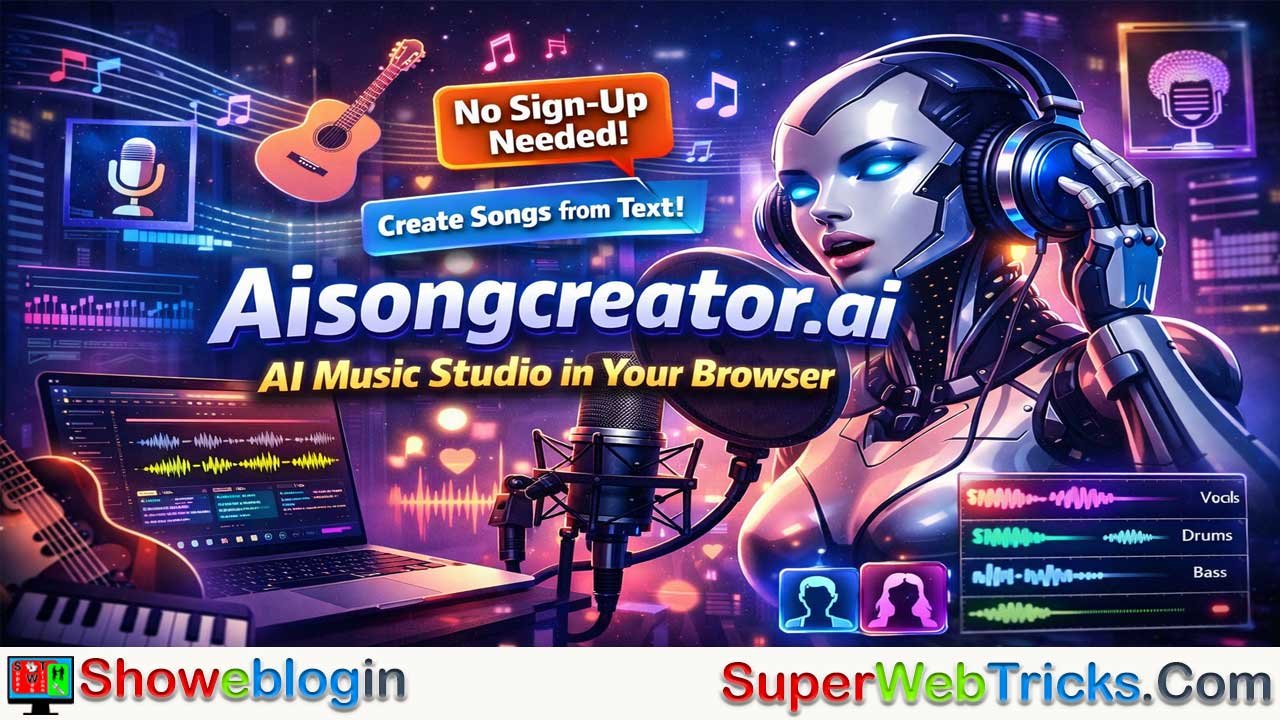






Aisongcreator.ai is a browser-based AI music studio that lets users instantly generate full-length, studio-quality songs—instrumentals, lyrics, and AI vocals—from simple text prompts, without requiring sign-up or software installation.
Designed for speed and accessibility, it supports a wide range of genres, moods, and instruments, offers male and female vocal synthesis, and includes advanced features like stem separation for deeper editing. Unlike competitors with login barriers and shorter track limits, it enables immediate experimentation and longer compositions, making it ideal for content creators, songwriters, podcasters, and hobbyists.
While free and lower-tier plans are limited to personal use, the Pro plan unlocks commercial rights, positioning Aisongcreator.ai as a fast, flexible, all-in-one solution for frictionless AI music creation.
| Category | Details |
|---|---|
| Platform | Aisongcreator.ai |
| Type | Browser-based AI music generator |
| Sign-up Required | ❌ No (instant use) |
| Core Function | Text-to-music, lyrics, and vocal generation |
| Vocals | AI male & female voices |
| Genres Supported | Lo-fi, Pop, Rock, Metal, K-Pop, Cinematic, Jazz, Electronic, more |
| Track Length | Up to ~7 minutes |
| Lyrics Generator | ✅ Yes (auto or user-guided) |
| Stem Separation | ✅ Yes (vocals, drums, bass, instruments) |
| Commercial Use | ✅ Pro plan only |
| Free Tier | ✅ Yes (personal use) |
| Best For | Content creators, songwriters, podcasters, indie devs |
| Main Advantage | No login wall + all-in-one AI music studio |
Aisongcreator.ai: The No-Sign-Up AI Music Studio in Your Browser
In the rapidly evolving world of generative audio, Aisongcreator.ai has emerged as a compelling, user-friendly platform for creating studio-quality music and lyrics from simple text prompts.
While giants like Suno and Udio fight for dominance with complex discord servers and waiting lists, Aisongcreator.ai offers something refreshingly different: immediate, friction-free access.
Whether you are a content creator looking for royalty-free background tracks, a songwriter needing a creative spark, or a hobbyist exploring AI music, this tool offers a robust suite of features accessible directly from your web browser.
What is Aisongcreator.ai?
Aisongcreator.ai is a browser-based AI music generator that transforms text descriptions into fully produced songs. Unlike many competitors that require complex software installations or immediate account registration, Aisongcreator.ai stands out for its accessibility—you can start generating music immediately without signing up.
The platform combines instrumental generation, lyric writing, and vocal synthesis (both male and female) to create complete tracks in under a minute. It supports a vast array of genres, from “lo-fi chill beats” to “epic cinematic scores,” making it a versatile tool for various creative needs.
🎵 What Sets It Apart?
Most AI music generators force you to create an account before you can hear a single note. Aisongcreator.ai disrupts this pattern.
- No “Login Wall”: You can land on the site and generate your first track instantly.
- All-in-One Studio: It’s not just a generator; it includes tools for lyrics writing, vocal synthesis, and stem separation (splitting audio into separate instruments).
- Extended Track Lengths: Community examples show tracks running upwards of 7 minutes (e.g., “Brainwash” at 07:09), which is significantly longer than the 2-minute standard found in many competitors.
Aisongcreator.ai: Key Features
1. Text-to-Music Generation
The core of the platform is a sophisticated AI that translates natural language into complex audio waveforms.
You can describe a vibe, genre, mood, or specific instruments (e.g., “A melancholic jazz track with a saxophone solo and rain sounds”), and the AI will compose a unique track matching that description.
It understands:
- Genre: (e.g., Lo-fi, Death Metal, K-Pop, Cinematic Orchestra)
- Instruments: (e.g., “Distorted 808 bass”, “Spaghetti Western guitar”, “8-bit chiptune synth”)
- Atmosphere: (e.g., Hypnotic, Aggressive, Ethereal, Melancholic)
2. AI Lyrics & Vocals
Aisongcreator.ai isn’t just for instrumentals. It features a built-in AI Lyrics Generator that can write verses, choruses, and bridges based on your topic. You can then overlay these lyrics with AI-generated vocals, choosing between male or female voices to suit the track’s style.
Unlike basic loop generators, this tool writes and performs songs.
- Auto-Lyrics: If you don’t have words, the AI generates them based on your topic.
- Vocal Texture: You can select between Male and Female voices. The AI is surprisingly good at matching the vocal style to the genre (e.g., whispering for ASMR-style tracks, screaming for metal, or crooning for jazz).
3. Stem Separation
For advanced users and producers, the platform offers Stem Export. This allows you to download individual components of the track (like the drum layer, bassline, or vocals) separately, giving you the freedom to mix and master the audio in a professional Digital Audio Workstation (DAW).
You can export Stems:
- Vocals: Get the acapella track to use in a remix.
- Drums: Isolate the beat to use as a background loop.
- Bass/Other: Separate the melodic elements.
Why this matters: If you like the beat but hate the vocals, you can just delete the vocal stem and keep the instrumental. It gives you total control.
4. No Sign-Up Required for Trials
One of the most user-friendly aspects is the barrier to entry. You can visit the site and generate music immediately to test the capabilities before committing to an account or subscription.
5. Commercial Rights (Pro Plan)
For YouTubers, podcasters, and game developers, the platform offers royalty-free commercial rights (specifically on the Pro plan), ensuring your content is safe for monetization without fear of copyright strikes.
How Aisongcreator.ai Works
Creating a song on Aisongcreator.ai is a streamlined four-step process:
- Describe Your Music: Enter a text prompt detailing the style, mood, and instrumentation you want.
- Select Style & Mood: Choose from pre-set genres (Pop, Rock, Electronic) and moods (Happy, Relaxing, Dark) to refine the AI’s output.
- Generate: Hit the generate button. The AI processes the request and typically produces multiple variations in under a minute.
- Download: Preview the tracks. If you’re satisfied, you can download the high-resolution audio or export the stems for further editing.
Power User Guide: How to Write the Perfect Prompt
The quality of your output depends entirely on your input. Don’t just type “Sad song.” Use this formula:
[Genre/Style] + [Mood] + [Specific Instruments] + [Vocal Style]
Examples of High-Quality Prompts:
- The Cinematic Trailer: “Epic orchestral score, hans zimmer style, heavy percussion, rising tension, staccato strings, choir backing, no vocals.”
- The Coding Focus Track: “Lo-fi hip hop, 90 BPM, rain background noise, jazzy piano chords, muted trumpet, relaxing, instrumental only.”
- The Viral Pop Hit: “Upbeat synth-pop, 80s retro style, female vocals, catchy chorus, heavy bassline, crystal clear production.”
Pro Tip: Use Structure Tags in your lyric box if available. Users transferring from other tools often find that bracketed commands like [Chorus], [Verse], and [Bridge] help the AI understand song structure better.
Aisongcreator.ai: Pricing & Plans
Aisongcreator.ai offers a tiered pricing structure to cater to different users, from casual hobbyists to professional creators.
- Free Tier: Allows you to generate music and lyrics to try out the service without a credit card.
- Starter ($6.99/mo): Best for enthusiasts. Includes unlimited generations, professional quality audio, and stem separation for personal use.
- Hobby ($13.99/mo): A step up for frequent users, offering the same complete suite of creation tools and 24/7 support, also for personal use.
- Pro ($27.99/mo): The “Studio Grade” tier. This is the essential plan for content creators as it includes Commercial Use rights, priority processing, and access to the highest quality “Studio” AI models.
(Note: Pricing is subject to change. The platform also indicates options for Yearly billing (saving ~30%) and a potential “One-time Lifetime” payment option.)
Understanding the license is crucial if you plan to use this music on YouTube or Spotify.
| Plan | Best For… | Commercial Rights? | Key Benefit |
|---|---|---|---|
| Free Tier | Testing & Fun | ❌ No | No credit card needed. Instant generation. |
| Starter | Hobbyists | ❌ No | Unlimited generations for personal listening/sharing. |
| Pro | Creators | ✅ YES | Full Commercial License. Monetize on YouTube/Spotify. |
Warning: If you are on the Free or Starter plan, you technically do not own the rights to monetize the song. If you upload it to YouTube, you risk a copyright claim (or simply being unable to monetize that video). Always upgrade to Pro for public content creation.
Aisongcreator.ai: Use Cases
- YouTubers & Streamers: Generate custom intro music or background tracks that perfectly match the length and mood of your video without worrying about copyright flags.
- Indie Game Developers: Create diverse soundscapes, from 8-bit retro chiptune to orchestral boss battle themes, on a budget.
- Songwriters: Use the lyrics and melody generator to break through writer’s block and find new inspiration for your own compositions.
- Podcasters: Produce unique jingles and transition music that establishes a distinct brand identity.
Comparison: Aisongcreator.ai vs. The Giants
| Feature | Aisongcreator.ai | Suno / Udio |
|---|---|---|
| Barrier to Entry | Lowest (No sign-up) | Medium (Account required) |
| Interface | Simple Web UI | Web UI + Discord (sometimes) |
| Track Length | High (~3-7 mins potential) | Standard (2-4 mins) |
| Stems | Built-in Export | Often requires external tools |
| Quality | Great for background/content | Industry Leading (Suno V3/V4) |
Verdict: Suno might currently hold the crown for “radio-realistic” pop songs, but Aisongcreator.ai is significantly faster, easier to use for quick background tracks, and offers the incredible utility of Stem Splitting directly in the browser.
Pros & Cons
| Pros | Cons |
|---|---|
| ✅ No Sign-Up Needed: Start creating instantly. | ⚠️ Commercial Limits: Commercial use is restricted to the highest “Pro” tier. |
| ✅ All-in-One: Lyrics, Vocals, and Music in one tool. | ⚠️ Personal Use Only: Lower paid tiers (Starter/Hobby) do not include commercial rights. |
| ✅ Stem Splitter: Great for remixing and editing. | |
| ✅ Browser-Based: No software to install. |
Conclusion
Aisongcreator.ai positions itself as a powerful yet accessible tool in the AI music space. Its “try before you register” approach demonstrates confidence in its technology, and the inclusion of advanced features like stem splitting makes it valuable for more than just passive music generation.
While casual users will enjoy the ease of use, professional creators should eye the Pro Plan to unlock the full commercial potential of their AI-generated soundtracks.
Next Step: Go to aisongcreator.ai, type “Cyberpunk city ambience with heavy bass” into the prompt box, and see what it creates in 30 seconds. No account needed. They’ll send you a secure login link, no password required.
Disclaimer: Always review the latest Terms of Service on the official website before using AI-generated content for commercial projects.
FAQs about Aisongcreator.ai
What is Aisongcreator.ai?
Aisongcreator.ai is a browser-based AI music generator that turns text prompts into fully produced songs with instruments, lyrics, and AI vocals.
Do I need to sign up to use Aisongcreator.ai?
No, you can generate music instantly without creating an account, making it one of the lowest-barrier AI music tools available.
What can I create with Aisongcreator.ai?
You can create instrumental tracks, full songs with lyrics and vocals, background music, jingles, cinematic scores, and experimental music across many genres.
How does text-to-music generation work?
You describe the genre, mood, instruments, and vocal style in a text prompt, and the AI composes a unique track based on that description.
Does Aisongcreator.ai generate lyrics?
Yes, it has a built-in AI lyrics generator that can create verses, choruses, and bridges automatically based on your topic.
Can I use my own lyrics?
Yes, you can input your own lyrics and have the AI perform them using its vocal synthesis.
Are vocals included or is it instrumental only?
Both options are available—you can generate instrumental-only tracks or add AI male or female vocals.
What vocal styles are supported?
The AI adapts vocal delivery to the genre, such as soft vocals for lo-fi, aggressive vocals for metal, or smooth singing for pop and jazz.
How long are the generated tracks?
Tracks can be several minutes long, with community examples reaching over 7 minutes, which is longer than many competing tools.
What genres does Aisongcreator.ai support?
It supports a wide range including pop, rock, lo-fi, electronic, cinematic, jazz, metal, hip hop, chiptune, and more.
Can I separate instruments from the song?
Yes, the platform offers stem separation so you can download vocals, drums, bass, and other elements individually.
Why is stem separation useful?
It allows you to remix, remove vocals, reuse beats, or further edit the track in a professional DAW.
Is Aisongcreator.ai free to use?
Yes, there is a free tier that allows you to generate music for testing and personal use.
Can I use free tracks on YouTube or Spotify?
No, free and lower-tier plans do not include commercial rights, so monetization is not allowed.
Which plan allows commercial use?
Only the Pro plan includes full royalty-free commercial rights for monetized content.
Is the music royalty-free?
Music generated under the Pro plan is royalty-free for commercial use according to the platform’s license.
How fast is music generation?
Most tracks are generated in under a minute after submitting a prompt.
Do I need to install any software?
No, everything runs directly in your web browser.
Is Aisongcreator.ai good for beginners?
Yes, its simple interface and no-sign-up access make it very beginner-friendly.
Is it useful for professional creators?
Yes, especially with features like long tracks, stem exports, and commercial licensing in the Pro plan.
How does it compare to Suno or Udio?
It is faster to access, easier to use, and offers built-in stem separation, while Suno and Udio may offer slightly higher realism but with more friction.
Can I choose moods and styles explicitly?
Yes, you can refine results by selecting predefined styles and moods alongside your text prompt.
What makes Aisongcreator.ai stand out?
Its biggest differentiators are instant use without sign-up, all-in-one music creation, and advanced features available directly in the browser.
Is pricing flexible?
Yes, it offers multiple monthly tiers, potential yearly discounts, and hints at a lifetime plan option.
Is it safe to use for content creation?
Yes, as long as you use the Pro plan for commercial projects and review the latest terms of service before publishing.












Leave a Reply
You must be logged in to post a comment.