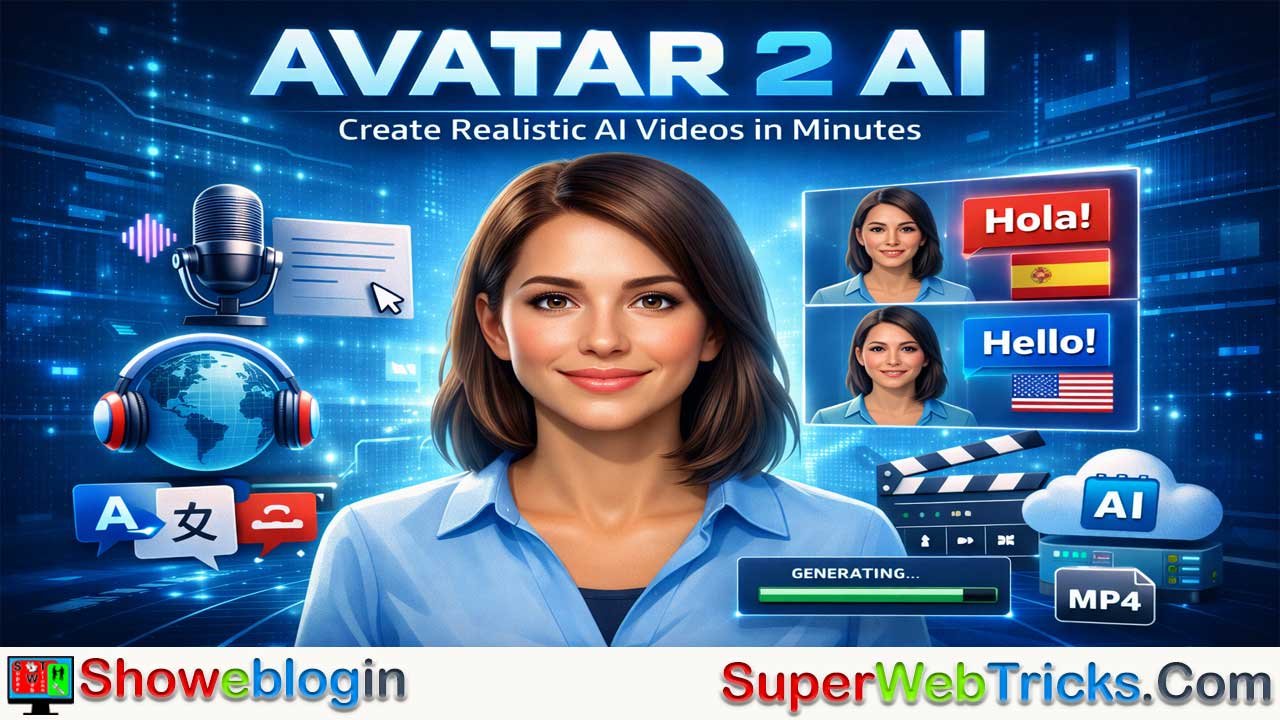






Avatar2 AI is a next-generation, cloud-based generative video platform that enables users to create photorealistic digital avatars capable of speaking naturally from text or audio, eliminating the need for cameras, actors, or studios.
Unlike earlier stiff, artificial avatars, Avatar2 emphasizes hyper-realistic visuals, accurate phoneme-based lip-syncing, instant voice cloning, and controllable emotional expressions, even generating talking videos from a single photo. The platform’s core advantages include rapid scalability, easy localization across dozens of languages, and accessibility for creators, marketers, educators, and content producers.
By following a simple workflow—choosing or training an avatar, adding a script or audio, customizing voice and language, and rendering—users can produce studio-quality videos quickly.
Best results come from conversational scripting, dynamic backgrounds, gestures, and high-quality voices, while ethical use requires consent, transparency about AI-generated content, and attention to data privacy. Overall, Avatar 2 AI represents a major shift in digital content creation, turning video production into a fast, software-driven process.
| Category | Information |
|---|---|
| What It Is | Cloud-based generative AI platform for creating photorealistic talking avatars from text, audio, or photos |
| Core Innovation | Hyper-realistic avatars with natural facial movement, phoneme-accurate lip-sync, and emotional expression control |
| Primary Inputs | Text scripts, recorded audio, single photos, or training videos (for custom avatars) |
| Primary Outputs | AI-generated videos (MP4, typically 1080p or 4K) |
| Standout Features | Voice cloning, Lip-Sync 2.0, photo-to-video (“living portrait”), multilingual translation |
| Value Proposition | No studio required, rapid scaling, fast video production, easy localization |
| Best For | Marketers, educators, content creators, training & L&D, faceless channels |
| Scaling Advantage | Produce many videos quickly without reshoots or actors |
| Localization Advantage | Translate videos into multiple languages with matching lip movements |
| Quality Tips | Use conversational scripts, dynamic backgrounds, gestures, premium voices |
| Common Mistake | Overly long, formal text that sounds unnatural when spoken |
| Ethical Guidelines | Obtain consent, label AI content, review privacy/data policies |
| Typical Workflow | Select avatar → Add script/audio → Choose voice/language → Generate video |
The Ultimate Guide to Avatar2 AI: The Next Evolution in Digital Identity
In the rapidly evolving landscape of artificial intelligence, Avatar2 AI represents a significant leap forward. Moving beyond the robotic, stiff, and clearly artificial “talking heads” of the past, Avatar 2 technology (often referred to in the industry as “Instant Avatar 2.0” or “Next-Gen Avatars”) focuses on hyper-realism, emotional intelligence, and seamless lip-syncing.
This detailed guide is designed for AI tool users—from content creators and marketers to educators—who want to master this platform to create professional, studio-quality video content without cameras, actors, or expensive equipment.
What is Avatar2 AI?
Avatar2 AI is a cloud-based generative AI platform that allows users to create photorealistic digital avatars. Unlike first-generation tools that required 3D modeling skills or expensive motion capture suits, Avatar 2 AI utilizes deep learning to generate video from text or audio.
It essentially acts as a virtual production studio. You provide the script and the “face,” and the AI renders a video of that person speaking your words with natural facial expressions, blinking, head movements, and perfect lip synchronization.
Core Value Proposition
- No Studio Required: Create videos from your laptop.
- Scale: Produce 100 videos in the time it takes to film one.
- Localization: Translate your video into 40+ languages while maintaining the avatar’s voice and lip movements.
Key Features to Look For
When using the Avatar2 AI platform, you will likely encounter these standout features that define the “2.0” standard:
🌟 Instant Voice Cloning & Lip-Sync
The defining feature of Avatar 2 is the ability to not just read text, but to perform it.
- Voice Cloning: Upload a 30-second sample of your voice, and the AI will clone it. You can then type text, and the avatar will speak it in your voice.
- Lip-Sync 2.0: The mouth movements are no longer generic flapping. The AI analyzes the phonemes (sounds) of your script and shapes the avatar’s lips perfectly to match vowels, consonants, and pauses.
🎭 Emotional Expression Control
Standard avatars stare blankly. Avatar 2 AI allows for emotional nuances. You can often tag your script with improved direction, such as [Happy], [Serious], or [Excited], and the avatar’s facial micro-expressions (eyebrow raises, smiles, frowns) will adjust accordingly.
📸 Photo-to-Video (The “Living Portrait”)
One of the most powerful tools is generating a moving avatar from a single static photo.
- Input: A high-quality mid-shot photo of a person (facing forward).
- Output: A video where that photo comes to life, nodding and speaking your script naturally.
Step-by-Step Guide: How to Use Avatar 2 AI
Follow this workflow to create your first professional AI video.
Step 1: Account Setup & Dashboard
Navigate to https://avatar2.ai/ and log in. You will typically see a dashboard with options like “Create Video,” “Avatars,” and “Voices.”
Step 2: Choose Your Avatar
You have two options:
- Stock Avatars: Select from a library of pre-made, diverse avatars (different ages, ethnicities, and professional attire). These are best for general marketing or training videos.
- Custom Avatar (Instant Clone):
- Upload a 2-5 minute video of yourself speaking to the camera.
- Ensure you are well-lit and looking directly at the lens.
- The AI will “train” on this footage to create your digital twin.
Step 3: Input Your Script
On the video editing canvas:
- Text-to-Speech: Type your script into the text box.
- Audio Upload: Alternatively, upload a pre-recorded audio file (e.g., a podcast clip) to have the avatar lip-sync to it.
Step 4: Customize Voice and Language
Select the voice that matches your avatar.
- Pro Tip: If you are expanding to global markets, use the Translate feature. You can input English text and select “Spanish” as the output. The avatar will speak Spanish, and the lip movements will adjust to match the Spanish pronunciation.
Step 5: Render and Download
Click Generate Video.
- Note: Rendering usually takes 1 minute of processing time for every 1 minute of video.
- Once finished, download the video in MP4 format (usually 1080p or 4K).
Best Use Cases for Avatar 2 AI
📢 For Marketers & Advertisers
- A/B Testing: Create 5 versions of an ad with different scripts in minutes to see which one converts better, without re-hiring an actor.
- Personalized Outreach: Generate hundreds of videos where the avatar says the specific name of the client (e.g., “Hi John,” “Hi Sarah”) by using variable placeholders in your script.
🎓 For Educators & L&D
- Corporate Training: Update compliance videos instantly by changing the text script rather than re-shooting the whole video when regulations change.
- Language Learning: Create teachers that speak multiple languages flawlessly to demonstrate pronunciation.
🤳 For Content Creators (YouTubers/TikTok)
- Faceless Channels: Run a “faceless” YouTube channel that still has a human element by using a consistent AI avatar as the host.
- Shorts/Reels: Quickly turn blog posts or tweets into 60-second vertical videos for TikTok or Instagram Reels.
Pro Tips for “Best Possible” Results
To distinguish your content from low-quality AI spam, use these techniques:
| Feature | Amateur Mistake | Pro Tip |
|---|---|---|
| Scripting | Pasting long, academic blocks of text. | Write like you speak. Use short sentences, contractions (“don’t” vs “do not”), and add pauses/commas for natural breathing room. |
| Visuals | Using the avatar on a plain white background. | Use the “Green Screen” background option in Avatar 2 AI, then export and overlay the avatar onto dynamic footage in an editor like Premiere or CapCut. |
| Gestures | Letting the avatar stand still. | If the tool allows, add “hand gestures” or occasional head nods to emphasize key points in the script. |
| Audio | Using a robotic default voice. | Use Voice Cloning or premium ElevenLabs-integrated voices for the most human-like intonation. |
Safety, Privacy & Ethics
As you use avatar2.ai, keep these ethical guidelines in mind:
- Consent is Key: Never create an avatar of a person without their explicit permission. This is a standard policy for all reputable AI tools.
- Deepfake Awareness: Label your content as AI-generated (e.g., “#AIGenerated” or a watermarks) to maintain trust with your audience.
- Data Security: Since you are uploading voice and video data, ensure you review the platform’s privacy policy regarding how they store your biometric data.
What Now? Final Verdict
Avatar 2 AI represents the democratization of video production. By mastering this tool, you move from being a “writer” or “editor” to a full-stack Video Producer, capable of generating studio-grade content at the speed of typing.
Ready to start? Visit https://avatar2.ai/ to begin your first generation.
FAQs about Avatar 2 AI
What is Avatar 2 AI?
Avatar 2 AI is a generative AI platform that creates photorealistic talking avatars from text, audio, or images, simulating natural speech, facial movement, and expressions.
How is Avatar 2 different from older avatar tools?
It focuses on realism, accurate lip-syncing, emotional expression, and voice quality instead of stiff animations or robotic speech.
Do I need a camera or studio to use Avatar 2 AI?
No. Videos are generated entirely in the cloud using scripts or audio, so no filming equipment is required.
Can Avatar 2 AI clone my voice?
Most platforms support voice cloning by analyzing a short voice sample and generating synthetic speech in your voice.
How much audio is needed for voice cloning?
Typically a short sample such as 20–60 seconds of clear speech is sufficient.
Can avatars express emotions?
Yes. Many systems allow emotional tone control such as happy, serious, or excited, affecting facial expressions and voice style.
What is Lip-Sync 2.0?
It refers to phoneme-level mouth movement mapping, where lip shapes match actual sounds instead of generic animations.
Can I create an avatar from a photo?
Yes. A single high-quality photo can often be animated into a speaking video.
What type of photo works best?
Clear, front-facing, well-lit mid-shot images usually produce the most realistic results.
Can Avatar 2 AI work with recorded audio?
Yes. You can upload audio, and the avatar will synchronize lip movements to match the speech.
Can videos be translated into other languages?
Most advanced platforms allow multilingual output with adjusted lip-sync for each language.
Will the avatar keep the same voice across languages?
Some systems attempt voice preservation, while others use language-optimized voices.
What file formats are typically supported for output?
MP4 is the most common video format, usually in HD or 4K resolution.
How long does rendering take?
Rendering time often scales with video length, commonly near real-time or slightly longer.
Who benefits most from Avatar 2 AI?
Marketers, educators, trainers, content creators, and businesses producing scalable video content.
Can Avatar 2 AI replace human actors?
It can reduce costs and production time but may not fully replace human performance in all creative contexts.
Is technical expertise required?
Most platforms are designed for non-technical users with simple dashboards and editors.
Can avatars use hand gestures or movement?
Some systems include gesture controls or preset animations to enhance realism.
How can I improve realism?
Use conversational scripts, natural pacing, quality voices, and suitable backgrounds.
What scripting mistakes should I avoid?
Avoid overly long, formal, or unnatural text that does not sound like spoken language.
Can Avatar 2 AI generate vertical videos for social media?
Many platforms support aspect ratios optimized for TikTok, Shorts, or Reels.
Is Avatar 2 AI suitable for education?
Yes. It is commonly used for lessons, tutorials, training modules, and multilingual instruction.
What ethical considerations apply?
Users should obtain consent, avoid impersonation, and clearly disclose AI-generated content.
Can I create avatars of other people?
Only with explicit permission, as creating unauthorized likenesses raises serious ethical and legal concerns.
Is Avatar 2 AI considered deepfake technology?
It uses similar techniques, but ethical use depends on consent, transparency, and context.
How secure is uploaded data?
Security varies by provider; reviewing privacy policies and data handling practices is important.
Can Avatar 2 AI be used for marketing personalization?
Yes. Many users generate customized videos addressing individuals or segments.
Does Avatar 2 AI require high-performance hardware?
No. Processing occurs in the cloud, so standard devices are usually sufficient.
Can avatars be customized visually?
Depending on the platform, options may include clothing, background, posture, and style adjustments.
Are stock avatars available?
Most services offer libraries of ready-made avatars for immediate use.
Can I create my own digital twin?
Yes. Many systems allow custom avatar creation using short training videos.
How long should a training video be?
Requirements vary, but short clips with clear lighting and direct camera alignment work best.
Can Avatar 2 AI be used for corporate training?
Yes. It is widely used for scalable training and easily updated instructional content.
Is Avatar 2 AI good for faceless channels?
Yes. It enables creators to maintain a human presence without appearing on camera.
Can Avatar 2 AI produce realistic eye and head movement?
Advanced systems simulate blinking, micro-expressions, and subtle head motion.
Does Avatar 2 AI work offline?
Most platforms are cloud-based and require an internet connection.
What industries use Avatar 2 AI?
Marketing, e-learning, customer support, media, advertising, and internal communications.
Can Avatar 2 AI reduce production costs?
Yes. It significantly lowers costs related to filming, actors, studios, and reshoots.
Is Avatar 2 AI suitable for long-form videos?
Yes, though viewer engagement and scripting quality remain important factors.
Can Avatar 2 AI voices sound natural?
Quality depends on the voice engine, with premium voices offering more realistic intonation.
What role does AI play in lip-syncing?
AI analyzes speech sounds and predicts corresponding mouth shapes frame by frame.
Can Avatar 2 AI be misused?
Like any technology, misuse is possible, which is why responsible use and disclosure are essential.
Is disclosure of AI-generated videos recommended?
Yes. Transparency helps maintain trust and avoids misleading audiences.
Can Avatar 2 AI integrate with video editors?
Generated videos can typically be imported into common editing tools for further refinement.
Does Avatar 2 AI support background replacement?
Many platforms include green-screen or background customization features.
What makes Avatar 2 AI appealing to creators?
Speed, scalability, low cost, realism, and ease of use.
Is Avatar 2 AI still evolving?
Yes. Realism, voice quality, motion control, and interactivity continue to improve.
Can Avatar 2 AI be used for storytelling?
Yes, especially for educational content, explainers, and certain narrative formats.
Does Avatar 2 AI eliminate traditional video production?
No. It complements traditional production rather than fully replacing it.
Can Avatar 2 AI create multiple speakers?
Some platforms support scenes with multiple avatars or characters.
What is the biggest advantage of Avatar 2 AI?
The ability to create realistic video content at the speed of typing without physical filming.












Leave a Reply
You must be logged in to post a comment.