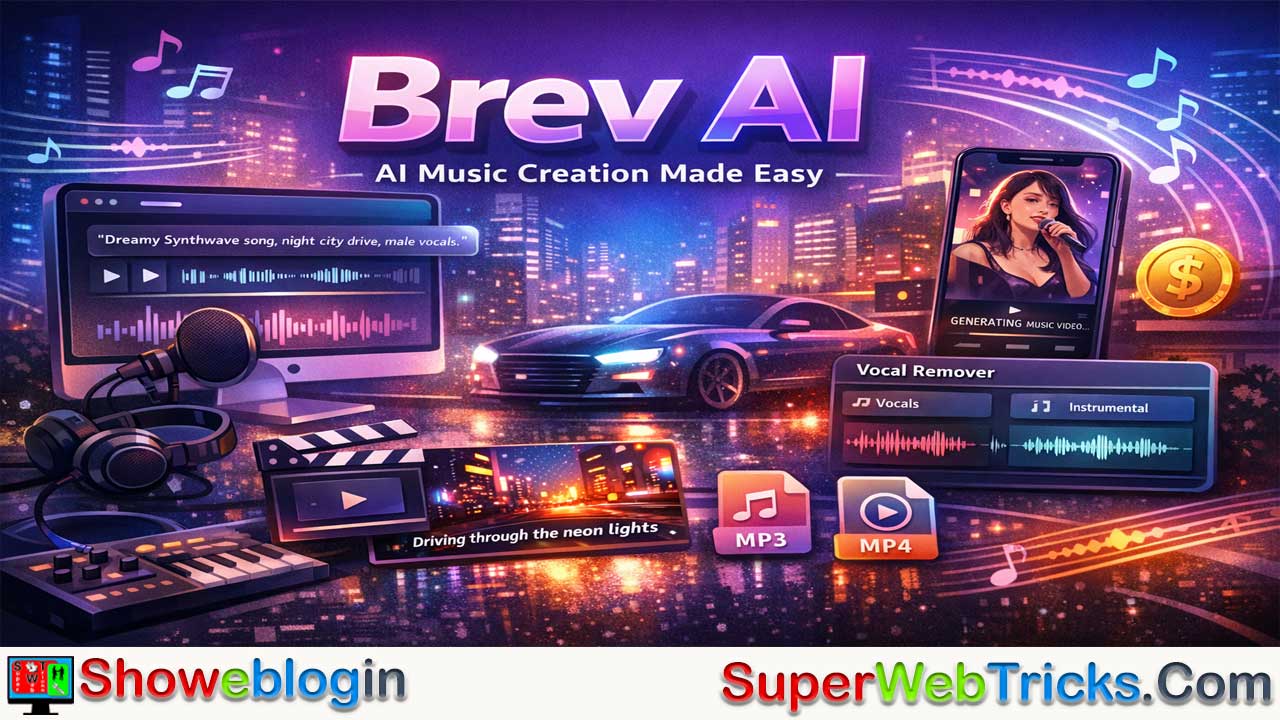






Brev AI is an AI-powered music creation platform that allows users to generate full songs—complete with vocals, lyrics, and instrumentals—using simple text prompts, powered by Suno’s V3.5 engine.
Designed for accessibility, it offers a no-sign-up free tier with limited daily generations, along with paid plans that unlock higher usage limits and commercial licensing rights. Beyond text-to-song generation, Brev AI includes additional tools like a vocal remover for stem separation and a built-in music video generator for exporting MP4 content, making it especially appealing to content creators and social media marketers.
While advanced producers may prefer using Suno directly or alternatives like Udio for deeper control and access to the latest model versions, Brev AI stands out as a beginner-friendly, all-in-one solution for fast, high-quality AI music production.
| Category | Details |
|---|---|
| Platform Name | Brev AI |
| Core Function | AI text-to-song generator (vocals, lyrics, instrumentals) |
| Underlying Engine | Powered by Suno V3.5 |
| Main Features | Text-to-music, AI lyric generation, instrumental mode |
| Extra Tools | Vocal remover (stem separation), music video (MP4) generator |
| Login Required? | No (for limited free generation) |
| Free Plan | ~2–5 songs/day, non-commercial use only |
| Paid Plans | Weekly & Annual subscriptions (commercial license included) |
| Commercial Rights | Yes (paid plans only) |
| Best For | Content creators, social media marketers, indie developers |
| Limitations | Free credit limits, dependent on Suno engine updates |
| Alternatives | Suno (direct use), Udio |
Brev AI: A Comprehensive Guide for AI Music Creators
In today’s fast-moving digital world, content creation needs to be fast, scalable, and high quality. Whether you’re a YouTuber, podcaster, marketer, educator, or entrepreneur, producing engaging audio content can be time-consuming and technically demanding.
That’s where Brev AI comes in — an advanced AI-powered platform designed to help users create professional-grade audio content in minutes.
What is Brev AI?
Brev AI is an artificial intelligence platform designed to democratize music production. It allows users to generate professional-quality songs—complete with vocals, lyrics, and instrumentals—simply by typing a text description.
For AI music tool users, the most important technical detail is this:
Brev AI is powered by Suno V3.5 technology.
That means when you generate music on Brev, you’re leveraging the same underlying audio generation engine developed by Suno—a leading innovator in AI music creation.
Think of Brev AI as:
- A streamlined interface for Suno’s engine
- A frictionless entry point (no login required initially)
- An expanded toolkit with added creator utilities
It acts as a user-friendly wrapper around a powerful music model while layering in extra tools like vocal separation and video export.
Core Features of Brev AI
Brev AI is not just a music generator; it is a mini-suite of audio tools.
AI Text-to-Speech (TTS)
One of Brev AI’s most popular features is its natural text-to-speech engine. Users can:
- Paste or upload scripts
- Choose from multiple voice styles
- Adjust tone, speed, and emotion
- Export high-quality audio files
The voices sound realistic and expressive, making them suitable for:
- YouTube videos
- Audiobooks
- E-learning modules
- Marketing ads
AI Music Generator (Text-to-Song)
This is the core feature. You input a prompt (e.g., “A lo-fi hip hop track for studying, relaxing vibes, female vocals”) and the AI generates a complete track.
- Customization: You can specify genres (Pop, Rock, Electronic, Classical), moods, and instruments.
- Lyrics: The tool can auto-generate lyrics based on your topic or you can switch to “Instrumental” mode for background music.
AI Vocal Remover
A highly useful utility for remixers and karaoke enthusiasts. This tool takes an existing audio file and splits it into two tracks:
- Vocals: Isolated singing/speech.
- Instrumental: The backing track without the voice.
Music Video Generator
Once you have generated a song, Brev AI offers a feature to convert that audio into an MP4 video file. This is particularly targeted at content creators (TikTok/YouTube Shorts) who need a visual element to go with their audio. It often includes synchronized lyrics.
Podcast & Voice Content Creation
Brev AI enables streamlined podcast production by:
- Generating voiceovers from scripts
- Creating intro/outro music
- Editing audio automatically
- Producing ready-to-publish audio files
For creators who want to launch a podcast but lack recording gear, Brev AI offers a practical starting point.
Multi-Language Support
The platform supports multiple languages and accents, helping creators:
- Reach international audiences
- Localize content easily
- Build global brands
This is especially useful for businesses expanding into new markets.
No Sign-Up Required (Free Tier)
Unlike many competitors that force you to create an account immediately, Brev AI allows you to test the generator and create a limited number of songs directly on the homepage without logging in.
Pricing and Plans
Brev AI operates on a Freemium model.
- Free Plan:
- Usage: Approximately 2–5 song generations per day (subject to credit limits).
- Access: No login required for basic generation.
- License: Non-commercial use only. You cannot monetize these tracks on Spotify or YouTube.
- Paid Subscriptions (Pro/VIP):
- Cost: Pricing varies by region and platform (Web vs. App), but typically includes Weekly (approx. $4.90) and Annual (approx. $95) options. Note: Always check the official site for the most current live rates.
- Benefits:
- Unlimited (or significantly higher) generation credits.
- Faster generation speeds.
- Commercial License: The key selling point. Paid users are granted rights to use the music for commercial purposes (monetization, ads, etc.).
Brev AI vs. Suno: Which Should You Use?
Since Brev AI is powered by Suno V3.5, savvy users often ask: “Why not just use Suno directly?” Here is the breakdown:
| Feature | Brev AI | Suno (Direct) |
|---|---|---|
| Engine | Suno V3.5 | Suno V3.5 / V4 (Latest) |
| Accessibility | High. No login needed to start. | Requires account creation. |
| Interface | Simple, focused on “One-click” results. | More complex, community-focused. |
| Extra Tools | Includes Vocal Remover & Video Gen. | Primarily focused on Music Gen. |
| Best For… | Quick tasks, content creators needing all-in-one tools. | Power users wanting the absolute latest model versions. |
Verdict: Use Brev AI if you want a frictionless experience or need the vocal remover/video tools in one place. Use Suno directly if you want to ensure you are using the absolute newest model version (like V4) as soon as it releases.
How to Use Brev AI (Step-by-Step)
- Navigate: Go to https://brev.ai/.
- Prompt: In the text box, describe the song you want. Be specific about Style (Genre), Mood (Happy, Sad, Epic), and Topic.
- Example: “An energetic synth-wave song about driving fast in a neon city at night.”
- Generate: Click the Generate button. The AI will process for 1–2 minutes.
- Review: Listen to the generated snippets.
- Refine (Optional): If you don’t like the result, tweak your prompt. For example, add “Male vocals” or “Faster tempo.”
- Download: Click the download icon to save the audio (MP3) or video (MP4).
Pros and Cons
Pros:
- High Quality: Because it uses the Suno engine, the musicality and vocal clarity are top-tier.
- Zero Friction: The ability to generate without an account is rare and excellent for testing.
- All-in-One: Having a vocal remover and video generator in the same tab saves time for creators.
Cons:
- Generation Failed Errors: Users sometimes report high traffic causing failed generations, eating up time.
- “Wrapper” Limitations: You are essentially using a third-party interface for another company’s tech. If Suno updates or changes their API, Brev is dependent on those changes.
- Credit Limits: The free tier is quite restricted; heavy users will hit the paywall quickly.
Who Should Use Brev AI?
Brev AI is ideal for:
- Content Creators – YouTube, TikTok, Instagram
- Podcasters – Script-based shows
- Educators – Online courses and training materials
- Marketers – Ad voiceovers and brand storytelling
- Startups & Entrepreneurs – MVP content production
- Developers – Apps that require integrated voice
Showeblogin Final Thoughts
Brev AI is an excellent tool for content creators, video editors, and social media managers who need high-quality, royalty-free background music quickly. Its “no-login” policy makes it the most accessible entry point for beginners curious about AI music.
However, serious music producers might prefer going directly to the source (Suno) or competitors like Udio for more granular control over the composition process.
FAQs about Brev AI
What is Brev AI?
Brev AI is an AI-powered music generation platform that creates complete songs—including vocals, lyrics, and instrumentals—from simple text prompts.
How does Brev AI work?
Users enter a descriptive prompt specifying genre, mood, topic, and vocal style, and the system generates a full song using Suno V3.5 technology.
Is Brev AI powered by Suno?
Yes, Brev AI uses Suno V3.5 as its underlying music generation engine.
Do I need to create an account to use Brev AI?
No, Brev AI allows limited free song generation without requiring sign-up.
Is Brev AI free to use?
Yes, there is a free tier with limited daily generations, but it does not include commercial rights.
Can I monetize songs created with Brev AI?
Only paid subscribers receive commercial licensing rights that allow monetization.
What types of music can Brev AI generate?
It can generate multiple genres including pop, rock, electronic, hip hop, classical, lo-fi, and more.
Can I generate instrumental-only tracks?
Yes, you can switch to instrumental mode to create background music without vocals.
Does Brev AI generate lyrics automatically?
Yes, it can auto-generate lyrics based on your topic, or you can guide the lyrical direction in your prompt.
Can I choose male or female vocals?
Yes, you can specify vocal type in your prompt.
How long does it take to generate a song?
Typically 1–2 minutes depending on server load and traffic.
What is the AI Vocal Remover feature?
It is a tool that separates an uploaded song into isolated vocals and instrumental backing tracks.
Who benefits from the vocal remover tool?
Remixers, DJs, karaoke creators, and content editors benefit most from stem separation.
Does Brev AI offer video export?
Yes, it includes a built-in feature that converts generated songs into MP4 video files.
Are lyrics synced in the generated videos?
In many cases, the video generator includes synchronized lyric displays.
What file formats can I download?
Typically MP3 for audio and MP4 for video exports.
How many songs can I generate on the free plan?
Approximately 2–5 per day, depending on credit availability.
Does Brev AI provide unlimited generations?
Higher-tier paid plans offer significantly more or unlimited generation credits.
What are the paid plan options?
Usually weekly and annual subscription plans with commercial rights included.
Is Brev AI suitable for professional musicians?
It is useful for rapid prototyping and content creation, but professional producers may prefer deeper control platforms.
What is the difference between Brev AI and Suno directly?
Brev offers a simpler interface and extra tools, while Suno may provide access to the latest model versions first.
Is Brev AI good for YouTube creators?
Yes, it is particularly useful for generating royalty-free background music and short-form video content.
Can I use Brev AI music for TikTok?
Yes, especially if you have a paid subscription that grants commercial usage rights.
Does Brev AI support multiple languages?
It can generate songs in different languages depending on how the prompt is written.
What happens if generation fails?
High traffic can sometimes cause failed generations, and users may need to retry.
Can I edit the generated song afterward?
You cannot directly edit stems within Brev AI, but you can download and edit the audio in external software.
Does Brev AI allow prompt refinement?
Yes, you can adjust your prompt to influence tempo, mood, instrumentation, and vocal style.
Is Brev AI beginner-friendly?
Yes, its no-login policy and simple interface make it accessible for first-time AI music users.
Can businesses use Brev AI?
Yes, businesses can use it under paid plans that include commercial licensing.
Is Brev AI dependent on Suno updates?
Yes, since it uses Suno’s engine, updates or changes to Suno’s API may affect Brev AI.
Does Brev AI replace traditional music production?
It accelerates music creation but does not fully replace detailed human production workflows.
Is Brev AI good for podcast background music?
Yes, instrumental mode is ideal for podcast intros and background scoring.
Can I generate multiple versions of the same idea?
Yes, you can regenerate variations by tweaking your prompt slightly.
Does Brev AI require software installation?
No, it operates through a web browser.
Is there a mobile app available?
Availability may vary by region; users should check the official platform for app support.
Can I control song length?
Song structure and length are partially influenced by the prompt but may have platform limits.
Is Brev AI suitable for indie game developers?
Yes, especially for quickly generating background tracks and theme music.
Does Brev AI offer API access?
Public API availability is not typically advertised; it is mainly a web-based interface tool.
Can I collaborate with others inside Brev AI?
There are no built-in collaboration features; files must be shared externally.
What makes Brev AI different from other AI music tools?
Its no-login entry, Suno-powered engine, and bundled tools like vocal removal and video export make it an accessible all-in-one solution.












Leave a Reply
You must be logged in to post a comment.