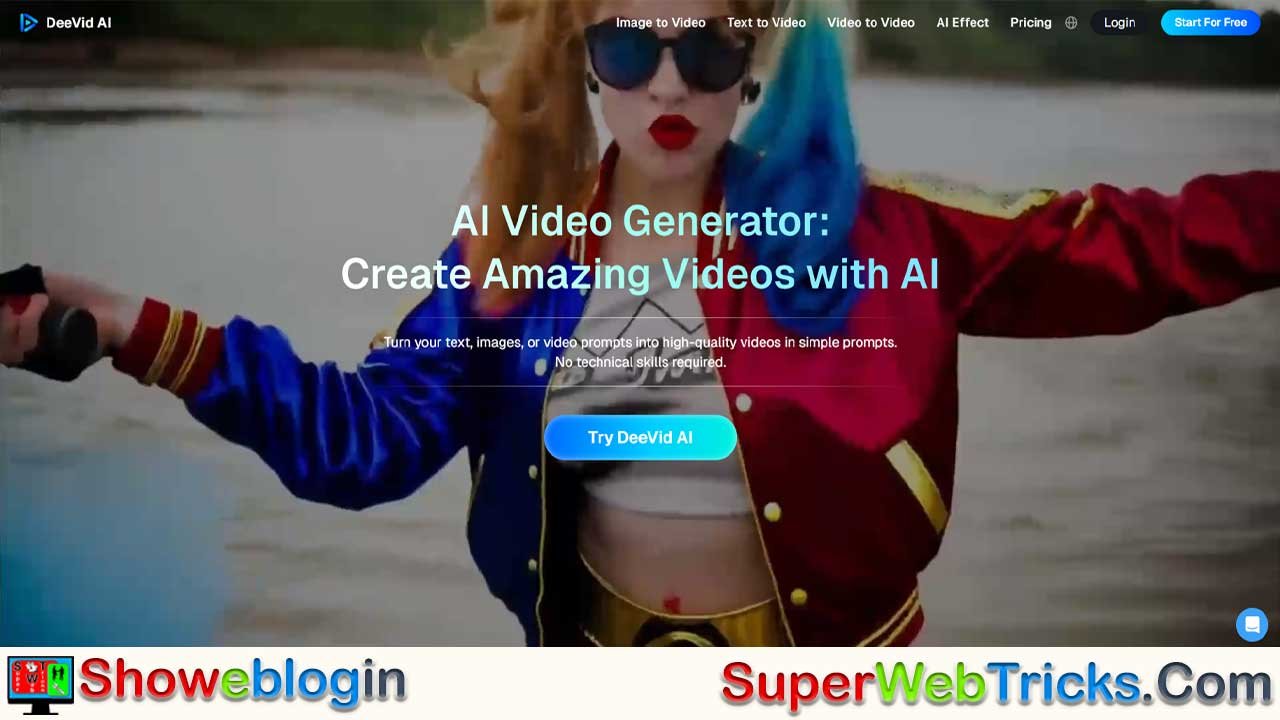






DeeVid AI is a groundbreaking video creation platform that combines multiple advanced generative models—like Veo 3, Kling, Sora, and Seedance—into one seamless, user-friendly interface. Acting as a “Super Model” aggregator, it empowers users to produce professional-quality videos in seconds without needing multiple tools.
Its core features include Text-to-Video, Image-to-Video, Video-to-Video, and AI Lip Sync & Avatars, catering to creators, marketers, educators, and small businesses alike. With viral templates, mobile accessibility, and flexible pricing plans, DeeVid AI democratizes cinematic production—enabling anyone to turn ideas into stunning, shareable visuals effortlessly.
| Category | Details |
|---|---|
| Platform Name | DeeVid AI |
| Website | https://deevid.ai/ |
| Core Concept | AI-powered video creation platform combining multiple top-tier generative models |
| Unique Feature | “Super Model” system integrating Veo 3, Kling, Sora, and Seedance 1.0 |
| Main Tools | Text-to-Video, Image-to-Video, Video-to-Video, AI Lip Sync & Avatars |
| Special Effects | AI Hug, Ghibli AI Generator, Horror/Fantasy effects, 360° Microwave effect |
| Platforms Supported | Web, iOS, Android |
| Target Users | Content creators, digital marketers, educators, small business owners |
| Free Trial | 20 free credits (approx. 4 videos) |
| Pricing Plans | Lite: ~$10/mo · Pro: ~$25/mo · Premium: ~$119/mo |
| Output Quality | Up to 1080p (Pro plan and above) |
| Commercial Rights | Available in Pro and Premium plans |
| Key Benefit | All-in-one AI video creation with cinematic quality and fast results |
| Get Started | Sign up, choose mode (Text/Image/Video-to-Video), enter prompt, generate video |
The Ultimate Guide to DeeVid AI: Revolutionizing Video Creation with Artificial Intelligence
In a digital world where video content dominates everything from social media feeds to marketing campaigns, the demand for high-quality, fast production is at an all-time high. DeeVid AI (https://deevid.ai/) has emerged as a powerhouse solution, positioning itself not just as a tool, but as a next-generation creative partner. By aggregating the world’s most advanced AI models into one user-friendly platform, DeeVid AI empowers anyone to create professional-grade videos in seconds.
What Makes DeeVid AI Different? The “Super Model” Advantage
Unlike many tools that rely on a single algorithm, DeeVid AI operates as a sophisticated aggregator of top-tier generative models. Under the hood, it leverages powerful technologies like Veo 3, Kling, Sora, and Seedance 1.0.
This “Super LLM” approach means users aren’t limited to one style or capability. Whether you need the photorealistic physics of Veo 3 for a cinematic shot or the stylized creativity of other models for animation, DeeVid optimizes the output for the best possible result. It effectively removes the need to switch between different apps to get the best quality—it’s all housed under one roof.
A Deep Dive into Core Features
DeeVid AI offers a robust suite of tools designed to cover every stage of the video creation process:
1. Text-to-Video: From Script to Screen
This is the heart of the platform for storytellers. You provide the narrative; DeeVid provides the visuals.
- How it works: Type a prompt like “A cyberpunk city street at night, neon rain reflecting on the pavement, cinematic lighting.”
- The Result: The AI generates a fully realized video clip, complete with complex lighting and camera movements, in under a minute.
2. Image-to-Video: Animate Your Memories
Static images often get lost in the feed. DeeVid breathes life into them.
- Dynamic Motion: Make water flow, clouds move, or hair blow in the wind.
- Start-to-End Frame Interpolation: Upload a starting image and an ending image, and the AI will generate the frames in between, creating a smooth, logical transition or “morph” effect between two states.
3. Video-to-Video: Style Transformation
Repurpose existing content with entirely new aesthetics.
- Style Transfer: Turn a regular video of a person walking into a Japanese anime style (Ghibli-esque), a claymation, or a futuristic 3D render.
- Format Shifting: Perfect for taking high-quality horizontal footage and adapting it stylistically for vertical platforms like TikTok or Reels.
4. AI Lip Sync & Avatars
A game-changer for educators and marketers.
- Lip Sync: Upload a photo and an audio file, and the AI will animate the subject’s mouth to speak the audio in perfect synchronization.
- Custom Avatars: Create a consistent digital spokesperson for your brand that can “read” your scripts without you ever needing to turn on a camera.
Viral Effects & Trending Templates
DeeVid AI is deeply plugged into social media culture, offering one-click templates that help creators jump on viral trends instantly:
- AI Hug: A heartwarming effect that animates two separate photos of people (who may have never met or are separated by distance) hugging each other realistically.
- Ghibli AI Generator: Instantly turns photos into the lush, painted style of famous anime studios.
- Horror & Fantasy: Specialized effects like Ghostface Terror or Summoning Succubus for seasonal or edgy content.
- 360° Microwave Effect: A trending visual style that rotates around a subject seamlessly.
Create Anywhere: The Mobile Experience
Creativity doesn’t always happen at a desk. DeeVid AI has launched full-featured mobile apps for iOS and Android, ensuring your workflow is uninterrupted.
- Unified Account: Start a project on your laptop via the web and finish it on your phone. Your credits and project history sync automatically.
- On-the-Go Creation: Snap a photo with your phone and immediately use the Image-to-Video feature to post a dynamic story to Instagram or TikTok while you are still at the location.
Who Is DeeVid AI For?
- Content Creators: Explode your engagement on TikTok and Instagram Reels by using trending effects like “AI Hug” or “AI Kiss” that are difficult to replicate manually.
- Digital Marketers: Produce high-retention video ads for e-commerce products without organizing expensive photoshoots.
- Educators: Use AI avatars to present lesson plans or convert dry text summaries into engaging video explainers.
- Small Business Owners: Create professional promotional materials for a fraction of the cost of a production agency.
Pricing Plans
DeeVid AI offers a flexible structure catering to everyone from hobbyists to power users:
- Free Trial: New users receive 20 free credits (approx. 4 videos) upon sign-up to test the waters.
- Lite Plan (~$10/mo): Perfect for beginners, offering roughly 200 credits per month.
- Pro Plan (~$25/mo): The sweet spot for creators. Unlocks 1080p resolution, removes watermarks, and grants full commercial rights, allowing you to monetize your content.
- Premium Plan (~$119/mo): For agencies and high-volume users requiring thousands of credits and priority support.
How to Get Started in 3 Steps
- Sign Up: Visit https://deevid.ai/ or download the app from the Apple App Store or Google Play.
- Select Your Mode: Choose Text-to-Video for new ideas or Image-to-Video to animate existing photos.
- Generate: Enter your prompt, hit “Create,” and watch as the Super LLM generates your video in roughly 60 seconds.
Conclusion
DeeVid AI is democratizing video production by making high-end animation and cinematic generation accessible to everyone. By combining the power of multiple advanced AI models into a single, intuitive interface, it allows creators to focus on ideas rather than technical hurdles. Whether you are looking to make a viral hit or a professional advertisement, DeeVid AI provides the tools to turn your vision into visual reality.
Start creating today at deevid.ai.
FAQs about DeeVid AI
What is DeeVid AI?
DeeVid AI is an advanced video creation platform that uses artificial intelligence to generate professional-quality videos from text, images, or clips.
How does DeeVid AI work?
It combines multiple top-tier AI models like Veo 3, Kling, Sora, and Seedance 1.0 to generate high-quality, cinematic videos in seconds.
What makes DeeVid AI unique?
Unlike other tools that rely on a single algorithm, DeeVid AI acts as a “Super Model” aggregator, selecting the best model for each type of visual or animation task.
Can I create videos from text prompts?
Yes, the Text-to-Video feature lets you type a scene or story, and DeeVid AI will generate a realistic video complete with lighting, motion, and camera effects.
Does DeeVid AI support image animation?
Yes, the Image-to-Video tool can animate photos by adding realistic motion effects like flowing water, blowing hair, or moving clouds.
Can I convert one video style into another?
Yes, the Video-to-Video mode allows style transformation, letting you turn regular videos into anime, claymation, or cinematic 3D styles.
What is the AI Lip Sync feature?
This tool animates a photo or avatar to match an audio file perfectly, making it appear as though the person is speaking in sync with the sound.
Can I create my own digital avatar?
Yes, you can design custom avatars to act as consistent digital spokespersons for your brand or channel.
What are viral templates in DeeVid AI?
DeeVid offers trending effects like AI Hug, AI Kiss, Ghibli Generator, and the 360° Microwave Effect to help your videos go viral quickly.
Is DeeVid AI available on mobile?
Yes, DeeVid AI has full-featured apps for both iOS and Android, allowing you to create or edit videos on the go.
Can I sync projects across devices?
Yes, your projects, credits, and history sync automatically between the web and mobile app using a unified account.
Who can use DeeVid AI?
It’s designed for creators, marketers, educators, influencers, and businesses who want to make engaging videos without technical expertise.
Is there a free trial available?
Yes, new users receive 20 free credits (around four videos) to test the platform before subscribing.
What are the pricing plans for DeeVid AI?
Lite costs about $10/month, Pro around $25/month, and Premium roughly $119/month, offering more credits and higher-quality output.
Does DeeVid AI remove watermarks?
Yes, watermark removal is included in the Pro and Premium plans.
What video resolution does DeeVid AI support?
Videos can be generated in up to 1080p resolution, depending on your subscription plan.
Can I use DeeVid AI for commercial projects?
Yes, the Pro and Premium plans include full commercial usage rights for monetized content.
How long does it take to generate a video?
Most videos are created in under 60 seconds, depending on complexity and length.
Do I need editing skills to use DeeVid AI?
No, the platform is built for ease of use, so anyone can create professional videos with simple prompts.
Can I use DeeVid AI for social media content?
Yes, it’s perfect for creating viral content, ads, and stories for platforms like TikTok, Instagram Reels, and YouTube Shorts.
Does DeeVid AI support horizontal and vertical formats?
Yes, it allows easy format shifting, so you can convert horizontal videos to vertical and vice versa for different platforms.
What is the 360° Microwave Effect?
It’s a popular visual style in DeeVid AI that smoothly rotates the camera around a subject for a dynamic, cinematic look.
Is DeeVid AI suitable for education?
Yes, educators can use avatars and text-to-video tools to create engaging lesson videos or explainers.
Can small businesses benefit from DeeVid AI?
Absolutely. It allows small brands to produce professional marketing videos affordably without hiring a production team.
Does DeeVid AI support team or agency use?
Yes, the Premium plan is ideal for agencies or high-volume users needing thousands of credits and priority support.
What kind of content can I create with DeeVid AI?
You can produce cinematic videos, explainers, ads, social clips, animations, and fantasy or horror effects.
Is DeeVid AI beginner-friendly?
Yes, it’s designed with an intuitive interface that requires no prior video production experience.
Can I start a project on one device and finish it on another?
Yes, DeeVid AI supports cross-device syncing, so you can start on desktop and continue editing on mobile.
Does DeeVid AI offer customer support?
Yes, users on all plans have access to support, with priority assistance available for Premium subscribers.
How do I start using DeeVid AI?
Sign up at deevid.ai, select your creation mode, enter a prompt, and generate your video in seconds.
Can DeeVid AI help me follow social media trends?
Yes, it provides prebuilt trending templates and effects so you can instantly join viral challenges and trends.
Does DeeVid AI store my projects?
Yes, your projects are automatically saved in your account for future access and editing.
What file formats can I export?
Videos can typically be downloaded in standard MP4 format, ready for upload to any platform.
Can DeeVid AI enhance existing videos?
Yes, its Video-to-Video mode can restyle or enhance current footage with new visual aesthetics.
Does DeeVid AI require high-end hardware?
No, all processing is done in the cloud, so you can use it smoothly on standard devices.
Can I collaborate with others on projects?
Currently, collaboration is limited to individual accounts, but videos can easily be shared externally.
Does DeeVid AI offer watermark-free exports on free plans?
No, free trial exports include watermarks; you’ll need a Pro plan or higher for watermark-free output.
How is DeeVid AI different from tools like Runway or Pika Labs?
DeeVid AI stands out by aggregating multiple advanced AI models into one interface, delivering better flexibility and quality.
Can I generate long-form videos?
Yes, but longer videos consume more credits, depending on your subscription plan.
Does DeeVid AI include sound or music in generated videos?
Yes, it can include AI-generated or stock background music, depending on the mode selected.
Is DeeVid AI suitable for corporate or ad production?
Yes, it’s powerful enough for professional video ads, brand promos, and training videos.
How does DeeVid AI ensure output quality?
It automatically selects and blends the best-performing generative models for each visual element.
Can I cancel my subscription anytime?
Yes, you can cancel your plan or upgrade at any time through your account settings.
Is DeeVid AI cloud-based?
Yes, all generation and rendering happen in the cloud, ensuring fast performance and no local processing burden.
Does DeeVid AI support multiple languages?
Yes, text prompts and scripts can be entered in various languages for multilingual video creation.
Are there limits to daily usage?
Usage is credit-based, and limits depend on your monthly plan and available credits.
Can I use DeeVid AI offline?
No, an internet connection is required since processing occurs on cloud servers.
How accurate is the AI Lip Sync feature?
It delivers highly realistic mouth movements synced precisely with the uploaded audio.
Can DeeVid AI create fantasy or horror visuals?
Yes, it offers specialized effects for genres like horror, sci-fi, and fantasy.
Is DeeVid AI safe to use?
Yes, the platform is secure, privacy-compliant, and designed for safe creative use.











Leave a Reply
You must be logged in to post a comment.