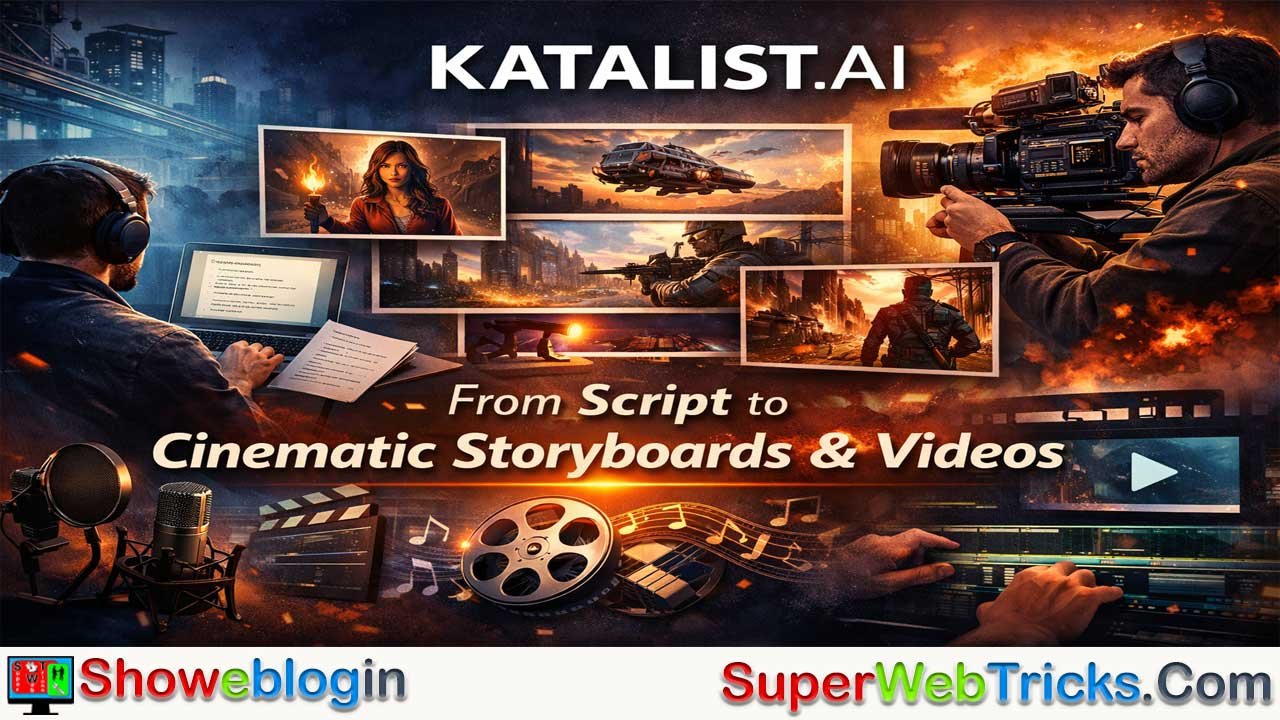






Katalist.AI is a Storyboard AI–powered, all-in-one platform that turns scripts into cinematic visual stories and videos with minimal friction, bridging the gap between written ideas and fully visualized content.
Designed for filmmakers, animators, agencies, YouTubers, educators, and marketers, it converts scripts into shot-by-shot storyboards in one click, maintains consistent AI-cast characters, and offers deep creative control over framing, scenes, and poses.
Beyond static storyboards, Katalist enables creators to produce complete videos with voiceover, music, and sound effects—all without requiring AI expertise. By unifying scripting, storyboarding, and video production into a single, creator-friendly workflow, Katalist dramatically speeds up production, reduces costs, and empowers modern storytellers to move from concept to polished visuals faster than ever.
| Category | Details |
|---|---|
| Product Name | Katalist.AI |
| Core Function | Script-to-storyboard and AI video creation |
| Technology | Storyboard AI + AI Video Studio |
| Primary Use | Turn scripts into visual stories and videos |
| Target Users | Filmmakers, animators, agencies, YouTubers, marketers, educators |
| Key Features | 1-click script-to-storyboard, AI actor casting, character consistency, scene & camera control, posing tools |
| Video Capabilities | Voiceover, music, sound effects, animatics, full videos |
| Input Formats | Text, CSV, Word, PowerPoint |
| Output Options | Shareable links, ZIP assets, PowerPoint, video slideshows |
| Speed Benefits | Up to 4× faster production |
| Skill Requirement | No AI experience required |
| Trial | 7-day free trial with unlimited generations |
| Positioning | All-in-one AI video studio for cinematic storytelling |
Katalist.AI: Turn Scripts into Cinematic Visual Stories with Storyboard AI
In modern content production, the gap between a written script and a fully visualized story can be huge. Traditionally, filmmakers, animators, agencies, and creators spend days or weeks translating ideas into storyboards, refining frames, and coordinating multiple tools to get from concept to finished video. Katalist.AI is designed to collapse that gap.
It is a Storyboard AI–powered platform that takes your script and turns it into visual stories and videos, while keeping you firmly in control of the creative direction.
This Showeblogin article explores what Katalist.AI is, how it works, the key features that set it apart, who it is for, and how you can get started using it to accelerate your storytelling workflow.
What Is Katalist.AI?
Katalist.AI is an AI storytelling and storyboard platform that converts scripts into visual narratives. At its core, it combines Storyboard AI with an intuitive interface, making it possible to go from text to storyboard—and then to video—with minimal friction.
Rather than forcing you to learn complex AI tools or juggle multiple apps, Katalist acts as a “translation layer” between your ideas and generative AI technology. You write or import your script, and Katalist’s AI automatically analyzes it to detect characters, scenes, and actions, then turns those into shot-by-shot visuals you can refine.
The platform is built specifically for visual storytellers: filmmakers, animators, YouTubers, advertisers, content creators, educators, and anyone who needs to transform ideas into clear, compelling visual stories efficiently.
Who Is Katalist.AI For?
Katalist.AI is designed for a broad range of creators who work with visual narratives, including:
- Filmmakers and animators who need fast, detailed storyboards to plan productions and communicate ideas with teams and clients.
- Advertisers and agencies needing visually cohesive concepts for campaigns, pitches, and client presentations.
- Content creators and YouTubers looking to streamline video ideation, YouTube automation workflows, and short-form content.
- Educators and trainers who want to turn lesson plans or scripts into visual sequences that are easier to follow and present.
- Marketers and storytellers who rely on narrative-driven visuals for brand storytelling, explainers, and social media campaigns.
Katalist is explicitly built to remove technical barriers. You do not need prior AI expertise to use it—everything is driven through a visual, creator-friendly interface that abstracts away the complexity of generative AI.
Script to Storyboard in One Click
One of Katalist.AI’s core promises is “Script to storyboard in 1 click.”
You can import your script in multiple formats:
- CSV
- Word
- PowerPoint
- Or simply copy–paste text from your writing or copywriting tool
Katalist then:
- Analyzes your script to find characters, scenes, and activities.
- Automatically breaks your story into shots, extracting visual information like who is present, what they’re doing, and where the action is taking place.
- Generates a full storyboard based on this analysis, giving you a working visual draft almost instantly.
This instantly saves hours of manual image sourcing, layout, and scene planning, while still giving you the flexibility to refine every detail afterward.
Cast AI Actors and Keep Characters Consistent
A major pain point with generative visuals is character consistency across shots and scenes. Katalist addresses this directly with its AI actor casting and character management features.
With Katalist, you can:
- Cast AI actors into your story so the same characters appear consistently throughout your storyboard.
- Keep consistent costumes, looks, and character traits across all scenes.
- If you change your mind about a character design, update that character once and propagate the change across the entire storyboard with a single click.
This level of control gives your storyboards a professional, film-ready coherence that is difficult to achieve when generating each frame in isolation.
Dynamic Scene Control and Framing
Katalist is not just about automatic generation; it is also about creative control.
Using Katalist’s scene tools, you can:
- Control scenes with ease using Dynamic Scene generation.
- Seamlessly change or swap frames to better fit your narrative.
- Dive deep into framing, camera angles, composition, and props to “get the shot just right.”
- Adjust character poses using a dedicated Character Posing Tool, fine-tuning body language and positioning to match the emotional tone of each moment.
This blend of automation and granular control enables both rapid ideation and high-precision refinement.
From Storyboards to Fully Produced Videos
Katalist.AI goes a step beyond static storyboards with its AI Video Studio.
Once your storyboard is ready, you can transform it into a fully produced video, complete with:
- Voiceover
- Music
- Sound effects
This lets you quickly produce video drafts, animatics, or even polished content suitable for pitches, presentations, and social media. For many creators, this replaces a multi-tool pipeline with a single platform that can handle everything from script to final video.
All-in-One AI Video Studio for Hollywood-Level Content
Katalist positions itself as an all-in-one AI video studio that combines the power of multiple tools into one workflow. Official feature content highlights that Katalist can be used to:
- Create viral videos 10x faster using agentic AI workflows tailored for YouTubers and content creators.
- Easily create Hollywood-level AI movies, leveraging cutting-edge video generation models in a streamlined interface.
- Build complete AI videos “in one app,” without constantly switching tools or exporting assets between platforms.
For creators experimenting with AI video, this unified approach is especially valuable—reducing technical friction and making high-end visuals more accessible.
Step-by-Step: How Katalist.AI Works
Katalist’s workflow can be summarized in three main steps:
1. Import or Write Your Script
Start by bringing your story into Katalist:
- Import a full script from CSV, Word, or PowerPoint.
- Or paste your script directly from your writing environment.
This flexible input system supports everything from short-form content to full-length narratives.
2. Let Storyboard AI Generate Visuals
Katalist’s AI breaks your script into shots and extracts:
- Characters
- Locations
- Actions
- Key visual elements
It then automatically generates visuals for each shot, giving you a complete first-pass storyboard with minimal manual effort.
3. Tweak, Refine, and Perfect
Once the draft storyboard is ready, you can refine it by:
- Adjusting framing, angle, and composition
- Changing character poses and expressions
- Modifying scenes, props, and lenses
- Replacing characters or scenes while keeping overall consistency
This refinement loop lets you maintain full creative control while still benefiting from the speed and power of AI.
Export, Present, and Share Your Work
Katalist also simplifies how you present and share your storyboards and video concepts.
You can:
- Create instant presentations that can be publicly shared via a link.
- Export your work as:
- A ZIP of assets
- A PowerPoint file
- A video slideshow
This makes it easy to present to clients, collaborators, investors, or internal stakeholders—whether you’re pitching a film, an ad campaign, or a YouTube concept.
Speed, Efficiency, and Production Benefits
Katalist is built to significantly cut down production time. The platform highlights:
- 4x faster production time – getting projects ready in days instead of weeks.
- Rapid iteration – AI-powered storyboards generated in seconds, allowing more time for creative refinement and experimentation.
- Efficiency and cost-effectiveness – reducing the manual labor involved in storyboarding and initial visual development, so teams can focus more on storytelling and direction.
For agencies, studios, and independent creators alike, this combination of speed and control can be a major competitive advantage.
No AI Experience Required
A standout aspect of Katalist’s positioning is that it is explicitly designed for non-technical creators.
The platform emphasizes:
- “No AI experience required” – the interface abstracts away prompts, models, and technical details.
- A focus on intuitive controls such as clicking to change characters, scenes, poses, and frames.
- A workflow that feels like working inside a creative studio, not a developer tool.
This makes Katalist approachable for traditional filmmakers, designers, and storytellers who want the benefits of AI without the learning curve of complex AI systems.
Social Proof and Creator Feedback
Katalist’s official site showcases testimonials from a variety of creative professionals, including:
- A Creative Director & AI Consultant who highlights how the app enables new ways for their market segment to engage audiences and calls the pricing a “no brainer.”
- A Casting Director who notes they had been waiting for a tool like this.
- A Producer and Storyteller who tested multiple storyboard apps and found Katalist “the clear winner” in both features and ease of use.
- An AppSumo user praising Katalist’s sketch mode and its potential for future updates.
- An Art Director at a major agency noting that Katalist helped their team highlight specific details and cut production time in half.
These testimonials reinforce Katalist’s value for both solo creators and professional studios, especially in terms of usability and time savings.
The Team and Vision Behind Katalist
Behind Katalist is a small team of creatives and builders who quit their jobs in 2023 to focus fully on this platform. Their mission is to empower storytellers with limitless visual expression.
Key points about the team’s background include:
- Deep interest in open source, entrepreneurship, and emerging technologies.
- Practical experience building cutting-edge, intuitive products.
- Hands-on experimentation with generative AI since at least 2021 and production of AI-powered movies starting in 2023.
They emphasize crafting not just powerful AI pipelines, but also user experiences that keep creators in control, letting the technology stay in the background while the story remains front and center.
Free Trial, Plans, and Getting Started
To make it easy for new users to try the platform, Katalist offers a 7-day free trial. During this period, you can explore the platform’s capabilities and use unlimited generations to see how it fits into your workflow.
Getting started is straightforward:
- Visit the official website and sign up for an account.
- Choose a pricing plan that matches your needs after the trial.
- Import or write your first script and let Storyboard AI generate your initial storyboard.
- Refine, customize, and export or present your project.
For creators looking to monetize or share the tool, Katalist also promotes a “#1 affiliate program”, with weekly new trending templates and a focus on helping affiliates create viral content, adding a business and growth dimension around the product.
Use Cases and Content Ideas with Katalist
Katalist’s official content highlights several strategic use cases and workflows, including:
- Agentic AI YouTube automation workflows – for creators looking to produce consistent, high-performing videos at scale.
- Duck Quest–style AI-generated shorts and reels – showing how to use Katalist to ride short-form video trends.
- Cinematic, Hollywood-grade AI movies – combining Katalist’s storyboard and video capabilities with advanced video models to produce striking visuals.
These examples underscore that Katalist is not just for pre-production; it can be used as a core engine for online content creation, YouTube channels, and social media storytelling.
Why Katalist.AI Matters for Modern Storytellers
In a creative landscape where speed, quality, and originality matter more than ever, Katalist.AI offers a compelling blend of:
- Automation (script-to-storyboard in 1 click)
- Control (pose, framing, scenes, and characters all under your direction)
- Consistency (coherent visual style and recurring characters across a project)
- Accessibility (no AI experience required, creator-first workflows)
Whether you are a filmmaker planning your next project, a YouTuber building a content pipeline, or a marketer crafting narrative-driven campaigns, Katalist.AI provides a unified environment to move from idea to visuals to video with unprecedented efficiency.
For creators interested in the future of AI-assisted storytelling, Katalist.AI is a platform worth exploring deeply—and potentially building entire content workflows around.
FAQs about Katalist.AI
What is Katalist.AI?
Katalist.AI is an AI-powered storyboard and video creation platform that turns scripts into cinematic visual stories and videos in one streamlined workflow.
How does Katalist.AI work?
You import or write a script, and Katalist’s Storyboard AI automatically breaks it into shots, detects characters and scenes, and generates a visual storyboard you can refine.
Who is Katalist.AI designed for?
It is built for filmmakers, animators, advertisers, agencies, YouTubers, marketers, educators, and content creators who work with visual storytelling.
Do I need AI or technical experience to use Katalist.AI?
No, Katalist is designed for non-technical creators and hides AI complexity behind a simple, visual interface.
What makes Katalist.AI different from other storyboard tools?
Katalist combines script-to-storyboard automation, consistent AI characters, deep scene control, and full video production in a single platform.
Can Katalist.AI turn a script into a storyboard automatically?
Yes, it can generate a complete storyboard from a script in one click.
What script formats does Katalist.AI support?
You can import scripts from CSV, Word, PowerPoint, or paste plain text directly.
How does Katalist handle character consistency?
You can cast AI actors so the same characters, costumes, and traits remain consistent across all scenes and shots.
Can I edit characters after the storyboard is generated?
Yes, you can update a character once and apply changes across the entire storyboard instantly.
Does Katalist.AI allow control over camera angles and framing?
Yes, you can adjust framing, camera angles, composition, props, and lenses for each shot.
Can I change character poses and body language?
Yes, Katalist includes a character posing tool to fine-tune emotions and physical positioning.
Does Katalist.AI only create storyboards or full videos too?
It supports both, allowing you to convert storyboards into full videos with voiceover, music, and sound effects.
What types of videos can be made with Katalist.AI?
It can be used for animatics, pitch videos, social media content, ads, explainers, YouTube videos, and cinematic AI films.
Can Katalist.AI replace multiple tools in my workflow?
Yes, it is designed as an all-in-one AI video studio to reduce tool switching and asset exporting.
How fast is Katalist.AI compared to traditional workflows?
It can reduce production time by up to 4×, turning weeks of work into days.
Can I export or share my projects easily?
Yes, projects can be shared via public links or exported as ZIP files, PowerPoint presentations, or video slideshows.
Is Katalist.AI suitable for agencies and teams?
Yes, it is well-suited for agencies, studios, and collaborative environments where fast iteration and clear visual communication are critical.
Is there a free trial available?
Yes, Katalist offers a 7-day free trial with unlimited generations.
Can Katalist.AI be used for YouTube automation and short-form content?
Yes, it supports agentic AI workflows for YouTube, shorts, reels, and scalable content creation.
What is the vision behind Katalist.AI?
The platform aims to empower storytellers by keeping creative control in human hands while using AI to accelerate and simplify visual storytelling.












Leave a Reply
You must be logged in to post a comment.